17 Best Internal Communication Platforms for 2026
The best internal communication platforms stop your IT help desk from answering the same Slack, HR, and policy questions all day. The answers exist, but they sit scattered across Slack threads, email chains, and shared drives where employees can't find them, so they ask you instead. Your comms and HR colleagues fight the same battle from the other side: announcements nobody reads and policies nobody finds.
Internal communication platforms centralize messaging, documentation, and workflows in the tools employees already use. Chat apps like Slack and Teams handle real-time conversation, but their real value shows up through integrations with your HRIS, ticketing tools, and knowledge base that surface answers automatically.
This guide compares 17 platforms for 2026 across chat, intranet, email, frontline, and knowledge categories, with pricing models and the features that actually reduce workload.
TL;DR:
- Internal communication platforms centralize messaging, knowledge, and announcements; the best ones plug into your HRIS, IDP setup, and request tracking instead of adding another tab to check.
- For 2026, Slack and Microsoft Teams lead chat, Simpplr and LumApps lead AI-powered intranets, Staffbase, Blink, Beekeeper, and Connecteam reach frontline workers, and ContactMonkey and Workshop own email.
- Match the platform to your stack and workforce model, then pressure-test it against real requests and a three-year cost model before signing.
- Whichever platform you pick, Siit adds the request layer that works directly in Slack or Teams with Slack and Teams-native ticketing, so no portal adoption is required.
Why Do Internal Communication Platforms Matter?
Disengagement is measurable and expensive. The Gallup workplace report found global employee engagement fell to 21%, its second consecutive annual decline, down from 23%. Gallup estimates that drop cost the world economy $438 billion in lost productivity. When employees cannot find information, the problem shows up as slower work, repeated questions, and more avoidable support requests.
Communication chaos feeds that number directly. Constant notifications, duplicated announcements, and answers buried in scrollback make focused work harder, which is why tightening how teams communicate pays off. When answers hide across chat, email, and shared drives, your IT help desk absorbs the overflow as repeat tickets, and your HR team fields the same policy question five times a week.
When you evaluate 2026 shortlists, treat drafting, translation, personalization, and grounded answers as features to test rather than vendor slogans. The goal is not to buy an “AI-powered” label; it is to find tools that draft, summarize, translate, personalize, and retrieve answers inside the workflows employees already use.
What Are Internal Communication Platforms?
An internal communication platform is software that centralizes how employees share information, collaborate on work, and access company resources. These platforms combine messaging, file sharing, knowledge management, and workflow tools in one interface, replacing scattered email threads and disconnected systems.
Modern platforms integrate directly with business systems like HRIS, identity providers, and ticketing tools. That integration layer turns simple messaging into automated workflows, where an employee request triggers the right actions across departments without manual coordination, cutting friction between teams. A question about access permissions can verify employee data, route approval, and provision resources through connected systems.
When people ask “what is a communication platform?” or “what are communication platforms replacing?” the answer is the patchwork: email blasts, shared-drive folders, and unread intranets. Whether you call it a comms platform, a workplace internal communication platform, or an employee app, the job is the same. These are digital communication platforms and online communication platforms for distributed teams, built to put messages, knowledge, and requests in one findable place.
What Are the Main Types of Internal Communication Platforms?
Communication platforms for business fall into five categories, and most companies run more than one category side by side rather than forcing one tool to do everything. For buyers comparing internal communication software for business, these categories also give practical communication platform examples. The legacy interoffice communication system of memos and cascading email split into specialized tools: an internal chat system for real-time work, an intranet as the company front door, email software for campaigns, mobile apps for frontline reach, and a wiki for knowledge. The table below gives examples of communication platforms for each category.
For your IT help desk, the category matters because the wrong tool pushes every unanswered policy, onboarding, or access question back into your queue.
You'll see company communication platforms increasingly blur these lines: Staffbase spans email, mobile, and intranet, while Slack keeps adding knowledge features. The categories still matter because they define which problem you're actually buying for, and a solid internal knowledge setup underpins all of them. A great internal chat system won't fix unread announcements, and a beautiful intranet won't cut the request volume hitting your IT help desk.
What Should You Look for in Internal Communication Platforms?
Treat this section as a scorecard. The right platform centralizes information flow, integrates with your existing business systems, and delivers messages through the channels your people actually monitor; the wrong one becomes another tab your IT help desk gets blamed for. Eight criteria separate the internal comms platforms that reduce work from the ones that add more work.
1. Multi-Channel Delivery That Reaches Everyone
Messages only work when they reach people through channels they check during the workday. Office workers live in Slack or Teams, while frontline and warehouse staff need internal communication mobile apps since they rarely sit at a desk. Remote employees may prefer email notifications over real-time chat. A platform has to support the channels your workforce already uses, not force everyone into one mode.
2. Integration With Existing Business Systems
Disconnected platforms force manual lookups across multiple systems for every request. When an employee asks about their PTO balance, an integrated platform pulls it straight from HRIS. Access requests verify roles through the identity provider, route approval to the right manager, and provision permissions without your IT help desk touching them, the kind of work AI-driven ticket handling absorbs automatically. Without those connections, every question becomes a coordination task across several systems.
3. Search and Knowledge Access
Information buried in endless scrollback forces employees to ask the same questions instead of finding answers. Strong search indexes messages, files, shared documents, and knowledge base articles in one query, so an employee can locate the latest security policy or a past budget-approval discussion without pinging you, the foundation of any AI-driven self-help setup. Poor search turns institutional knowledge into an archaeological dig through chat history.
4. Permission Controls and Security
Without granular access controls, departments end up maintaining separate systems for sensitive information, which fragments communication. Role-based permissions keep finance discussions inside finance channels while company-wide announcements reach everyone. Single sign-on lets employees log in with existing credentials, and audit trails track who accessed what for compliance. A corporate internal communication platform has to clear your security review before it earns a rollout.
5. Adoption Without Training Campaigns
Complex interfaces that need training kill adoption and send everyone back to email and informal channels. The best platforms feel familiar immediately through patterns borrowed from consumer apps: threads, reactions, and @ mentions. If your least technical employees need a manual to send a message or find a file, the platform will fail no matter how long its feature list.
6. Analytics and Audience Targeting
Broadcasting the same message to everyone trains employees to ignore all of it. Look for segmentation by role, location, department, and language, plus reporting on opens, reach, and read time so your comms colleagues can prove a message actually landed. Targeting, analytics, and AI working together now separate serious internal communications tools from chat apps with an announcements channel.
7. AI Capabilities That Do Real Work
Score the named feature instead of the label. Drafting help, automatic translation, personalized delivery, and knowledge-grounded answers cut real hours; a rebranded search bar doesn't. The dedicated section below names the specific AI features per platform so you can compare them line by line.
8. Implementation Burden and Vendor Maturity
Enterprise intranets run multi-week implementations, and custom quotes can hide setup and onboarding fees. Ask for the realistic go-live timeline, check review patterns where you can verify them, and look for evidence the vendor ships improvements rather than roadmap slides. A platform your operations team can't administer in-house becomes a second procurement project a year later.
How Is AI Changing Internal Communication Platforms?
If you're comparing the best AI-powered internal communication platforms for 2026, evaluate named capabilities rather than “AI-powered” labels. For your IT help desk, the AI feature that matters most is the one that keeps repeat access, password, and policy questions from becoming another manual queue. Category-wide, dedicated platforms now commonly position content drafting, send-time recommendations, behavior-based personalization, automatic translation, and engagement analytics as core capabilities. The per-vendor differences are where shortlists get decided:
- Slack: conversation summaries and daily recaps on paid plans, a message context tool that explains corporate jargon, acronyms, and internal shorthand, plus a canvas writing assistant that summarizes conversations and rewrites documents in different tones.
- Microsoft Teams: Copilot is available as an add-on for drafting and recaps across Microsoft 365, with Teams Premium adding AI-powered intelligence and personalization.
- Google Workspace: Gemini drafts replies, summarizes long threads, and surfaces content across Gmail, Chat, and Docs.
- Simpplr: natural language search pulls context-aware answers from SharePoint, Confluence, Google Drive, and ServiceNow, personalized by role, location, permissions, and behavior.
- ContactMonkey: ConfidenceCheck included in its Launch, Grow, and Enterprise plans with access depending on plan level, plus Editorial QA grammar and clarity checks and automated multi-language translation on higher tiers.
- Blink: Blink Assist provides multilingual AI writing help built for frontline messages.
Treat vague AI claims as a red flag, and ask each vendor to demo the specific feature on your own content. Maturity varies widely between platforms that all market the same words, so compare what the feature actually does inside your workflows rather than how it appears on a pricing page.
What Are the 17 Best Internal Communication Platforms?
We grouped these 17 platforms by common buying scenarios: chat, intranet, email, frontline communication, knowledge management, AI support, integration depth, and fit with the tools employees already use. Pricing below reflects published rates verified as of July 2026, though exact costs shift with contract length, module selection, headcount, and negotiation. Vendors that don't publish list prices are marked quote-only. Enterprise internal communications suites such as Staffbase, Simpplr, Firstup, Haiilo, and LumApps are quote-based and should be modeled with implementation, services, and add-ons included.
Pricing verified against vendor pricing pages as of July 2026; quote-only vendors don't publish list prices. Confirm current terms during procurement.
Use the table as the shortlist filter, then pressure-test the finalists against integration depth, delivery channels, workflow automation, and admin burden for your specific team.
1. Slack: Best for Integration-Heavy Workflows
Slack delivers real-time team communication with a broad integration network that connects messaging directly to business systems, so workflows can start in chat and complete across tools.
Ease of use: intuitive interface familiar from consumer chat apps, with organized channels and threaded replies that keep conversations structured.
Best features:
- Extensive integration marketplace connecting almost any business tool
- Workflow Builder for automating routine processes
- AI on paid plans: conversation summaries, daily recaps, and a jargon explainer for internal shorthand
- Canvas for collaborative documentation, with an AI writing assistant on higher tiers
Drawbacks: notification volume can overwhelm without careful channel management, important information gets lost in scrollback, and free tiers limit history and app coverage.
Pricing and integrations: Slack has a free tier, Pro at $7.25/user/mo, Business+ at $12.50-15/user/mo (annual billing), and custom Enterprise pricing. Its app marketplace covers project management, storage, CRM, and identity workflows, and Slack also supports chat-native ticketing for request workflows.
2. Microsoft Teams: Best for Microsoft 365 Environment
Microsoft Teams combines chat, video meetings, and Office document collaboration in one platform inside the Microsoft 365 environment.
Ease of use: familiar for Microsoft users with native Office integration, though people new to the Microsoft interface face a learning curve.
Best features:
- Deep Office 365 integration for real-time document collaboration
- Enterprise security and compliance built in
- Unlimited message history, meeting recordings, and transcripts
- App integrations including Salesforce, Jira, and Google Drive
Drawbacks: the interface is more complex than simpler chat tools, large video calls can hit performance issues, and third-party integrations are less extensive than dedicated platforms.
Pricing and integrations: Teams Essentials runs $4.50/user/mo standalone; via Microsoft 365 Business Basic it's about $7/user/mo, with a ~$5.25 add-on for new unbundled SKUs. Copilot is a separate $30/user/mo add-on. It connects natively across OneDrive, SharePoint, and Outlook, plus marketplace apps, and Teams supports Teams ticketing for workflow automation.
3. Notion: Best for Collaborative Knowledge Bases
Notion combines documentation, databases, and project management in flexible workspaces teams can shape to match how they actually work.
Ease of use: intuitive drag-and-drop for basic pages, though advanced database features take exploring.
Best features:
- Flexible workspace structure that adapts to almost any use case
- Real-time collaboration across documents and databases
- AI assistance for writing and organization, plus rich embeds
Drawbacks: not built for real-time chat or urgent communication, can drift into disorganization without governance, and performance degrades on very large workspaces.
Pricing and integrations: Notion is free with limits; Plus is $10/user/mo, Business $20/user/mo (full AI), Enterprise custom. Teams adopting Notion mainly for AI should verify which tier includes full AI access before budgeting, and Notion can surface knowledge automatically inside chat through a connected service desk.
4. Confluence: Best for Structured Enterprise Documentation
Confluence provides hierarchical documentation with granular permissions and version control, built for organizations maintaining large structured knowledge bases across teams.
Ease of use: steeper learning curve than simpler wikis, familiar to Atlassian users, and it needs admin setup for a clean structure.
Best features:
- Page hierarchies that organize large documentation sets
- Detailed permission controls for large documentation sets
- Strong version history and audit trails, with Rovo AI included on paid plans
Drawbacks: interface complexity can overwhelm new users, it isn't built for real-time chat, and pricing climbs with user count.
Pricing and integrations: Confluence is free up to 10 users; Standard is about $5-6/user/mo, Premium higher, Enterprise custom (Atlassian prices on a sliding per-user scale). It links deeply with Atlassian project tools and connects to chat platforms for notifications, while a connected service desk can deliver Confluence articles inside chat workflows.
5. Google Workspace: Best for Google-First Collaboration Stacks
Google Workspace bundles email, calendar, storage, video, and office apps with Google Chat as the built-in messaging layer. Teams already standardized on Gmail and Drive get real-time chat, Spaces, and Meet without adding another tool.
Ease of use: Chat lives inside Gmail and as a standalone app, so most employees don't learn a new interface.
Best features:
- Chat tied into Gmail, Calendar, Drive, Docs, Sheets, and Meet
- Topic-based Spaces with threads to keep discussions contained
- Gemini AI to draft replies, summarize long threads, and surface content
- Chat inherits Workspace's security stack
Drawbacks: the app marketplace is smaller than Slack's, and it isn't a full internal-comms suite, so there's no intranet front door, campaign management, or multi-channel orchestration.
Pricing and integrations: Chat is bundled with Workspace tiers (Business Starter about $7/user/mo up), so evaluate the full productivity-suite cost rather than treating Chat as a standalone purchase. Workspace has strong native coverage across Google apps, plus connections to major identity providers and HR systems, and Google Workspace can sync employee data into automated request workflows.
6. Simpplr: Best for AI-Powered Intranet Personalization
Simpplr delivers personalized employee experiences through AI that targets content by role, location, and engagement patterns, replacing one-size-fits-all intranets with individualized feeds.
Ease of use: consumer-grade interface with minimal training since AI handles content targeting, plus a consistent mobile app with frontline access.
Best features:
- AI personalizes content delivery by employee attributes and behavior
- Natural language search that pulls from SharePoint, Confluence, Google Drive, and ServiceNow
- Employee journey automation for onboarding and role changes
- Native instant messaging, with video calling as a premium add-on
- Analytics that track engagement and information gaps
Drawbacks: enterprise-only pricing lacks transparency, implementation takes weeks, and it's less suited to real-time communication.
Pricing and integrations: Simpplr is quote-only with no public price (typically $10K+/yr), so ask for an itemized quote that separates licensing, implementation, services, and add-ons. It connects to major productivity suites and HRIS for employee data sync, with SSO through enterprise identity providers.
7. Staffbase: Best for Mobile-First Communication Campaigns
Staffbase lets communication teams create, target, and distribute campaigns across mobile apps, email, digital signage, and intranet, with analytics on which channels and messages drive engagement.
Ease of use: the interface is built for campaign creation, with a mobile app for frontline access, though it works best with a communications professional at the wheel.
Best features:
- Multi-channel distribution from a single campaign, including audio briefings and live town halls
- Mobile-first design that reaches frontline workers
- A/B testing and advanced engagement analytics
- AI-native content management
Drawbacks: enterprise pricing needs budget approval, typical go-live can run for weeks or months, and it's overkill for small organizations. If you need mature work management, validate that functionality during procurement.
Pricing and integrations: Staffbase is quote-only with no public price (commonly $20K-60K+/yr depending on features and size), across frontline, mixed-workforce, and enterprise configurations. It connects with Microsoft 365, Google Workspace, ServiceNow, and Cornerstone, with HRIS integration for segmentation by department, location, or role.
8. Workvivo: Best for Social Employee Engagement
Workvivo applies social-media patterns to internal communication, letting employees follow colleagues, share updates, and recognize achievements through an engagement-focused interface. Shortlists for the best employee communications software almost always include it, and it anchors many comparisons of employee communications platforms built around culture.
Ease of use: social-style interface that feels familiar, with simple content creation and a mobile app that mirrors the web experience.
Best features:
- Social recognition and shout-outs that build culture
- Employee-generated content that lifts engagement
- Campaign management, push notifications, and live streaming
- Analytics on participation and sentiment, with org charts pulled from HR
Drawbacks: limited workflow automation for operational tasks, a flat-rate entry model that may shut out smaller companies, and a focus on engagement over operational communication.
Pricing and integrations: Workvivo is quote-only, with an entry point reported around $20K/yr for 250-2,000 users and custom packaging above that. It integrates with HRIS data for employee records and org structure, plus chat platforms for notifications.
9. Firstup: Best for Multi-Channel Orchestration
Firstup coordinates personalized communication across email, mobile, intranet, and digital signage as a workforce communications platform, using journey mapping to deliver different messages by employee lifecycle stage.
Ease of use: campaign creation built for communications professionals, with advanced features that need training and higher multi-channel complexity than single-platform tools.
Best features:
- Unified campaign creation across every channel, published once to email, mobile app, and desktop
- Journey mapping personalized to the employee lifecycle
- Automated retargeting for employee engagement on higher tiers
- Advanced segmentation on HR data and detailed analytics
Drawbacks: enterprise pricing and long implementation timelines, needs a dedicated communications team, and is complexity overkill for smaller organizations.
Pricing and integrations: Firstup is quote-only with no public price ($10K+/yr), so model services, modules, integrations, and implementation work before comparing it with simpler tools. It has deep HRIS integration for data and segmentation, plus connections to major productivity suites, identity providers, and enterprise systems.
10. Blink: Best for Frontline Deskless Workers
Blink is a mobile-first internal comms app that gives frontline employees a social-style feed, tools, and company updates on the device they actually carry: their phone.
Ease of use: consumer social patterns mean shift workers pick it up without training, which is the whole point for an internal comms app or company internal communication app.
Best features:
- Social media-style feed built for frontline reach
- Blink Assist AI writing help, with multilingual support
- Surveys and digital forms for two-way feedback
- Microsoft Teams and Google Workspace integrations
Drawbacks: built for frontline reach rather than deep desk-based workflow automation, and larger deployments move into custom pricing.
Pricing and integrations: Blink has a free tier and public per-user plans from about $3.75/user/mo, with custom pricing for larger organizations. It integrates with Microsoft Teams and Google Workspace, connecting frontline messaging to the desk-worker stack.
11. Beekeeper: Best for Shift-Based Frontline Teams
Beekeeper is an app for internal communication built around shifts, digitizing processes for hotel, manufacturing, and retail workforces that never touch a corporate inbox.
Ease of use: mobile-first design with pre-built process templates, bulk user creation, and automated slideshows for digital signage.
Best features:
- Secure employee communication with language-barrier bridging
- Guaranteed delivery for important communications, with dashboard analytics
- Employee lifecycle automation: digital onboarding, referrals, recognition, and surveys
- Groups and a user directory for shift-based targeting
Drawbacks: it's a frontline tool rather than a full intranet or knowledge base, and desk-heavy companies will outgrow its scope.
Pricing and integrations: Beekeeper is quote-only with no public list price (per-user tiers), with trial and enterprise packaging to verify during procurement. Beekeeper has been acquired by LumApps, so evaluate how its frontline communication roadmap fits within the broader LumApps product set.
12. Connecteam: Best for All-in-One Frontline Operations and Communication
Connecteam belongs on frontline shortlists for companies comparing internal communication apps for business with operations-heavy employee apps. It is a high-frequency name across internal communications software rosters, especially where buyers are comparing mobile-first tools for deskless teams.
Ease of use: evaluate it as a frontline employee app rather than a desk-based intranet or chat replacement. The fit depends on whether your priority is announcements, shift communication, operations workflows, or a combined frontline hub.
Best features:
- One-to-one and group chat, an announcements feed with reactions and comments, and a searchable company directory
- Read receipts on important posts, with updates auto-translated into each employee's preferred language
- Surveys, polls, and a suggestion box, plus an events module with RSVPs for frontline engagement
- A mobile knowledge base with an in-chat AI assistant, and a built-in help desk for internal requests
Drawbacks: verify pricing, AI capabilities, and integration depth during procurement, since those details determine whether it can replace or only complement your existing frontline stack.
Pricing and integrations: Connecteam is free for up to 10 users, with paid plans from $29/mo (covering 30 users); verify AI and integration depth with the vendor during procurement. Before rollout, compare its HRIS, identity, and productivity-suite integrations against your current stack.
13. ContactMonkey: Best for Email-Centric Comms Teams
ContactMonkey is an internal communications email platform that lives inside Outlook and Gmail, adding tracking, surveys, and AI checks to the channel most companies already over-rely on.
Ease of use: comms teams build in a drag-and-drop editor and send from the inbox they already use, so there's no new employee-facing tool to adopt.
Best features:
- Drag-and-drop email builder with Outlook and Gmail integration
- Analytics on opens, clicks, and read time, plus pulse surveys and emoji reactions
- ConfidenceCheck AI on the base tier; Editorial QA and automated translations on higher tiers
- Enterprise tier adds analytics exports and HRIS integrations with recurring sync
Drawbacks: email-centric by design, so there's no real-time chat layer, and pricing is quote-based with no public price list.
Pricing and integrations: ContactMonkey is quote-only with no public price, based on team size, sender seats, and recipient coverage; SSO is available for enterprise deployments. It integrates with Outlook, Gmail, Microsoft Teams, SharePoint, and HRIS systems, with SMS and branded microsites as add-ons.
14. Workshop: Best for Email-First Internal Comms on Predictable Pricing
Workshop focuses on email-first internal communications with flat monthly pricing, a rarity in a category dominated by opaque quotes.
Ease of use: a drag-and-drop editor with templates gets your comms colleagues sending branded newsletters without design help.
Best features:
- Email-first sending with a drag-and-drop editor and templates
- Integrations with Slack, SharePoint, Microsoft Teams, Active Directory, Outlook Exchange, and Google distribution lists
- HRIS and payroll provider connections for list syncing
- Giphy, Unsplash, and Canva additions for content creation
Drawbacks: email-first means partial mobile reach, there's no full multi-channel suite, and teams should verify trial, onboarding, and support terms before choosing it as the main internal comms tool.
Pricing and integrations: Workshop uses flat monthly tiers (not per-seat) for smaller employee counts, with custom pricing for larger teams; exact tier figures aren't publicly listed, so confirm with the vendor. It connects with the Microsoft and Google stacks, plus HRIS and payroll providers.
15. Haiilo: Best for Multi-Geography Social Intranets
Haiilo combines a social intranet, internal communications, and employee advocacy in one AI-powered platform, customized across geographies, departments, and languages.
Ease of use: social intranet patterns with per-region customization, used by large distributed organizations that need localized communication without creating separate intranets.
Best features:
- Social intranet plus employee advocacy in one platform
- Customization for multiple geographies, departments, and languages
- Impact analytics and engagement insights
- AI-powered platform capabilities across content and analytics
Drawbacks: no public pricing across its tiers, and the platform-fee model can be heavy for small organizations.
Pricing and integrations: Haiilo is quote-only with no public price, using an annual platform fee with additional licenses and modules quoted separately. It connects across enterprise communication platforms and productivity stacks, with multi-language support built in.
16. LumApps: Best for Enterprise Employee Experience Intranets
LumApps is an enterprise employee experience and intranet option that belongs on AI-powered intranet shortlists alongside Simpplr, especially if you are comparing global communication platforms and frontline reach.
Ease of use: evaluate it as an enterprise intranet rollout, not a lightweight chat app. The fit depends on modules, governance, audience structure, implementation support, and whether the Beekeeper product line strengthens your frontline roadmap.
Best features:
- AI-drafted, targeted communication campaigns delivered across mobile and desktop, with real-time engagement analytics on a governed CMS
- An "Ask AI" conversational search that federates across integrated apps to answer employees in natural language
- Agent Hub for IT to manage company-approved AI agents, giving employees role-based AI tools without leaving the platform
- Deep Google Workspace and Microsoft 365 integration, with mobile-first frontline reach (secure chat, inline translation) via the Beekeeper product line
Drawbacks: public pricing is not available, enterprise implementation should be expected, and teams that only need chat or email campaigns may find the suite heavier than necessary.
Pricing and integrations: LumApps is quote-only with no public price, so treat it like other enterprise suites where modules, headcount, implementation services, and add-ons materially affect the final cost. Beekeeper now sits within the LumApps platform, which matters for organizations evaluating long-term frontline communication roadmaps.
17. Guru: Best for AI Knowledge Management
Guru is a knowledge management layer rather than a broadcast tool: it grounds AI answers in governed, permission-aware company knowledge and delivers them where employees ask.
Ease of use: employees query in Slack or Teams and get answers from governed knowledge, so there's no separate portal to adopt.
Best features:
- AI Knowledge Layer with automated knowledge quality and maintenance
- Knowledge Agents that return permission-aware answers
- MCP delivery and AI search grounded in governed knowledge
- Integrations including Slack, Microsoft Teams, Salesforce, Zendesk, Confluence, and SharePoint
Drawbacks: it solves the knowledge half of internal comms, not campaigns or announcements, and there's no published per-seat pricing.
Pricing and integrations: Guru is quote-only with no public per-seat price (entry seen around $25/seat/mo via third-party listings), with nonprofit pricing available. It has broad connections with SSO, SCIM, role-based access, and enterprise controls, while enterprise security and compliance controls should be verified during procurement.
How Do You Choose the Right Internal Communication Platform?
Choose the platform that fits your existing stack, your workforce, and how your company actually communicates, not the one with the longest feature list. Internal communication platforms for companies of 200 and 5,000 employees fail for different reasons, so work through four steps instead of getting pulled in by demos, and where the queue is loudest, plan the shift toward structured intake.
Start With Your Current Technology Stack
Audit your tools before evaluating platforms: productivity suite (Microsoft 365, Google Workspace), identity provider (Okta, Entra ID), HRIS (BambooHR, Workday), and primary business apps. Then favor platforms with native integrations for those systems. Google-first teams get the easiest path with Google Chat, Microsoft 365 teams should default to Teams unless a specific gap forces an alternative, and mixed stacks benefit from Slack's broader marketplace.
Map Communication Patterns to Employee Segments
Document how each group actually works. Office workers might check Slack every 15 minutes, while frontline staff only open a mobile app on breaks and remote employees lean on async email. Office communication software like Slack and Teams covers desk workers, but in-office communication software alone leaves frontline staff invisible. Survey a sample from each segment for their primary devices and most-checked channels, then match the platform to the workforce model:
The frontline column deserves more weight than most buying committees give it. Frontline employees often lack corporate email, steady desktop access, or time to search an intranet during a shift. That's why internal communication mobile apps exist as a category: an internal communications app on a personal phone reaches people no intranet ever will, and internal communication apps for business like Blink and Beekeeper are built for exactly that gap. Prioritize measurable reach through push notifications, read receipts, engagement analytics, language support, and location or shift-based targeting.
Calculate Three-Year Total Cost of Ownership
Communications software pricing hides the real cost. Build a simple model with current headcount, projected growth, and user count at years one, two, and three, then multiply by the monthly per-user fee where public pricing applies. Add integration build time, ongoing admin hours, and implementation services. Platforms with custom pricing often bury setup fees, so request itemized quotes before comparing. For enterprise suites such as Staffbase, Simpplr, Firstup, Haiilo, and LumApps, model services, modules, add-ons, and implementation work before comparing them with simpler per-user tools.
Run Real Workflow Tests Before Committing
Demos show ideal scenarios, not real friction. Pull three common requests from your ticketing system, like laptop setup, software access, or a PTO question, and try to complete them in each trial environment. Time how long finding the right information takes, check whether search surfaces the right article on the first try, and note where the platform forces you back into email or a separate system. Run the same workflow tests on any frontline platform you shortlist, so you can evaluate its work chat experience against similar tools.
Decision Framework Checklist
Use this when comparing internal comms tools during final evaluation:
- Does it integrate natively with our identity provider for automatic provisioning?
- Can we test it with real workflows from our queue, not only a demo?
- Does pricing stay predictable as we scale to our three-year projection?
- Can our least technical employees use core features without training?
- Can we export our data if we migrate later?
- Does it connect to our ITSM setup?
- Does it report measurable reach: read receipts, opens, and engagement by segment?
- Can it reach frontline employees who have no corporate email address?
- Which named AI features ship on our tier, and can admins govern them?
- What's the realistic implementation timeline, with setup fees itemized?
- Have we verified current third-party ratings and review patterns ourselves?
How Does Siit Complement Your Internal Communication Platform?
An internal communication platform centralizes where employees talk, but it doesn't finish their requests. When someone needs IT support, access to a tool, or an answer from HR, the workflow breaks: the employee gets redirected to a separate ticketing portal, or your IT help desk juggles chat and ITSM tools to close a single request.
Siit is the resolution layer inside the comms tools in the shortlist. It works directly in Slack or Teams, giving employees Slack and Teams-native ticketing with no portal adoption required. Employees ask in Slack, Teams, or email, while your IT help desk gets proper ticketing, automation, and reporting where your team already works. Siit's current product information includes 50+ native integrations across Okta, Google Workspace, Jamf, BambooHR, and more, so requests arrive with full context instead of manual lookups.
Siit's current pricing starts at $23/admin monthly with admin-only pricing, unlimited employees, and no charges for approvers, end users, or departments. That admin-only model can cost less than per-employee tools.
Legacy tools were built for portal-era workflows; Siit is built for Slack and Teams-native workflows, not portal-era ticket chasing. Take a typical access request. An employee asks for Google Workspace access in Slack; without automation, your IT help desk verifies their role in HRIS, checks the request against their department, routes approval to their manager, waits, provisions access, and updates the ticket, a coordination tax across three systems and two departments. That simple access request turns you into the human API between IT, HR, and Finance: role check, manager approval, license confirmation, provisioning, and audit logging. In a coordination-heavy request, the handoffs can take longer than the actual work.
Siit's automated workflows verify the role from HRIS, route an approval to the manager with full context, provision access through the identity provider, and log everything for audit. Teams use this layer inside Slack and Teams to reduce repeat support work and SLA pressure. Your communication platform handles the conversation; the resolution layer handles the execution.
Getting Started With Your Internal Communication Platform
Modern internal communication platforms deliver real-time messaging, structured documentation, and multi-channel reach, and the best internal communications software for you depends on your stack, workforce distribution, and communication patterns. Pick from the categories above, pressure-test candidates against real requests, and model three-year cost before committing. Internal communications platforms only pay off when they measurably cut the repeat questions reaching your queue.
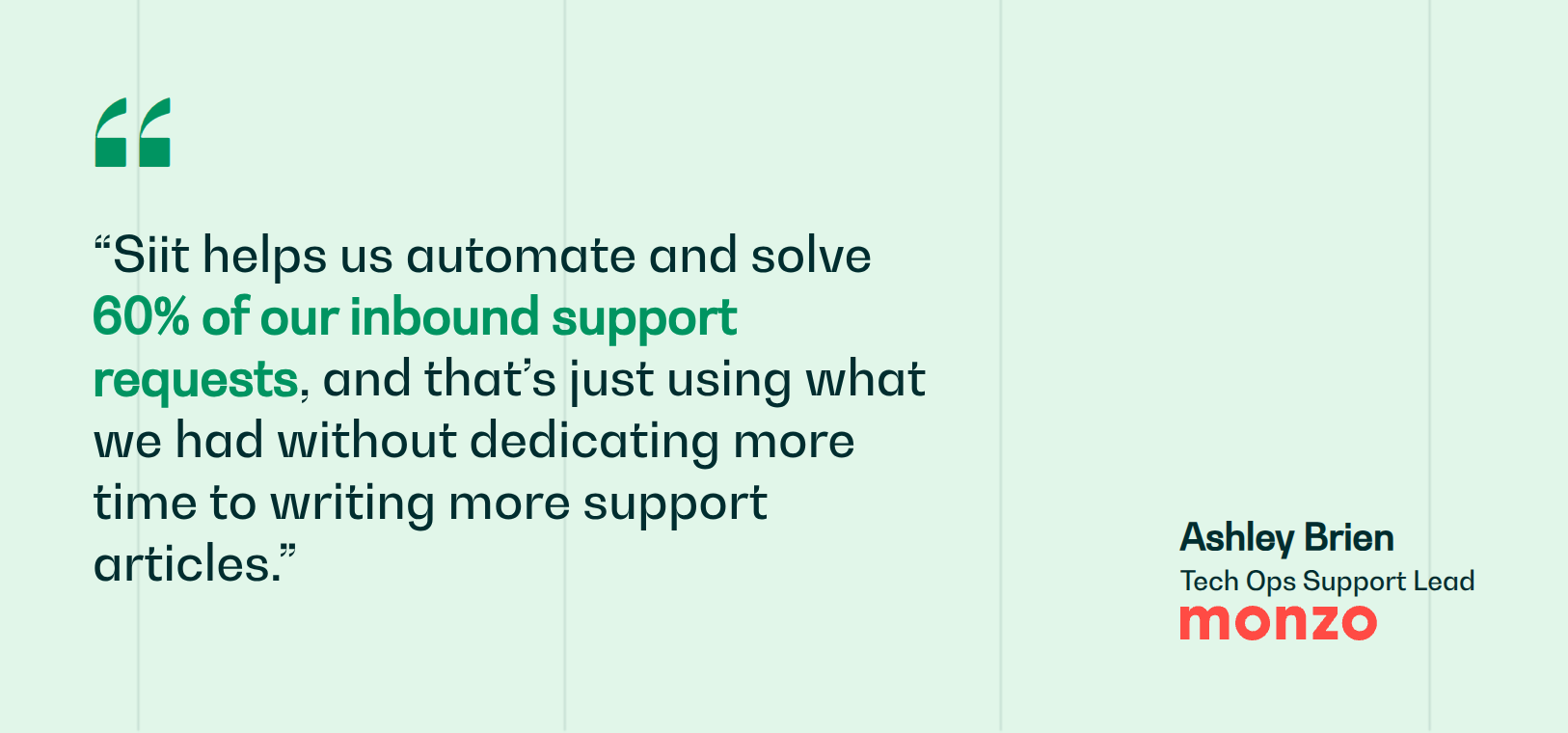
The gap most tools leave open is resolution: the platform handles the conversation, but approvals, provisioning, and cross-department handoffs still land on your IT help desk. If that is where the bottleneck sits, map your highest-volume service workflows before choosing a platform. Siit closes that gap by automating those handoffs directly in Slack and Teams, so routine requests resolve without you playing operator. Monzo's IT team uses Siit to deflect support tickets that otherwise would have been handled by IT.
Want to see the resolution layer in action on your highest-volume request? Book a demo.



FAQ

You need a dedicated intranet when chat fails at persistent company information beyond daily conversations. Slack and Teams excel at real-time coordination but struggle with structured announcements, company-wide policy libraries, personalized content by role or location, and engagement analytics. If your workforce ignores chat announcements, critical information disappears into scrollback, or you manage multi-site or frontline populations needing mobile-first campaign delivery, an intranet complements chat rather than duplicates it.
Enterprise internal communication platforms typically require ninety days for full deployment, with custom quotes routinely concealing mandatory expenses beyond the base fee. Implementation costs include data migration, custom workflow configuration, employee training programs, and dedicated project management resources. Ongoing expenses add IT administration overhead, annual support contracts, and per-module licensing as teams expand features. Request itemized breakdowns covering setup, onboarding, training, and multi-year maintenance before procurement to avoid budget overruns that commonly surface after contracts are signed.
Mobile-first apps deliver messages through push notifications on personal devices, bypassing email entirely. Prioritize platforms with offline access so workers can view updates during breaks without constant connectivity. SMS serves as a fallback channel when app adoption stalls, achieving near-universal reach since most workers carry phones. Implement two-way feedback mechanisms like quick polls or reactions to confirm messages landed, and segment delivery by shift, location, or language to ensure relevance drives engagement rather than notification fatigue.
AI features that measurably reduce IT workload include automatic context gathering from multiple systems during request intake, intelligent routing that verifies eligibility before human review, and proactive deflection through predictive suggested answers based on similar closed tickets. Real reduction comes from AI that executes actions like provisioning accounts or chasing approvals across systems, not just drafting messages or suggesting articles employees could already search themselves.
Measure deflection rate by tracking how many repeat questions to IT and HR actually decline after knowledge becomes findable, then calculate time saved using your average support hourly cost. Track onboarding velocity by comparing days-to-productivity before and after implementing automated employee journeys. Monitor platform consolidation savings by documenting retired tools and their licensing costs. For frontline deployments, measure safety incident reductions and policy compliance improvements tied directly to message reach and acknowledgment rates in the field.