ITSM Incident Management Workflow: Complete Guide
Your ITSM incident management workflow is the difference between a five-minute payment outage and a two-hour scramble where you're copy-pasting ticket numbers between Slack, your ticketing system, and a status page. Monitoring tools catch issues fast, but the human response stays slow and manual, and on a lean team, that response is usually just you.
This guide breaks down what an incident management workflow is, why it matters when your SLA dashboard is red, the stages every workflow runs through, the priority and role decisions that keep it moving, and how automation cuts the coordination work that eats your day. It is written for lean IT help desks where one person may own intake, escalation, updates, and the fix at the same time, inside a broader IT service management setup.
TL;DR:
- An incident management workflow is the structured sequence you follow to detect, log, categorize, prioritize, diagnose, resolve, and review any unplanned service interruption.
- The core stages run from detection and logging through prioritization, escalation, resolution, closure, and post-incident review, with each stage feeding the next.
- Priority comes from an impact and urgency matrix tied to clear SLA targets, and clear role ownership keeps incidents from stalling even on a one-person team.
- Automating logging, routing, and status updates with an AI-powered service desk like Siit cuts coordination work and stops you from being the messenger between disconnected tools.
What Is an ITSM Incident Management Workflow?
An ITSM incident management workflow is the repeatable sequence your IT help desk uses to restore service fast, document the work, and prevent SLA misses. It takes an unplanned service interruption from detection all the way through to resolution and review. The point is not ceremony, it is a reliable path from signal to ownership to recovery.
The workflow runs through a predictable set of stages: identification and logging, categorization, prioritization, diagnosis, escalation, resolution, closure, and a post-incident review for the big ones. Each stage feeds the next, so a clean handoff at logging makes prioritization faster and accurate categorization makes trend reports useful.
Incident management restores service quickly, while root-cause work digs deeper to find the cause so the same thing doesn't happen again. A service request, like someone asking for a new laptop, is a different animal entirely and shouldn't clog your incident queue. Keeping these separate matters because mixing them corrupts your metrics and pulls you off the fires that actually need attention.
For a small IT help desk, use ITIL as a discipline rather than an enterprise checklist. Keep the useful controls (intake, priority, ownership, escalation, resolution, and review) and drop the ceremony. The process tells you a ticket must be categorized and prioritized, while the workflow is the Slack form, routing rule, and escalation timer that gets it done.
Why Does an Incident Management Workflow Matter for Lean IT Teams?
An incident management workflow matters because it turns outage response from improvised coordination into repeatable execution. When your P1 dashboard goes red, leadership wants ownership, impact, and an ETA before you've even found the broken service. A structured workflow is what stops that scramble from happening every single time.
The real killer isn't only the outage, it's the coordination tax. Legacy incident handling forces you to copy updates between Slack threads, ticket systems, and status pages by hand, which slows response, multiplies errors, and burns you out. For one, P1, track coordination minutes separately from diagnostic work: Slack updates, ticket edits, status posts, and leadership briefings all count before you touch the fix.
That cost multiplies when an incident crosses departments. Finance may need to confirm a payment outage impact, IT owns triage, Operations needs the internal process status, and leadership needs a clear update cadence. Clear ownership and automated handoffs kill that tax by making the process itself do the coordinating.
The metrics that matter live here too. A single blended MTTR hides where the time actually goes, so break it into detection, response, and resolution time to see which handoff is dragging. Those incident response metrics prove where the workflow works, where incidents wait, who owns them, and which categories keep repeating, which is the evidence you need when you ask for tooling or headcount.
What Are the Stages of an Incident Management Workflow?
The stages of an incident management workflow are detection, logging, categorization, prioritization, diagnosis, escalation, resolution, closure, and review. Getting these right is what separates a two-minute triage from an hour of confusion while users pile up in the queue. Each stage should make the next one faster.
Detection and Logging
The incident enters through monitoring alerts, a Slack message, or an AI anomaly flag. Use one intake path wherever possible so everything lands in a single record. Capture five things upfront: timestamp, reporter, affected service, symptoms, and business impact. Chat-native intake forms can pre-fill user identity and device details, which kills the manual lookups that eat up your first few minutes.
Categorization
Slot the incident into a lean taxonomy by service, component, and symptom (for example, Payments, then API, then Timeout). Keep the list short, fewer than about 25 services reviewed quarterly, so your data stays clean, and your dashboards stay honest. If every incident becomes "platform issue" or "other," your reports can't tell you what to fix next.
Prioritization
Run the impact and urgency matrix to land on a priority within about a minute, then tie each priority to a clear SLA target so nothing waits in the wrong order:
- P1 (Critical): customer-facing outage or revenue block, target 4-hour resolution.
- P2 (High): significant degradation with a workaround, target one business day.
- P3 (Medium): limited-scope or cosmetic issue, target three business days.
Always validate real business impact before finalizing priority, since a quick check on user count and financial exposure stops severity inflation from jumping the queue.
Diagnosis, Assignment, and Escalation
Route the ticket using skills-based rules, not round-robin, so it lands with someone who can actually fix it. Escalation follows two paths: functional escalation moves it to a specialist when you need depth, while hierarchical escalation alerts leadership when an SLA is about to breach. Tie both to priority so a P1 with no progress after a short idle window (say, 15 minutes) triggers a functional handoff automatically, and a longer gap alerts leadership. This is the routing and escalation logic that keeps incidents from stalling on one person's plate.
Resolution, Closure, and Review
Restore service with a workaround if that's faster, then apply the permanent fix and verify it live before closing. Formal closure includes reporter confirmation and a knowledge base update so the next occurrence resolves faster. For major incidents, run a blameless post-incident review within about five business days while memory and logs are fresh, capturing root cause, timeline, impact, what worked, what failed, and follow-up actions. When the same incident keeps recurring, turn the lesson into a problem record or change request instead of relying on memory.
Who Owns Each Stage on a Lean Team?
Role ambiguity is what stalls incidents, so define ownership even when the same person wears several hats. On a 1-3 person team you are not staffing five roles, you are making sure each responsibility has a clear home so nothing falls through when you're mid-fire. The RACI pattern below maps the responsibilities, not necessarily five separate people:
The one rule that always holds: exactly one role is accountable per stage, even if it's you every time. That single owner is what prevents a P1 from sitting unclaimed while everyone assumes someone else has it.
When Is It a Major Incident?
A major incident is a high-impact, high-urgency event that takes down a business-critical service, and it needs a faster, more communicative path than a standard P1. You likely don't have a dedicated major-incident team, so the workflow has to compensate: name a single coordinator (probably you), open one dedicated channel as the source of truth, and set a fixed update cadence for leadership (every 30 minutes for a major outage) so you're not fielding the same status question ten times. Declare it early rather than late, since spinning up the major-incident path on a P1 that turns out smaller costs far less than under-reacting to a real outage. Once service is restored, a major incident always gets a post-incident review, no exceptions.
How Can Automation Improve an Incident Management Workflow?
Automation improves an incident management workflow by removing the repetitive coordination work that slows restoration. Manual handling means you personally log the ticket, guess the category, ping the resolver, and update every channel by hand, which is exactly where the minutes and errors pile up for a one-person team.
The high-value targets are logging, routing, triage, and status updates. Auto-logging from monitoring tools creates a pre-tagged record when latency spikes, so there's no copy-paste. Intelligent routing reads the category and drops the ticket into the right resolver group, while chatbot triage handles common repeat questions before they reach you. In practice, AI-driven ticket automation means classifiers merging duplicates during an alert storm, suggesting probable root causes from ticket text, and handling repeat work with approval before it spreads.
The other piece is cross-system integration, because incidents don't stay in one tool. Your workflow should let monitoring, chat, your knowledge base, and your ITSM platform share context automatically: pull employee data from Google Workspace, reset MFA through Okta, lock a device or grab a recovery key through Jamf, and surface runbooks from Notion without leaving the ticket. The alert that fires in monitoring should become the ticket in your ITSM platform and the thread in your chat channel without you keying it in twice.
Siit is an AI Service Desk that works directly in Slack and Microsoft Teams, so it can create the incident record, post to your incident channel, and sync status back without tab-switching or portal adoption. Its AI agent reads the full request, classifies and routes it, and runs multi-step workflows across IT, HR, and Finance, so a cross-department incident coordinates itself instead of landing on you. Automation shouldn't replace your judgment on complex incidents, it should hand off the routine work so you have room to think about the hard calls.
Admin-only pricing starts at $23 per admin monthly with unlimited employees, so you only pay for the people managing the queue, not approvers, end users, or departments.
Getting Started With Your Incident Management Workflow
Start with the places where you already lose time: intake, routing, escalation, and status updates. Your workflow doesn't need to become an enterprise checklist, it needs clear ownership, clean priority rules with real SLA targets, and enough automation to stop you acting as the human API between tools. Audit how incidents flow through your help desk today, map where you're the manual bottleneck, and fix the intake and routing first, since that's usually the fastest win for a 1-3 person team.
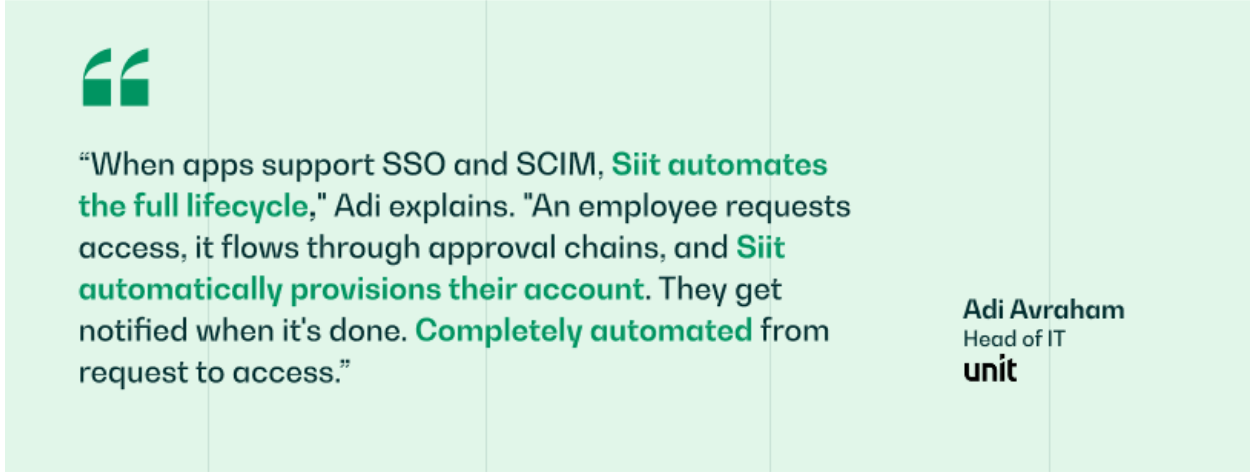
Siit adds AI triage, cross-department orchestration, and automatic SLA tracking directly inside Slack and Teams, with 50+ native integrations and SOC 2 Type 2 compliance, working alongside the tools you already run. Unit's Head of IT runs the full request lifecycle through Siit, from access request through approval to automatic provisioning, without manual handoffs. Handle incidents where your team already works, and you stop being the messenger and get back to the fixes that need your judgment.
Want to see AI triage and automated escalation running in your own Slack or Teams? Book a demo.
.png)


FAQ

An incident is an unplanned interruption or degradation of a service that needs restoring now. A problem is the underlying cause behind one or more incidents, handled separately to stop them from recurring. A service request is a routine ask, like new equipment or access, that follows its own fulfillment path. Keeping the three apart protects your metrics and stops routine requests from clogging the queue you use for actual outages.
Tie each priority to a target you can realistically hit rather than copying enterprise numbers. A common lean-team starting point is four hours for P1 critical outages, one business day for P2 degradations with a workaround, and three business days for P3 minor issues. Review the targets after a couple of months against your real resolution data, and adjust rather than leaving aspirational numbers that you breach constantly and stop trusting.
Lean on the workflow to do the coordinating that a bigger team would do by hand. Use one intake channel, automate logging and routing so tickets self-classify, and set escalation timers that alert you or a backup before an SLA breaches. Define one accountable owner per stage even if it's always you, and reserve your attention for diagnosis and the judgment calls rather than manual status updates and copy-paste between tools.
Split MTTR into detection, response, and resolution time so you can see which handoff is dragging instead of hiding it in one blended number. Track SLA compliance rate and first-contact resolution alongside it, and watch which categories recur most often. Those recurring categories are your problem-management backlog, and fixing the top one or two usually removes more tickets from your queue than any speed improvement on individual incidents.
Trigger problem management when the same type of incident keeps recurring, when a major incident's root cause is still unknown after you've restored service, or when you shipped a workaround instead of a permanent fix. Log it as a problem record with the known workaround attached, so future incidents can be resolved faster while the permanent fix moves through change management. On a small team, this is how your queue actually shrinks over time instead of refilling.