12 Best Company Wiki Software Tools for 2026
The best company wiki software keeps your company's knowledge somewhere people can actually find it. The problem is nobody on your IT help desk knows where. Critical information lives scattered across Google Docs, buried in Slack threads, and locked in the heads of employees who might leave tomorrow.
Teams routinely lose time searching for answers across disconnected documents, chat threads, and individual memory. A company wiki tool puts internal information in one searchable place instead of forty tabs.
The right platform balances search functionality, WYSIWYG editing, access controls with role-based permissions, integrations with tools like Slack and Jira, version history, and real-time collaboration. Here's a breakdown of 12 wiki tools for 2026: what they do well, what they cost, and where they fall short, especially if your last shortlist came from a best wiki software 2014 comparison. The goal is to help you build a realistic shortlist before demos, procurement calls, and migration planning start.
TL;DR:
- The best company wiki software is the tool your team will actually maintain: Notion, Confluence, Slab, Nuclino, Tettra, and Slite fit most SaaS buyers, while MediaWiki, Wiki.js, and BookStack fit teams that can self-host.
- Confluence has one of the lower paid entry points among the SaaS tools here, Tettra uses transparent per-user pricing, and Guru and Document360 now sell on custom pricing only.
- Security separates enterprise wiki software from note apps: look for SOC 2 Type II, SAML SSO, and audit logs before you shortlist.
- Whichever wiki you pick, Siit's AI service desk connects it to Slack and Teams so answers surface automatically before a ticket even gets created.
The 12 Best Company Wiki Software Tools
Each platform below serves a different team size, technical requirement, and budget. You're probably comparing these between tickets, so here's the methodology up front: we weighted search quality, editing for non-technical users, permissions and security, integration depth with Slack and Jira, and setup difficulty. Those five criteria are what separate good wiki software from a shared folder with ambitions. Pricing changes often, especially when vendors move to custom quotes, so use these notes for shortlist planning and confirm final terms during procurement.
Here's how the wiki platforms in this guide compare at a glance. Treat this as a working procurement grid rather than a final contract checklist, because several tools gate security, AI, storage, or migration details behind sales conversations. If your IT help desk is moving live runbooks, approval procedures, or HR-facing instructions into a wiki, validate the exact tier before you migrate content.
User ratings from G2 (or Capterra where noted), verified July 2026. Counts are approximate and shift over time; treat thin-volume scores (under ~30 reviews) as directional. Ratings link to each source page.
1. Notion
Notion combines wikis, databases, and project management into a flexible all-in-one workspace. The block-based editor lets teams build anything from simple docs to complex databases with drag-and-drop organization. Synced Blocks let you edit content once and update it everywhere, which kills the version-control headaches that plague copy-pasted docs. The database views let you track projects, documentation, and workflows side by side, and Siit also supports a Notion connection, so existing wiki pages can keep feeding employee support in Slack and Teams.
Pros:
- Block editor that non-technical editors pick up without training.
- Offline use available on paid plans.
- External guests and public web publishing are available.
Cons: SCIM, audit logs, and zero LLM data retention are Enterprise-only. The Free plan also has tighter limits on version history and file uploads.
Here's the catch: the Free tier limits collaborative blocks once you add teammates. Full AI features require the Business plan; lower paid plans only include a limited trial.
Pricing: Free (limited for teams); Plus $10/user/mo; Business $20/user/mo (full AI, including Notion Agent); Enterprise custom. Custom Agents use a separate credit add-on ($10 per 1,000 monthly credits). As of July 2026.
Best for: Teams wanting an all-in-one workspace who can commit to paid plans for team collaboration. Choose it when your wiki also needs databases, project tracking, and flexible workspace organization.
2. Confluence
Confluence dominates enterprise documentation, particularly if your IT help desk already lives in the Atlassian tools. Native Jira integration makes it valuable for dev teams, and Rovo AI lets you search across connected tools and generate content from paid tiers up. Higher tiers add more automation, page analytics, priority support, multi-instance needs, and broader automation. Siit's Confluence access helps teams surface Confluence content inside employee request flows.
Pros:
- One of the lower paid entry points of the SaaS tools here, with stronger storage and audit controls on paid plans.
- Built-in automation for stale-content and approval workflows, with higher automation capacity on higher tiers.
- Guest access from paid tiers, and a self-hosted Data Center path for teams that can't run cloud.
Cons: The Free plan has limited governance, storage, permissions, and audit controls. Governance takes real admin effort as spaces multiply.
Here's the catch: practitioners report that it usually turns into a junk drawer unless someone owns the structure. Search and navigation degrade as content volume grows.
Pricing: Free (up to 10 users); Standard about $5-6/user/mo; Premium higher with an uptime SLA; Enterprise custom. As of July 2026; confirm current per-user rates with Atlassian.
Best for: If your IT help desk already lives in Atlassian tools or needs deep Jira integration. Choose it when Jira integration and enterprise documentation structure matter more than minimalist editing.
3. Document360
Document360 specializes in analytics-driven documentation for both internal teams and customer-facing knowledge bases, which makes it relevant for teams comparing a knowledge base software wiki against a traditional internal wiki. You get several analytics lenses across article performance, search behavior, author output, reader engagement, feedback, and page-not-found reporting that expose content gaps. Eddy AI handles content generation, intelligent search, and auto-translation, and a custom workflow builder runs approval and publishing flows. Ask Document360 to confirm the current SOC 2 Type II, ISO 27001:2022, GDPR, SSO, and workflow package that applies to your exact tier during procurement.
Pros:
- Deep analytics, including search-gap and page-not-found reporting.
- Imports from Word and Confluence, with migration support included.
- Both Markdown and an advanced WYSIWYG editor, so technical and non-technical authors coexist.
Cons: No public pricing means no independent budget modeling. It is also overkill if you only need internal wiki software for a small team.
Here's the catch: pricing requires sales engagement, and the Professional tier excludes embedded help centers, custom workflows, and API access.
Pricing: Quote-only, no public price (Professional, Business, and Enterprise tiers; per-project model). Trial available. Document360 dropped its published pricing in late 2024.
Best for: Teams prioritizing documentation analytics and needing both internal and customer-facing knowledge bases.
4. Nuclino
Nuclino differentiates itself through visual knowledge organization, particularly its graph view, which displays content relationships as an interconnected network. The platform offers list, board, table, and graph views alongside built-in canvas features for diagramming. The interface is minimalist by design and skips the clunky menus that slow down casual editors, which makes it one of the fastest tools here to roll out to a whole company.
Pros:
- Real-time collaboration, multiple views, and 2FA included on the Free plan.
- Graph view surfaces how knowledge connects instead of burying it in folders.
- Beginner-level setup with publishing available from paid tiers.
Cons: Sidekick AI, audit logs, SAML SSO, and unlimited version history all sit on the Business tier. Starter pricing isn't published on the official page.
Here's the catch: the free tier caps teams by item count and storage, and you won't see an exact per-seat price until you're inside the signup flow. Nuclino's official pricing page lists tier features without dollar amounts, so confirm at checkout.
Pricing: Free (limited); Starter $6/user/mo; Business $10/user/mo. As of July 2026. Note: exact per-seat rates appear at checkout rather than on the marketing pricing page.
Best for: Teams prioritizing visual knowledge mapping over traditional hierarchies. Choose it when fast rollout and simple navigation matter more than deep enterprise controls.
5. Slab
Slab offers a signature capability: unified cross-platform search that queries Slab content alongside Slack and Google Drive simultaneously. The Free tier supports small teams with limited attachment storage and version history, and unified search is included on every plan rather than gated behind Enterprise. That makes Slab especially useful for teams whose answers already live across several tools.
Pros:
- Unified search on all plans, including Free.
- Guest access scales by tier.
- SAML SSO and provisioning setup are available on higher paid tiers, plus a money-back guarantee.
Cons: Enterprise has a larger-team minimum. Attachment limits stay tight until higher tiers.
Here's the catch: no read-only accounts. Access control is content-based, not user-role-based, which can increase costs for teams needing view-only users.
Pricing: Pricing: Free (up to 10 users); Startup $6.67/user/mo (billed annually); Business higher with SAML SSO and SCIM; Enterprise custom. As of July 2026.
Best for: Teams needing unified search across multiple platforms. Choose it when search across Slack, Google Drive, and wiki content is the main buying criterion.
6. Guru
Guru uses a card-based system with built-in verification workflows. The platform monitors knowledge assets and prompts designated experts to verify content at customizable intervals, so answers stay accurate instead of quietly rotting. AI capabilities include Knowledge Agents with citations, AI search, and permission-aware answers aggregated across connected systems including Slack, Teams, Salesforce, Zendesk, Confluence, and SharePoint. Ask Guru to confirm the current SOC 2 Type II, HIPAA, GxP, SSO/SCIM, DLP masking, audit log, and AI data-use terms that apply to your contract.
Pros:
- Verification workflows are the strongest stale-content defense in this roster.
- Answers surface inside Slack and Chrome rather than forcing a portal visit.
- Guru states plainly that data never trains its AI models.
Cons: There is no free tier and no self-serve plan. The interface is English-only.
Here's the catch: there's no public pricing, so you can't budget without a sales call. Third-party listicles still cite older self-serve starting prices, but Guru currently uses a custom-quote flow, so treat those figures as outdated.
Pricing: Quote-only, no public price; no free tier (entry seen around $25/seat/mo via third-party listings). Non-profit pricing available for eligible organizations. As of July 2026.
Best for: Accuracy-critical operational knowledge like support scripts and compliance procedures.
7. Tettra
Tettra provides native Slack integration with an AI bot (Kai) that delivers answers directly in Slack channels and DMs. Kai pulls answers from connected Google Workspace files, mines historical Slack conversations, and generates FAQs from existing content. The platform includes unlimited storage and unlimited version history across all plans, and its stale pages and unowned content reports give you built-in content-upkeep automation that most rivals charge extra for.
Pros:
- Transparent paid pricing with unlimited storage and history.
- Stale-page and unowned-content reports, page requests, and verification keep docs current.
- Guest and read-only users, external sites, Zapier support, and a strong uptime record.
Cons: There is no free plan, only a trial, and annual billing is where the value sits. SSO and SCIM are paid add-ons on Scaling; they're only included on Enterprise.
Here's the catch: a minimum team size is required. Formatting limitations create challenges for technical documentation, and the interface is English-only.
Pricing: Basic from $4/user/mo (minimum 10 users, about $40/mo); Scaling higher with AI and team analytics; Enterprise custom with SSO and SCIM included. As of July 2026.
Best for: Slack-centric organizations of small to midsize teams. Choose it when employee questions already start in Slack and wiki adoption depends on answering them there.
8. GitBook
GitBook targets developer documentation with native Git synchronization to GitHub and GitLab across all pricing tiers, including the free tier. Two-way sync lets teams edit in their IDE or GitBook's visual interface. The platform is explicitly positioned for public technical documentation and API documentation, which makes it a strong public-wiki option and a weaker internal one.
Pros:
- Git-backed editing plus a visual editor, so engineers and writers share one source.
- Public docs publishing is the core competency, not an afterthought.
- Free tier includes Git sync.
Cons: Site-based pricing stacks up fast once you add per-user fees. No self-hosting option is available.
Here's the catch: authenticated access for internal wikis requires the Ultimate tier.
Pricing: Pricing: Free (1 user); Premium $65/site/mo plus $12/user/mo; Ultimate higher (site-based plus user fees); Enterprise custom. As of July 2026.
Best for: Developer-facing API documentation and public technical docs. Choose it when GitHub or GitLab workflows are central to how your team maintains documentation.
9. MediaWiki
MediaWiki powers Wikipedia and provides a mature, extensible platform for organizations comfortable with self-hosting. Current releases require a PHP stack and database backend. It's free and open-source, so per-user costs disappear entirely, and if you want the best wiki engine for raw scale, this is the one that has survived two decades of Wikipedia traffic.
Pros:
- Genuinely free wiki software with no license fees at any headcount.
- Battle-tested at the largest scale of any tool on this list.
- Full data sovereignty, since every byte stays on infrastructure you control.
Cons: Advanced setup means the PHP stack, database, extensions, and ongoing patching are on your IT help desk. Wikitext also takes training for non-technical contributors.
Here's the catch: it's designed to be as open as possible rather than for protecting sensitive data, so treat it as unsuitable for confidential HR or finance content without significant hardening. It requires DevOps resources for deployment and ongoing maintenance.
Pricing: Free and open-source. Costs include hosting infrastructure and maintenance resources.
Best for: Organizations with DevOps resources who need free, extensible wiki software and don't require strict access controls.
10. Wiki.js
Wiki.js offers a modern, Node.js-based platform with flexible database backend options and extensive authentication such as LDAP, SAML, and OAuth. Engineers can work in Markdown with live preview. Non-technical users can use the WYSIWYG visual builder, a rare combination among self-hosted wiki platforms.
Pros:
- Modern stack with flexible auth: LDAP, SAML, and OAuth out of the box.
- Markdown-native for engineers, WYSIWYG for everyone else.
- Self-hosting gives you complete data-residency control.
Cons: Advanced setup difficulty means you own the deployment, backups, and upgrades. Roadmap promises can outpace shipped features.
Here's the catch: the AGPL-v3 license requires legal review for custom modifications, and several advertised features remain listed as coming soon.
Pricing: Free and open-source under AGPL-v3. Costs include hosting infrastructure and technical deployment resources.
Best for: Technical teams wanting modern self-hosted platforms with Node.js expertise.
11. BookStack
BookStack uses a four-level content hierarchy: shelves, books, chapters optional within books, and pages, designed to mirror the organization of physical books placed on shelves. The platform supports OIDC, SAML2, and LDAP authentication. Built on PHP and Laravel, BookStack can run on minimal infrastructure. The MIT license permits personal and commercial use without restrictions, offering more permissive terms than AGPL-licensed alternatives.
Pros:
- MIT license removes the legal-review burden that AGPL tools carry.
- Runs on lightweight infrastructure, so it is one of the cheapest self-hosted deployments here.
- Enterprise-grade auth options despite the simple footprint.
Cons: BookStack gives you one structural model, take it or leave it. You still own hosting, backups, and patching.
Here's the catch: a fixed four-level hierarchy may limit flexibility. Test before committing to ensure it matches your team's mental model.
Pricing: Free and open-source under the MIT license. Minimal infrastructure costs for self-hosting.
Best for: Teams comfortable with self-hosting who prefer hierarchical organization and permissive licensing.
12. Helpjuice
Helpjuice offers advanced analytics, including content impact tracking, productivity insights, and search behavior, across its pricing tiers. AI-powered features, including AI Writer, AI Search, and AI Chatbot, are available on higher tiers. The platform supports both internal and customer-facing knowledge bases within a single instance. Your team receives one knowledge base per plan, but can use private and internal sections with access control to separate content.
Pros:
- Analytics on every tier, not just Enterprise.
- Internal and customer-facing knowledge bases in one instance.
- The top tier is positioned for larger organizations without the same per-seat math as some competitors.
Cons: Flat monthly pricing punishes small teams. Storage remains capped across tiers.
Here's the catch: both content creators and internal viewers count as paid users. Storage caps vary by tier.
Pricing: Flat monthly pricing (not per-seat) across Knowledge Base, AI-Knowledge Base, and Unlimited AI-Knowledge Base tiers. Confirm current tier figures with Helpjuice. As of July 2026.
Best for: Organizations prioritizing documentation analytics and customization that can justify premium pricing. Choose it when analytics and customer-facing knowledge base features matter enough to justify the flat monthly model.
Also Worth Comparing: Slite
Slite has earned a place on most 2026 shortlists because it attacks the problem the other tools ignore: docs that go stale the week after you write them. Basic includes AI search within Slite, doc verification, public sharing with SEO indexing, and SOC 2 Type II compliance. Pro adds Slite Agent plus AI search across connected tools including Slack, Jira, Google Drive, Linear, HubSpot, GitHub, and Salesforce, along with doc fact-checking. There's no free plan, only a trial. Standard starts at $8/user/mo, Pro is higher, and Enterprise (custom) adds reader-only seats, SCIM, and migration support. As of July 2026.
One caution for your budget doc: several competing listicles still cite older Slite pricing, but the official pricing model has changed since those references circulated. HIPAA compliance is available for teams that need it. Confirm current Basic, Pro, and Enterprise terms before you compare Slite against Notion, Tettra, or Slab.
Best for: Teams where keeping docs current matters more than writing new ones.
How Does Company Wiki Software Compare on Security, Migration, and Mobile?
Your security review will kill more shortlists than pricing will, so run it before the demo, not after. Corporate wiki tools rise or fall on admin controls: a wiki for businesses in regulated industries needs SOC 2 Type II, SSO/SAML, and audit logs as table stakes, and only some of these vendors publish that posture. Use the table as a screening tool, then ask each vendor to confirm what is included in your exact tier and contract. Here's the corporate wiki software checklist in one table:
Migration and Export
Migration is where wiki projects die, so pin down import and export paths before you sign anything. Documented support is uneven: some vendors publish specific import paths, while others handle migration details through a sales or support conversation. Use the table below to separate portability signals from assumptions before your team starts copying runbooks into a new system. The goal is to avoid rebuilding the same knowledge base twice because export details were treated as an afterthought.
- Document360 imports from Word and Confluence, with migration support included.
- Slite's Enterprise tier includes migration support.
- Tettra's Enterprise tier includes custom import and onboarding.
- Open-source licensing shapes long-term portability: BookStack's MIT license permits modification without restriction, while Wiki.js's AGPL-v3 needs legal review first.
For every other vendor, ask two questions in the sales call: what formats can you import today, and what do you get back out if you leave in two years. A vendor that hesitates on the second question is telling you something. Treat export clarity as part of the security review, not a cleanup task after renewal.
Mobile Apps and Offline Access
Mobile needs a hands-on trial, especially if employees work from warehouses, hospital floors, or the road. Notion confirms offline use on paid plans, while every other tool should be tested on the devices your employees actually use. The best wiki application on a desktop isn't automatically the best wiki app on a phone. Test the actual mobile experience during your trial rather than trusting a screenshot.
Setup Difficulty and Time to First Wiki
Setup difficulty matters because a wiki that takes months to launch will lose the budget argument to another shared folder. Use these estimates for shortlist planning, then validate them during the trial or sales process. For SaaS tools, a first published page is generally same-day; intermediate platforms take longer when permissions, imports, analytics, or integrations matter; self-hosted tools require infrastructure, authentication, backups, and patching before the first usable company wiki is ready. Your IT help desk should treat setup time as operational risk, not just implementation trivia.
Data Residency and Sovereignty
If your legal team has EU data-residency requirements, the self-hosted trio (MediaWiki, Wiki.js, BookStack) is the only path in this roster that guarantees location control, because the data never leaves infrastructure you run. Among the SaaS options, Guru states that customer data never trains its AI models, and Notion's Enterprise tier offers zero LLM data retention. Everything else requires a direct question to the vendor, in writing.
How Do You Choose the Right Wiki Software?
The best company wiki software for your IT help desk depends on four decisions, not a 200-row feature matrix. Whether your IT help desk, HR team, or Finance approvers call them wiki platforms, wiki tools, or even wiki softwares, the decision still comes down to team size, hosting model, stack fit, and security. Before you shortlist a wiki for company use and company-wide rollout, work through them in order:
- Team size. The best wiki for companies under 50 people is usually Nuclino, Tettra, or Slab's free tier. Between 50 and 250, Notion and Slite hit the balance of structure and speed. Larger organizations typically need Confluence or Document360, where permissions and analytics justify the admin overhead.
- Cloud or self-hosted. Self-hosted wiki platforms like Wiki.js and BookStack cut per-user costs to zero but require dedicated DevOps resources. Time-to-value differs sharply: SaaS tools get you to a first published page the same day, while self-hosted engines need infrastructure, auth configuration, and backups before anyone writes a word.
- Your existing stack. If your engineers live in Jira, the best wiki platform for you is Confluence and the decision is mostly made. For Slack-centric teams, Tettra offers the deepest integration; for a Git-based docs workflow, GitBook.
- Security and exit strategy. Picking a wiki for business use in a regulated industry means SOC 2 Type II, SSO, and audit logs are non-negotiable, which narrows the field to Document360, Guru, Slite, and the upper tiers of Notion and Slab. Confirm export formats before you commit.
If you want the short version by use case: the best wiki software for Atlassian shops is Confluence, for Slack-first teams it's Tettra, for docs-plus-projects it's Notion, and for customer-facing knowledge bases it's Document360 or Helpjuice. Company wiki examples worth building in week one are onboarding guides, SOPs, IT runbooks, and compliance procedures, because those pages answer the questions your IT help desk gets asked five times a day. Internal company wiki software earns its keep fastest as runbook storage: password reset steps, VPN setup, and known-error documentation, especially when those articles can trigger approvals and downstream actions instead of sitting idle.
One more filter that no comparison table captures: the best wiki is the one employees actually open, and most of them won't leave Slack to search it. That's why pairing internal wiki software with connected knowledge delivery changes the math.
Turn Your Wiki Into On-Demand Support
No single tool tops every category. Notion and Nuclino fit smaller teams, Confluence and Document360 carry enterprise requirements, and the self-hosted trio serves teams that need full data control. Whichever you pick, date-stamp your pricing research, because Guru, Slite, and Nuclino all changed or hid pricing that older listicles still quote. The best wiki is the one employees actually open, and most of them will not leave Slack or Teams to search it.
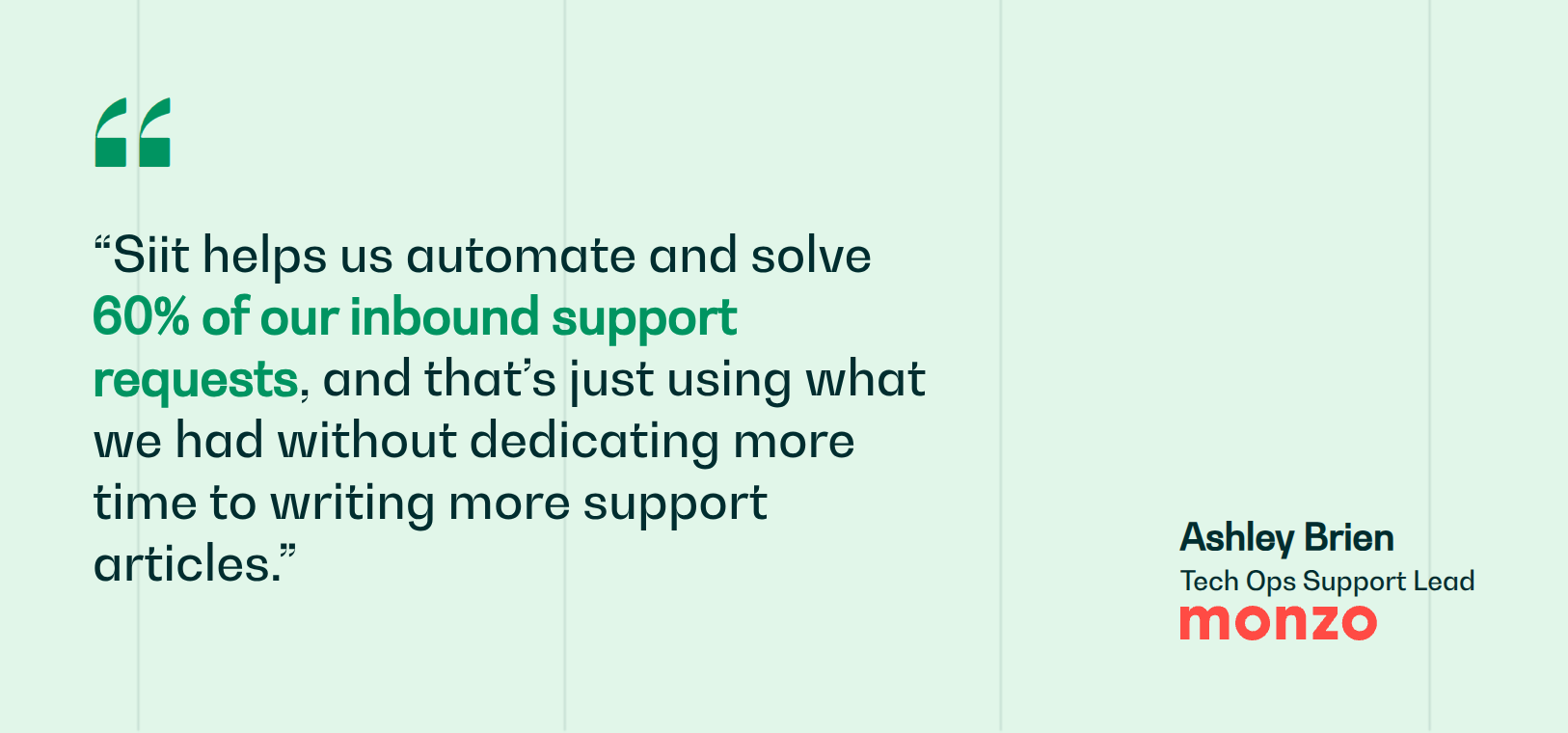
That last gap is the one a wiki alone can't close: it solves storage, not delivery. Siit is an AI service desk that answers employees directly in Slack and Teams, pulling the right article into the conversation before a ticket gets created, with admin-only pricing that never charges for approvers or end users. Monzo's IT team connected its Notion knowledge base through Siit and deflected support tickets that would otherwise have landed on IT, so the wiki content they already had started resolving requests on its own, with ticket acknowledgement time now being less than one hour.
See how your wiki can start resolving requests: book a demo.



FAQ

For regulated industries, require SOC 2 Type II as baseline certification, validating controls over time rather than just design. Add SAML SSO, SCIM provisioning, and audit logs—operational controls matter equally. HIPAA certifies healthcare data handling; ISO 27001:2022 demonstrates international security standards. Verify data encryption at rest and in transit, role-based access controls, and incident response procedures. Confirm the vendor's data processing agreement defines data ownership and breach notification timelines required by your regulatory framework.
Assign clear ownership to specific teams or individuals responsible for sections, establish regular audits using stale-page detection tools, and enforce verification workflows where subject-matter experts review content on scheduled intervals. Create taxonomy and folder structure before launch, limit who can create top-level categories, and use analytics to identify abandoned pages for archiving. Most importantly, make one person accountable for overall governance and enforcement.
BookStack is the strongest free self-hosted choice for small teams needing data sovereignty. Its MIT license allows unrestricted modification without legal review, unlike Wiki.js's AGPL-v3 license. BookStack runs on minimal infrastructure like a five-dollar DigitalOcean VPS, supports enterprise authentication including OIDC, SAML2, and LDAP, and provides a structured four-level hierarchy that mirrors physical book organization. The lower technical overhead and permissive licensing make it easier to deploy and maintain than MediaWiki's complexity or Wiki.js's roadmap gaps.
Connecting a wiki to Slack or Teams eliminates friction by meeting employees where they already work, removing the need to remember separate login credentials or switch contexts. When answers surface inline during conversations, employees get immediate resolutions without opening tickets, while IT teams avoid repetitive questions that documentation already addresses. This contextual delivery transforms passive documentation into active support, converting wiki content from something employees must actively seek into answers that arrive automatically when needed.
Before committing, confirm the vendor exports in open, portable formats like Markdown, HTML, or JSON—not just PDF. Ask specifically whether structured metadata, images, attachments, and version history come with the export, or only page text. Verify whether API access persists after cancellation and test a live export during your trial, since documented capabilities and actual export quality often diverge. Request a written data-retrieval SLA so you know your timeline if you terminate the contract.