The 12 Best Tools for Knowledge Management in 2026
Knowledge management tools capture your company's documentation and make it findable, so people get answers without asking someone else. The good ones go past file storage. Search understands a question phrased badly, permissions decide who sees what, and answers surface inside Slack or Microsoft Teams where the question was asked.
If you run IT for a growing company with one or two other people, undocumented knowledge shows up as interruptions. The VPN question arrives four times a week, the same policy gets re-explained in three different Slack threads, and none of it is work you can hand to anyone else. Every hour spent answering it again is an hour the documentation was supposed to cover.
This guide covers how we picked the 12 tools below, a comparison across the dimensions that actually separate them, and a full entry on each covering what it does well, where it stops, and who it suits. If you are still deciding what shape of platform you need, start with how these systems work.
TL;DR:
- The strongest knowledge management tools in 2026 pair a structured knowledge base with AI that answers questions inside Slack and Teams.
- Internal wikis, customer-facing help centers, and AI search layers are three different products; shopping across categories wastes an evaluation cycle.
- The internal-versus-external split decides your shortlist faster than any feature comparison does.
- Governance is the failure point, because without an owner and review dates a knowledge base becomes another place answers go stale.
- Siit sits on top of whichever tool you pick, answering from your existing documentation in Slack and Microsoft Teams and opening a routed ticket when the article does not resolve the request.
How Did We Evaluate These Knowledge Management Tools?
Five dimensions decide this category, and the first two rule tools out before the rest matter:
- Search quality (pass or fail): whether a badly phrased question finds the right document, and whether results respect permissions.
- Integration depth (pass or fail): whether the platform reaches Slack or Teams, your ticketing tool, and your identity provider as working features, plus an application programming interface (API) for anything it does not support directly.
- Content governance: owners, review dates, audit history, and the access controls a security review asks for. In practice that means single sign-on (SSO), usually over the SAML or OpenID protocols, so people log in with their existing company account; automated account provisioning and removal (SCIM), so leavers lose access without anyone remembering to revoke it; and independent compliance audits, most often SOC 2 for security controls and GDPR for handling European personal data.
- Scalability: whether the permission model and structure survive going from eight people to eighty.
- Authoring friction: how much effort a nontechnical contributor spends to publish something useful.
The comparison table reports integrations and governance for all twelve. Each entry below covers search, scalability, and authoring friction in its opening paragraphs, then names where the tool stops.
Every claim below comes from official product documentation, checked for the named integrations and capabilities. The company publishing this sells an AI service desk that connects to several tools on this list, including Notion and Confluence, and does not sell a competing knowledge base. Most rankings in this category come from knowledge-base vendors that place themselves first.
What Are the Best Knowledge Management Tools?
The twelve below split into internal staff wiki platforms, customer-facing help centers, document management, and AI search layers that sit on top of sources you already have. Those are four different products, so read the Best For column first to rule whole categories out, then the governance column, because that is the one a small team consistently underestimates.
The table narrows the field; the entries below decide it. Each one covers what the tool does well, what it asks of whoever administers it, and where it stops.
1. Notion: Flexible Databases for Wikis and Trackers
Notion turns documentation into customizable databases where teams build everything from simple wikis to project trackers, adapting structure to actual workflows without forcing rigid hierarchies. Enterprise Search reaches across connected apps including Slack, GitHub, Jira, and Salesforce. Custom Agents go further, running on schedules or triggers so a Slack message can start the work, which is what separates them from the on-demand Notion Agent that only responds when prompted.
Building in Notion takes real work. The database layer is the part that makes it more than a document store, and learning it takes time that usually falls on one person. On a small team that is where adoption stalls. Unless someone decides how things are named and where they live, six months of good intentions becomes a search problem.
Key features:
- Databases turn documentation into dynamic workspaces.
- Real-time collaboration keeps contributors synchronized.
- Rich embeds pull external content directly into pages.
Standout integrations:
- Slack, Jira, and Google Drive connect through built-in connectors.
- Enterprise Search reaches GitHub and Salesforce.
- Custom Agents answer employees in Slack on a trigger, without being prompted.
Pros:
- It adapts to many content structures, from wikis to trackers.
- Real-time collaboration keeps contributors in sync without version conflicts.
- Rich embeds pull external content into the page itself.
Cons:
- AI usage needs active monitoring and governance.
- Flexibility produces sprawl without someone owning the taxonomy.
- Deepest security controls arrive only at the top configuration.
Best for teams that want documents, projects, and AI agents in one flexible workspace, and who have someone willing to own the structure. If your security review requires SCIM or advanced audit controls, plan on the top configuration, because the lower ones stop at single sign-on.
2. Confluence: Structured Documentation for Atlassian Teams
Confluence provides structured documentation built for organizations managing large documentation sets across multiple teams and departments. Rovo Search, Chat, and Agents reach across Confluence, Jira, and the other applications you have linked.
It takes longer to learn than Slite, Nuclino, or Slab. Someone also has to design the space and page hierarchy that documentation will live in, and that usually falls to an admin before anyone writes a word. Because Confluence is Atlassian's own product, the navigation, permissions, and markup match Jira, so a team already living in Jira has less to learn than the setup time suggests.
Key features:
- Page hierarchies organize large documentation sets.
- Detailed version history tracks changes.
- Space permissions control access across departments.
Standout integrations:
- Jira connects natively, so tickets and documentation stay linked.
- Microsoft Teams and Slack surface Confluence content in channel.
- Rovo connects across Confluence, Jira, and connected apps.
Pros:
- It fits naturally with Jira-based IT workflows.
- Page hierarchies and space permissions scale to large documentation sets.
- Detailed version history shows who changed what and when.
Cons:
- Can be excessive for a small company that needs only a wiki.
- Heavy AI usage may require closer capacity management.
- New users often need guidance on spaces and page structure.
Best for IT teams already running Jira that need structured documentation across several teams. For a two-person service desk that only needs somewhere to write things down, the administrative surface is larger than the job requires.
3. Zendesk Guide: Help Centers Built From Ticket History
Zendesk Guide provides self-service knowledge bases for customers and support agents. The AI-powered knowledge builder generates knowledge base content from ticket history, so the help center grows out of support work already completed.
If you already run Zendesk, there is almost nothing to roll out, because Guide sits inside the console your agents are in all day and draws on the tickets they have already closed. Outside that context, the fit narrows fast. It has no page hierarchy, no internal permissions model, and nothing for the runbooks and policies an employee wiki has to hold, so a company using it as its documentation platform ends up buying a second tool within a quarter.
Key features:
- A self-service help center serves customers and agents alike.
- AI suggests relevant articles to agents mid-ticket.
- Multilingual support serves global support operations.
Standout integrations:
- Zendesk Suite includes it as part of the same product, not a connector.
- Slack works through the Slack for Zendesk Support app.
- The Zendesk marketplace adds customer relationship management (CRM) and telephony connections.
Pros:
- Multiple help centers serve distinct customer audiences.
- The AI knowledge builder drafts articles from ticket history.
- Agents surface approved answers without leaving the ticket.
Cons:
- Requires the broader Zendesk support environment.
- Administration grows with the support operation.
- Weak fit as a company's primary internal wiki.
Best for customer-facing help centers tightly coupled to a support operation. If what you actually need is an employee wiki, this is the wrong tool at every configuration, and no amount of AI authoring changes that.
4. Guru: An AI Answer Layer Over Existing Sources
Guru delivers knowledge automatically based on conversation context, surfacing relevant documentation without manual searches or leaving communication tools. Knowledge Agents deliver cited, permission-aware answers grounded in governed knowledge.
Adoption is unusually easy because the extension puts answers in front of people without asking them to visit anything. Authoring is a card at a time, so contributors are never facing a blank document. The constraint is shape. Short reusable answers work well, and long technical material works badly, so it earns its place layered over sources you keep elsewhere.
Key features:
- Knowledge Agents answer from sources you already run.
- Contextual suggestions surface relevant cards in the flow of work.
- Automated verification prompts owners to confirm content.
Standout integrations:
- Slack and Microsoft Teams deliver answers in channel.
- Salesforce and other CRM platforms connect for sales-side access.
- A browser extension follows you between tools, so cards stay one click away.
Pros:
- Broad integrations and a browser extension support cross-app access.
- Verification and enterprise controls suit governed knowledge programs.
- Automated verification keeps card content from going stale.
Cons:
- It suits deep technical documentation less well than a structured wiki does.
- The enterprise posture may be heavy for small teams.
- Card format suits reusable answers over deep technical documentation.
Best for organizations that want an AI knowledge layer with verification sitting over sources they already run. The verification workflow is the reason to pick it over a cheaper search layer, and it only pays off if someone owns confirming content on a schedule.
5. Document360: Category-Based Technical Documentation
Document360 provides category-based knowledge bases aimed at teams maintaining product and technical documentation. Eddy AI covers writing, search and answer, FAQ creation, auto-generated glossaries, and duplicate content detection. Its chatbot can draw answers from knowledge bases, websites, files, and supported ticket sources.
You get clear organization at the cost of setup time, and the advanced features carry a learning curve that assumes someone technical. Technical writers will find it familiar. Teams used to jotting things down quickly will not, because the structure that makes documentation navigable also makes casual capture feel like paperwork.
Key features:
- Category-based structure organizes large documentation sets.
- Analytics show content performance article by article.
- API access supports programmatic updates.
Standout integrations:
- Zapier covers connections the vendor does not build directly.
- Intercom connects for support-side article delivery.
- An API handles custom workflows.
Pros:
- It suits internal technical documentation and customer-facing product documentation.
- Version control with rollback protects published documentation.
- Analytics show which articles are actually being read.
Cons:
- Real-time collaboration trails wiki-first competitors.
- The structured model is a poor match for freeform notes.
- Eddy AI answers depend on how cleanly your categories are built.
Best for product and technical documentation teams that need structure, analytics, and AI authoring together. Confirm which workspace and language limits apply to your configuration before committing, because those vary more than the feature list suggests.
6. Slite: A Lightweight Wiki That Maintains Itself
Slite provides a lightweight knowledge base with templates and AI assistance, built for small teams that need a wiki running quickly without enterprise complexity. Document fact-checking with suggested fixes makes the knowledge base partially self-maintaining. Slite's Ask searches within your Slite docs, while Slite Agent extends that reach across connected tools such as Slack, Google Drive, GitHub, and Jira on the higher configurations.
Setup is among the fastest here, and the interface borrows enough from chat tools that nobody needs training on it. That speed is what sells it to a team that wants documentation live this week. The ceiling shows up at the security review, where what a larger company expects sits above the entry level.
Key features:
- Channel-style structure needs no information architect.
- Ask AI answers from your own documented content.
- Model Context Protocol and API access support connected workflows.
Standout integrations:
- Slack lets people ask and answer inside a channel.
- GitHub and Jira put engineering context next to the docs.
- Google Drive, Asana, SharePoint, and Salesforce connect depending on your configuration.
Pros:
- Cross-tool AI search reaches common workplace systems.
- Templates and a simple editor support fast rollout.
- Document fact-checking flags contradictions and suggests fixes.
Cons:
- AI usage is subject to product limits.
- The integration marketplace is smaller than those of major platforms.
- Reader-only access, audit logs, and SCIM need the top configuration.
Best for small teams that want a self-maintaining wiki running quickly. The advanced controls a security review asks for, OpenID SSO, audit logs, SCIM, and reader-only access, all sit above the entry level.
7. Bloomfire: Search Across Documents, Video, and Slides
Bloomfire supports enterprise discovery across documents, videos, and presentations. Enterprise Search reaches into SharePoint and Google Drive.
Uploading is simple, and searching needs no training, which matters when your training material arrived as recordings and slide decks nobody indexed. Contributors upload and move on, since nobody is asked to classify anything or format a page. The trade is weight. This is built for real content volume, and a team of three will feel the overhead before the benefit.
Key features:
- AI search works across multiple content formats.
- Automatic tagging organizes uploads.
- Video transcription makes recordings searchable.
Standout integrations:
- Microsoft Teams and Slack deliver search results in the channel.
- Salesforce and Microsoft Dynamics connect for customer-facing teams.
- Zendesk connects for support-side content.
Pros:
- Discovery works well across documents, video, and presentations.
- Integrates with major communication, CRM, and support systems.
- AI handles most of the organization, so nobody classifies files by hand.
Cons:
- AI tagging still needs human review before you trust it.
- The platform is heavier than a small team needs.
- Bloomfire dropped ISO 27001 in 2022, which some procurement teams still require.
Best for mid-size to large organizations that need enterprise-wide search across mixed content types. Skip it if your knowledge is mostly text documents, because the video and audio indexing is what justifies the weight.
8. SharePoint: Document Control Inside Microsoft 365
SharePoint provides document management and knowledge sharing deeply tied into Microsoft 365. Copilot and Microsoft Graph connectivity turn SharePoint content into an AI-answerable knowledge source.
Initial setup is complex and needs IT expertise, though Microsoft-first users will find the environment familiar. It is document-first, with stored files serving as the knowledge layer, so authoring feels heavier than a purpose-built wiki. The document-first structure is the real cost, because SharePoint will not impose an organizing scheme on your behalf, and a deployment planned badly produces sprawl where knowledge should be.
Key features:
- Document libraries carry versioning and retention controls.
- Copilot surfaces stored content as answers.
- Deep Microsoft 365 integration supports connected document workflows.
Standout integrations:
- All of Microsoft 365 connects, including Teams, Outlook, and OneDrive.
- Power Automate handles workflow automation across the stack.
- Third-party connectors reach in through Microsoft Graph.
Pros:
- It fits organizations already standardized on Microsoft 365.
- Copilot and Microsoft Graph make stored content AI-answerable.
- Retention and compliance controls suit regulated environments.
Cons:
- It needs dedicated IT effort to structure and maintain.
- It was built as a document system first and a knowledge base second.
- Search quality depends heavily on configuration.
Best for Microsoft-centric enterprises with compliance requirements and the IT capacity to run the platform properly. If Microsoft 365 is not already your standard, nothing here justifies adopting the stack for knowledge management alone.
9. Tettra: Slack-Native Q&A That Becomes Documentation
Tettra is a Slack-native knowledge base built around Q&A. Employees ask in Slack, the AI answers from documented knowledge, and unanswered questions become new pages. The ability to mine answers from Slack converts useful channel history into structured documentation.
Adoption needs almost no training, because the interface is a tool your team already has open. New hires ask in the channel and get an answer, and answering is how pages get written here. What you give up is depth. This is deliberately a small product, so anyone expecting to organize hundreds of pages into a hierarchy will hit the ceiling quickly.
Key features:
- Kai AI answers questions in Slack DMs and channels.
- Thread summaries capture useful context.
- AI page tagging and FAQ generation reduce curation work.
Standout integrations:
- Slack acts as the primary interface here, not an add-on.
- Google Workspace connects for documents and identity.
- Google Docs content can be used as AI training material.
Pros:
- Simple adoption suits teams overwhelmed by repeat chat questions.
- Kai answers in Slack channels and direct messages.
- Unanswered questions convert into new pages automatically.
Cons:
- Entry requirements may not suit very small teams.
- Document structure is lighter than Confluence or Slab.
- Slack dependency means a Teams-first company gets much less from it.
Best for Slack-first teams drowning in repeat questions. If your company runs on Microsoft Teams, most of that advantage disappears, since Slack is where the product does its best work.
10. Slab: A Focused Wiki for Engineering Teams
Slab is a clean internal wiki focused on readable technical documentation, with a focused editor and AI depth that varies by configuration. Its AI capabilities progress from AI Autofix to AI Predict and AI Ask, allowing organizations to match AI depth to their operational needs.
It optimizes for reading, which is unusual in this category and shows in how much documentation people actually finish. Engineers get productive without a walkthrough. The limits are commercial more than technical, since several things a growing company will want arrive only as you move up the configurations.
Key features:
- Topic-based structure organizes docs without a hierarchy.
- Unified search retrieves content across every topic.
- A GraphQL API supports programmatic workflows.
Standout integrations:
- Google Workspace makes Drive files searchable and editable inside Slab.
- GitHub brings live markdown sync and inline issue previews.
- Slack and Asana both feed unified search, with Okta and Zendesk on the higher configurations.
Pros:
- Engineers navigate the topic-based structure without much training.
- Clean reading experience keeps technical docs genuinely readable.
- Setup needs no dedicated information architect.
Cons:
- Premium integration access is limited by configuration.
- AI Ask and enterprise security sit behind higher configurations.
- SAML SSO and SCIM require the Business configuration.
Best for engineering-heavy teams that want a focused internal wiki without platform sprawl. It stops being the right answer once you need company-wide permissions, because the model is built around one engineering org.
11. Nuclino: Minimal Setup for Small Teams
Nuclino is a lightweight knowledge base for small and mid-size teams that want a clean interface over deep configurability. Sidekick AI answers questions from Nuclino content, drafts and edits text, and generates images.
Setup is minimal, and the learning curve is flat, which is the entire proposition for a team with no dedicated knowledge owner. Nothing needs configuring before people can start writing, so a first set of policies can land inside an afternoon. The ceiling arrives early, and it arrives as an absence, because there is very little to tune once you do need more control.
Key features:
- Fast collaborative editing supports small teams.
- Canvases provide a visual way to connect ideas.
- Simple organization avoids the need for an information architect.
Standout integrations:
- Slack, Microsoft Teams, and Discord support in-channel search and creation.
- Google Drive, OneDrive, Dropbox, Box, and Jira all connect.
- Model Context Protocol connects Nuclino to AI assistants.
Pros:
- Low administration suits a team without a dedicated knowledge owner.
- Canvases give a visual way to connect related pages.
- Sidekick answers from your own Nuclino content.
Cons:
- Governance and analytics are thin next to enterprise platforms.
- Large organizations outgrow the simplified permission model.
- Content limits fill faster than small teams expect.
Best for small teams that value simplicity over enterprise controls. Permissions, governance, and reporting are all lighter than the enterprise-focused products in this comparison.
12. Helpjuice: Brand-Controlled Knowledge Bases
Helpjuice provides brand-customizable knowledge bases for organizations that need a controlled reading experience. The AI Suite's AI-Support Tickets feature turns support tickets into help articles automatically, alongside AI Writer, AI Search, AI Chatbot, and a step-by-step tutorial builder.
The reading experience is where it invests, so a public help center can be made to look like part of your product, down to the subdomain. Writing an article takes no training. Drafting one together does, because there is little here for a team working through an idea, which makes it a publishing tool more than a shared workspace.
Key features:
- Deep branding controls shape the public reading experience.
- AI Writer and AI Search cover authoring and retrieval.
- AI-Support Tickets turns resolved tickets into articles.
Standout integrations:
- Zapier reaches roughly a thousand apps for content sync.
- Salesforce reports on articles linked to cases.
- Slack connects, and a Chrome extension covers in-browser access.
Pros:
- An unlimited-user option supports broad access.
- The public reading experience is the most configurable here.
- Ticket-to-article capture builds the knowledge base from support work.
Cons:
- The entry point may be excessive for a very small team.
- AI capabilities sit outside the base configuration.
- It works as a knowledge base, with little collaboration tooling.
Best for organizations where the public reading experience is the deliverable. As somewhere a team drafts and thinks together it is thin, so pair it with a wiki if you need both.
How Do You Choose the Right Knowledge Management Tool?
Match the tool to your content type and audience first, then rule out anything that cannot reach your existing stack or that you cannot staff. Whatever survives those three, you pick between on search quality. Four checks, in this order.
- Decide what you are documenting, and for whom. Employee runbooks and policies need hierarchy and permissions, customer-facing product help needs branding and public search visibility, and files under retention rules need document management. Those are three different products, so if your company needs two of them, plan for two tools.
- Audit integrations before you watch a single demo. Open the vendor's integrations page and confirm:
- Slack and Microsoft Teams, with native answers and not notifications alone
- Your ticketing or ITSM tool, so articles support deflection and resolution
- Your identity platform for SSO, plus SCIM if you automate provisioning
- Your human resources system, if role-based content views matter for onboarding
- An API for anything the vendor does not support directly
A missing connection is the one gap editor quality cannot cover, because a knowledge base your team has to leave Slack to reach is one nobody reads twice. Confirm each one is a working feature, since vendor integration pages list logos as readily as capabilities.
- Count the hours it will take to run. Migration, ongoing administration, the identity configuration your security review will demand, and the content cleanup nobody volunteers for all land on someone, usually you. Ask which of those the vendor does and which you own, because that answer rules out platforms your team cannot staff, and it never appears in an evaluation matrix.
- Test search on your own content. Request a demo and ask the vendor to load a sample of your real articles first, because a demo run on their content and their keywords tells you nothing about how your employees phrase things. Search the requests that already interrupt you, repeat one as a restricted user to confirm permission filtering holds, and add a deliberately outdated article to see what the platform does with it.
The first three checks eliminate; the fourth compares. If two platforms clear the first three, put the same requests through both demos, because search quality is the only thing on this list your employees will feel directly.
How Do You Roll Out a Knowledge Base Across Your Company?
Name an owner before anything else, responsible for the taxonomy, the permissions, and the review cadence. Without that person, the rest of this decays within two quarters, and no feature compensates for it.
Pilot with your highest-volume IT content, meaning password resets, VPN setup, and access-request documentation, then migrate in phases, taking most-searched content first, department material second, and archives last. Set role-based permissions before you invite the company, because retrofitting access controls onto published content is harder than configuring them first. Connect Slack or Teams on day one so the knowledge base is available in the communication flow at launch, before it can settle into being a portal nobody visits.
Governance is the part teams skip. Assign review dates at creation, act on stale-content flags monthly, and revisit the metrics you demanded during evaluation, using them to guide maintenance and to inform the renewal conversation.
How Does Siit Fit Alongside These Tools?
Siit is not a knowledge management tool and does not replace one. It is an AI Service Desk that sits on top of whichever platform you pick from this list, answering employees from your existing documentation in Slack or Microsoft Teams and opening a routed ticket when no article resolves the request.
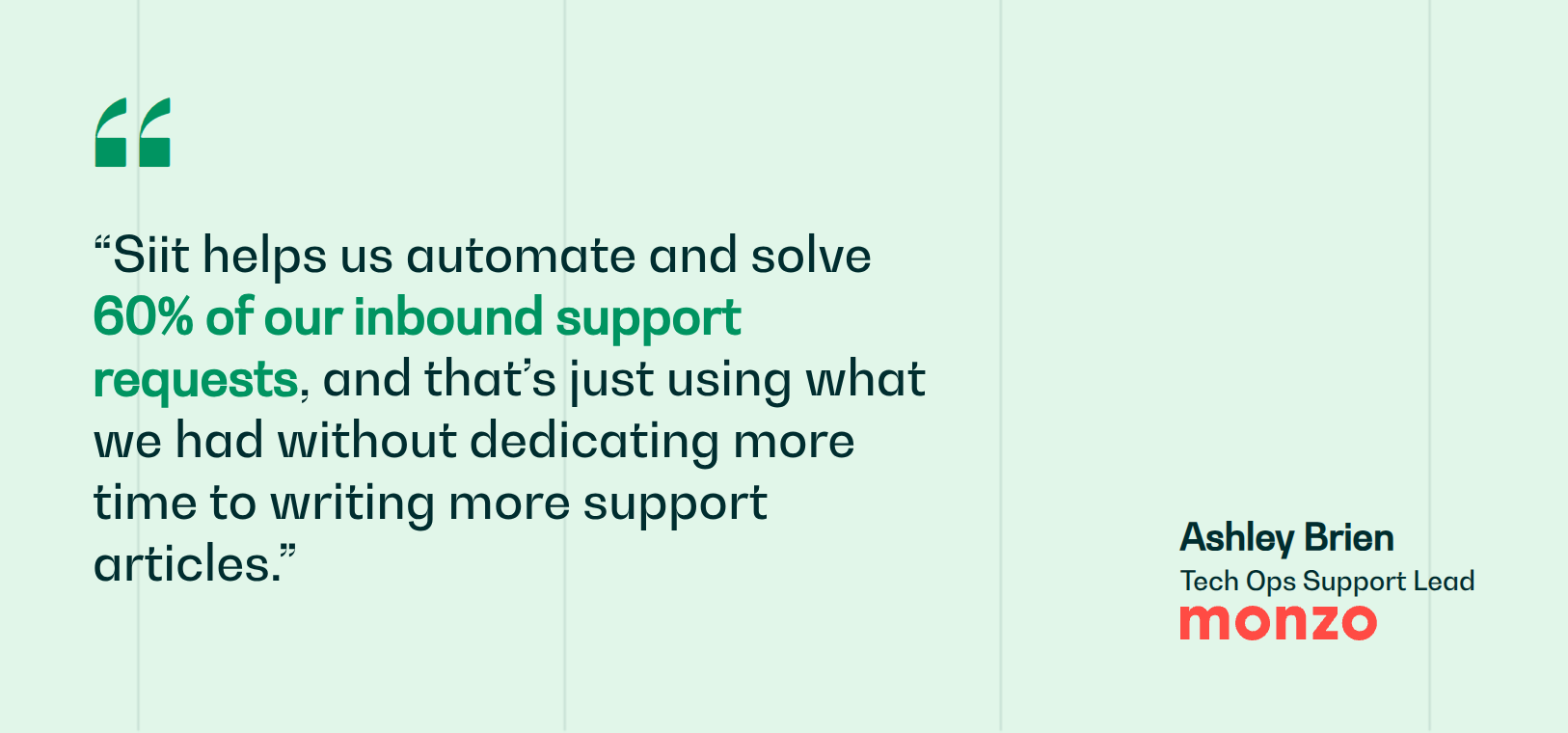
That distinction matters because a knowledge base only pays off when people reach it, and most of them will not open a portal to ask a question they expect a person to answer. Siit reads documentation in Notion or Confluence, handles the ask through conversational request intake, and runs the approval and provisioning steps behind a request with no-code workflows. Monzo automates and solves 60% of its inbound support requests this way, working from its existing Notion articles.
So the two decisions are separate. Pick the knowledge platform on the four checks above, then decide whether you also want in-channel assistance sitting over it.
Book a demo to see how the service desk turns the knowledge base you already have into answers your employees can use.



FAQ

Platforms that hold two very different kinds of knowledge. Explicit material like runbooks and policies is easy to write down, so any of these tools will store it. Tacit expertise, the troubleshooting instinct a senior engineer built over years, never documents itself, and that is the harder half. It is why Q&A capture and ticket-to-article features matter more than editor quality when you are comparing options.
Ownership splits into two jobs, and only one of them has to sit with IT. Someone technical owns the platform, meaning permissions, integrations, and identity configuration. Content ownership belongs to whoever wrote it, so HR owns policy pages and Finance owns expense guidance, each with review dates on their own articles. A single IT owner for all content is the arrangement that fails first, because that person becomes a bottleneck on every department's documentation.
Five capabilities matter, and only the last three reduce your queue. Grounded answers cite the source article so employees can verify a response, and permission-aware AI must respect the same access rules as search. Beyond that, look for task-completing agents that act rather than retrieve, ticket-to-article generation that turns repeat resolutions into documentation, and fact-checking that flags stale content before someone acts on it.
A useful chat integration does more than post notifications or links into a channel. Employees should ask a question in a channel or private message, receive an answer grounded in content they are permitted to view, and escalate the conversation when the documentation is insufficient. Test whether citations, conversation context, access controls, and ticket creation all survive the handoff without forcing the requester into a separate portal.
Give every important article an accountable owner, a review date, and a clear trigger for revision when a system or policy changes. Use verification reminders, audit history, duplicate detection, and search data to find pages that are old, conflicting, or repeatedly failing to answer questions. High-impact procedures need shorter review cycles, while unused material can be archived out of active search results.