11 Best Spend Management Tools for Finance and Ops Teams
Spend control usually breaks before anyone opens a spend platform: a Slack request, a card swipe, a renewal notice, or an invoice that never had a purchase order. Someone needs a laptop, and before Finance can approve it, IT confirms the spec, HR confirms the start date, and somebody decides whose budget it comes out of. Tighter policies and a shared tracker don't fix that, because the delay was never the policy. It's the four people who have to answer in sequence.
Spend management tools move the control earlier. Budgets, approvals, card rules, and policy checks get enforced before money moves instead of reconciled after it. The category splits into five types, and picking the wrong one adds handoffs rather than removing them.
This guide compares 11 platforms on category, accounting and ERP fit, spend controls, reimbursements, and where purchase requests actually start. It's written for whoever owns the operating process rather than the ledger: the ops or people lead who ends up chasing handoffs between departments every time someone needs to buy something.
TL;DR:
- Spend management tools control purchasing before money moves, enforcing budgets, approvals, card rules, and policy checks in one system.
- Card-first platforms fit growing companies that need real-time controls, while procure-to-pay suites fit operations with purchase orders, vendors, and invoice-heavy workflows.
- Your accounting system, ERP, HRIS, and entity structure narrow the field faster than any feature list.
- Travel-and-expense tools and unified platforms solve different problems: one enforces policy at booking, the other puts cards, AP, and procurement under a single vendor.
- A spend platform only controls the spend that reaches it. Purchases agreed in a chat thread and never entered into the system never show up in its dashboards.
Spend Management vs. Expense Management vs. Procurement Software
Spend management is the wider category, and expense management, procurement, and AP automation each sit inside it as functions. Expense management handles what employees have already spent: receipts, reports, approvals, and reimbursements. Procurement covers the vendor buying process: sourcing suppliers, negotiating contracts, and placing orders. Spend management wraps both, plus budgets, card controls, and analytics, into one framework. G2's own category definition draws the same line, separating organization-wide structured spending from the ad hoc, employee-initiated kind.
AP automation is the invoice-processing slice, and the gap between a good process and an average one is measurable. Ardent Partners surveyed 212 AP professionals for its 2024 State of ePayables research and found its top-performing cohort processing an invoice in 3.1 days against 17.4 days for everyone else. The research is underwritten by Pagero, an e-invoicing vendor, which is worth knowing before you build a business case on it.
Two more terms show up in vendor materials. Procure-to-pay connects requisition through payment in one flow. Source-to-pay adds strategic sourcing and contract management upstream of that.
Which Type of Spend Management Tool Fits Your Company?
Choose the category before you shortlist vendors, because the wrong category creates new handoffs between Finance, IT, Legal, and department owners. Spend management tools cluster into five types, and most vendors lead with one even when they sell pieces of the others.
- Unified spend platforms put cards, AP, expenses, and procurement in one system. They fit mid-market buyers who'd rather manage one vendor than three.
- Card-first platforms control spending at the point of swipe, issuing physical and virtual cards with limits and merchant rules attached.
- Procure-to-pay suites make the requisition the gate, so nothing gets bought until a request clears approval.
- Travel-and-expense tools enforce rules at booking rather than at reconciliation, which is the only point where an out-of-policy trip is still cheap to stop.
- HRIS-led platforms read spending policy from the employee record, so a role change updates limits without anyone syncing two systems.
Above all five sit the enterprise source-to-pay suites built for global procurement teams, where implementation support and managed rollouts are usually sold alongside the software.
What Should You Compare in a Spend Management Tool?
Feature lists all look the same at demo stage. What separates them is how much coordination work each one removes from the person who currently does it by hand, so check these fourteen things and note which ones your team is doing manually today.
- Receipt capture and optical character recognition (OCR). The platform should pull receipt data automatically from a photo or an email forward and match it to the transaction.
- Real-time visibility and dashboards. Live transaction data shows you the problem this week rather than in a report filed a month later.
- Spend controls and policy enforcement. Limits should apply per transaction and per day, week, or month, with merchant category (MCC) rules deciding which vendors a card works at. When those rules live at the card network level, an out-of-policy purchase fails at the swipe instead of showing up in a report.
- Budget management and pre-spend controls. Committed spend should count against live budgets the moment it's approved, not when the invoice lands.
- Reimbursements alongside cards. Card-only platforms leave out-of-pocket spend in a separate process, which means two systems and two policies. Check that reimbursements run through the same approval and coding flow.
- General ledger (GL) mapping and accounting automation. Transactions should land in your ledger pre-coded to the right GL account and cost center, so nobody spends the first week of the month recoding them.
- Mobile capture and approvals. Approvals stall the moment a manager travels. Offline capture matters too: a photo taken in a taxi with no signal should queue and upload when the phone reconnects.
- Security certifications. SOC 2 Type II and ISO 27001 are what most mid-market buyers require before signing. PCI DSS applies to any entity that handles cardholder data, including the issuer behind the card program.
- Spend analysis and categorization. Spend broken down by vendor, category, and department is how you find duplicate subscriptions and maverick spend, the purchases made outside approved channels that never touched a policy.
- AI assistance. Machine learning earns its keep when it categorizes receipts, predicts GL codes, flags anomalies, and answers spend questions without a custom report. Ask vendors to demo it on your data, not theirs.
- Supplier and vendor records. Software spend increasingly starts with SaaS subscriptions and shadow IT, so look for contract terms, renewal dates, vendor-locked virtual cards, and alerts that fire before auto-renew does.
- Audit trails and three-way matching. Every request, approval, exception, and policy change should be logged automatically. Three-way matching compares the purchase order, the receiving record, and the invoice before payment releases, which catches overcharges and quantity mismatches without anyone reviewing them by hand.
- HRIS-linked policies. When the platform reads employee attributes, a role change updates spending limits automatically instead of creating another manual sync between HR and Finance.
- Request intake. Ask where a purchase request starts and who touches it before Finance sees it. If the answer is a chat thread, a form, and two follow-ups, that's the part of the process the platform won't fix, and it's usually the slowest part.
Ask each vendor which of these it covers natively and which need a partner product. The gap between those two answers is where your team's manual work will end up.
Quick Look: Top Spend Management Tools Compared
Scan the Accounting & ERP Anchor column first. If your ledger isn't listed, plan on middleware or a different tool.
Public sentiment shows the G2 rating and review count for each product, retrieved August 2026. Airbase reviews now sit under the Paylocity listing following the acquisition, and Rippling Spend is listed on G2 as Rippling Finance.
Read that table as a shortlist filter, not a ranking. The ledger you already run and the type of spend that leaks first should cut eleven options down to three before you sit through a single demo. The reviews below cover what each one does once it's in.
The 11 Best Spend Management Tools of 2026, Reviewed
Each platform below was assessed on the five axes in the table plus reimbursements, audit depth, and where a purchase request originates, using vendor product documentation for capability claims and G2 ratings for user sentiment. They're ordered by category rather than rank, because a card-first platform and a procure-to-pay suite aren't competing for the same buyer. Every entry names the leak it fixes first, which is the fastest way to tell whether it's yours.
1. Coupa: Best for Enterprise Source-to-Pay
The leak Coupa fixes is the invoice that never had a purchase order. Coupa covers procurement, sourcing, invoicing, supplier management, and expense tracking for large enterprises, and it's built on the assumption that a dedicated procurement team owns the process end to end. Its main trade-off is deployment weight.
Coupa connects to SAP, Oracle, Microsoft Dynamics, NetSuite, and Workday through APIs, flat files, and custom integration paths, and describes itself as integrating with "almost any" ERP. Its published integration playbooks cover NetSuite, Oracle, and SAP. One recent change worth noting: Coupa Card launched in November 2025 as a virtual card program embedded natively in Coupa Pay, powered by Brex on Mastercard rails, so the long-standing "Coupa has no card program" objection no longer holds.
Key features
- Full procure-to-pay cycle coverage
- Strategic sourcing and contract lifecycle management
- Electronic invoicing and three-way matching
- Global supplier network access
- Coupa Card virtual cards plus partner-issued programs
Pros
- ERP-agnostic by design, so it fits mixed ERP estates where single-vendor suites struggle
- Coverage spans sourcing, procurement, AP, and payments in one suite
- Audit and control depth built for enterprise controllers
- G2 reviewers cite the interface and cross-team adoption as strengths, with 59 mentions of ease of use
Cons
- Needs a dedicated procurement function to administer; a lean operations team will drown in configuration
- Supplier-side setup and adoption add rollout work outside your own organization
- G2 reviewers also flag missing features as the leading complaint theme
- Coupa Card availability was scoped to US companies at launch, so confirm coverage for your entities before counting on it
Best for
Enterprises with dedicated procurement teams that need full source-to-pay coverage across sourcing, suppliers, invoices, and payments.
2. Brex: Best for Global Card Programs
For companies where the leak is employees putting company purchases on personal cards across several countries, Brex combines corporate cards with real-time expense tracking, automated controls, and integrated rewards. Capital One completed its acquisition of Brex on April 7, 2026, with Pedro Franceschi continuing as CEO and Brex LLC operating as a wholly owned subsidiary.
Brex connects with QuickBooks, Xero, NetSuite, and Sage Intacct, and reaches Workday Financials and Oracle Fusion Cloud ERP at higher plans. Identity and lifecycle management run through Okta and Microsoft Entra ID SCIM. Its SAP Concur connection is narrower than the others: a one-way, US-only, USD-only daily card-transaction feed with receipts uploaded manually, so don't scope it as a peer integration.
Key features
- Physical and virtual cards with global issuing
- Configurable approval chains and multiple expense policies
- Purchase orders with two-way matching
- Bill pay, vendor payments, and reimbursements
- Multi-entity support with VAT documentation
Pros
- The widest international card coverage among the card-first platforms here
- HRIS-driven spend limits apply controls automatically as people join or change roles
- Bill pay, reimbursements, cards, and vendor payments run in one platform
- G2 reviewers rate it 4.8/5 across 1,612 reviews, with ease of use the dominant theme
Cons
- Credit terms are gated on cash balance and revenue thresholds, so bootstrapped teams may only qualify on daily payment terms
- Multi-entity management and advanced policy tooling sit above the entry plan
- Approval workflows are the leading complaint theme in G2 reviews, with 55 mentions
- Marketing leans heavily toward venture-backed startups, which shapes the templates and defaults you inherit
Best for
Venture-backed and global companies that need card-first control across multiple entities and currencies.
3. Ramp: Best for Card Control With Procurement Attached
Ramp pairs unlimited physical and virtual cards with bill pay, automated controls, and an AI layer that reaches further into procurement than most card-first platforms. It's a common first move for teams getting off personal cards and monthly expense reports.
Accounting coverage is broader than the card-first label suggests. Ramp publishes over 200 integrations and connects to more than 40 accounting systems, including NetSuite, Sage Intacct, Acumatica, Dynamics 365, Workday Financial Management, and Oracle Fusion Cloud, with the deeper ERP connections sitting above the entry product. Travel booking is included on every plan rather than sold separately.
Key features
- Unlimited physical and virtual cards with category and vendor controls
- AI-assisted invoice extraction and automatic receipt collection
- Procurement module with automated PO creation and three-way matching
- SAML SSO and SCIM provisioning through Okta
- Travel booking included across plans
Pros
- Card controls and AI receipt matching ship in the core product rather than as add-ons
- Genuine three-way matching, which several card-first rivals approximate with two-way
- QuickBooks and Xero connect from the entry product, so small teams wire their ledger on day one
- Highest-rated platform on this list at 4.8/5 across 2,481 G2 reviews
Cons
- Charge card model: the balance is due in full every cycle, with no revolving credit
- Eligibility requires an incorporated entity and a linked US business bank account above Ramp's published minimum balance, and excludes sole proprietors
- NetSuite, Sage Intacct, and Dynamics connections require a higher plan
- Missing features is the top complaint theme in G2 reviews, though at only 34 mentions against 241 for ease of use
Best for
Growing companies that want card-first spend control with an AI layer that extends into purchase requests and POs.
4. Navan: Best for Policy Enforcement at Booking
Travel is the one spend category where controls at reconciliation arrive too late, and that's the leak Navan is built to close. Formerly TripActions, it listed on Nasdaq as NAVN in October 2025 and combines travel booking with expense management in one workflow.
Navan issues its own corporate cards in USD, GBP, and EUR through Celtic Bank, Stripe, and Adyen, with Navan Connect available separately for companies keeping existing card programs. Accounting integrations cover NetSuite, QuickBooks Online, Xero, Sage Intacct, and Datev. On the people side it connects to Workday, Okta, Microsoft Entra ID, Slack, Outlook, and Google Workspace.
Key features
- Integrated booking for flights, hotels, and car rentals
- Policy enforcement at the moment of booking
- Automatic expense capture for platform-booked travel
- Negotiated corporate rates with airlines and hotels
- Navan-issued cards plus bring-your-own-card support
Pros
- Blocks out-of-policy travel before purchase rather than flagging it afterward
- Cuts most expense reports for platform-booked travel, since the booking becomes the record
- Strong fit for teams that need travel inventory, negotiated rates, and expense policy in one place
- Largest review base here at 9,292 G2 reviews, rated 4.7/5
Cons
- Value concentrates in travel, so teams with light travel budgets run a separate system for one category
- AP and procurement aren't the core product, so it usually sits alongside another spend platform
- Booking confusion is the leading complaint theme in G2 reviews, with 185 mentions
- Navan's own wording is that there are "few, if any" expense reports left, not none
Best for
Companies where travel is a leading spend category and compliance at booking matters more than card controls elsewhere.
5. BILL Spend & Expense: Best for QuickBooks Shops
When the leak is reconciliation rather than control, BILL Spend & Expense closes it by syncing card spend straight into the ledger. Formerly Divvy, it pairs corporate cards with budget controls set before the money moves.
Its integration list is wider than its reputation suggests: QuickBooks Online and Desktop, NetSuite, Sage Intacct, Acumatica, and Dynamics 365 Business Central. Xero is the conditional one, available only to accounts that run both Spend & Expense and BILL's Payables & Receivables product. Bill pay and receivables live in that separate product, so invoice automation means running a second module alongside this one.
Key features
- Physical and virtual corporate cards with budget controls applied before spend
- Native QuickBooks sync across Online and Desktop
- Spending limits by employee, department, or project
- AI-powered receipt capture, matching, and coding
- Purchase requisitions and purchase orders
Pros
- Ledger sync removes reconciliation busywork for QuickBooks shops
- Budget controls apply before spend rather than reporting it after the fact
- Reimbursements are managed alongside card spend in the same platform
- Rated 4.5/5 across 2,236 G2 reviews, with 435 mentions of ease of use
Cons
- Bill pay and receivables sit in a separate BILL product, so full AP coverage means a second module
- The Xero connection is conditional on buying both products, which is easy to miss during evaluation
- Integration problems are the top complaint theme in G2 reviews, with 89 mentions
- Reimbursement approvals and card transaction approvals are related but distinct workflows to configure
Best for
QuickBooks users that want card-based spend control with the least setup complexity on this list.
6. Rippling Spend: Best for Policies That Follow the Employee Record
The leak here is the stale policy: someone changes role and their spending limits don't. Rippling Spend reads policy conditions directly from the employee record, so limits and approval chains update when the record does.
The standalone question needs care. Rippling Spend can be bought without Rippling's HR and payroll products, but not without the core Rippling Platform, which is required underneath every module. Rippling's own writing describes the finance products as not a true standalone app. Accounting integrations cover QuickBooks Online, Xero, NetSuite, and Sage Intacct, while SAP and Oracle run through API or file-based workflows.
Key features
- Expense policies tied to employee attributes: role, department, and manager
- Automatic policy updates when employees change roles
- Native connection to Rippling HR and payroll
- Corporate cards with real-time controls
- Cost-center mapping into NetSuite
Pros
- Policies follow the employee record automatically, with no middleware to maintain
- One vendor and one employee record across HR, payroll, and spend
- Strong fit when cost centers, departments, managers, and approval chains already live in Rippling
- Rated 4.7/5 across 1,906 G2 reviews, listed there as Rippling Finance
Cons
- The employee-record advantage depends on Rippling being your HRIS; on Workday or BambooHR you're relying on integration rather than the native record
- Every module requires the core Rippling Platform underneath, so this is a platform decision, not a point purchase
- Missing features is the leading complaint theme in G2 reviews, with 357 mentions
- NetSuite cost-center mapping appears in Rippling's marketing and customer stories rather than in public documentation, so confirm the detail during evaluation
Best for
Mid-market companies already running Rippling for HR and payroll that want spend policies wired to employee data.
7. Airbase by Paylocity: Best for Budget Checks Before Purchase
Airbase by Paylocity sits inside Paylocity for Finance following the acquisition that closed October 1, 2024. It's no longer a standalone Airbase product, and the airbase.com domain now redirects into Paylocity's product line. The unified platform still covers AP automation, bill payments, corporate cards, and guided procurement in one system.
Accounting coverage runs to NetSuite, Sage Intacct, QuickBooks Online and Desktop, and Dynamics 365 Business Central. Xero is not supported, despite appearing in older Airbase materials. Budget enforcement happens at expense submission and through pre-set card limits, while Guided Procurement's control is approval routing rather than a live budget check, which is a distinction worth pinning down in a demo.
Key features
- Budget controls applied at submission and through card limits
- Guided procurement workflows with built-in approvals
- Virtual and physical corporate cards
- AP automation with bill payments and vendor management
- Automatic spend data flow into accounting systems
Pros
- Cards, AP, and procurement in one platform reduces tool sprawl for mid-market teams
- Paylocity HCM connection brings payroll and non-payroll spend closer to the employee record
- Approval routing catches unapproved purchases before they reach a card
- Backed by 6,134 G2 reviews under the Paylocity listing
Cons
- The HR tie-in requires Paylocity's own HCM; on another HRIS the workforce-connected controls don't apply
- Guided procurement needs real configuration before employees can request anything
- Customer support is the leading complaint theme in G2 reviews, with 483 mentions
- Airbase's standalone G2 listing was retired after the acquisition, so historical review coverage is harder to trace
Best for
Mid-market companies that want budget enforcement, AP, and cards unified, especially those already on Paylocity.
8. Spendesk: Best for European Multi-Currency Operations
Spendesk is built around decentralized spending: departments manage their own budgets while Finance keeps visibility and control. The leak it addresses is the department that has to ask Finance for everything, then waits.
Accounting coverage is deeper and more European than most roundups report, spanning Xero, NetSuite, QuickBooks in the US, DATEV, Sage 100, Odoo, Exact Online, Pennylane, and others. Sage Intacct is not supported. Core accounting integrations sit in the Foundations base package, with Procure to pay, Accounts Payable, and Business modules layered on top. Multi-currency runs through a Wise partnership covering up to 30 currencies, still gated by a waitlist for some accounts. Spendesk also runs its own internal People requests on Siit, which is worth disclosing given it appears further down this article.
Key features
- Physical, single-use, and recurring virtual cards with spending guardrails
- Purchase order creation triggered as soon as requests are approved
- Budget allocation by team, project, or cost center
- OCR receipt capture with European accounting connections
- Multi-currency support through Wise
Pros
- European accounting depth that US-first platforms treat as an afterthought
- Decentralized budgets let department managers run their own spend inside Finance's guardrails
- Slack and SSO connections support approval workflows across common European stacks
- Rated 4.6/5 across 413 G2 reviews, among the highest here
Cons
- Procure-to-pay and AP are separate modules, so full lifecycle coverage means assembling several pieces
- No Sage Intacct connection, which rules it out for a common mid-market ledger
- Multi-currency depends on a partner arrangement with limited availability rather than native issuing everywhere
- Spendesk states that its partners hold PCI-DSS certification rather than claiming it itself, and publishes no SOC 2
Best for
European companies and international operations that need multi-currency spend control with local accounting connections.
9. Procurify: Best for Requisition-First Control
The leak Procurify targets is the purchase nobody requisitioned. Procurify makes the purchase request the control point, which moves the decision upstream of any card swipe and gives mid-market teams procure-to-pay discipline without enterprise implementation weight.
Native accounting connections cover QuickBooks, NetSuite, Sage Intacct, and Dynamics 365, with Amazon Business and major supplier catalogs available through PunchOut. Vendor catalog connections, SSO, flat files, and a REST API cover the rest. It also sells a separate Expense & Card product with virtual and physical cards, so card spend isn't necessarily outside the system.
Key features
- Purchase requisition and PO management
- Multi-level approval workflows
- Budget tracking by department and project
- Three-way matching across PO, receipt, and invoice
- Mobile app for PO approvals
Pros
- Moves control upstream to the purchase request, before money is committed
- Three-way matching catches billing errors automatically before payment
- Strong fit for teams that want PO, receiving, and AP controls in place before card spend expands
- Rated 4.6/5 on G2, with 61 mentions of ease of use
Cons
- Requisition-first process adds steps to every purchase, and teams used to swiping a card will feel the friction
- No native Xero, Sage 300, or BILL integration; Procurify's own documentation covers CSV export or middleware workarounds for each
- Sage 300 Construction and Real Estate is a hard no, with no documented path
- Missing features, particularly inventory management and expense tracking, is the leading complaint in G2 reviews
Best for
Small to mid-market businesses with heavy vendor purchasing that want procure-to-pay control without enterprise implementation weight.
10. Payhawk: Best for Multi-Entity Structures
Companies running subsidiaries across countries have a specific leak: no consolidated view until someone builds one in a spreadsheet. Payhawk is built for that case, with multi-entity management and ERP depth that card-first SMB tools don't attempt.
Xero, QuickBooks Online, and Exact Online are included by default. NetSuite, Dynamics 365, Sage Intacct, Workday, SAP SuccessFactors, ADP, and Paylocity are available as add-ons, which means they're technically native and commercially gated rather than one or the other. Currency wallets cover EUR, GBP, USD, CHF, DKK, RON, and PLN. The product line is modular across travel, cards and expenses, AP, and procurement.
Key features
- Multi-entity management with consolidated reporting
- Visa cards, single-use virtual cards, and card-linking for existing Amex, Visa, and Mastercard programs
- Multiple currency wallets for international payments
- Native NetSuite, Dynamics 365, Sage Intacct, Xero, and DATEV connections
- PCI DSS Level 1, ISO 27001, and SOC 1 and SOC 2 Type 2 certifications
Pros
- Multi-entity consolidation and ERP depth that card-first SMB tools can't match
- Card-linking lets you keep existing corporate card programs alongside issued cards
- Unlimited employee seats, card transactions, and document processing across modules
- The strongest certification set on this list, verified on Payhawk's own trust materials
Cons
- The modular product line means full coverage involves assembling and administering several pieces
- Built for multi-entity complexity, so a single-entity company manages structure it doesn't need
- Enterprise ERP and HRIS connections are commercially gated as add-ons
- Approval workflows are the leading complaint theme in G2 reviews, with 58 mentions
Best for
Mid-market and enterprise companies with multi-entity structures, international operations, or complex ERP environments.
11. SAP Concur: Best for Regulated-Industry Audit Depth
SAP Concur spans expense, travel, invoice, and audit products for mid-market and enterprise buyers. The leak it closes is the travel and expense claim that can't be evidenced later, which is why it lands most often with finance teams carrying an audit obligation.
Its card model runs mainly through external issuers and card partners. In-platform Mastercard virtual card issuance is documented but scoped to HSBC and Mastercard corporate cards issued in the US, so swipe-level pre-spend control depends on your issuer relationship rather than on Concur itself. Integration coverage is broader than the SAP label implies: native SAP ERP and S/4HANA, plus documented QuickBooks Online and Xero connections and an App Center with more than 300 listings. TripLink is a first-party Concur product rather than an App Center connector.
Key features
- Modular suite: Concur Expense, Travel, Invoice, Request, Budget, and Analytics
- Joule AI assistant plus Detect and Intelligent Audit products
- TripLink for trips booked outside the platform
- Depth in government, healthcare, and financial services requirements
- App Center with 300+ listed connections
Pros
- The widest travel and expense coverage on this list, from booking through audit
- Audit tooling maturity that fits regulated-industry requirements
- SAP-native integration gives SAP environments a clearer path than card-first platforms offer
- Largest install base here, with 7,176 G2 reviews
Cons
- The suite is modular, so covering expense, travel, and invoice means buying and administering several products
- Swipe-level pre-spend control depends on the configured card program, not on Concur
- Buying and configuration run through quote and module scoping rather than a self-serve signup
- Lowest-rated platform on this list at 4.0/5 across 7,176 G2 reviews, despite the deepest feature set
Best for
Mid-market and enterprise companies, especially in regulated industries, where T&E depth and audit tooling outweigh card-first controls.
More Spend Management Tools Worth Knowing
Four more platforms come up often enough in this category to be worth a look, with G2 ratings retrieved August 2026.
- Expensify for lightweight expense reporting and receipt scanning, still the default at the small end and the most searched name in the category
- Pleo at 4.7/5 across 1,435 reviews, a European card-first platform competing directly with Spendesk and Payhawk
- Teampay at 4.4/5 across 561 reviews, now part of Paystand, and the one platform here built around pre-purchase approval workflows with Slack-native virtual cards
- SpendHound at 4.8/5 across 178 reviews, focused narrowly on SaaS vendor renewals rather than general spend
Teampay is worth singling out. If your problem is specifically that purchase requests start in Slack and die there, it's the closest thing in this category to a native answer, and it belongs on the shortlist alongside anything else you're considering for intake.
How Do You Choose the Right Spend Management Tool?
Build the shortlist around the operating problem, not the feature matrix. For most ops leaders the real headache is the handoff between the employee, the manager, Finance, IT, Legal, and whoever owns the vendor relationship, and that's the thing to test.
- Identify your core leak. If employees expense everything on personal cards and submit receipts monthly, compare Ramp or Brex. If rogue software purchases and duplicate subscriptions are the issue, compare Airbase by Paylocity or Coupa.
- Let your accounting system narrow the field. QuickBooks shops should look at BILL first. NetSuite users should compare Payhawk, Rippling Spend, and Ramp on entity structure, cost-center mapping, and plan boundaries.
- Match complexity, not headcount. A smaller company with several entities and international vendors can have harder requirements than a larger company with one US office.
- Be honest about what you're replacing. Most teams aren't migrating from a competitor. They're migrating from a spreadsheet, a shared card, and a manager who remembers what was agreed. That baseline is the one to measure against, and it's also why adoption matters more than feature depth.
- Check who controls the policies. Watch for platforms that require Finance to configure every rule. The better ones let managers set department budgets within guardrails.
- Evaluate AI on your own data. Test whether categorization, anomaly review, approval routing, and spend questions actually improve on your transactions, not the demo set.
- Inspect vendor and subscription controls. If SaaS renewals and shadow IT are the leak, prioritize live vendor records, renewal alerts, and vendor-locked virtual cards over generic category reporting.
- Confirm audit and compliance depth. Coupa and Procurify both build on three-way matching. Regulated buyers should test whether every request, approval, exception, and policy change is easy to evidence months later.
- Test the HRIS connection. Workday shops should look at platforms with a documented Workday sync like Payhawk. Rippling Spend works best when Rippling is already the system of record, and Airbase's workforce controls assume Paylocity HCM.
- Test the employee experience last, and weight it first. If employees need training to submit an expense, pick a different tool. A platform employees route around produces clean logs of nothing.
Implementation Best Practices for Spend Management Tools
Implementation is where your day-to-day reality shows up: Finance wants clean controls, HR owns employee data, IT owns access context, Legal sees vendor risk, and department heads just want to buy what they need.
- Start with one spend category. Pick cards or AP, whichever leaks the most, and prove control there first. Card-first platforms can be faster to deploy than enterprise procure-to-pay suites, so scope phase one to what your team can absorb.
- Write policies before you configure them. The platform enforces rules; it doesn't invent them. If your travel policy is tribal knowledge, configuration stalls while Finance and department heads argue about per diems inside a vendor onboarding call.
- Connect the accounting anchor first. Set up GL mapping and cost centers before you issue a single card. Wire it after, and someone recodes months of transactions by hand.
- Put policy ownership in writing. Decide who changes a budget limit after go-live: Finance alone, or department managers within guardrails. The tools handle either model, but day-to-day spending breaks down when nobody knows whose call it is.
- Wire the intake path. Decide where a purchase request starts, who approves it in what order, and how approved context reaches Finance. Routing requests through process automation from the channel employees already use keeps that path in one place instead of three.
- Review after the first quarter. Measure the share of spend flowing through the platform, close time, and how many purchases still happen outside the system. The off-platform number is the one that tells you where control is still leaking.
Where Request Intake Meets Your Spend Platform
Cards, budget limits, expense tracking, and purchase approvals all live in the spend platform, but only once a request reaches Finance. Software and hardware requests usually start in Slack or Teams, then split across IT, Legal, HR, and budget owners before anyone opens the spend platform at all. What is IT actually checking in a purchase approval? Usually three things: whether the app duplicates something you already pay for, whether it clears security review, and who provisions access once it's bought.
A support intake layer owns the request and the internal approvals. The spend platform owns the budget and the purchase. Keep that boundary explicit, or the same request gets approved twice and funded once.
What an intake layer adds
With Siit in the stack, your employees submit requests in Slack or Teams with no portal to log into, which is the difference between a request you can track and one that happens in a DM. Siit reads role and department from your HRIS and routes approvals by request type and department, so a purchase request arrives at Finance with the approval trail attached rather than as a forwarded thread. Anyone in the company can raise a request and any manager can approve one without being set up as an agent first.
For software access specifically, Siit can route the approval in Slack or Teams and then execute the access grant itself through Okta, which is the identity provider in its integration set that supports application assignment. Siit has no native integration with any of the spend platforms above, though it does sync employee data from Rippling and Paylocity on the HRIS side. Approved requests and audit context reach Finance by API or webhook rather than through a prebuilt connector. It doesn't issue cards, pay invoices, or enforce budgets. The platforms above own that, and the boundary is the point.
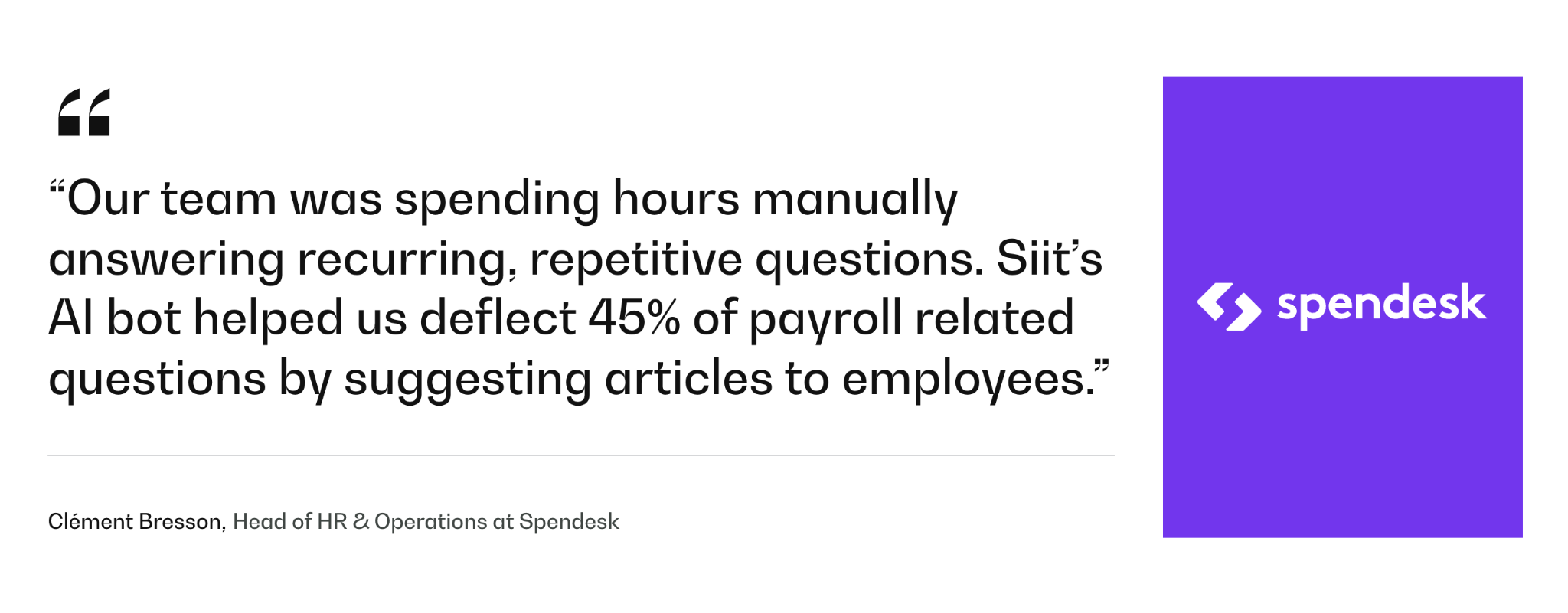
Spendesk runs its own internal People requests on Siit while its platform handles procurement intake and approval routing for customers. Spendesk's team cut first response time from over 24 hours to under 5, against a 98% satisfaction rate. Clément Bresson, its Head of HR & Operations, reports that "Siit's AI bot helped us deflect 45% of payroll related questions by suggesting articles to employees." Before Siit, those requests were scattered across Slack, Google Forms, and Trello.
Avoid Buying a Spend Platform Employees Route Around
The platforms above differ mainly in which leak they catch first, and the useful question isn't which is best but which failure you recognize. Pick the one that intercepts your spend at the earliest point it's still cheap to stop.
Whichever you choose, it only controls what reaches it, and the requests that die in Slack threads never show up in its dashboards. The work left over is connecting intake, approvals, Finance controls, and vendor ownership into one path employees will actually follow, which is what centralized service delivery covers in practice. Gorgias runs HR, finance, and facilities requests on one Siit workspace at 100% adoption, reached in a 2.5-week rollout. Get that path right and the platform you picked finally sees the spend it was bought to control.
Book a demo to see Siit route purchase requests and approvals from Slack to Finance.



FAQ

Usually not below about 200 employees, as long as your card platform includes purchase requests. Ramp, BILL, Brex, and Spendesk all now ship some form of purchase order capability, which covers most mid-market buying. You need a dedicated procure-to-pay suite when purchasing involves receiving records, supplier contracts, and three-way matching as a routine step rather than an exception, or when an auditor expects requisition-level evidence for every purchase.
It stays invisible, and it's usually the largest single gap in a spend program's first year. Off-platform spend shows up as personal-card reimbursements, subscriptions renewing on someone's individual account, and purchases agreed in a chat thread that Finance learns about when the invoice arrives. Measure the ratio of on-platform to total spend at the 90-day mark rather than measuring adoption, because adoption counts logins and this counts money.
A card-first platform connected to QuickBooks or Xero can be issuing cards within days, since the ledger connection and the card program are the whole setup. A procure-to-pay suite with approval hierarchies, supplier records, and ERP mapping is a scoped project measured in months. The variable that moves the timeline most is not the software but whether your spending policy is written down before configuration starts.
Write the escalation path before go-live rather than resolving it case by case. The workable pattern is that department managers approve inside a budget they own, Finance approves anything above a threshold or outside policy, and a named person breaks ties. Most platforms support both models, so this is an operating decision your team makes, not a feature you buy. The failure mode is leaving it undefined, which turns every disputed purchase into a separate negotiation.
Finance owns the controls and the reporting, but Operations usually owns the part employees touch: how a request gets made, who chases it, and what happens when it stalls. Splitting it that way works as long as both sides agree on where the handoff is. When one team owns the whole thing, the common failure is a platform configured perfectly for the ledger that nobody outside Finance can figure out how to use.