











Asana vs. ClickUp: Which Is Right for Your Team?
Compare Asana and ClickUp features, pricing, and integrations. Find which project management tool best fits your team's workflow and scale.
Choosing between Asana and ClickUp usually comes down to one question: do you want structure or flexibility? Asana gives you clean workflows and strategic goal tracking that scales to an enterprise. ClickUp gives you everything, customizable to the extreme, in one platform. Here's how they compare and which fits your team.
Asana vs. ClickUp at a glance
Both Asana and ClickUp are powerful project management platforms, but they serve different needs and team sizes. Here's how they stack up:
Overview of Asana
Asana is a cloud-based work management platform designed to help teams organize, track, and manage their work collaboratively. Originally developed by former Facebook engineers, Asana serves as a centralized system for coordinating tasks, tracking progress, and enabling collaboration without relying on email or spreadsheets. The platform emphasizes strategic alignment, connecting daily tasks to broader organizational objectives through its Work Graph® data model.
Asana excels at creating transparency across teams with clear task ownership, progress tracking, and real-time collaboration tools. Its hierarchical structure organizes work into Teams, Projects, Tasks, and Subtasks, providing flexibility without overwhelming complexity.
Key Features:
- Multiple project views (Lists, Boards, Timeline/Gantt, Calendar).
- Advanced task management with dependencies and custom fields.
- Goals and portfolio management for strategic oversight.
- AI-powered features for intelligent workflow suggestions.
- Real-time collaboration with comments and file sharing.
- Custom dashboards and reporting tools.
- Workflow automation with rules and templates.
- Time tracking and workload management.
Ideal for: Mid-to-large organizations seeking structured project management with strategic goal alignment, particularly marketing teams, cross-functional groups, and enterprises requiring transparency and accountability.
Overview of ClickUp
ClickUp positions itself as the "everything app for work," designed to replace multiple tools by combining project management, task tracking, collaboration, document management, AI automation, and team communication in a single customizable workspace. The platform's core strength lies in its extreme flexibility and customization options, allowing teams to adapt it to virtually any workflow without coding or add-ons.
The platform's hierarchical structure (Workspaces contain Spaces, which contain Folders, then Lists, then Tasks) provides more organizational depth than most competitors, while supporting 15+ customizable views to visualize work in formats ranging from simple lists to complex Gantt charts. ClickUp has reported crossing $300 million in annual recurring revenue with plans for an IPO within two years, backed by over $537 million in funding.
Key Features:
- Extensive hierarchy with 15+ customizable views.
- All-in-one functionality (tasks, docs, chat, whiteboards, goals).
- ClickUp Brain AI with role-based automation and content generation.
- 35+ ClickApps for modular functionality expansion.
- Advanced automation with 50+ actions and triggers.
- Native time tracking and resource management.
- Custom dashboards with 50+ widgets.
- Whiteboards with AI image generation.
- Unified search across core items (tasks, docs, chats, connected tools).
Ideal for: Growing teams, agencies, and power users who prioritize customization over simplicity, particularly those looking to consolidate multiple tools into one platform and willing to invest time in setup and configuration.
Side-by-Side Feature Comparison
When to Choose Asana vs. ClickUp
Choose Asana if you need:
- Enterprise-grade scalability with proven success at large organizations like Amazon and Accenture
- Strategic goal alignment with OKRs and portfolio management that connects daily work to company objectives
- Intuitive user experience that minimizes training time and maximizes adoption rates
- Strong enterprise security with SOC 2 compliance and advanced admin controls
- Structured project management without overwhelming customization options
- Recent profitability progress with positive non-GAAP operating margins in certain quarters, though GAAP operating losses continue
- Marketing team workflows with campaign management and creative collaboration features
Choose ClickUp if you value:
- Maximum customization with 35+ ClickApps and extensive configuration options.
- All-in-one consolidation to replace multiple tools like Trello, Asana, Slack, and Notion.
- Advanced AI automation with role-based agents and intelligent workflow suggestions.
- Generous free plan with unlimited users and core features.
- Extensive integrations with 1,000+ connections via Zapier.
- Power user features like advanced formulas, custom views, and detailed analytics.
- Budget-conscious scaling with competitive pricing and feature-rich free tier.
How Siit Integrates With Both Tools
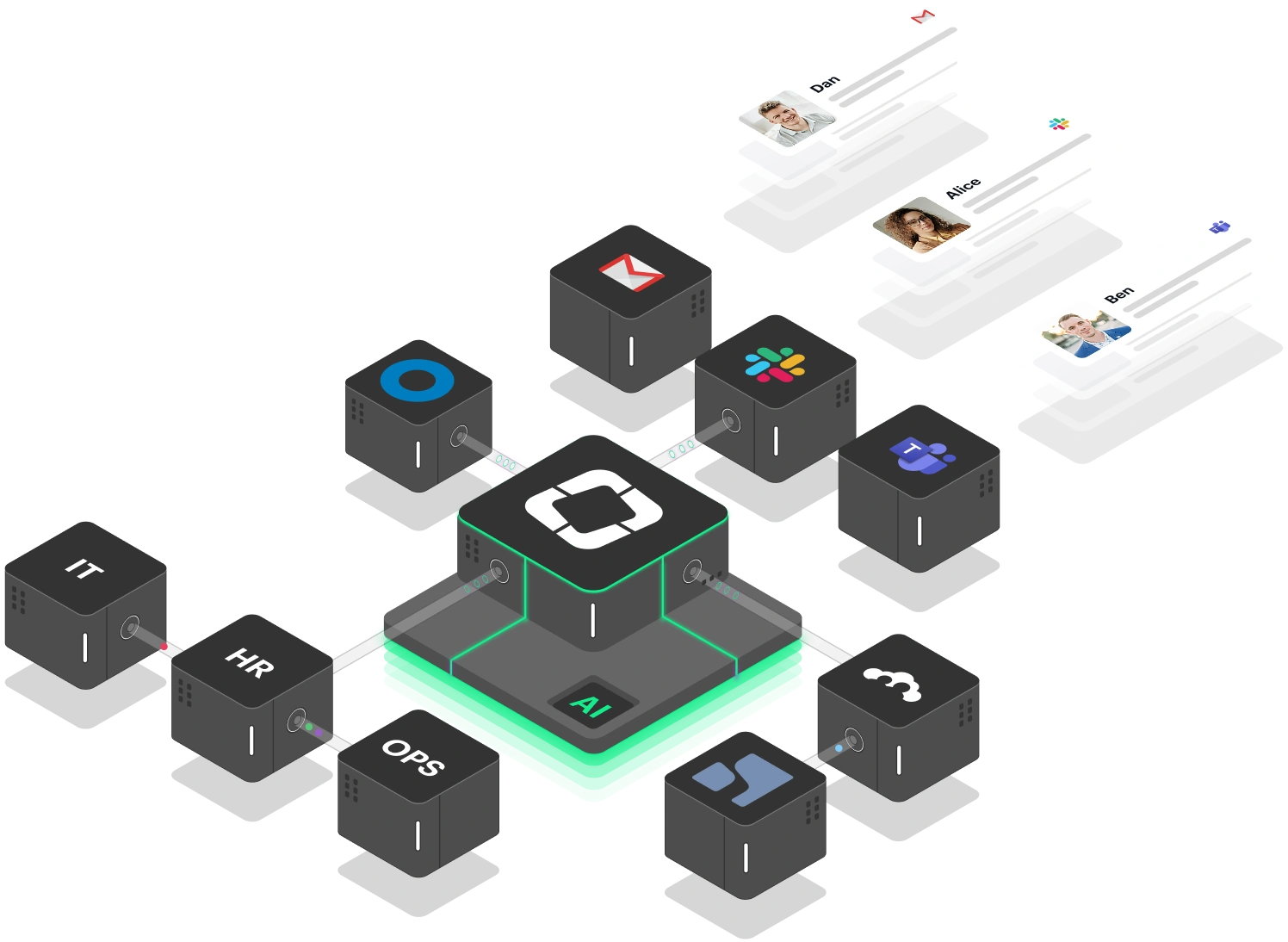
Siit transforms both Asana and ClickUp into powerful service management platforms by adding AI-driven workflow orchestration directly within Slack and Microsoft Teams. Whether your team uses Asana's strategic project management or ClickUp's all-in-one approach, Siit eliminates the coordination chaos that typically bogs down internal operations.
With Asana, Siit's AI agents automatically capture service requests from Slack conversations and create corresponding tasks with full context. Approvals route through Asana's workflow system while status updates sync back to your communication channels.
For ClickUp users, Siit leverages the platform's extensive automation capabilities and custom fields to execute complete cross-departmental workflows. IT provisioning, HR onboarding, access requests - all without manual handoffs between teams.
The key advantage: Siit works where your team already collaborates (Slack/Teams) while respecting your chosen project management structure. Instead of forcing employees to learn new interfaces, Siit routes requests intelligently through your existing Asana portfolios or ClickUp hierarchies, ensuring nothing falls through the cracks while maintaining the visibility both platforms provide.
Start your free trial with Siit and see how AI-powered workflow orchestration turns your project management setup into a system that actually runs itself, no matter which tool you choose.
FAQs
Which platform is better for small teams just getting started with project management?
Asana typically offers a gentler learning curve with its intuitive interface and structured approach, making it ideal for teams new to project management. ClickUp's extensive features can overwhelm beginners, though its generous free plan provides more functionality upfront.
Can I migrate data between Asana and ClickUp if I need to switch?
Both platforms support CSV import/export, and ClickUp offers specific migration tools for moving data from Asana. However, custom fields, automations, and complex workflows may require manual reconfiguration during migration.
Which tool handles enterprise security and compliance better?
Asana has a stronger track record in enterprise environments with SOC 2 Type 2 certification, advanced admin controls, and established compliance frameworks. ClickUp offers enterprise features and has a mature enterprise security posture supported by multiple formal certifications.
How do the mobile experiences compare?
Asana provides a more polished mobile experience optimized for core functionality, while ClickUp's mobile app mirrors the desktop complexity, which can feel overwhelming but offers more complete feature access on mobile devices.
Which platform offers better value for money?
ClickUp generally provides more features per dollar, especially on the free tier with unlimited users. Asana's pricing reflects its enterprise focus and proven scalability, but independent reviews generally find tools like ClickUp to offer better overall value, especially on features per dollar, even for organizations that care about reliability and support.
Lorem ipsum dolor sit amet, consectetur adipiscing elit. Suspendisse varius enim in eros elementum tristique. Duis cursus, mi quis viverra ornare, eros dolor interdum nulla, ut commodo diam libero vitae erat. Aenean faucibus nibh et justo cursus id rutrum lorem imperdiet. Nunc ut sem vitae risus tristique posuere.