What Is a Knowledge Management System? Full Guide (2026)
A knowledge management system (KMS) is the software platform that captures, organizes, stores, and shares your company's knowledge so the right person finds the right answer at the right time. It turns the raw material you already have, runbooks, policies, onboarding docs, and years of answered questions, into a centralized repository your teams can actually use.
That repository covers everything from IT runbooks and HR policies to troubleshooting guides, and modern systems range from simple document stores to AI-driven platforms that answer questions in natural language.
Done right, a KMS cuts search time, deflects repetitive tickets, and stops hard-earned expertise from walking out the door when people leave, so your teams spend their hours on work that moves the business forward instead of hunting for answers.
TL;DR:
- A knowledge management system captures, organizes, stores, and shares company knowledge so your employees find answers instead of filing tickets.
- The strongest KMS benefits are faster response times, ticket deflection, lower onboarding costs, and knowledge that survives employee turnover.
- A KMS only works with governance: named owners, a documented strategy, and a regular audit cadence.
- Siit is the AI-powered internal service desk that turns your existing knowledge bases into instant answers inside Slack and Microsoft Teams, no migration, no portal.
Types of Knowledge Management Systems
Just as knowledge itself comes in different forms, the systems built to manage it aren't one-size-fits-all. The category has splintered into several distinct types, each built for a different job. Knowing which type you actually need saves you from buying a wiki when you needed a service desk, or a document store when you needed an AI answer engine.
- Enterprise-wide knowledge management systems: Broad platforms designed to centralize knowledge across every department, from IT and HR to sales and operations. Think of them as the company-wide source of truth, connecting policies, procedures, and institutional know-how in one place.
- Knowledge bases and wikis: The most familiar form, used to store articles, FAQs, and how-to guides that employees or customers can search. Confluence and Notion sit here, and they're often the foundation other KMS types build on.
- Document management systems (DMS) with KM capabilities: File-centric platforms like SharePoint that add search, tagging, and collaboration on top of version control, so documents behave more like knowledge than static files.
- Customer support and service desk KMS: Purpose-built for support teams, with ticket deflection, agent-assist article lookup, and public help centers. Zendesk and similar tools fall in this bucket.
- AI-powered and chat-native KMS: The newest generation, layering large language models and semantic search over your existing sources so employees get answers directly in Slack or Microsoft Teams without a portal visit. Siit is built around exactly this pattern for internal IT and HR teams: instead of forcing a migration, it sits on top of the knowledge bases you already run and turns them into an AI answer layer where work happens.
- Learning-oriented KMS: Systems that blend knowledge sharing with training and onboarding content, sometimes overlapping with an LMS but focused on continuous, on-the-job learning rather than formal courses.
The lines between these categories are blurring fast, especially as AI turns document repositories into answer engines. Most companies end up with a mix: a wiki for documentation, a service desk for support, and an AI layer like Siit that stitches them together without another migration project.
The Three Types of Knowledge a Knowledge Management System Manages
Knowledge management (KM) practitioners split knowledge into three types, and the split decides what your KMS can and can't capture:
- Explicit knowledge is formally documented and easy to share: IT policies, employee handbooks, runbooks, FAQs, and how-to videos. If you maintain a password-reset guide or your HR team publishes a leave policy, that's explicit knowledge. It's the easiest type to load into a KMS and the first thing to standardize.
- Tacit knowledge lives in individual experience: the judgment your senior sysadmin applies when triaging an outage, or the instinct a veteran recruiter brings to a screening call. It resists documentation, and it leaves the building the day that person resigns. Interviews, shadowing, and recorded walkthroughs are how a KMS captures pieces of it.
- Implicit knowledge sits between the two: applied know-how that hasn't been documented but could be, like the unofficial workflow your IT help desk follows to provision a contractor. Surface it through reflection and observation, and it becomes explicit.
A well-designed KMS lets all three coexist. Your support engineers document explicit troubleshooting steps, senior agents layer in tacit insights, and the cycle keeps improving answer quality.
Advantages of a Knowledge Management System
The benefits of a KMS show up fastest at the help desk, where repeat questions eat up the day. Together, they explain how a KMS helps your organization keep support costs flatter while headcount grows:
- Faster Problem-Solving: Your employees find answers to common questions within seconds, rather than waiting in a ticket queue.
- Better Decision-Making: Accurate, current information in one place means fewer decisions made on stale data.
- Increased Employee Efficiency: Less time spent hunting through Slack scrollbacks, more time on work that moves things forward.
- Improved Collaboration: Teams share best practices instead of re-solving the same problem in parallel.
- Reduced Training Time: New hires onboard against guides, FAQs, and internal documentation instead of interrupting your IT help desk.
- Knowledge Retention: Expertise stays in the company when employees leave.
- Improved Employee Satisfaction: People who can self-serve answers stop resenting the systems around them.
These benefits translate into measurable ROI: fewer repeat tickets, faster response times, lower onboarding costs, and knowledge that compounds instead of walking out the door.
Components of a Knowledge Management System
The components of a knowledge management system are more than software. There are six parts that decide whether your help desk gets relief or inherits another place to maintain:
- People: Contributors, content owners, and consumers. Without named owners, articles rot.
- Governance: The rules for who creates, reviews, approves, and archives knowledge, with traceability.
- Content: The articles, guides, diagrams, and videos themselves, in the formats your teams actually use.
- Process: How knowledge moves from capture to publication to retirement.
- Technology: The repository, search, permissions, analytics, and integrations underneath it all.
- Strategy: A definition of which knowledge matters, tied to business goals like ticket deflection or onboarding speed.
In practice, those six show up in KM systems as concrete capabilities. These are the key features of a knowledge management system worth testing during evaluation:
- Content repositories
- Collaboration tools
- Search functionality
- Content creation and editing tools
- Access control and security
- Knowledge sharing and distribution tools
- Knowledge capture tools
- Analytics and reporting tools
- AI and machine learning capabilities
- Integration with other business systems
AI, NLP, and Semantic Search
AI is now the dividing line between a searchable file cabinet and a system that answers questions. Semantic search interprets the meaning and intent behind a query rather than matching keywords: it converts documents and questions into vector embeddings, numerical representations of meaning, and returns the closest matches even when the words don't overlap. Production systems combine keyword precision with semantic coverage, because each catches what the other misses.
Beyond search, modern platforms add predictive recommendations based on user behavior, automated categorization and tagging, AI-assisted content generation, and gap detection that flags what's missing or outdated.
The endgame is agentic AI: agents that don't just find the answer but act on it. Siit is built around exactly this shift, pairing AI answers with workflow actions like provisioning access, updating tickets, or routing requests, so employees get resolution, not just retrieval.
How Does a Knowledge Management System Work?
The workflow looks like this:
Integrations (HRIS, ITSM, chat) → Capture → Organize and Govern → Retrieve and Share (AI search layer) → Feedback and Update → back to Capture
- Knowledge Capture: The system gathers knowledge from documents, emails, chat threads, employee contributions, and connected tools. It captures explicit knowledge (manuals, reports) directly and gives tacit knowledge (expertise, judgment) a structured path into documentation.
- Organization and Storage: Captured knowledge gets categories, tags, and metadata for retrieval, plus governance: a named owner and a lifecycle status, so every article has someone accountable for its accuracy.
- Access and Retrieval: Employees search with filters, recommendations, and increasingly AI answers that cite their sources.
- Sharing and Collaboration: Forums, comments, and document sharing let employees contribute, correct, and discuss knowledge instead of treating it as read-only.
- Updating and Maintenance: Feedback, failed-search reports, and scheduled reviews keep content current. This step closes the loop; skip it and the system decays into the shared drive it replaced.
How to Build a Knowledge Management System
Your employees will keep asking in Slack if the official system is slower than DMing you, so the build plan has to respect how requests already arrive. The full sequence looks like this:
- Align KM with business goals: Name the specific pain: slow onboarding, repeated tickets hitting your IT help desk, knowledge walking out the door with departures.
- Audit existing knowledge assets: Inventory what's documented, where it lives, and which people hold knowledge that would be most damaging to lose.
- Structure the information architecture: Organize by department, by role, or by FAQ, and decide taxonomy and metadata standards up front.
- Assign ownership and governance: Define who can contribute, who reviews, and what quality bar applies to every submission.
- Select and configure the system: Evaluate against integrations, permissions, AI capability, and deployment model (more on criteria below).
- Launch with change management: Communicate why, seed high-value content first, and treat resistance as design feedback.
- Measure and iterate: Track usage, poll users for pain points, and act on what the analytics show.
- Maintain it as a living resource: Schedule reviews and updates on a standing cadence; a KMS only stays useful for as long as someone maintains it.
Source Information from Experts
Your seasoned people are where the tacit and implicit knowledge lives. Set up interviews, host workshops, or run questionnaires to pull their expertise into documented form, and make incident write-ups a standing habit rather than a one-time push. Keep the conversation going over time; a single extraction session captures a snapshot, and the knowledge keeps evolving after it. For your IT help desk, this is how “ask Maya, she knows the workaround” becomes a guide anyone can use.
Organize Content for Easy Access
Turning a pile of documents into a go-to resource requires a logical structure: clear categories, consistent tagging, and metadata that search can act on. Organize around how people ask, by department, role, or frequent question, not around your org chart. Card-sorting exercises show how employees naturally group information, and AI-assisted tagging can handle the repetitive classification work so your admins don't. The test is practical: can a new hire find the VPN fix without knowing which team wrote it?
Track User Engagement
Numbers tell you where the KMS works and where it quietly fails. Service desk metrics show which topics get accessed most, where users spend time, and where they struggle to find the right information. The KPIs worth watching: search success rate, failed searches (your clearest content-gap signal), article views versus tickets on the same topic, deflection rate, and content freshness. Failed searches deserve special attention because each one is an employee who tried self-service and gave up.
Keep It Updated
Stale content is how a KMS loses trust, and most teams have more of it than they think. Your help desk feels the damage first when an employee follows an old access process, gets stuck, and opens a ticket anyway. Treat content as a lifecycle, not a publish-and-forget event:
- Version control: Track changes and revert when an edit makes things worse.
- Ownership: Every article has a named owner accountable for its accuracy.
- Content states: Draft, reviewed, published, deprecated, so readers know what to trust.
- Review cadence: Scheduled audits per content type, based on risk and rate of change.
- Expiration workflows: Automatic flags when an article passes its review date, routed to the owner.
Challenges in Building Knowledge Management Systems
There are several challenges you might face when setting up a KMS:
- Overcoming cultural resistance to change
- Capturing tacit knowledge
- Ensuring content quality
- Driving user adoption
Data silos, integration friction with existing systems, and keeping knowledge current add to the list, along with privacy, scalability, and measuring success. Readiness depends on people, process, governance, adoption, and culture, and teams that buy the platform without building those five see the system stall. Strong leadership support, real user engagement, and a maintenance plan are what keep a KMS relevant past its launch quarter.
Knowledge Management System Examples
The right KMS for your help desk is the one employees will actually use when they need a VPN fix or software access answer.
1. Confluence by Atlassian
Overview: Confluence is one of the most widely used KMS platforms, built for teams to collaborate, share documents, and manage knowledge in one place. It's a common choice for knowledge bases, project documentation, and internal wikis, especially where teams already run Jira.
Key Features: Structured spaces and page hierarchy, real-time editing, version control, granular permissions and audit logging, automation rules, and Atlassian's Rovo AI (search, chat, and agents) on paid plans. Is it a KMS? Yes, when you add ownership and review governance; unmaintained Confluence instances become hard to search, which is a governance failure rather than a tooling one.
Siit connects natively to Confluence so employees never have to open the wiki to get the answer inside it.
2. Notion
Overview: Notion is a flexible, highly customizable workspace that blends note-taking, databases, and project management. Startups, remote teams, and creative teams use it for knowledge sharing, team documentation, and structured wikis.
Key Features: Drag-and-drop editing, database functionality, real-time collaboration, embedded media, AI features including enterprise search, and granular database permissions on higher tiers. Notion can absolutely function as a KMS when governed; without content ownership and lifecycle rules, its flexibility drifts toward clutter faster than more rigid tools.
Siit indexes Notion alongside your other sources and returns cited answers in chat, so Notion's flexibility becomes a strength instead of a search problem.
3. Microsoft SharePoint
Overview: SharePoint is a broad document management and collaboration platform inside Microsoft 365 that can serve as a KMS. It handles storing, organizing, sharing, and accessing information from any device.
Key Features: Customizable workflows, document sharing and versioning, secure access control, and deep integration with Microsoft 365 tools like Teams and Outlook. Worth knowing before you commit: SharePoint wasn't built as a dedicated knowledge base, so using it as one takes more setup, governance, and customization than purpose-built tools. It suits larger organizations already standardized on Microsoft licensing.
Siit plugs into the Microsoft stack through its native Teams integration, so answers sourced from SharePoint surface directly where employees already collaborate.
4. Zendesk
Overview: Zendesk is a customer support platform that doubles as an external KMS, organizing FAQs, support content, and troubleshooting guides for customer self-service.
Key Features: Knowledge base creation, ticketing, AI-powered self-service bots, usage analytics, and CRM and help desk integrations.
Siit's Zendesk integration bridges the two sides, letting internal teams tap Zendesk content and workflows from Slack or Teams without leaving their chat.
Choosing the Right Knowledge Management System
Deciding what KMS to buy comes down to how your employees consume information, not feature counts. Demos all look the same; the differences show up in eight areas:
- Security and permissions: Role-based access, SOC 2 posture, and audit trails that satisfy your compliance requirements.
- Integrations: Native connections to your HRIS, identity provider, and chat tools where questions are actually asked.
- AI search quality: Natural-language and semantic search, not just keyword matching.
- Governance features: Ownership, review workflows, and content lifecycle management.
- Scalability: Structure and performance that hold up as teams and content grow.
- Analytics: Deflection, adoption, and content-performance reporting out of the box.
- Change management load: How much training the rollout demands; tools that work where employees already work win.
- Pricing model: Prefer admin-only pricing, with no charges for approvers, end users, or departments.
Modern internal support works directly in Slack or Teams, with native ticketing and no portal adoption required. Tools built for the portal era can still store knowledge, but they often force employees to leave the place where the question started. The modern pattern is chat-native, AI-first, and designed around the workflow instead of the portal.
For IT teams, the same service layer can pull employee data from your HRIS, check access in your identity provider, retrieve device context from your MDM, or sync user data from Google Workspace and Microsoft Entra ID when the request needs action, not just an answer. Siit ships these integrations natively, so an access request can be answered, approved, and provisioned in the same Slack thread.
If the system can only return an article, your team still owns the manual handoff. For growing teams and mid-market companies, the trend favors connection over consolidation: an AI-powered service desk layered on top of your existing knowledge bases skips the migration project entirely. Your content stays in Confluence or Notion, and the answers show up in Slack.
Wrapping Up and Looking Ahead
The payoff shows up in deflected tickets, faster onboarding, and expertise that survives turnover. The tool matters less than the discipline around it: named owners, review cadences, permissions, and content quality decide whether your KMS becomes a trusted answer layer or another abandoned wiki. If you want to connect this discipline to request handling, the next step is understanding how knowledge improves employee support before a ticket ever reaches your queue.
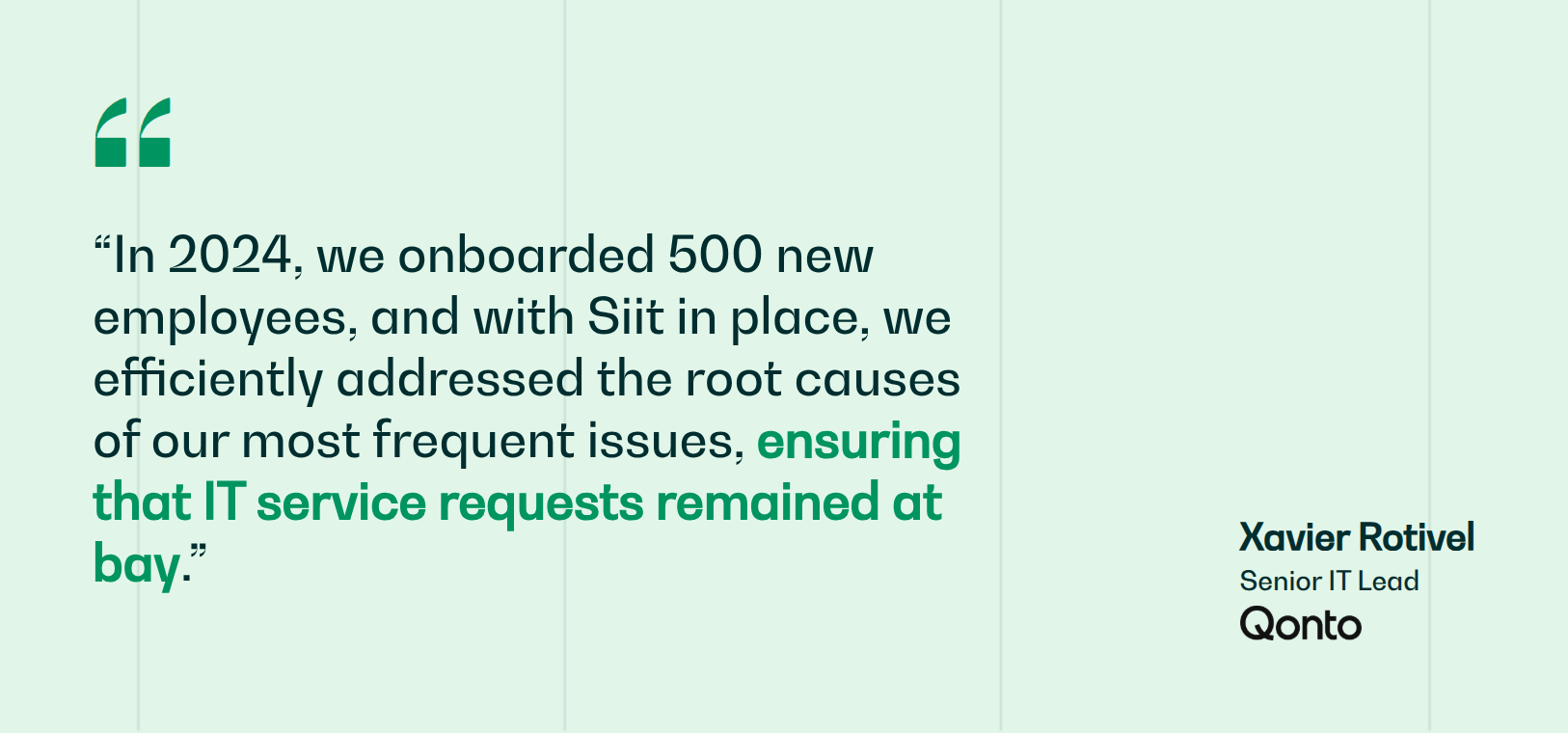
Siit turns that answer layer into action. It connects your existing knowledge bases to Slack and Teams through native integrations, serves AI answers with source references where employees already work, suggests articles at request submission to deflect tickets before they open, and runs the workflows behind the requests that still need a human, all without migrating a single page. Qonto uses Siit self-service and AI workflows to deflect 28% of would-be IT tickets and cut SLAs by 50%, all while keeping support inside the tools employees already use.
Ready to turn existing knowledge into instant answers where your teams work? Book a demo and see Siit in action.



FAQ

Start with time saved, repeat-request reduction, time to answer and ticket deflection. Multiply hours saved per employee by the loaded hourly rate and headcount, then compare that value with software, administration, and maintenance costs. For IT teams, add article coverage, acknowledgment time, and the number of questions answered without human triage. Those metrics show whether the KMS reduces coordination work or simply stores more documents.
The SECI model explains how knowledge moves through socialization, externalization, combination, and internalization. In practical terms, employees share experience, turn it into documentation, combine it with existing content, and apply it in work. AI supports that loop by improving retrieval, suggesting related articles, detecting missing content, and helping draft updates. It does not replace ownership, review cycles, or subject matter expertise.
Tacit knowledge comes from experience, so it rarely appears in a tidy document on its own. Capture it through expert interviews, shadowing, recorded walkthroughs, incident retrospectives, and communities of practice where senior employees explain their judgment. Then turn those insights into runbooks, decision trees, examples, or troubleshooting notes. Assign an SME owner so that the captured knowledge continues to improve as systems and policies change.
In ITIL, the service knowledge management system (SKMS) is the broader knowledge layer that supports service delivery. The CMDB stores configuration items, assets, and dependencies, while the KEDB stores known errors, root causes, workarounds, and fix status. Together, they help incident, problem, and change teams make better decisions. The SKMS connects those records with the policies and procedures people need to act on them.
Adoption lasts when the KMS fits the way employees already work. Start with one painful domain, name content owners, set review cadences, and measure whether people find answers faster. Incentivize contributions through recognition, performance goals, or communities of practice. Most importantly, close the feedback loop: when an article fails, route the signal to the owner and turn it into an update, a merge, or a retirement.