The 11 Best MDM Software Tools For 2026
The best MDM software matters when you're a solo IT manager juggling tickets faster than you can close them, and device chaos is your silent productivity killer. One lost phone, one outdated laptop, and suddenly you're the human API between security policies, HR paperwork, and frantic Slack pings. That pressure only grows as devices multiply across locations, roles, and ownership models.
The best MDM software secures, monitors, and configures every endpoint from a single dashboard. It works alongside your identity management system to enforce policies automatically: encryption on, OS updated, and rogue apps gone, all without leaving your chair.
This guide compares 11 MDM tools across pricing model, platform support, zero-touch enrollment, BYOD, and how deeply each one ties into your identity management system, so you can shortlist candidates for your fleet in one read.
TL;DR:
- The top MDM tools split by fleet shape: Jamf or Iru (formerly Kandji) for Apple, Microsoft Intune for Microsoft 365 shops, Hexnode or Scalefusion for cross-platform MDM, AirDroid Business for Android-only.
- Expect published per-device, per-user, free-tier, and quote-based pricing models across the best MDM platforms, so compare total cost, not just the sticker price.
- Judge each MDM tool on zero-touch enrollment, BYOD support, remote actions, and native integrations, and treat feature-list length as noise.
- Native integrations decide how much device work you can finish without leaving the request, so check the connector list before the feature list.
What Makes a Great MDM Platform?
MDM software is your remote control for device chaos. Push policies, monitor compliance, deploy apps, and lock or wipe endpoints across iOS, Android, macOS, and Windows from one place, without manual setup marathons or security fire drills. That is the operational baseline every vendor below has to clear.
The best MDM services for business devices still emphasize the same core traits: zero-touch enrollment that ships devices pre-configured, automated security policies that run without supervision, and native integrations with identity providers and service desks that eliminate context switching.
How We Picked These MDM Software Vendors
MDM vendors converge on the same feature list, so the shortlist below was built on what changes day-to-day work: how many operating systems a platform really supports in practice, how much of enrollment happens without you touching a device, and what the platform can do to a device you no longer have in your hands. We weighted those over module counts and roadmap promises.
When evaluating the best MDM platforms, we looked for:
- Multi-OS support - Manage Windows, macOS, iOS, Android, plus Linux and ChromeOS where your team needs them, from one dashboard
- Zero-touch enrollment - Devices configure themselves through Apple Business Manager (ADE), Android Zero-Touch, Windows Autopilot, and Samsung Knox Mobile Enrollment
- Security automation - Encryption, compliance checks, and threat detection without manual intervention
- Integration depth - Native connections to IAM systems, HRIS platforms, and service management tools
- Remote management - Lock, wipe, or troubleshoot devices from anywhere
- Transparent pricing - Per-device, per-user, free-tier, or quote-based pricing models without surprise add-ons
- Deployment speed - Production-ready quickly, without a long implementation project
- Scalability - Handle a small fleet today and a larger fleet later
No single shortlist fits every team, which is why each entry says who should skip it and who should buy it. Run the same scorecard against any vendor outside this list before you commit, so the comparison stays grounded in the devices you actually manage.
The Best MDM Software Tools: Quick Comparison
Most MDM roundups stop at price and OS support. This comparison adds the columns that actually change a buying decision: platform type, who each tool is built for, real OS coverage, and how pricing is actually structured.
Every platform here offers a free trial, so trial availability is not a shortlisting criterion. Miradore and ManageEngine also run permanent free tiers at low device counts, and Intune ships inside Microsoft 365 E3, E5 and Business Premium rather than standalone.
Pricing taken from each vendor's own pricing page, verified August 2026. Where no list price is published, the entry says so. MDM packaging changes often, so confirm current rates before budgeting.
The table above narrows the field. This one tests it, because enrollment and remote actions are where a platform either saves you a trip to someone's desk or doesn't.
The 11 Best MDM Software Options For 2026
Eleven platforms made the cut. Each one solves a specific MDM problem: Apple-only fleets, mixed environments, free-tier needs, BYOD, or rugged hardware. The right pick depends on your fleet shape and how the platform talks to the rest of your stack. Use the notes below to rule tools out as quickly as you rule them in.
1. Jamf Pro: Best for Apple-Only Environments
Jamf Pro specializes exclusively in Apple device management. It is built for teams that want deep Apple control through zero-touch deployment, native Apple enrollment, app distribution, and policy enforcement across Apple endpoints. Vendor materials currently publish pricing by device type, with separate Mac and mobile tiers, while smaller teams can evaluate Jamf Now as a lighter Apple-management path. If your shortlist focused on the best MDM companies for secure app distribution, Jamf's Apple-specific app management and self-service workflows are the relevant capabilities to compare.
Key features
- Native Apple integrations through Apple Business Manager
- Zero-touch deployment for macOS and iOS
- Self-service app installation portal
Integration with your service desk
Jamf Pro and Siit pair natively for Apple device actions right inside service desk requests: device lock, wipe, and inventory updates can run from the request.
Pros
- Deepest Apple coverage of any platform here, including tvOS
- Zero-touch enrollment via Apple Business Manager with no manual staging
- Published per-device pricing, so you can budget before talking to sales
Cons
- Apple-only, so mixed organizations need a second platform
- That OS boundary is the main procurement risk
Best for
Choose Jamf Pro if you're shopping for the best MDM for Apple with script-level control, or the best iPad MDM for device carts and field fleets; skip it if any part of your organization runs Windows or Android.
2. Iru (Formerly Kandji): Best for Automated Apple Compliance
Iru (formerly Kandji) automates macOS and iOS compliance through pre-built controls and continuous monitoring, stopping configuration drift in regulated Apple environments. Its Automated Compliance Engine self-heals misconfigurations, and One-Click Compliance maps Apple device settings to common security baselines with pre-built device controls. The platform has expanded beyond Apple into a broader suite covering endpoint management, EDR, vulnerability management, compliance automation, workforce identity, and trust center workflows, and it now reaches into Windows and Android, though those capabilities are newer and less mature than the Apple features. Vendor materials currently present pricing as quote-only, with a trial available.
Key features
- Automated compliance remediation
- Pre-built configuration scripts
- Configuration drift prevention
Integration with your service desk
A native connection to your service desk surfaces device status and triggers remote actions without leaving the request. Native Apple integrations through Apple Business Manager, with Liftoff handling zero-touch Mac setup.
Pros
- Compliance drift gets corrected automatically, not just reported
- Pre-built configuration scripts cut setup time on a new Mac fleet
- Apple ADE enrollment through Liftoff
Cons
- Apple-first, so mixed fleets still need mature secondary coverage
- No published pricing, which makes budgeting harder
Best for
The best Apple MDM debate usually comes down to Jamf versus Iru: choose Iru for no-code compliance automation that deploys fast; skip it if you need script-driven flexibility or a public price list.
3. Rippling: Best for Unified HR-IT-Finance Operations
Rippling combines payroll, benefits, device management, and app provisioning in one platform, automating complete employee lifecycle workflows across HR, IT, and Finance. It fits teams where device management is inseparable from onboarding, offboarding, payroll status, and app access, not teams that only want an MDM console. The concrete advantage is lifecycle automation: when an employee joins, changes role, or leaves, device and access workflows can follow the same HR-triggered process. The tradeoff is scope, because buying Rippling for MDM usually means buying into the wider HR-IT-Finance operating model.
Key features
- Unified HR, payroll, and device management
- Automated onboarding across all systems
- No-code workflow builder
Integration with your service desk
Rippling connects to your service desk to trigger device provisioning and access requests automatically when employee status changes.
Pros
- Device management sits in the same system as HR and payroll, so onboarding fires once
- No-code workflow builder puts changes in reach without engineering
- Covers Windows, macOS, iOS and Android from one place
Cons
- Recent pricing increases and module add-ons create sticker shock
- The unified approach locks you into Rippling for HR, IT and Finance
Best for
Choose Rippling if your IT help desk and HR team share onboarding workflows and want one system of record; skip it if you want device management without buying into the full suite.
4. JumpCloud: Best for Zero-Trust Identity and Device Management
JumpCloud unifies directory services, identity management, and device control in one platform, letting you run zero-trust security without juggling separate IAM and MDM systems. It bundles directory, SSO, and MDM across macOS, Windows, and Linux, typically as a consolidated identity-plus-device stack as part of an identity platform. The catch that matters for mixed teams: JumpCloud does not natively manage Android devices, so Android-heavy shops need a companion platform. That tradeoff is worth knowing before you consolidate.
Key features
- Unified identity and device management
- Zero-trust security framework
- Multi-factor authentication and SSO
Integration with your service desk
Pairing JumpCloud with your service desk gives you unified identity and device context inside every request. Native directory integration with major applications.
Pros
- Identity and device management in one product, so access and posture stay aligned
- Zero-trust framework with MFA and SSO built in
- Published per-user pricing across the lower tiers
Cons
- Per-user pricing gets expensive at larger headcounts
- No native Android management
- Device features lag dedicated MDM platforms
Best for
Choose JumpCloud to collapse your identity provider and MDM into one bill across Mac, Windows, and Linux; skip it if Android devices are in scope.
5. Microsoft Intune: Best for Microsoft 365 Environments
Microsoft Intune extends Microsoft 365 and Entra ID with native device management, conditional access, and Windows Autopilot for organizations already invested in Microsoft. It is available through Microsoft enterprise licensing, with higher-tier add-ons for teams that need more advanced endpoint capabilities. Enrollment coverage is the widest on this list: Windows Autopilot, Apple ADE, Android Enterprise with Android Zero-Touch, and Samsung Knox Mobile Enrollment. Enterprise Application Management gives you a catalog for app discovery, deployment, and updates, while Microsoft Defender for Endpoint can help detect risky Android device states and block access until remediation.
Key features
- Native Microsoft 365 integration
- Windows Autopilot for zero-touch deployment
- Conditional access based on device compliance
Integration with your service desk
Intune syncs device inventory into Siit's equipment records and surfaces remote actions without console-switching.
Pros
- Included in Microsoft 365 E3, E5 and Business Premium, so many teams already own it
- Windows Autopilot is the strongest zero-touch story for Windows fleets
- Conditional access ties device compliance directly to app access
Cons
- Licensing is hard to read, and Autopilot plus Conditional Access can depend on Entra ID licensing
- Non-Windows device management is weaker than dedicated cross-platform tools
Best for
Choose Intune if you already pay for Microsoft 365; for Windows-first teams it's the practical best MDM for Windows. Skip it if Apple devices dominate your inventory.
6. Hexnode: Best for Multi-OS Mixed Organizations
Hexnode manages Windows, macOS, iOS, iPadOS, Android, Linux, ChromeOS, tvOS, and FireOS from one dashboard, so you don't have to switch between admin panels for mixed fleets. Vendor materials currently present per-device tiers, with a trial available for evaluation. Enrollment support covers Apple ADE, Android Zero-Touch, Samsung Knox Mobile Enrollment, Windows Autopilot, QR code, and self-enrollment. Higher tiers add capabilities such as custom scripting, FileVault management, and Remote Control for teams handling custom OS builds and configurations.
Key features
- Single-app kiosk mode for shared devices
- Remote troubleshooting with screen control
- 24/7 support for urgent issues
Integration with your service desk
Hexnode connects with major identity providers and productivity suites, plus AD/Entra ID integration on Enterprise tiers.
Pros
- Widest OS coverage on this list, including Linux, ChromeOS and tvOS
- Remote View and Remote Control for hands-on troubleshooting
- 24/7 support on urgent issues
Cons
- Reporting dashboards lag competitors
- Advanced analytics cost extra
Best for
Choose Hexnode for cross-platform MDM that stretches from Android kiosks to Macs on a lean budget; skip it if reporting depth is a day-one requirement.
7. Miradore: Best for Budget-Conscious Small Teams
Miradore offers actually free MDM with no time limit for small starter businesses. Inventory management, remote wipe, and policy enforcement, all without budget approval. When you outgrow the free tier, paid Premium options are available on a per-device model. That keeps it among the most budget-friendly MDM software tools on this list.
Key features
- Free tier with no time limit
- Basic inventory and policy management
- Remote wipe and lock capabilities
Integration with your service desk
Limited integration options focus on Azure AD and basic MDM protocols.
Pros
- Free for up to 50 devices with no time limit
- Published per-device pricing on both paid tiers
- Enough inventory, policy and remote wipe to cover a small fleet
Cons
- Basic security controls only
- No automated compliance remediation or threat detection
Best for
Choose Miradore to prove your MDM program on a free tier before any budget conversation; skip it once you need compliance automation or threat detection.
8. Scalefusion: Best for Rugged and Kiosk Devices
Scalefusion manages rugged scanners, smartphones, laptops, Linux machines, and ChromeOS devices from one dashboard, with location-based policies and QR code enrollment. It bundles UEM with Zero Trust Access and endpoint security, covering zero-touch deployment via Apple ADE, Windows Autopilot, and Android Zero-Touch. Vendor materials currently present annual device tiers, with a trial available and a device minimum for paid plans. The strongest fit is frontline, shared, rugged, and kiosk hardware where policy enforcement and remote troubleshooting matter more than deep desktop customization.
Key features
- Multi-OS support, including ChromeOS and Linux
- Location-based policy enforcement
- Remote troubleshooting with screen sharing
Integration with your service desk
Scalefusion connects with Google Workspace, Azure AD, and major HRIS platforms.
Pros
- Strongest kiosk and rugged-device support here
- Location-based policy enforcement for field and shared devices
- Low entry price for teams starting on a small deployment
Cons
- Reporting, content management and telecom expense management all cost extra
- The base price looks attractive until you see the final invoice
Best for
Choose Scalefusion for rugged and kiosk fleets on a budget; skip it if the add-on math breaks, and weigh SOTI MobiControl (below) for heavy industrial deployments.
9. IBM MaaS360: Best for Enterprise Compliance and Threat Detection
IBM MaaS360 delivers enterprise MDM with AI-powered threat detection and automated compliance reporting for regulated industries where audit readiness isn't optional. Vendor materials currently present published and quote-based tiers, with both device-based and user-based buying paths depending on deployment shape. It shows up in many independent roundups, which is why it anchors many best enterprise MDM shortlists. The strongest fit is a larger organization that values compliance reporting, containerization, and security visibility over the lowest entry price.
Key features
- AI-powered threat detection and response
- Automated compliance reporting
- BYOD containerization that actually works
Integration with your service desk
MaaS360 connects with major identity providers, SIEM platforms, and enterprise applications.
Pros
- AI-driven threat detection on top of compliance reporting
- BYOD containerization that separates work and personal data cleanly
- Automated compliance reporting built for audit requirements
Cons
- Enterprise pricing and complex setup need dedicated IT resource
- Small teams find the learning curve steep
Best for
Choose MaaS360 if audit trails and threat detection put you in the market for the best MDM platforms for enterprise security; skip it if you're a two-person IT help desk without time for the ramp.
10. ManageEngine Mobile Device Manager Plus: Best for Advanced Scripting and Remote Control
ManageEngine provides enterprise MDM with live remote viewing, advanced scripting, and granular policy management at mid-market pricing. Vendor materials currently present a free tier plus cloud and on-premises paid editions, which makes it unusually flexible for teams that cannot use cloud-only MDM. It supports Android Enterprise management modes plus Apple ADE and Windows Autopilot, and recent platform updates added newer Apple restriction controls. If you are weighing options for custom OS builds and heavily scripted configurations, the scripting depth here is the differentiator.
Key features
- Live remote viewing and control
- Advanced scripting capabilities
- Office 365 integration and policy management
Integration with your service desk
ManageEngine offers strong native integration with the Microsoft ecosystem, and it is available in both cloud and on‑premises deployments.
Pros
- Live remote view and control, the deepest remote support on this list
- Advanced scripting for teams that want to automate beyond the console
- Runs cloud or on-prem, the only platform here that does both
Cons
- Dated interface takes real training to get through
- Steep learning curve means a longer time to value
Best for
Choose ManageEngine for scripting depth, on-prem deployment, or a free start; skip it if your admins won't tolerate a dated console.
11. AirDroid Business: Best for Android-Only Businesses
AirDroid Business specializes in Android device management with remote control that works without user presence, designed for warehouse scanners, field tablets, and kiosk devices. It is best for companies where Android is the default, not one device type among many. The concrete capability to notice is unattended remote control, which helps IT support devices used by drivers, warehouse teams, retail staff, or field workers who may not be able to join a live support session. The caveat is obvious but important: the moment iOS, macOS, or Windows enters scope, AirDroid becomes a specialist tool as a companion to your main MDM platform.
Key features
- Remote control without user presence
- Kiosk mode with app restrictions
- Geofencing and location tracking
Integration with your service desk
Limited integrations focus on Android Enterprise and EMM protocols.
Pros
- Unattended remote control, so you can fix a device with nobody in front of it
- Kiosk mode with app restrictions for single-purpose Android devices
- Geofencing and location tracking for field hardware
Cons
- Android-only for managed devices
- You need a second tool for iOS, macOS and Windows
Best for
Choose AirDroid Business as the best Android MDM for a pure Android team. It is a specialist pick, not a universal MDM platform. Skip it the moment an iPhone or Mac lands on your desk.
Also Consider: SOTI MobiControl for Rugged and Industrial Teams
If rugged hardware is your daily reality, SOTI MobiControl deserves a look alongside Scalefusion. It manages rugged handhelds, vehicle mount computers, wearables, smartphones, laptops, and kiosks across Android, iOS, macOS, Windows, and Linux, with geofencing and lockdown built in, plus Shared iPad for Business and Entra ID Shared Device Mode. It is commonly reviewed as a strong rugged and industrial MDM option. Pricing is typically negotiated by deployment shape, with cloud and on-premises options available.
How Do You Choose the Right MDM Platform?
This five-step framework evaluates MDM software vendors systematically without spreadsheet paralysis. Settle one framing question first: MDM or UEM? MDM controls phones and tablets, while UEM extends the same console to laptops, desktops, and IoT, and most leading MDM platforms now position themselves as UEM. If laptops sit inside your MDM program, evaluate the UEM tier, and decide early whether you need cloud, on-premises, or both, since ManageEngine, SOTI, and several other vendors on this list offer on-prem deployment.
1. Count What You're Actually Managing
Your device reality determines which platform works. A platform perfect for a Windows-first laptop fleet fails when you're managing iPhones and Android tablets. Start there before you compare dashboards.
Export your device inventory: OS versions, device types, and ownership status. Juggling Windows laptops, iPhones, and Android tablets? Prioritize multi-OS dashboards. Linux and ChromeOS are the quiet dealbreakers: Linux support does not narrow the field only to JumpCloud, Hexnode, Scalefusion, ManageEngine, and SOTI, as additional vendors in the same comparison lists also support Linux, while ChromeOS points to Hexnode, Scalefusion, or ManageEngine.
Match your device reality:
- Apple-only shops → Jamf Pro or Iru deliver native Apple integration
- Mixed teams → Hexnode, Scalefusion, or Microsoft Intune handle multiple OS
- Android-heavy → AirDroid Business specializes in Android management
- Microsoft setup → Intune integrates natively with existing tools
- Linux or ChromeOS in the mix → JumpCloud, Hexnode, Scalefusion, or ManageEngine
2. Map Integrations To The Tools You Already Live In
Switching between help desk, identity systems, and HR for every device request wastes time and creates handoff risk. MDM platforms that connect user provisioning and device compliance do the work for you. The best integration is the one that removes an entire handoff.
Critical integration points:
- Identity providers (Okta, Azure AD, JumpCloud) for automated provisioning
- HRIS platforms (BambooHR, Rippling, HiBob) for employee lifecycle management
- Service desk systems (Siit, Jira, Zendesk) for contextual device support
- Productivity suites (Microsoft 365, Google Workspace) for app management
3. Prioritize Automation Over Features
Manual device setup, patch management, and compliance checks eat the majority of a solo IT manager's week, and automation handles the same work in minutes. Get specific about enrollment paths: Apple ADE through Apple Business Manager, Android Zero-Touch, Windows Autopilot, and Samsung Knox Mobile Enrollment for Samsung teams. KME matters more than most buyers realize, because Samsung devices bought through approved resellers enroll themselves on first boot with zero IT touch, and Intune and Hexnode on this list explicitly support it. Zero-touch enrollment, automatic patching, and role-based app deployment cut ticket volume before a single ticket exists.
Must-have automations:
- Zero-touch enrollment through Apple Business Manager (ADE), Android Zero-Touch, Windows Autopilot, and Samsung KME
- Automatic OS updates without ignoring Slack reminders
- Conditional access that blocks non-compliant devices automatically
- Policy enforcement based on role, location, or device type
4. Look Past The Sticker Price
Advertised per-device pricing rarely reflects actual costs, which is why total cost of ownership beats any per-seat comparison. Employees carry multiple devices, add-ons nickel-and-dime basic features, and headcount grows mid-contract. Then come the costs no pricing page lists: implementation time, onboarding and admin training, premium support tiers, the learning curve before your IT help desk is productive, and ongoing maintenance. Get total cost projections for where you'll be in the next contract period, not where you are today.
Pricing considerations:
- Per-device models (Hexnode, Jamf) work for dedicated corporate devices
- Per-user tiers (Rippling, JumpCloud) make sense for BYOD scenarios
- Free tiers (Miradore, ManageEngine) prove concepts before budget discussions
- Hidden costs from add-ons, premium support, or required modules
- TCO inputs like implementation time, training hours, and admin learning curve
5. Test Scalability With Real Numbers
Platforms that handle small fleets smoothly can strain under larger policy loads. Bulk policy changes trigger performance bottlenecks. Vendors should demonstrate how their system handles your growth trajectory.
The market context backs up the urgency here. Mordor Intelligence sizes the UEM market at USD 8.85 billion in 2026, growing at a 25.74% CAGR to USD 27.83 billion by 2031, with SMEs the fastest-expanding segment. Vendors are scaling fast, so make each one prove it: ask for a live demo of bulk policy changes at your projected device count, not their reference customer's.
Why Should Your MDM Platform Connect to Your Service Desk?
When every device request forces you to flip between your service desk, MDM console, and identity provider, the simple ones turn into context-switching exercises. Native integrations between your service desk and your MDM hand the work back to you, executed straight from the request itself in Slack or Teams. If you compared the best MDM platforms for enterprise data integration shortlists highlighted, that gap closes when they earn their keep: device state, compliance status, and ownership land in the same record your IT help desk already works from.
What native integrations actually do for you:
- Lock or wipe a stolen device without leaving a request
- Check device compliance and enrollment status in the same thread
- Pull device health, compliance status, and ownership in one view
- Sync inventory continuously, not on a schedule
Middleware like Zapier creates fragile connections that break the moment a workflow changes, while native integrations work through MDM APIs and stay in sync. Siit is built for exactly this layer: its IT Agent pulls device, employee, and access context from the Unified Data Model, then triggers actions across supported MDM tools such as Jamf, Iru, and Microsoft Intune, alongside native integrations spanning IAM, HRIS, and ticketing. Siit works directly in Slack or Teams with Slack and Teams-native ticketing, so there's no portal adoption required and device work happens where your IT help desk already works. Requests come in through Slack, Teams, email, or the portal, AI Triage routes them, and AI agents resolve them with audit trails across every connected system touchpoint.
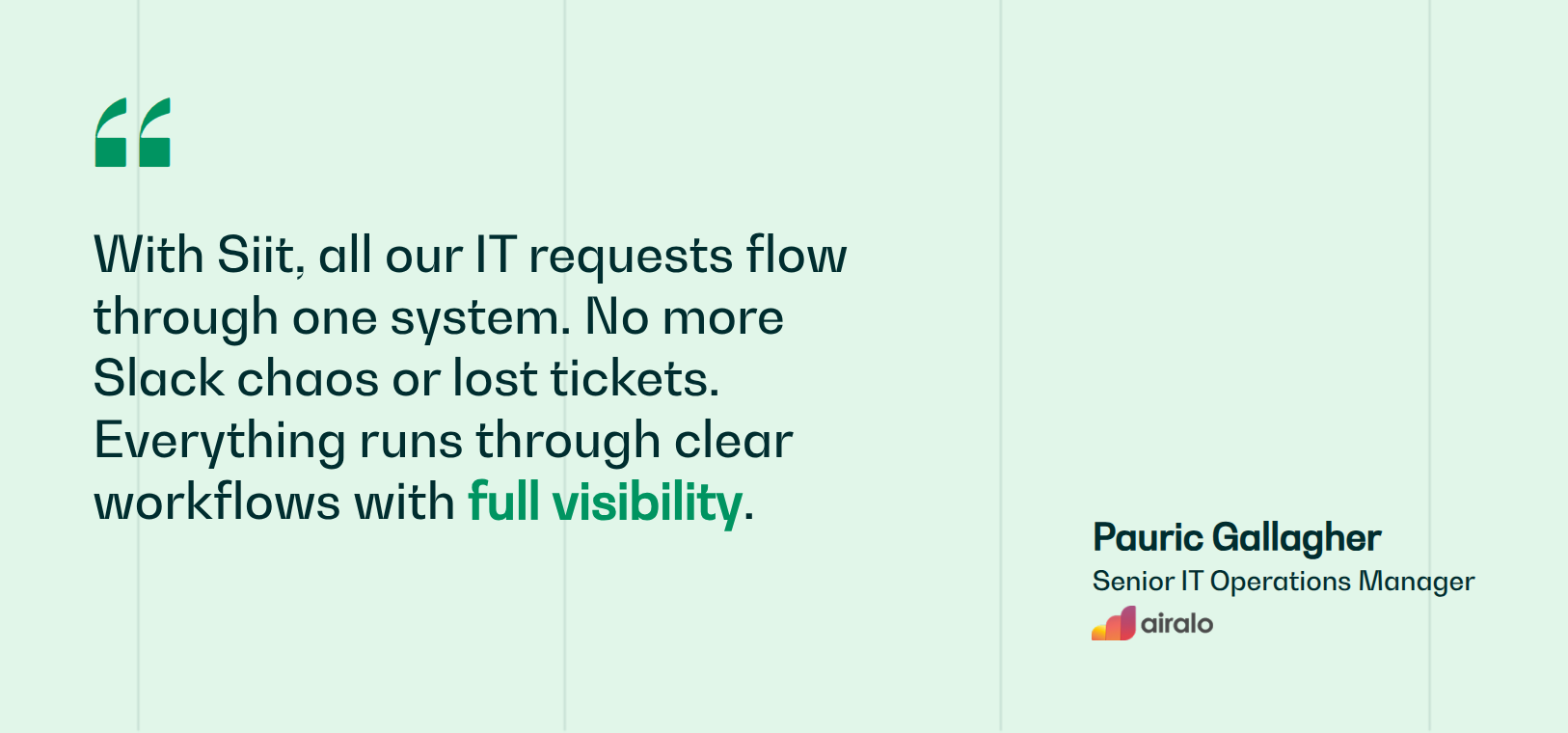
The payoff is practical, not theoretical. Airalo’s testimonial shows why this matters: IT support works better when requests, device context, and follow-up stay where employees already work. When an employee reports a lost device, the cycle that used to mean four consoles and a paper trail collapses to a single Slack message, and your MDM IT workflows stop being two separate things you context-switch between. The audit trail stays attached to the request in one place.
Match Your MDM Platform to Your Reality
The best MDM platform depends on the organization’s shape and existing tools, not the longest feature list. Jamf or Iru for Apple-only environments. Intune or Hexnode for mixed teams, ManageEngine for scripting and on-prem needs, Miradore for a free start, AirDroid Business for Android-only, and SOTI for rugged hardware; treat this comparison as your shortlist, then run a real trial with your own devices before signing. Use your trial to validate the workflows your help desk runs most often.
Whichever platform wins, check whether it can connect to the place your requests actually land. Airalo, a global eSIM company, did exactly this with Siit, consolidating scattered Slack requests into one system its teams own. Siit connects supported MDM tools to an AI-powered service desk so device lock, wipe, and inventory sync run from the Slack thread where the request started, with the audit trail your compliance reviews demand, and MDM in IT support stops being a context switch between consoles. That turns your MDM from another admin panel into one working system.
See how Siit fits your device stack: book a demo.



FAQ

MDM controls mobile devices like phones and tablets through policy enforcement, app distribution, and remote actions. UEM extends those same capabilities to laptops, desktops, and IoT devices from a unified console. If you're managing both mobile devices and laptops together, you need UEM, not standalone MDM. Most platforms marketed as MDM today, including Intune, Hexnode, and Jamf Pro, already function as UEM solutions covering all endpoint types from one dashboard.
Microsoft Intune and Hexnode are the only platforms on this list explicitly supporting Samsung Knox Mobile Enrollment. KME matters because Samsung devices purchased through approved resellers auto-enroll on first boot without IT intervention, eliminating manual provisioning overhead. This zero-touch path is critical for large Android deployments where unboxing and setup time compounds across hundreds of devices, and it requires vendor partnership setup that not all MDM providers maintain.
Per-user pricing typically reduces BYOD costs when employees use multiple personal devices, since you pay once per employee per person, tablet, and laptop. Per-device models become expensive when one person carries three endpoints. However, per-user tiers often bundle identity and access features you may not need, while per-device pricing scales predictably when corporate-owned hardware dominates. Calculate total cost using your actual employee-to-device ratio and whether bundled IAM features offset higher per-user fees.
Jamf Pro offers script-level customization and same-day Apple OS support, making it ideal for teams needing deep technical control and immediate access to new features. Iru prioritizes no-code automation with its Automated Compliance Engine that self-heals misconfigurations against CIS benchmarks and FedRAMP standards through one-click compliance templates. For regulated industries, Iru's pre-built controls deploy faster without scripting expertise, while Jamf provides granular policy customization when compliance requirements demand bespoke configurations beyond template frameworks.
Integration eliminates manual handoffs between systems that create overhead. When MDM and service desk operate separately, IT admins must check requests, switch to MDM consoles to execute actions, then return to document outcomes, losing context each step. Native integration executes device actions directly from request threads, automating inventory lookups, compliance checks, and remote commands without console-switching. This collapses multi-step workflows into single-click resolutions while maintaining audit trails automatically across both systems.