9 Best IAM Tools for Workforce, PAM & CIAM
The best IAM tools should cut access work, not leave your IT help desk jumping between admin panels for every request. But without the right IAM platform, every access request means manual coordination between your IT help desk, HR, and Finance.
The right platform depends on what you're securing. Workforce access, privileged credentials, and customer authentication are different categories with different vendors. How a platform connects to your existing systems matters just as much.
Use the comparison table, feature matrix, pricing, deployment models, typical fit, and integration-count context below to match each platform against your headcount, compliance requirements, and integration needs before you book a vendor demo.
TL;DR:
- Okta and Microsoft Entra ID are recognized leaders in workforce IAM, while CyberArk is a recognized leader in privileged access management, Auth0 covers customer identity, and SailPoint handles governance.
- Published pricing, deployment options, and AI-agent identity support have become defining IAM buying criteria.
- Match category first, meaning workforce IAM, CIAM, PAM, or IGA, then deployment model and company size; the comparison table and feature matrix below cover all nine platforms.
- Whichever IAM platform you pick, Siit works directly in Slack or Teams, connects it to your HRIS and service desk, and routes access workflows with no portal adoption required.
What Makes a Great IAM Tool?
You need an IAM platform that secures your systems without creating new bottlenecks for your IT queue. Evaluate shortlisted identity access management tools against six criteria:
- Authentication strength: SSO plus MFA is the floor. Phishing-resistant authentication and adaptive checks that adjust to login risk are where platforms separate.
- Integration catalog: Pre-built connectors and SCIM provisioning decide whether accounts get created and removed automatically across your stack or by hand. Clean APIs are essential, or you're stuck doing the manual coordination you bought the tool to eliminate.
- User experience and self-service: Self-service capabilities in the best user access management tools let employees reset passwords and request app access without opening a ticket to your IT help desk.
- Deployment model: SaaS-delivered IAM gets you live fastest. Hybrid or on-prem support matters only if you're keeping Active Directory or legacy LDAP systems alive.
- Compliance and governance: SOC 2 Type II and ISO 27001 answer enterprise security questionnaires, FedRAMP is non-negotiable for federal work, and GDPR coverage matters the moment you have employees or customers in Europe.
- Joiner-mover-leaver work: Hire or termination events in your HRIS, such as BambooHR, Workday, or Gusto, should trigger provisioning or revocation automatically, removing the hours your IT team currently spends per new hire.
Beyond these six criteria, weigh two modern extensions that increasingly separate platforms:
- Zero Trust readiness, since identity is now your primary security perimeter and you'll want granular, least-privilege rules with continuous verification rather than a single login at the network edge
- Coverage for non-human and machine identities, because every AI agent, service account, and automation script is an identity your tools need to govern.
Ask vendors how they handle both, and weight these heavily if AI agents are anywhere near your production systems, otherwise those accounts become another invisible access problem your IT team cleans up manually later.
How Do the Best IAM Tools Compare?
Compare these identity and access management tools on category, deployment model, published pricing, typical fit, and integration catalog.
Pricing reflects vendor list prices verified against vendor-published pricing and licensing pages as of July 2026. Model first-year cost beyond the list rate before you buy, since implementation services, support tiers, and add-on modules often outweigh the license line.
Workforce IAM vs. CIAM vs. PAM vs. IGA
Identity and access management tools fall into four buying categories:
- Workforce IAM secures your employees and internal apps. IAM for workforce use cases covers SSO, MFA, and workforce access management for the tools your company runs (Okta, Entra ID, JumpCloud, OneLogin).
- CIAM (customer IAM) secures the users of your customer-facing product, built for scale and login conversion rather than internal control (Auth0).
- PAM (privileged access management) secures admin and service accounts, the credentials attackers want most (CyberArk).
- IGA (identity governance and administration) governs access with certifications and compliance reporting. IAM works like a doorman granting entry; IGA works like the auditor checking those permissions stay appropriate (SailPoint).
- MFA specialists like Duo bolt strong authentication onto whatever identity source you already run.
Feature Comparison Matrix
Use this as a queue-risk screen: every "No" under lifecycle or adaptive controls is a process your IT team may still have to handle manually.
The 9 Best IAM Tools
Evaluate workforce platforms first, then PAM, MFA, CIAM, and IGA specialists where the risk layer calls for them.
1. Okta
Okta is the workforce IAM benchmark for mid-market and enterprise teams connecting a sprawling SaaS stack without custom API work, and it runs cloud-only. If you want one workforce platform that also reaches into governance, privileged access, and customer identity through add-ons, Okta is the deepest option on this list.
Deployment: Cloud-only SaaS.
Okta pricing: Starter $6, Core Essentials $14, Essentials $17 per user/month.
Best for: Mid-market and enterprise teams needing enterprise SSO, lifecycle automation, and a deep SaaS connector catalog.
Key features:
- A large pre-built app integration catalog across common enterprise SaaS tools
- Drag-and-drop Workflows for building provisioning logic without code
- Identity Threat Protection, which uses Okta AI to detect and respond to identity-based threats in real time
- An "Okta for AI Agents" add-on for securing non-human identities
Pros:
- 7,000-8,000+ integration range gives your IT help desk broad SaaS coverage without custom API work Okta integration catalog
- Strong lifecycle automation reduces repetitive provisioning and deprovisioning tasks
Integration capabilities:
Okta connects with HRIS platforms like BambooHR, Workday, and Gusto, device management tools including Jamf and Intune, and collaboration apps like Slack and Teams. Workflow layer automation with Siit runs on top of Okta-specific identity changes, including provisioning, approvals, and device orders.
Cons:
Pricing climbs steeply between tiers, and Adaptive MFA doesn't arrive until Core Essentials, so the entry price rarely reflects what you'll pay in year one. Support costs on large contracts can add real money on top. Use the trial period to test lifecycle workflows before signature.
2. Microsoft Entra ID
Microsoft Entra ID (formerly Azure AD) works best when you already run Microsoft 365 and want identity folded into your existing subscription. It's also the only major workforce IAM platform on this list built for true hybrid deployment: on-premises Active Directory syncs to the cloud through AD Connect. Its paid-plan pricing makes the free-versus-paid decision worth revisiting.
Deployment: Cloud + hybrid through AD Connect.
Microsoft Entra Suite pricing: Plan 1 $7, Plan 2 $10 per user/month, Microsoft Entra Suite $12 per user/month; free tier included with eligible Microsoft subscriptions.
Best for: Microsoft-first organizations that need hybrid identity without adding a separate directory project.
Key features:
- Conditional Access that checks location, device health, and user risk before granting access
- Privileged Identity Management (PIM) that grants admin rights only when needed, not permanently
- The Microsoft Entra Suite bundle, which layers network access and governance on top of Plan 1
Pros:
- Deep Microsoft 365, Teams, SharePoint, Azure, and Windows integration
- Hybrid identity support helps your IT help desk bridge Active Directory and cloud apps
- Conditional Access and PIM make it a practical Zero Trust anchor for Microsoft-first companies
- A free tier included with Azure and Microsoft 365 subscriptions, so basic directory and SSO cost nothing extra
Integration capabilities:
Entra ID is built directly into the Microsoft tools with native support for Teams, SharePoint, and Azure, plus SCIM provisioning for HRIS and third-party apps. Directory sync through Siit automates workflows between Microsoft 365 and the rest of your stack, so identity changes sync across systems without manual updates. For a Windows-and-365 shop, no other platform matches that depth.
Cons:
Licensing gets confusing fast across Microsoft tiers, and the value case weakens sharply if you're not already invested in the ecosystem. Governance buyers face a harder ceiling: Microsoft has said no new IGA features will be added to the P2 SKU going forward. If audit-grade governance is the requirement, that freeze points you toward SailPoint instead.
3. JumpCloud
JumpCloud replaces Active Directory with a cloud-managed directory for smaller IT teams that want identity and devices handled from one console, no on-prem servers required. Its newer packages add Zero Trust, AI & SaaS Management, and Agentic IAM Lifecycle Management. You can also opt for pricing is à la carte, so you pay per module rather than per bundle.
Deployment: Cloud-managed directory and device management.
Jump Cloud pricing: Device Management $9, SSO $11, and Device Identity Management $13 per user/month on annual billing; platform packages require a sales conversation, or you can pay à la carte.
Best for: Smaller IT teams replacing Active Directory while also managing macOS, Windows, and Linux devices.
Key features:
- Cloud directory that eliminates on-premises Active Directory servers
- Cross-platform device management for macOS, Windows, and Linux from one console
- LDAP, RADIUS, and SAML support so legacy systems can still authenticate
- JumpCloud Go passwordless authentication as an add-on
- A connector catalog for common SaaS and infrastructure tools
Pros:
- 1,000+ integrations support common SaaS and infrastructure needs for lean IT teams JumpCloud integrations
- Identity and device management live in one console instead of separate admin surfaces
- Newer packages add Zero Trust and Agentic IAM coverage for teams modernizing beyond AD
Integration capabilities:
JumpCloud connects with Google Workspace, Microsoft 365, and major SaaS apps, and supports LDAP and RADIUS for systems that can't speak modern protocols. Device checks through Siit automate device compliance checks and access provisioning, so employee status syncs across your stack without your IT help desk touching it. A trial ships with full functionality, which makes it one of the easier platforms to pilot when your team needs relief quickly.
Cons:
Reporting and customization trail the enterprise platforms, and users report mixed experiences with support responsiveness. À la carte pricing looks cheap per module but stacks up fast as you add features, and the Platform packages require a sales conversation.
4. Ping Identity
Ping Identity handles hybrid environments where legacy on-premises systems and cloud apps have to trust each other, and it deploys cloud, on-prem, or hybrid. The PingOne for Workforce Essential tier is publicly priced instead of contact-sales-only. Licensing runs on an active-user model, so you're billed for identities that authenticate during the period rather than every stored account.
Deployment: Cloud, on-prem, or hybrid.
Ping Identity pricing: Essential $3, Plus $6 per active user/month.
Best for: IT teams with hybrid infrastructure, federation complexity, or partner identity requirements.
Key features:
- Hybrid identity management across on-premises and cloud without forcing migration
- Adaptive authentication that adjusts security requirements based on login risk
- API security with short-lived tokens and automatic rotation for customer-facing applications
- Broad integrations across enterprise and SaaS systems
Pros:
- 1,500+ integration coverage supports complex federation and enterprise identity patterns Ping Identity integrations
- Cloud, on-prem, and hybrid deployment options fit environments that cannot move all at once
Integration capabilities:
Ping connects with Active Directory, LDAP, and cloud directories, and supports federation standards such as SAML and OAuth, which is exactly what complex federation scenarios demand. It fits when partner and legacy infrastructure need to trust each other.
Cons:
Setup gets complex in hybrid environments, and the Plus tier still requires a sales call. The platform is also light on identity administration features, which makes it less useful for smaller IT teams. If your infrastructure is cloud-only, Okta or OneLogin will get you live faster.
5. CyberArk
CyberArk is the benchmark among privileged identity management tools, built to lock down admin credentials and record every action in finance, healthcare, and other regulated industries. CyberArk, now owned by Palo Alto Networks after the February 10, 2026 acquisition, introduced Idira at IMPACT 2026. Its Idira identity-security platform extends that privileged-access focus into AI-era identity risk.
Deployment: Cloud and on-prem.
CyberArk pricing: Contact sales.
Best for: Companies in regulated industries that need PAM, session recording, and machine-identity controls.
Key features:
- Privileged access vaulting that stores admin passwords and issues temporary tokens instead of permanent credentials
- Session recording for all admin activity, giving you a complete audit trail
- Behavioral analytics that flag suspicious access patterns before they become breaches
- AI-agent controls purpose-built to protect AI agents with privilege controls
Pros:
- Deepest PAM coverage in this list for admin credentials, privileged sessions, secrets, and service accounts
- Human and machine identity coverage makes it relevant for service accounts, certificates, secrets, and AI agents
Integration capabilities:
CyberArk connects with Active Directory, LDAP, and major IT service management platforms, plus Slack for real-time alerts when privileged access is requested or used. Your security team stays informed without living in dashboards. As IAM security tools go, it's the deepest option for the admin-credential layer specifically.
Cons:
CyberArk is generally more complex and resource‑intensive than lighter workforce IAM tools and often requires skilled or dedicated resources to implement and maintain, and many CyberArk offerings use quote‑based, sales‑led pricing, though some Workforce Identity products have publicly posted per‑user prices. It's built for privileged access rather than everyday employee access, so you'll pair it with a workforce platform. Ask how Idira packaging maps to the privileged-access controls your security team actually needs before you sign.
6. Duo Security
Duo Security has historically been known as an MFA and access-security specialist, but Cisco now positions Duo as a security-first IAM platform with Duo Directory and lifecycle-management capabilities; fuller identity governance may still require integrations or companion IGA tools. That narrow scope is the appeal when you need phishing-resistant authentication now and can't wait for a full IAM rollout.
Deployment: Cloud-delivered MFA layer.
Duo pricing: Essential $3, Advantage $6, Premier $9, per user/month. Free tier also available.
Best for: IT help desks that need fast MFA coverage before a full workforce IAM rollout is funded or approved.
Key features:
- Fast MFA deployment that small IT teams can take live quickly
- Phishing-resistant authentication that stops credential theft attacks
- Simple API integration that adds MFA to existing apps without rebuilding authentication flows
Pros:
- Narrow MFA scope can be easier to deploy than a full IAM platform
- Works with common business apps, VPNs, and on-prem systems through REST APIs and RADIUS protocols
- Useful bridge when your IT help desk needs stronger authentication before lifecycle automation is approved
Integration capabilities:
Duo connects with Google Workspace and Microsoft 365 through SSO/federation integrations, and with VPNs and on-premises systems through mechanisms such as the Duo Authentication Proxy, RADIUS, and Duo’s HTTPS API. Adding MFA to your existing apps doesn't require rebuilding authentication, which is why Duo wins quick-deployment evaluations.
Cons:
Its integration catalog is smaller than the enterprise IAM platforms here. If you expect MFA to grow into full workforce access needs later, buying a platform with MFA included avoids a second migration.
7. Auth0
Auth0, now Okta's customer identity product, handles authentication for the users of your app rather than your employees, and that workforce-versus-CIAM distinction is the one buyers most often miss. CIAM carries different success criteria: usability is what separates the best customer identity access management companies, because login friction directly costs you signups.
Deployment: Cloud CIAM.
Auth0 pricing: Free plan; Essentials (B2C) $35/mo, Essentials (B2B) $150/mo, Professional (B2C) $240/mo, Professional (B2B) $800/mo; Enterprise via custom quote.
Best for: Product and engineering teams building customer-facing authentication into apps, portals, and digital products.
Key features:
- Pre-built login widgets that drop into your app and go live quickly
- Rules engine for custom authentication logic when standard flows don't fit your use case
- Social login integration with Google, Facebook, and other providers out of the box
Pros:
- Developer-friendly APIs, SDKs, and webhooks support product-specific authentication flows
- Social login and enterprise SSO support make it strong for customer-facing applications
- Free/non-production options help product teams test CIAM patterns before Enterprise usage scales
Integration capabilities:
Auth0 supports the major social identity providers and enterprise SSO connections. REST APIs, SDKs for multiple languages, and webhooks let you build exactly the authentication flow your app needs. It drops into a product roadmap in a way workforce platforms never will.
Cons:
Pricing scales with monthly active users, which gets expensive as your user base grows; Enterprise pricing depends on your plan and usage. The rules engine requires JavaScript knowledge for customization.
8. OneLogin
OneLogin, owned by One Identity, delivers cloud-native SSO for mid-market teams that want faster deployment than an enterprise project. Its published three-tier pricing is the lowest named pricing in this comparison.
Deployment: Cloud-native workforce IAM.
OneLogin pricing: Basic $3, Essentials $6, Business $10 per user/month.
Best for: Mid-market IT teams that need SSO, MFA, and lifecycle basics without enterprise complexity.
Key features:
- Cloud-native SSO that deploys faster than enterprise IAM projects
- SmartFactor Authentication that adjusts MFA requirements based on context and risk
- Identity lifecycle management that automates provisioning and deprovisioning
- Broad integrations plus SCIM provisioning to keep accounts current across your stack
Pros:
- 6,000+ integration catalog covers common SaaS applications and directory services OneLogin integrations
- Lower named pricing than most workforce IAM platforms in this comparison
- Good fit when your IT help desk needs SSO, MFA, and lifecycle basics without enterprise complexity
Integration capabilities:
OneLogin's pre-built connectors work with major SaaS applications and directory services. SCIM provisioning automates user account creation and updates across your tech stack, so your IT help desk isn't manually managing accounts in every system. Coverage runs deep for common business apps, thinner for niche tools.
Cons:
Advanced capabilities trail enterprise platforms like Okta and Ping Identity, so you may hit gaps with specialized applications. The interface also feels dated next to newer competitors. Neither issue outweighs the price advantage for a mid-market IT team that mostly needs SSO, MFA, and lifecycle basics.
9. SailPoint
SailPoint is an IGA platform rather than a general IAM tool: it governs access instead of granting it, running the certifications and compliance reporting that audit-heavy industries live on. The company has leaned into AI with Harbor Pilot, its set of AI agents for Identity Security Cloud, and the Atlas Enterprise tier extends governance to agentic identities.
Deployment: Cloud-delivered IGA through Identity Security Cloud, with connectors to cloud and on-prem systems.
SailPoint pricing: Contact sales.
Best for: Audit-heavy enterprises that need access certifications, segregation-of-duties controls, and governance reporting.
Key features:
- Automated access certifications and reviews that eliminate manual quarterly audits
- Machine learning that spots risky access patterns before they become compliance findings
- Segregation-of-duties enforcement that blocks conflicting permissions automatically
- Harbor Pilot AI agents that handle identity security tasks inside Identity Security Cloud
Pros:
- Strongest IGA option on this list for certifications, access reviews, and governance reporting
- Atlas Enterprise and Harbor Pilot extend governance into AI-agent and agentic identity use cases
Integration capabilities:
SailPoint connects with major enterprise applications, Active Directory, and cloud platforms through REST APIs and SCIM provisioning. You can automate account governance across your entire stack regardless of whether systems live on-premises or in the cloud. That breadth is what makes enterprise-wide certifications feasible, especially when manual spreadsheet reviews are already consuming IT and security time.
Cons:
Configuration requires dedicated governance expertise that a generalist IT team can't cover, and the cost limits it to large enterprises with complex compliance needs. Pricing is contact-sales only. Reporting exists, but customizing it gets difficult without specialized knowledge.
How Long Does It Take to Implement an IAM Tool?
Implementation timelines are the numbers IAM vendors avoid talking about. As a general rule of thumb, a cloud-first company rolling out SaaS-delivered SSO usually moves faster than a hybrid enterprise federating on-premises AD, legacy LDAP, and cloud apps.
Whatever platform you pick, use a practical five-phase rollout framework:
- Directory and HRIS sync. Connect your source of truth first; every later phase depends on clean identity data flowing in automatically.
- SSO rollout for your top apps. Start with the highest-volume applications that generate the most logins, then expand in waves so your IT help desk isn't fielding lockout tickets for the whole company at once.
- MFA enforcement. Phase it by group, starting with admins and finance, so you catch enrollment problems before they hit everyone.
- Lifecycle automation. Wire joiner, mover, and leaver events from your HRIS to provisioning and revocation; this is the phase that removes recurring manual work rather than just relocating logins.
- Governance and certifications. Access reviews and separation-of-duties rules come last, once the data underneath them is trustworthy.
Total cost of ownership tracks these phases more than the license line. An access management tool earns its keep only once lifecycle automation is live, so every delay means your IT team still provisions by hand while subscription costs accrue. Push vendors for a phase-by-phase plan with dates during the sales cycle, then validate it with a workflow test before signature.
How Do You Choose the Right IAM Platform for Your Business?
Choose your IAM platform by matching capabilities to three factors: what you're protecting, what you must prove to auditors, and what the real cost looks like past year one. If you're asking which is the best IAM for corporate security, split the question by layer instead of hunting for one winner.
Identify your primary security requirement
Your biggest exposure decides the category. Map it first, then shortlist within that category only:
- Workforce access management -> standard SSO and lifecycle automation (Okta, Microsoft Entra ID, OneLogin)
- Privileged credentials -> vaulting and session recording for admin access (CyberArk/Idira)
- Customer-facing authentication -> developer-friendly CIAM with login widgets and social providers (Auth0)
- Hybrid infrastructure -> on-premises plus cloud federation (Ping Identity)
Assess your compliance and infrastructure reality
Your regulatory requirements and existing systems narrow the field fast. Some constraints eliminate whole categories of vendors before you compare a single feature. Check these before booking demos, especially if your team will be responsible for every exception after the contract is signed:
- Your cloud-native IT team ditching Active Directory -> cloud directories with device management (JumpCloud)
- Federal contractors needing FedRAMP -> platforms with government certifications (Okta, Microsoft Entra ID)
- Regulated industries requiring audit trails -> governance automation and access certifications (SailPoint)
- Quick MFA wins without a full IAM rollout -> standalone MFA deployment (Duo Security)
Calculate costs beyond per-user pricing
Published per-user pricing looks simple until the real expenses land. Treat listed rates as a starting point because top identity and access management tools still negotiate enterprise deals off-list and implementation scope can change the first-year cost. Model the full picture:
- Feature tiers: entry SSO pricing sits in the low single digits per user, while tiers with adaptive MFA, lifecycle, and governance run several times that (comparison table above)
- Implementation services, which can become a major first-year cost depending on scope
- Ongoing support contracts, often required for enterprise deals
- Integration work when pre-built connectors don't exist for your tools
Connect Your IAM to Your Tech Stack
The platforms above solve the core identity problems of authentication, permission checks, and compliance. Whichever you pick, bottlenecks persist when your IAM can't talk to the rest of your systems.
Siit bridges that gap through a Slack and Teams-native ticketing layer that works directly where your IT team already works, with no portal adoption required. When your IAM provisions a new user, Siit can pull employee context, route approvals, update systems, add users to Okta groups, reset MFA, execute actions across Okta, Jamf, Notion, and HRIS, and keep the request moving without your IT team acting as the human API.
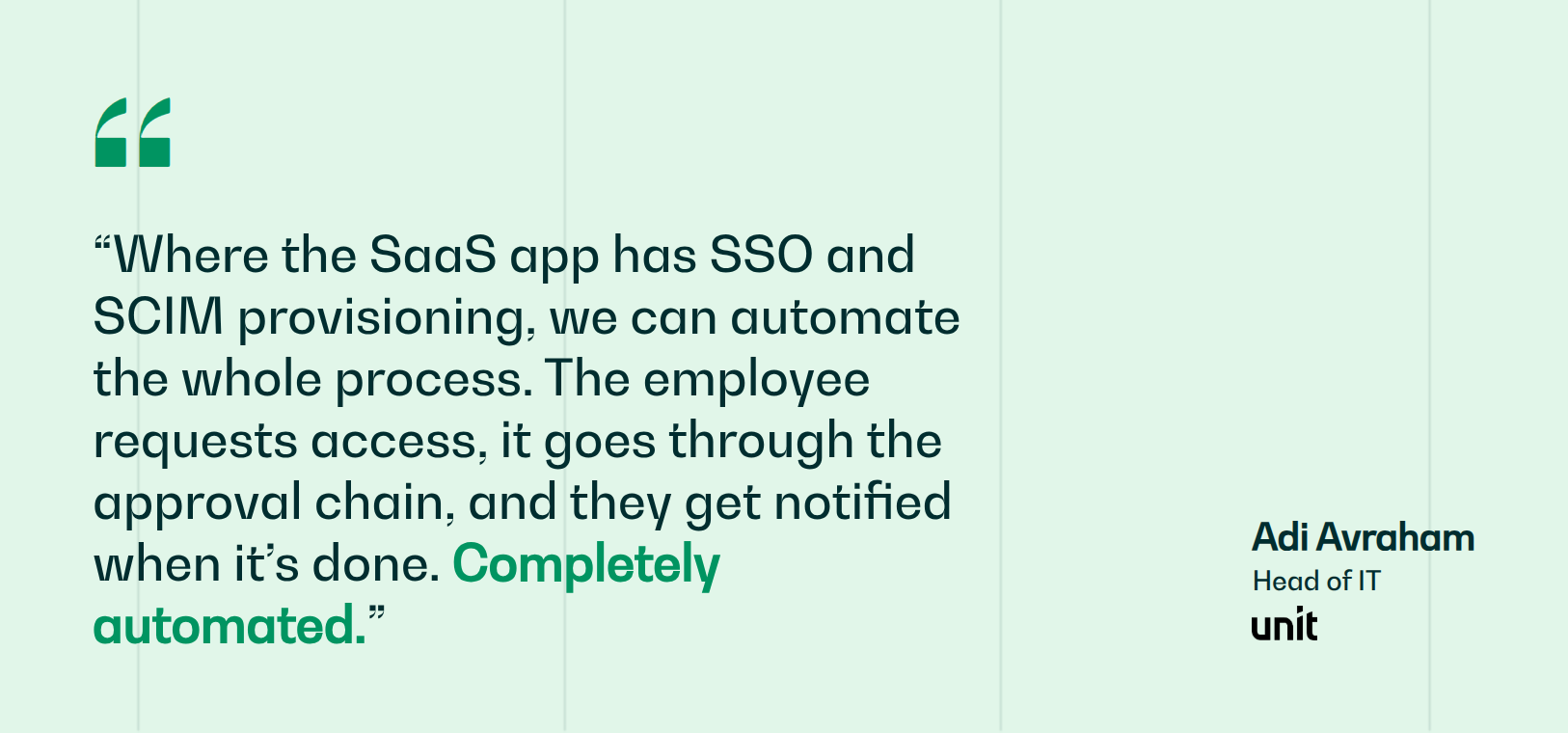
Unit is a good example of what that looks like in practice. Their 2-person IT team pairs JumpCloud (their IAM) with Siit to route access requests through a risk-based approval chain in Slack, auto-provisioning basic apps like Slack and Google, requiring manager and app-owner approval for standard apps like Figma, and manager plus COO approval for sensitive financial systems. Any SSO/SCIM app connected to JumpCloud is then provisioned end-to-end automatically with full SOC 2 audit trails, so their IAM investment removes work from the queue instead of just centralizing logins.
Use the selection rubric to shortlist your IAM platform, then connect it to the systems where employee requests actually happen. Provisioning workflows can move from manual handoffs to automated fulfillment in minutes, and identity changes stop meaning manual updates across your IT, HR, and Finance systems.
.png)


FAQ

IAM broadly manages who can access what across your workforce, covering authentication, SSO, and lifecycle provisioning. PAM is a specialized layer focused only on privileged accounts, admins, root credentials, and service accounts, adding vaulting, session recording, and just-in-time elevation that standard IAM doesn't provide. Most regulated organizations run a workforce IAM platform as their foundation and layer a dedicated PAM tool on top for high-risk accounts.
It varies widely by scope. A focused MFA deployment can go live in a day or two, while standard workforce SSO rollouts run days to a few weeks. Governance and privileged access projects are the outliers, often spanning months or longer. The biggest drivers are how many applications are in scope, HRIS integration complexity, and whether you have dedicated identity specialists on staff.
Yes, and most mature organizations do. Since no single platform leads every category, teams pair a workforce IAM platform with a separate PAM, IGA, or CIAM tool to cover gaps. The tradeoff is added integration and administration overhead. Aim for a clear primary platform for your main use case, with specialized tools filling specific compliance or privileged-access needs.
SCIM is the standard protocol that lets your identity platform automatically create, update, and deactivate accounts in connected apps. Paired with HRIS triggers, it powers joiner-mover-leaver automation: a new hire provisions before day one, a termination deactivates on schedule. Without it, each change becomes a manual task in every app, which is where stale access and offboarding gaps appear.
Subscription fees are only part of total cost. Implementation is the most underestimated line item and can rival your first-year subscription. Enterprise deals often require ongoing support contracts, and any app without a pre-built connector becomes custom integration work. Model the required tier for your actual features, then add implementation, support, and integration estimates before trusting any per-user price.