The Best HRIS Systems Compared for 2026
The best HRIS system is the one that stops every new hire from turning into a coordination scramble between HR, IT, payroll, and benefits. If you manage employee experience, that means less time answering repeat questions in Slack, chasing IT for access, and coordinating Finance approvals by hand, and more time building onboarding and people programs that actually scale.
That coordination problem shows up the same way at almost every company: the HRIS record updates cleanly, but the downstream steps don't follow it. IT still needs a manual ping to provision access, Finance still needs a separate approval nudge, and the employee experiences all of it as one slow process, regardless of how good the HR system itself is.
This guide compares the best HRIS systems on features, ease of use, pricing, and integrations, then walks through how to match one to your company. For the step-by-step version of that decision, our guide to choosing a new HRIS system breaks it down in detail.
TL;DR:
- BambooHR is the simplest option for small teams that need fast deployment.
- Rippling is best for unified HR, IT, and Finance automation.
- HiBob and Deel lead for global and distributed teams.
- Workday is the enterprise choice for deep analytics and compliance.
- ADP Workforce Now is the North American payroll and compliance benchmark.
- SAP SuccessFactors is the go-to for global enterprises needing deep talent management and multi-country compliance.
- Paylocity is the strongest fit for midsize US companies wanting payroll paired with culture and engagement tools.
- Gusto is the most user-friendly pick for US small businesses focused on payroll.
- Factorial is the strongest all-in-one with a built-in AI agent.
- Whichever you pick, connecting it to an AI service desk like Siit is what turns a status change into automated provisioning, approvals, and notifications across IT, HR, and Finance.
What Makes a Great HRIS System?
An HRIS (Human Resources Information System) consolidates payroll, benefits, time tracking, performance, and compliance into a single source of truth, replacing spreadsheet chaos with data you can act on.
If you own employee experience, the best platform is the one employees can actually use without bypassing the process and Slacking you directly. The strongest platforms surface useful analytics, ship self-service tools employees actually use, and run on API-first architecture that connects to Finance and IT systems without weeks of custom work.
A quick note on labels: HRIS is the narrowest tier for core employee data, HRMS (Human Resource Management System) adds payroll and time management, and HCM (Human Capital Management) covers the full lifecycle from recruiting to succession. Vendors often use those acronyms loosely, so treat the label as less important than the workflow. What matters is whether the platform can keep employee records accurate, trigger the right downstream steps, and reduce the HR-IT-Finance handoffs that usually land back on your desk.
When evaluating the platforms below, the criteria were ease of use, integration depth and workflow-automation quality, scalability from small teams to larger organizations, pricing transparency, module breadth across payroll and talent, support responsiveness, and how much you can customize without hiring a developer. That pricing-transparency point matters because hidden implementation work and add-on fees can turn a simple HRIS rollout into another operational burden.
Quick Comparison of the Top HRIS Systems
This table highlights each platform's stand-out capabilities, best-fit use case, and typical pricing model so you can shortlist quickly before reading the full reviews. If employees already Slack you instead of using portals, prioritize systems that make self-service easy and pass clean events to IT and Finance. The goal is a smoother employee journey from offer signed to fully productive.
The 10 Best HRIS System Options Reviewed
This list covers the full spectrum of HRIS systems, from SME-friendly simplicity to enterprise-grade analytics and global compliance. We evaluated each option on ease of use, integration depth, scalability, module breadth, customization, and current AI functionality. For employee experience work, the real test is whether the HRIS reduces repeat questions, makes onboarding smoother, and gives IT and Finance the context they need without making you the manual relay.
1. BambooHR: Best for SME Ease of Use
BambooHR is a straightforward HR management option for small and midsize teams that need fast deployment without enterprise complexity. Even non-technical employees tend to pick up time-off requests, onboarding, and data updates quickly, which matters when you are trying to move people away from ad hoc Slack questions and into consistent self-service.
Key Features:
- Employee database with ATS and onboarding checklists
- PTO approvals and time-off tracking
- Performance review tools with 360° feedback
- Payroll through partner connections
Pros:
- Fast, self-service-friendly setup that keeps non-technical employees off your Slack DMs
- Strong ease-of-use scores relative to other mid-market HRIS platforms
- Simple lifecycle triggers are enough to build reliable onboarding automation
Cons:
- Reporting is basic compared to other leading HRIS tools
- Multi-country payroll needs add-ons, so it can fall short for complex organizations
- Performance management and time tracking are priced as separate add-ons, which can obscure the real monthly cost
Best For: Growing companies (roughly 25 to 500 employees) that need core records, onboarding, PTO, and performance without turning HR operations into a long implementation project.
Pricing:
- Core: $10/employee/month
- Pro: $17/employee/month
- Elite: $25/employee/month
- Companies with 25 or fewer employees: $250/month flat rate
2. Rippling: Best for Unified HR, IT, and Finance Automation
Rippling is built for teams that want to reduce cross-departmental coordination friction by bringing payroll, benefits, device management, and app provisioning closer together. The interface is modern, though the breadth of features can overwhelm new users until it is configured.
Key Features:
- No-code workflow builder with conditional branching
- Broad app connectivity and device management
- Automated payroll with tax filing
- Global payroll and EOR support for hiring in 80+ countries from the same platform
Pros:
- Genuinely unifies HR, IT, and Finance workflows other platforms treat as separate systems
- Strong automation depth for fast-growing companies
- Broad third-party integration library
Cons:
- Per-module costs add up quickly, and add-on pricing can be hard to compare
- Feature breadth is more than teams that just need payroll will use
- Requires real configuration time before the automation value shows up
Best For: Fast-growing companies that want operational automation as much as they want HR administration. If your company only needs a lightweight payroll-and-benefits tool, it may be more platform than you need.
Pricing: Contact for pricing
3. HiBob: Best for Global, Distributed Teams
HiBob is positioned for distributed teams that need multi-country compliance support, payroll integrations, and engagement features across time zones and currencies.
Key Features:
- Multi-country payroll integrations
- Engagement surveys and performance management
- People analytics and workforce reporting
- Built-in recruitment module (ATS) alongside core HR and engagement tools
Pros:
- Strong fit for culture and engagement alongside core HR
- Requests arrive with role, location, manager, and start-date context already attached, which cuts down on cross-timezone back-and-forth
- Modern, intuitive interface
Cons:
- Advanced analytics sit behind higher tiers
- Workflow configurability is more limited than some competitors
- Pricing isn't published, so budgeting requires a sales conversation up front
Best For: Distributed teams where culture, engagement, and visibility across time zones matter as much as core HR administration. If your operations are mostly single-country and payroll-heavy, other systems may be simpler.
Pricing: Contact for pricing
4. Workday: Best for Enterprise HCM and Analytics
Workday is suited to large organizations that need HR, finance, and planning capabilities with enterprise-grade analytics and governance. Core HR self-service is clean, though full configuration takes real effort, and most teams need dedicated ownership to get the most from it.
Key Features:
- Predictive analytics and advanced talent management
- Reporting with granular, board-ready audit trails
- AI-powered support for routine HR and operational work
- Workday Adaptive Planning for scenario-based workforce and financial planning
Pros:
- Unmatched depth for consistent workflows across business units, countries, and approval structures
- Analytics and governance built for board-level reporting
- Strong candidate for companies consolidating multiple legacy HR systems
Cons:
- Implementation can take six to 12 months
- Costs are high for organizations under roughly 1,000 employees
- Usually needs a dedicated admin team, and the mobile experience can lag lighter tools
Best For: Enterprises where compliance, workforce planning, and board-ready reporting are more important than fast plug-and-play setup.
Pricing: Contact for pricing
5. Deel: Best for International Hiring and Compliance
Deel is commonly used by growth-stage companies that want Employer of Record (EOR) support to hire and pay workers in multiple countries without setting up foreign entities. Setup is intuitive, with global contracts and multi-currency payroll managed in one place.
Key Features:
- EOR support in 150+ countries with contracts written to local law
- Contractor management with visa support
- Multi-currency global payroll
- Deel HR (core HRIS) available as a standalone product or bundled with Deel's other services
Pros:
- Fastest path to compliant hiring in a new country without setting up a local entity
- Consolidates EOR, contractor payments, and global payroll on one platform
- Intuitive setup relative to the compliance complexity it handles
Cons:
- Lighter on performance reviews and engagement dashboards than dedicated HRIS platforms, so it often pairs best with a broader people system
- EOR costs run well above direct employment
- Total employment cost includes statutory contributions and benefits on top of the platform fee, so budgeting takes more than a single number
Best For: Growth-stage companies where international expansion is the bottleneck to solve first, especially when a remote hire needs laptop shipping, system access, payroll setup, and manager onboarding to line up before day one.
Pricing:
- Employer of Record (EOR): Starting at $599/employee/month
- Global Payroll: Starting at $29/employee/month
- Contractor Management: Starting at $49/contractor/month
- Deel HR (core HRIS): $5/employee/month
6. ADP Workforce Now: Best for North American HR and Payroll
ADP Workforce Now is a fit for North American organizations that need HR, payroll, time, and benefits in one compliance-oriented platform. The interface is structured and covers payroll, benefits, and attendance across dashboards, with analytics through ADP's reporting environment and a strong mobile app.
Key Features:
- ADP Assist for AI-supported navigation, reporting, and payroll workflows
- Connects to third-party tools through the ADP Marketplace
- Payroll, benefits, and attendance dashboards in one platform
- ADP DataCloud for benchmarking pay and turnover against a dataset of US employees
Pros:
- Deep payroll reliability and compliance track record
- Strong mobile app for managers and employees
- Broad marketplace of pre-built integrations
Cons:
- Implementation can take several months with a steep learning curve
- Smaller organizations may find it more powerful than they need
Best For: Companies with payroll complexity, compliance requirements, and North American benefits administration needs. If employee experience speed is your top criterion, test the day-to-day manager and employee workflows carefully before committing.
Pricing: Contact for pricing
7. SAP SuccessFactors: Best for Global Enterprise HCM
SAP SuccessFactors is a full HCM suite built for global enterprises with complex compliance, deep talent management, and multi-country payroll needs. It covers the entire employee lifecycle, from recruiting and onboarding through learning, performance, succession planning, and workforce analytics.
Key Features:
- Full lifecycle coverage: recruiting, onboarding, learning, performance, succession planning
- Workforce analytics and planning tools
- Tight integration with the broader SAP ecosystem for finance-HR alignment
- Joule AI embedded across modules for performance-prep automation and skills matching
Pros:
- Best-in-class fit for organizations already running SAP that need governance and localization across dozens of countries
- Genuinely global lifecycle coverage in one suite
- Modular structure allows phased rollout rather than a single big-bang implementation
Cons:
- Heavy to implement and administer
- Overkill for anything short of true enterprise scale
- Minimum contract size of 1,000 employees puts it out of reach for smaller organizations
Best For: Global enterprises that already run SAP or need governance and localization across dozens of countries. Smaller teams should look elsewhere.
Pricing: Contact for pricing
8. Paylocity: Best for Midsize US Companies
Paylocity bundles payroll, core HR, benefits administration, and employee engagement tools for midsize US organizations, with a strong focus on communication and culture features alongside the transactional HR work.
Key Features:
- AI assistant for routine lookups and report generation
- Employee engagement and internal communication tools
- Payroll, benefits, and core HR in one platform
- Expense management and AP automation modules built for Finance and IT teams
Pros:
- Strong culture and communication layer relative to other midsize payroll-first platforms
- Frequently named as a strong ADP alternative for companies that want payroll and HR without enterprise complexity
- Modular structure lets teams add capability without renegotiating the whole contract
Cons:
- US-focused, so global teams won't find the multi-country payroll depth of HiBob or Deel
- Some buyers report that advanced configuration takes real setup effort
- Requires a sales conversation, with total cost depending heavily on which modules are bundled in
Best For: Midsize US organizations (roughly 50 to 750 employees) that want payroll and HR in one place without jumping to enterprise complexity.
Pricing: Contact for pricing
9. Factorial: Best All-in-One With Built-in AI
Factorial brings IT asset management, finance, payroll, and talent into one platform, with a built-in AI agent for routine HR tasks across the lifecycle. The interface is clean for both HR teams and employees, with self-service covering time tracking, documents, and requests.
Key Features:
- Built-in AI agent for routine HR tasks
- ATS, time tracking, performance reviews, and engagement tools
- IT asset management alongside core HR
- Corporate card issuance and touchless expense management built into the platform
Pros:
- Genuinely broad feature set for a single, modular platform
- Clean interface that both HR teams and employees adopt quickly
- Fewer disconnected tools and fewer manual status checks when a request touches more than one department
Cons:
- Native global payroll is handled through integrations rather than built in
- Advanced customization takes more setup than simpler platforms
- Per-employee cost stays flat regardless of company size, which can make it feel expensive for very small teams
Best For: Teams that want a broad all-in-one system and are willing to configure it around their operating model. If you only need payroll and basic records, a narrower system may be easier to adopt.
Pricing:
- Basic: Starting at $8/user/month
- Additional hubs (Time, Talent, Finance, IT): Priced separately per hub
10. Gusto: Best for US Small Business Payroll
Gusto is a fit for US small and mid-sized businesses that want payroll, benefits, and HR in an employee-friendly package. Small business owners can run payroll quickly, and self-service covers digital onboarding, PTO, and benefits enrollment.
Key Features:
- Automated tax filing and unlimited payroll runs
- Gus AI assistant for routine tasks
- Digital onboarding, PTO, and benefits enrollment
- International contractor payments in 120+ countries with no monthly per-contractor fee
Pros:
- Employee-friendly self-service that reduces "am I set up yet?" questions during a new hire's first week
- Simple to set up without a lengthy implementation project
- Straightforward plan structure relative to other HRIS vendors
Cons:
- Native payroll is US-only
- Performance and ATS features are lighter than dedicated HRIS platforms
- Per-person fee climbs meaningfully at the higher tiers, so it can get expensive as HR needs grow
Best For: US-based companies that want simple payroll and benefits first, then lighter HR workflows around the edges. Companies with multi-country hiring or complex performance processes will likely outgrow it.
Pricing:
- Simple: $49/month + $6/person
- Plus: $80/month + $12/person
- Premium: $180/month + $22/person (requires custom quote)
How Do You Choose the Right HRIS Platform?
Match platform capabilities to three dimensions: your size and trajectory, your integration needs, and your geographic footprint. For employee experience, the right choice is the one that reduces low-value coordination while preserving the human judgment you need for sensitive people issues. That means testing not only what HR admins can configure, but also what employees, managers, IT, and Finance will experience when a real lifecycle event happens.
Assess Your Company Size and Trajectory
Pick for where you'll be in 18 months, not just today. Here are some general guidelines:
- Smaller US-focused teams should prioritize speed and simplicity (Gusto, BambooHR).
- Expanding companies should look for multi-currency payroll and all-in-one breadth (HiBob, Deel, Factorial).
- Larger organizations need deeper payroll and benefits with departmental alignment (ADP, Paylocity, Rippling).
- Enterprises need advanced analytics and governance (Workday, SAP SuccessFactors).
The point is to avoid needing to replace your HRIS right when onboarding volume and employee questions start to spike, rather than just buying the biggest system you can afford.
Map Your Integration Requirements
List every system that must exchange data with your HRIS. When someone joins, changes roles, or leaves, what needs to update automatically? Favor platforms with well-documented APIs and pre-built connectors, confirm whether the HRIS can trigger actions in device management, identity, and finance systems, and prioritize the ones that pair with an AI service desk like Siit so the downstream coordination does not fall on a person.
For employee experience leaders, this is where employee experience either gets better or worse. If the HRIS updates but IT still needs a manual Slack reminder, Finance still needs a spreadsheet, and the manager still needs a separate approval nudge, employees experience the process as slow even if HR's system is technically accurate. Push vendors on the actual trigger-to-resolution workflow, not just whether an integration exists.
Define Your Geographic Footprint
Your hiring locations set your payroll and compliance complexity. A single country points to local payroll specialists; several countries need multi-jurisdictional compliance; broad international hiring may require EOR support to hire without foreign entities. Once you have two or three finalists, request demos built around your real workflows: test onboarding scenarios, approval chains, employee questions, and reporting before you commit.
Decide Between an All-in-One HRIS and Specialized Tools
The other decision buyers face in 2026 is whether to run one broad platform or a core system paired with specialized tools. If people keep routing questions through you because tools are confusing, the all-in-one-versus-specialized-tool decision should start with the employee journey, not the admin console. All-in-one suites reduce integration overhead and data silos but rarely lead every category, while specialized stacks give you the strongest tool for each job at the cost of more integrations to manage.
Most growing companies land on a middle path: a solid all-in-one HRIS for payroll, benefits, and core records, plus one or two specialized tools for areas like recruiting or performance. The deciding factor is usually how much integration work your team can realistically own. If HR, IT, and Finance do not have time to maintain brittle handoffs, an AI service desk can remove the manual coordination between whatever tools you end up running.
Connect Your HRIS to an AI Service Desk
Choosing the right HRIS is only half the job. The other half is what happens when an employee event needs to reach IT, Finance, or a manager's queue, and that coordination can eat real operational capacity even when each individual task is simple.
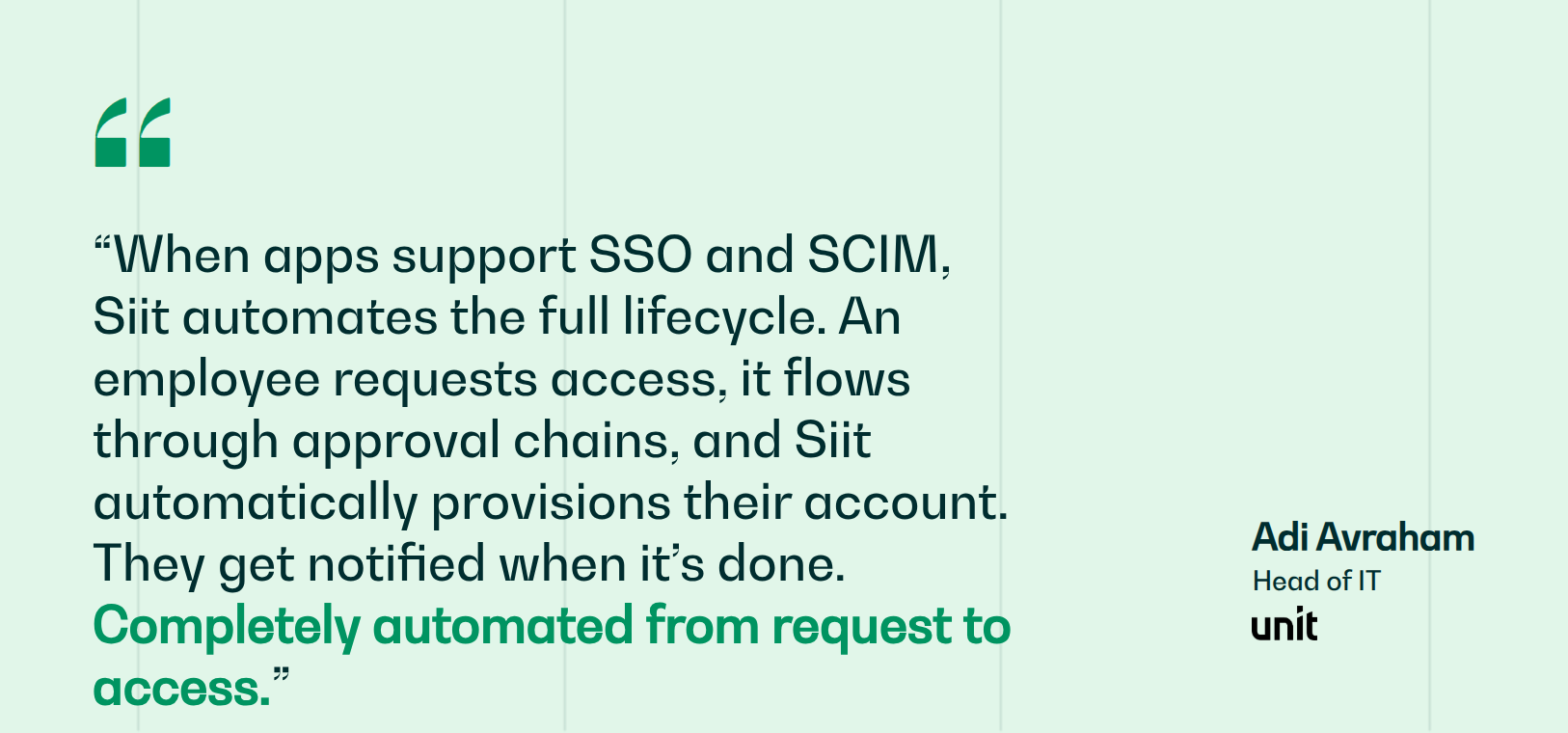
Siit is an AI Service Desk that works natively in Slack or Teams, with no portal adoption required. It uses admin-only pricing rather than charging per employee or department, and turns HRIS events into device provisioning, access approvals, and a complete audit trail, the same coordination work that otherwise falls on you by hand. Teams like Unit use Siit to keep employee support moving in Slack or Teams without forcing people into another portal. Legacy tools were built for the portal era while Siit is built for Slack and Teams workflows, so employees get help without learning another interface.
Want to see your HRIS trigger end-to-end employee workflows in your own Slack or Teams? Book a demo and bring one of your onboarding, role-change, or offboarding workflows to see where HRIS data, approvals, and provisioning would connect.



FAQ

An HRIS usually means the core employee system of record: profiles, employment details, documents, time off, and basic workflows. HRMS often adds payroll and time management, while HCM usually covers the broader employee lifecycle from recruiting to performance and succession. Vendors use these labels loosely, so compare the workflows you need rather than assuming the acronym guarantees a specific feature set.
Implementation depends on company size, data quality, modules, integrations, and the number of countries involved. A simpler HRIS for a small team can move quickly, while enterprise systems with payroll, finance, and governance requirements can take months and need dedicated ownership. Before signing, ask each vendor to walk through your actual onboarding, role-change, and offboarding workflows so you can spot hidden configuration work.
Start with employee profiles, manager relationships, start dates, locations, job titles, departments, payroll fields, benefits eligibility, and employment status. Those fields are the triggers other teams rely on for access, devices, approvals, payroll, and compliance. If the source data is wrong, even a well-integrated HRIS will pass bad context downstream and create the same manual follow-up you were trying to remove.
An HRIS reduces chat chaos when its data and lifecycle events trigger work automatically instead of creating another place employees have to check. New hires, role changes, and offboarding events can feed identity, device management, Finance approvals, and manager notifications. Pairing the HRIS with an AI service desk keeps the employee conversation in Slack or Teams while routing the behind-the-scenes process with full context.
HR should ask IT which identity, device management, collaboration, ticketing, payroll, and finance systems must receive employee data. They should also confirm permissions, audit trails, failure handling, and who owns each integration after launch. The best HRIS decision is shared: HR validates policy and employee data needs, while IT confirms the system can trigger secure downstream work without brittle manual handoffs.