IT Request Management: The Complete Guide
IT request management determines whether your week gets consumed by coordination overhead, such as chasing approvals and juggling Slack DMs, or whether your team gets to focus on the work that matters, like infrastructure projects and security initiatives. Picture the familiar scenario: someone drops a laptop request in Slack, and before you know it, you're hunting down a manager for sign-off while other requests pile up and deadlines slip. This is the "human API" problem: you become the person manually connecting IT, HR, and Finance because no shared workflow does it for you.
In ITIL 4 terminology, this work is called service request management: a structured approach to handling pre-defined, user-initiated requests through a repeatable lifecycle, a service catalog, and clear approval rules. Teams like Monzo, Qonto, and Swile have replaced that manual coordination with Siit, and their results (60% of tickets automated, recurring issues cut by 80%, fragmented intake consolidated across 25 teams) show what governed request management delivers.
The sections that follow break down what makes IT request management work in practice, and why the patchwork approach most teams rely on quietly costs far more than it appears to.
TL;DR:
- IT request management (service request management in ITIL 4) is the practice of handling pre-defined, user-initiated requests like access, hardware, and software through a repeatable lifecycle: submission, categorization, approval, fulfillment, and closure.
- Requests and incidents need different workflows: if something is broken it's an incident, and if someone is asking for something normally provided it's a service request; misclassifying them wrecks prioritization, SLAs, and reporting.
- The features that move the needle for your queue are native Slack/Teams intake, a service catalog with approval routing, automation that handles triage without your input, and integrations with identity and device management tools.
- Siit runs the full loop as an AI service desk inside Slack and Teams, orchestrating approvals across IT, HR, and Finance with admin-only pricing that starts at $23/month per admin with unlimited employees, so your bill stays flat as headcount grows.
What Is IT Request Management?
IT request management is the structured handling of every pre-defined, user-initiated request that hits your IT help desk: software access, laptop replacements, password resets, VPN configuration, and information requests. In ITIL 4 terms, this work is service request management.
The IT request management practice exists because requests are planned, repeatable work, which is most of what lands in your queue. A request has a known fulfillment path, known approvers, and a predictable completion time, so it can be standardized and automated in a way that firefighting can't. When you run that work through Slack scrollback instead of a defined process, you lose the tracking, audit trail, and workload data a structured practice produces by default.
For a small IT team, IT request management becomes key as it separates routine demand from emergency work. Password resets, monitor requests, VPN setup, and app access should not depend on whichever Slack message you saw first. Once those requests are treated as a managed practice, you can start removing manual coordination instead of relying on speed alone.
The IT Request Management Process: From Submission to Closure
Each request follows a lifecycle:
- Request submission: the employee submits through a defined channel (Slack, Teams, email, or portal) instead of a DM to whoever answered last time.
- Logging and recording: the request becomes a ticket with a requester, timestamp, and details.
- Categorization: the ticket is classified by type: access, hardware, software, or information.
- Prioritization: urgency and impact set the order of work.
- Routing: the request goes to the right fulfillment team or owner based on its category.
- Approval (if required): manager, budget, or security sign-off fires automatically.
- Fulfillment: the actual work happens: provision, ship, reset, or answer.
- Closure and user notification: the requester gets confirmation, the ticket closes, and the record stays.
Categorization is the step most IT help desks underinvest in, and it's the one that makes everything downstream work. Classifying requests by type, urgency, and impact is what lets routing and SLA assignment happen without a human reading every ticket. A predefined category carries its own routing rule, its own approver chain, and its own target completion time.
Software request management is the clearest example of the full lifecycle in action. A well-built software request workflow runs: submit the request, verify license availability, route manager or security approval, install or provision the application, then confirm with the requester and log an audit trail. You codify those steps once and reuse them for every subsequent request for that application.
How Is IT Request Management Different From Incident Management?
If something is broken, it's an incident. If someone is asking for something your IT help desk normally provides, it's a service request. That rule of thumb determines which workflow, SLA clock, and priority a ticket gets, so it's worth formalizing.
Misclassifying a request as an incident, or the reverse, has consequences beyond messy records. Every downstream mechanism keys off that first classification decision. Get it wrong and four things break:
- Wrong prioritization: a routine request treated as an incident pulls engineers off genuine disruptions and wastes capacity.
- SLA breaches: the wrong workflow applies the wrong clock, so deadlines get missed on tickets that were never routed correctly.
- Skewed metrics: volume and resolution reports mix planned and unplanned work, so the data you show leadership misrepresents your queue.
- User frustration: requesters get the wrong expectations and the wrong updates, and stop trusting the process.
For an IT manager already context-switching between infrastructure work and Slack triage, clean classification protects the day. It keeps a routine app access request from competing with a real outage and gives leadership a clearer view of what the help desk is handling.
What Are the Benefits of Structured IT Request Management?
Each benefit below maps to a specific mechanism in the lifecycle, and each one compounds as request volume grows.
- Better employee experience: requesters know where to submit, what to expect, and where their request stands.
- Standardized delivery: the same request follows the same path to the same outcome, regardless of who picks it up.
- Reduced IT workload: automation and self-service absorb routine volume. Cresta automated a meaningful share of incoming tickets and scaled support without adding another IT head.
- Clearer demand signals: categorized volume shows leadership what your IT help desk actually handles, in numbers rather than anecdotes.
- Visibility into bottlenecks: fulfillment times by category expose where requests stall.
Monzo's IT team automated 60% of inbound support requests with Siit by integrating their Notion knowledge base to surface article suggestions for level 1 support, which is exactly the reduced IT workload benefit in practice: routine volume absorbed by auto-responses and knowledge-base suggestions layered on tracked intake, freeing the team to focus on higher-value work instead of adding headcount.
Why Do You Need a Service Catalog to Support Your IT Request Management Efforts?
The service catalog is the menu of requests your IT help desk offers and is what makes the request lifecycle work in practice. Every step in the IT request management process, such as , categorization, routing, approvals, or SLA assignment, has to key off something, and that something is the catalog item the requester picked. Without a catalog, each new request lands as free-text and forces a human to interpret what it is, who owns it, and what the target completion time should be. With a catalog, that decision is made once per item and reused every time.
Start with your most commonly requested items and choose ones that are simple and easily fulfilled: password resets, standard software, monitor requests, or guest Wi-Fi. For a small IT help desk, a practical launch target is a focused set of high-volume catalog items, enough to cover the bulk of your volume and few enough that employees can still find what they need. The exact count matters less than covering the requests that interrupt your week most often, then expanding as request data shows you what's missing.
IT Request Management Best Practices
Request management practices work best when they are implemented in a practical order, because each one makes the next cheaper to adopt. Build in this rough sequence rather than jumping straight to automation:
- One official intake channel: meet employees where they already ask. If intake lives natively in Slack and Teams, the "quick DM" becomes a tracked ticket instead of bypassing your triage entirely.
- User-centric design: build the process around how requesters behave, not how your tooling is organized. A process employees route around is worse than no process.
- Service catalog first: you can't automate requests you haven't standardized. Define the items, forms, and approval rules before configuring workflows.
- Simple self-service: the easier the portal, the more employees use it, and the more volume it deflects (design specifics below).
- Automate the repetitive steps: let automation patterns handle categorization, routing, approvals, and status updates before a human reads the ticket.
- Integrate with HR, Finance, and DevOps tools: requests cross departments, so your system needs employee records, budget owners, and engineering escalation paths in reach.
- SLAs per request type: a password reset and a laptop procurement should never share a clock. Set target completion times by catalog item.
- Measurement plan: define the data your workflow must capture from day one.
- Continual improvement: treat the process as something you iterate, with an owner and a review cycle, not something you configure once.
What gets automated first shouldn't depend on who shouts loudest in Slack. If you are still manually judging whether a password reset, VPN issue, or access request should jump the queue, the process is already too dependent on you. Modern request management systems assign priority automatically, and these are the mechanisms worth understanding before you configure any tool:
- Rule-based triggers that set priority from the request type or catalog item selected.
- Requestor-role logic that weighs who is asking and what their profile requires.
- Keyword detection that flags urgency signals in the request description.
- Historical-pattern and machine-learning prioritization that learns from how similar requests were handled.
- Dynamic re-prioritization that raises priority as requests age instead of letting them rot at the bottom of the queue.
Self-service portal design becomes paramount when requests are too many to manage. However, a portal only deflects tickets if employees actually use it, and many don't clear that bar. Adoption usually depends less on the existence of a portal than on how much friction the request form creates. Design decides whether employees use the official path or fall back to the nearest Slack DM.
Keep forms simple and capture only the data needed to start the request, because every extra field costs adoption. Show request status after submission so employees stop pinging you for updates. When the portal works, password resets and FAQ lookups resolve before they ever become tickets in your queue.
How Does IT Request Management Connect to Other ITSM Practices?
Request management doesn't run in isolation; it trades work with four adjacent ITSM practices:
- Incident management: requests deliver services, incidents restore them, and the categorization step is where tickets cross between the two.
- Change management: standard changes often originate as service requests. A request crosses into change territory when fulfilling it modifies a production service or carries risk beyond a pre-approved standard change.
- Problem management: recurring request patterns are problem signals. At Qonto, a recurring VPN issue was generating 20-30 tickets a week until Siit's analytics grouped the related requests, letting IT root-cause the problem and cut that volume by 80%.
- Knowledge management: every fulfilled request that requires a written answer is a future knowledge-base article. Feeding those back in is what makes AI deflection and self-service compound over time.
How to Choose an IT Request Management Software
When you evaluate request manager software, score every option against the same criteria: template-based intake, approval routing, SLA tracking, reporting on fulfillment times and bottlenecks, integration depth, setup complexity, and native Slack/Teams support.
Watch the pricing model too, because per-seat licenses and paid automation add-ons are where request management software costs balloon as headcount grows. With Siit, admin billing starts at $23/month per admin with unlimited employees, so your bill stays flat as headcount grows.
Why Siit vs. Traditional ITSM
Most ITSM platforms were built to run tickets inside the IT help desk, not to orchestrate work across IT, HR, and Finance. That distinction is where the coordination tax lives: portals employees avoid, per-seat pricing that punishes growth, and workflows that stop at the IT boundary. Siit's wedge sits on three points that legacy suites weren't designed for:
- Chat-native intake: requests are created, approved, and tracked inside Slack and Teams, so you don't need a portal adoption campaign to make the process work.
- Cross-departmental orchestration: approvals, HRIS lookups, budget checks, and provisioning fire in one workflow rather than as manual handoffs between tools.
- Admin-only pricing: you pay for the people configuring the system, not for every employee who submits a request, so cost stays flat as headcount grows.
Siit's AI layer is grounded in your own environment: it classifies incoming requests against your catalog, surfaces answers from your connected knowledge base (Notion, Confluence, Google Drive), and routes tickets using patterns from your historical volume, so triage happens before a human reads the ticket.
What Features Drive IT Request Management Efficiency?
Must-have features remove work from the queue instead of relabeling it:
- Native Slack/Teams intake: employees create and track requests from the chat tools they already use.
- Service catalog with customizable forms: standardized intake per item, with per-item fields, approval rules, and target completion times.
- Workflow automation: triage, routing, approvals, and status updates run without your intervention on routine requests.
- Approval routing: sequential and parallel approval chains that pull in managers, Finance, and security automatically.
- Cross-system integrations: Okta, Jamf, and your HRIS put device context, identity data, and employee records inside the ticket, so you can add a user to an Okta group or lock a device from the request itself. Look for connected systems covering identity, device management, HR systems, and knowledge bases.
- Role-based permissions: IT sees IT data, HR sees HR data, and shared employee records stay safe across departments.
- SLA tracking and dashboards: the reporting that proves your workload to leadership and catches drift before requesters do.
- Employee self-service: guided answers deflect routine questions before they reach your queue.
Custom branding and API access are worth evaluating only after the must-haves have cleared the repetitive volume from your queue. If your day is still password resets and access approvals, prioritize the features that remove manual handling first. Everything else is polish.
How Do You Solve the Cross-Departmental Coordination Problem?
You solve the cross-departmental coordination problem by automating approvals, data checks, and provisioning across IT, HR, and Finance in one workflow. If the requests derailing your day are access approvals and onboarding tasks, the hard part is often not the technical work but the handoffs around it. Every handoff is a queue inside a queue, and each one adds elapsed time the requester experiences as IT being slow.
A new hire needs Salesforce access, and that single request can require your involvement, a manager's approval, a Finance budget check, HR role verification, and provisioning across multiple systems. This is the "human API" problem introduced at the start of this guide: you are the person manually connecting departments that have no shared workflow. In many organizations, traditional ticketing tools are better suited to work inside your IT help desk than to orchestrate handoffs between IT, HR, and Finance.
Siit can execute the full approval orchestration automatically as an AI Service Desk built for cross-department workflows. The employee never leaves Slack, and you never copy data between admin panels.
Here is what a Salesforce access request can look like:
- Employee requests access in Slack
- The system pulls role and start date from the HRIS
- Manager receives an approval request with full context
- Finance budget is checked automatically
- Access is provisioned in Okta upon approval
- HR records are updated and an audit trail is created
In this workflow, human involvement is reduced to the manager clicking approve. Each department's step fires in sequence without you sending a follow-up, and that is the shift from managing tickets to removing the coordination tax that makes simple requests consume disproportionate effort. The design decision that determines whether this flow works is where you attach the approvals.
Item-Level vs. Request-Level Approvals
Request-level approval signs off the entire request at once, which suits single-item asks like one application access grant. Item-level approval attaches sign-off to each requested item, which matters when one submission bundles several: a new-hire request covering a laptop, three applications, and building access has a different owner and budget for each line. Attaching one approval to that whole bundle forces the slowest approver to block everything.
Item-level approvals also handle partial fulfillment cleanly. If the laptop is approved but one application is rejected, the approved items proceed while the rejected one closes with a reason, instead of the whole request sitting blocked. Use request-level approvals for simple, single-owner items and item-level approvals for bundled or multi-owner requests.
IT Request Management KPIs to Track
You can't prove your workload, justify headcount, or spot broken workflows without numbers, and most Slack-triage setups produce none. A small set of KPIs covers both what leadership asks and what you need operationally. Track them from day one, even if the early data is ugly.
Use benchmarks as guardrails, not universal targets. Once intake, categorization, and routing are consistent, compare your desk against directional signals rather than treating any single benchmark as a universal law. The point is to know whether your own process is improving and where the next bottleneck sits.
KPI data only matures your process if someone owns acting on it. Assign a process owner for request fulfillment (in ITIL terms, a process owner, sometimes called a request fulfillment process owner) and put a review cycle on the calendar: monthly for volume and bottleneck analysis, quarterly for service catalog iteration. The owner's job is turning request data into changes, so a recurring request becomes a catalog item, a slow approval chain gets redesigned, and a spiking category gets a root-cause review.
That cadence moves your IT help desk from reactive triage, where you handle whatever lands loudest, to governed request fulfillment, where intake, approval, and delivery run on defined paths and the data tells you what to fix next. Each review cycle should retire at least one manual step. When a quarter passes without one, your process has stopped maturing.
How To Implement IT Request Management
If your backlog is already full of Slack requests, VPN issues, and access changes, rollout speed matters. Legacy ITSM platforms often involve heavier configuration, more administration, and more end-user change management before your first ticket flows through the system.
A phased rollout keeps the project small while the value compounds:
- Phase 1, intake and catalog: stand up one official intake channel and launch the catalog scope covered above.
- Phase 2, automation: automate your highest-volume request categories first.
- Phase 3, cross-departmental workflows: extend to HR and Finance processes like onboarding, access approvals, and budget checks.
- Phase 4, governance: assign the process owner and start the improvement cycle.
Teams running this phased rollout on Siit show what each stage produces in practice. Gorgias reached Phase 2 by moving intake into Slack with Siit and automating 6.1% of their service desk workload, removing routine volume their IT team had been handling manually. Swile pushed into Phase 3 by consolidating fragmented intake on Siit into a unified service desk covering 25 teams and 140+ users, replacing scattered point solutions with a single governed workflow across departments.
Getting Started with Modern IT Request Management
IT request management works when the pieces connect: a catalog that structures intake, a lifecycle that carries every request to closure, SLAs employees can see, and KPIs that tell you what to automate next. Ad hoc handling hides its cost until access approvals stall and your engineers spend capacity on coordination instead of infrastructure, and the requests interrupting your week most often are exactly where the patchwork breaks first.
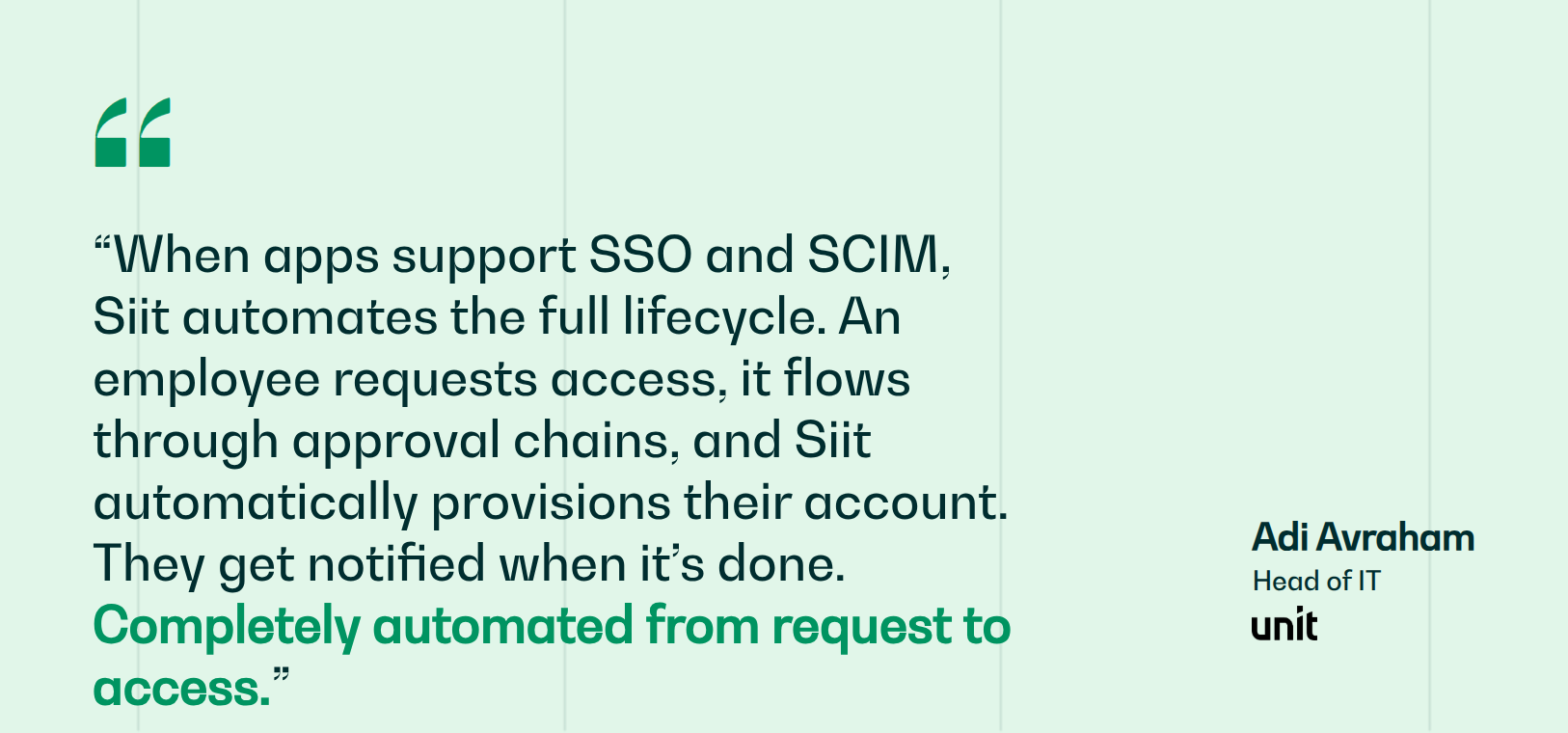
Siit removes the coordination tax by running the full request lifecycle inside Slack and Teams, orchestrating approvals across IT, HR, and Finance, and pricing on admins rather than seats so growth doesn't inflate your bill. Teams like Monzo, Qonto, Gorgias, Swile, and Unit use Siit to keep request workflows moving where employees already work, with approvals, updates, and the audit trail handled in one place.
Book a demo and see what your queue looks like when the coordination tax is gone.
.png)


FAQ

Service requests are planned asks for standard services like access provisioning, while incidents are unplanned disruptions requiring restoration. Misclassification triggers SLA breaches because each type carries different time targets and workflows in your ITSM system. When a routine request gets tagged as an incident, it inherits aggressive response clocks designed for outages, often missing targets. Conversely, real incidents misclassified as requests get slower fulfillment timelines, leaving broken services down longer than promised.
Configure request-level approvals when a single owner controls the entire ask, such as standalone software access. Choose item-level approvals when bundling multiple components with different owners or budgets, like new hire packages mixing hardware, applications, and access credentials. Item-level configuration prevents the slowest approver from blocking approved items and enables partial fulfillment, where approved components proceed while rejected ones close independently with documented reasons.
Track these five KPIs: request volume trends by category showing demand growth patterns, fulfillment time by category revealing stall points, first-contact resolution rate measuring tickets closed without escalation, SLA compliance rate confirming commitments hold as volume scales, and approval delays identifying which approvers or steps create bottlenecks. Current benchmarks show first-contact resolution averaging seventy to seventy-five percent with high performers reaching eighty-five percent plus, while SLA compliance targets ninety to ninety-five percent plus for enterprise environments in twenty twenty-six.
Audit your most frequent requests over three to six months through Slack, email, or ticket logs. Interview your IT team to identify patterns and group similar requests into categories like access management, hardware, and software. Document requester information, approval chains, fulfillment owners, and turnaround times for each item. Build template forms capturing only essential fields. Launch with thirty to fifty high-volume items, then expand incrementally based on usage data and feedback.
Start with a pilot group covering one high-volume request type, like software access or password resets, then expand incrementally while measuring results. Run parallel systems temporarily so employees can default to the old method if needed. Schedule implementation during slower periods to avoid competing with critical projects, and assign a dedicated rollout owner to troubleshoot issues. This phased approach minimizes disruption while building internal confidence.