No-Code ITSM vs. Traditional Systems: How to Choose
If you're the one-person IT team at a 200-person company, this choice gets real fast. Password resets, onboarding requests, and cross-department handoffs all pile up in Slack or Teams, and you're the one stuck holding the mess together.
What looks like a tooling decision is really a service desk model decision. The question is whether the platform you pick lets you run a service desk or quietly turns platform admin into a second job.
Here's how to decide where traditional ITSM still makes sense, where no-code wins, and what to test before you commit.
TL;DR:
- You're choosing between a platform you can run yourself and a system that often needs more ongoing admin attention.
- Traditional ITSM can make more sense when you need custom audit controls, deep legacy integrations, or already have dedicated admin support.
- No-code ITSM wins on speed and lower overhead, but weak cross-department workflows can turn IT back into the manual handoff layer.
- AI that takes action needs tighter controls than AI that only suggests responses.
- AI service desk tools can work directly in Slack and Teams, support omnichannel intake, and handle cross-department workflows.
When Does Traditional ITSM Earn Its Cost in a No-Code ITSM Comparison?
Traditional ITSM makes sense when flexibility and control matter more than speed. Platforms like ServiceNow and Jira Service Management can handle deep customization, but for a small team they may also bring more rollout work, admin overhead, and maintenance than you want to absorb. If you're supporting 200 employees with one IT person, every hour spent configuring the platform is an hour you're not resolving requests, and that tradeoff gets expensive quickly.
Traditional ITSM tends to earn its cost in three situations:
- Regulated environments with unusual audit or approval requirements that fall outside standard ITSM templates.
- Deep legacy integration work where proprietary systems sit outside common connector patterns.
- Teams with dedicated ITSM admin capacity who can absorb the ongoing configuration and maintenance load.
Those are the cases where custom data structures, unusual approvals, or nonstandard integrations matter more than getting live quickly. If your environment fits one of those patterns, traditional ITSM can be the safer operating model. If not, the premium is harder to justify.
What Are the Real Costs, and What Should No-Code ITSM Actually Solve?
The real cost of ITSM is not just the subscription. It includes implementation time, admin overhead, maintenance, workflow changes, training, and the hours lost every time the system needs specialist attention. That is why the practical comparison is not no-code versus code. It is a configurable platform you can operate versus a system you have to keep maintaining.
System complexity and turnover make it harder for new hires to get productive quickly. For a small IT team, a platform that stores critical configuration knowledge in one person's head is a continuity risk. That matters even more when one person is covering support, infrastructure, and security at the same time. No-code platforms lower that risk when the logic stays visible and editable instead of buried in scripts or one-off custom work.
For a solo IT manager, that difference is decisive: a project that drags for months usually slips behind day-to-day work. A platform that gets usable faster is more likely to survive contact with the day-to-day. Just as important, no-code should remove coordination work, not just document it more neatly. If the tool gives you forms and routing rules but still leaves you chasing HR, Finance, or app owners in DMs, you have just made the handoff look cleaner.
The No-Code ITSM Market Splits at the Department Line
Most no-code ITSM is no-code for IT, not no-code for internal operations. That distinction is the single biggest predictor of whether the platform holds up in real use. Onboarding, access requests, equipment provisioning, and offboarding almost always cross IT, HR, Finance, and sometimes Legal. A platform that automates the IT slice and hands off the rest is not automating the request. It is digitizing the part you were already doing.
Architecture and pricing expose this quickly. If approvers outside IT need paid agent seats, cross-department workflows either get expensive or get cut, and IT goes back to being the middleman. If each team cannot run its own queue with its own permissions, HR data sits in IT's ticketing system, or HR stays on email. The test is whether one platform can host IT, HR, Finance, and Legal as separate workspaces with shared employee context, not whether IT can build a nicer form.
What Separates Operational No-Code ITSM From Demo-Friendly Platforms?
The useful test is simple: can the platform keep working once requests stop being clean IT tickets and start looking like actual company operations? A fast demo is easy. Real onboarding, app access, and exception handling are where platforms either hold up or fall apart, especially when multiple departments have to touch the same request.
Start With the Workflow Builder
Have a non-IT manager configure a queue, form, and routing rule during a proof of concept without IT help, then time how long it takes. If every meaningful change still requires vendor support or a power admin, you are not buying no-code freedom. You are buying a nicer dependency.
Test the Operational Basics
Then test the operational basics that small teams actually need:
- Omnichannel intake. Confirm the platform supports Slack, Teams, email, and a web portal with a single request timeline.
- Unified people profile. Verify it pulls employee context from connected systems so routing and approvals run on live data, not just form fields.
- Independent team queues. Check whether non-IT teams can run their own queues with their own visibility rules from day one, not as a future module.
- Real integration depth. Confirm your top integrations are native connectors, not code-based work presented as no-code.
- Role-based visibility controls. Make sure HR data, legal details, and security settings stay separated by role.
- Readable exception handling. Test what happens when the workflow hits an exception, because troubleshooting matters as much as setup speed.
Treat the exception path as a feature, not a footnote. If a stalled workflow is hard to diagnose during a POC, it will be harder under load.
How Should You Evaluate AI in No-Code ITSM and Pick the Right Platform?
AI in ITSM is worth evaluating, but the real line is not AI versus no AI. It is AI that suggests versus AI that executes. Once AI starts provisioning access, changing settings, or taking action across systems, the governance question gets much more serious, and you need to know where a human stays in control.
The Real Line: Suggest vs. Execute
AI that executes actions carries a different risk profile from AI that drafts replies or recommends next steps. A bad suggestion creates rework. A bad action can create a security or compliance incident. The real evaluation question is how much autonomy the platform gives the AI, where the human checkpoint sits, and how easy it is to dial autonomy back when conditions change.
Three Questions to Ask Vendors
Start with three practical questions:
- Is the AI reducing ticket volume in production today, or is it still roadmap language?
- Can autonomy be configured by process type, so low-risk tasks get more automation while sensitive requests still require approval?
- What happens when AI is off, paused, or unavailable?
That last question matters more than vendors usually admit. AI-first tools that can still operate as a full-service desk without AI give you fallback paths when governance, reliability, or risk tolerance changes. A platform that combines workflow automation with smart agents across integrated systems gives you more room to tune that balance, especially when approved actions still keep human controls where needed.
A serious AI evaluation also checks for visibility and rollback. You need a clear record of what the system did, why it did it, and how to reverse it. If the answer is just to trust the model, that is not a governance plan.
Scoring Your Shortlist
Score each platform across these dimensions:
- Can you go live within one quarter without professional services?
- Can you build a multi-step approval chain without scripting or vendor help?
- Can HR and Finance run their own service queues within 18 months?
- Are your top 5 integrations native connectors, and can AI resolve work without human intervention where appropriate?
- What is the 3-year TCO including implementation, admin overhead, maintenance, and add-ons?
Choosing the Right No-Code ITSM Model
The comparison between no-code ITSM tools and traditional systems comes down to operational fit. Traditional ITSM makes more sense in regulated or integration-heavy environments with dedicated admin support. No-code ITSM wins for small teams when it cuts admin overhead, supports cross-department workflows, works across intake channels, and does not collapse the moment a process gets messy.
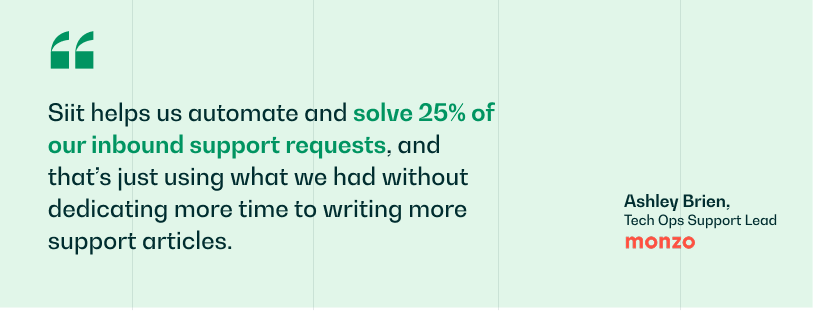
If you want no-code speed without giving up operational depth, Siit fits that middle ground. It works directly in Slack and Teams, handles omnichannel intake, and runs the same workflows across IT, HR, Finance, and Legal. AI agents take approved actions across integrated systems and keep human controls where needed, deflecting repetitive requests so a small team is not the bottleneck for every password reset, access request, or onboarding step.
Book a demo to see how Siit works in Slack or Teams.
.png)


FAQ

Yes. A basic ticketing process with peer review and rollback notes can satisfy change management requirements, and a well-configured ITSM tool can help create an audit-ready trail for changes. Passing audit scrutiny still depends on broader controls and auditor judgment, not just the platform itself.
Migration timing depends on complexity, existing workflows, and how much data you need to move. In practice, no-code platforms are usually chosen because they get operational faster than traditional systems, especially for small teams that cannot support a long implementation.
The biggest risk is assuming a connector covers more than it really does. Map your five highest-priority integrations before you commit and confirm each one supports the actions you actually need, not just a one-way read or a basic data sync.
Build your model around more than licensing. Include implementation labor, admin time, maintenance, training, integration work, upgrade testing, and any premium support or add-ons. That is usually where the real cost gap between traditional and no-code platforms shows up.
Yes, if the platform is genuinely configurable without specialist support. Visual workflow logic, readable configuration, and lower admin overhead matter because they reduce the risk that one person becomes the only one who understands how the system works.