The Best ManageEngine Alternatives for 2026: 8 Tools Compared
A software-access request turns an IT manager into a switchboard. The employee asks in Slack, a manager approves the business need, Finance signs off, HR verifies the role, and only then does anyone touch Okta. Every handoff is a wait, and none of them are the technical work.
Teams weighing ManageEngine alternatives usually reach that point before they reach a feature comparison. ManageEngine sells two products people conflate, so start by naming the one you are replacing. Endpoint Central handles unified endpoint management and remote monitoring, while ServiceDesk Plus is the IT service management and help desk product. This guide covers ServiceDesk Plus replacements.
The eight compared below are ServiceNow, InvGate Service Management, Freshservice, NinjaOne, Jira Service Management, SolarWinds Service Desk, SysAid, and Siit. Each profile covers what the tool is built for, where it strains, and who it fits, judged the way a service desk buyer with no spare hours would judge it.
TL;DR:
- ITIL modules sold separately, a dated interface, inconsistent support, and a self-hosted release that trails the cloud one are the four complaints driving most ServiceDesk Plus migrations.
- Administrative load, not process depth, decides most of these migrations, and the platform with the widest ITIL coverage is usually the wrong answer for a lean desk.
- NinjaOne replaces Endpoint Central, never ServiceDesk Plus, and putting it on the wrong shortlist is the most common mistake in this evaluation.
- Self-hosting narrows the field to two candidates before anyone evaluates a feature, and Freshservice is SaaS only.
- Siit sits in front of whichever backend you keep, resolving requests inside Slack and Teams and coordinating the approvals that stall between IT, HR, and Finance.
Why Do Teams Leave ManageEngine ServiceDesk Plus?
Teams leave when the administrative load outgrows the queue it was meant to serve. Reviewers praise the automation, then describe a steep learning curve for anything advanced, and inconsistent support experiences recur across reviews.
The interface draws the same criticism. Users describe features as clunky and request categories as hard to distinguish, and linking requests to change records adds friction of its own. For a one-to-three-person desk, that complexity slows technician onboarding and accumulates workarounds nobody documents.
Deployment is the other axis. ServiceDesk Plus runs both in the cloud and self-hosted, and reviewers on Gartner Peer Insights report the self-hosted release trailing cloud updates. Teams that stayed on ManageEngine specifically to keep control of their own infrastructure tend to find that gap widening.
None of it changes the underlying arithmetic. When repetitive access requests and password resets dominate a small queue, the problem is coordination, and a different backend only helps if coordination is what it removes.
How Did We Evaluate These ManageEngine Alternatives?
We assessed each platform against five dimensions using vendor documentation, treating the first two as pass or fail and scoring the rest.
- ITIL practice coverage (pass or fail): whether incident, problem, change, and request management are all supported without assembling separate products.
- Deployment model (pass or fail): cloud, on-premises, or both, since this eliminates candidates faster than any other criterion.
- AI depth: whether the tool offers suggestion-level assistance, autonomous execution, or both.
- Administrative load: how much ongoing configuration work the platform demands from a desk that already has none to spare.
- Requester experience: whether employees reach the desk where they already work, or through a portal they have to be trained into.
The last two decide more ServiceDesk Plus migrations than process depth does. A platform with wider ITIL coverage and heavier administration reproduces the problem the team is trying to escape. The heaviest option on this list is rarely the right one.
What Are the Best ManageEngine Alternatives?
Freshservice and Jira Service Management are the closest like-for-like ServiceDesk Plus replacements, InvGate Service Management is the mid-market option that keeps ITSM and asset management together, and ServiceNow is the enterprise ceiling. SolarWinds Service Desk suits desks that also own monitoring, SysAid leads with agentic AI, NinjaOne replaces Endpoint Central instead, and Siit handles the request traffic none of them were built to absorb.
Where a platform touches identity, devices, and employee data, the ones worth shortlisting cover the core ITIL practices without a second purchase, deploy where your constraints require, and reach the systems where the work completes. This comparison shows where each of the eight lands.
The Best for, Stand-out feature, and AI depth columns are our assessment based on vendor documentation. InvGate Service Management and SysAid are the only options here with a non-cloud deployment path. Starting prices are each vendor's lowest published rate as of August 2026, taken from Siit, ServiceNow, InvGate, Freshservice, NinjaOne, Atlassian, SolarWinds, and SysAid. ServiceNow and NinjaOne publish no per-user or per-device rate, so neither has a figure.
Deployment is the column that eliminates first, and everything else is a trade between process depth and administrative load. The pattern repeats from ServiceDesk Plus: the platforms with the widest coverage carry the heaviest administration, which is the thing most teams are leaving.
1. Siit: Chat-Native Internal Service
Siit is an AI service desk that captures, triages, and resolves employee requests inside Slack and Microsoft Teams. Nobody adopts a portal, because the desk arrives in the channel employees already have open.
The boundary matters here. Most connected tools are sync or visibility only, and autonomous action runs through the identity layer, so what Siit completes end to end depends on which systems you have connected.
Key features:
- AI agents qualify and resolve routine requests, escalating anything needing judgment.
- Approvals and supported actions execute from the conversation without a handoff.
- A unified employee profile attaches role, manager, equipment, and access context to every request.
Standout integrations:
- Okta handles password resets, user activation or suspension, group changes, and app assignment.
- Jamf and Microsoft Intune sync device inventory and support lock, wipe, and open in console.
- Two-way record sync with Jira Service Management supports gradual adoption.
Pros:
- Employees ask in Slack or Teams and get answers there, so nobody drives portal adoption.
- Monzo automates and resolves 60% of its inbound support requests on Siit.
- 500+ connectable apps reach IT, HR, and Finance systems.
Cons:
- Heavy on-premises estates require more integration work than cloud-native ones.
- Available actions depend on which system is connected.
- The ITSM track record is shorter than the legacy vendors below.
Siit Pricing
- Essentials: $23/admin/month, billed annually. Conversational request management, Slack/Teams/email intake, approvals, service catalog.
- Standard: $45/admin/month, billed annually. Adds automated workflows, asset and SaaS management, HRIS/MDM/ticketing integrations.
- Pro: $89/admin/month, billed annually. Adds AI agents, AI triage, monitoring, and advanced support.
- Custom: Contact sales for enterprise-grade capabilities and custom integrations.
Pricing from Siit's pricing page. Verified August 2026.
Best for Slack- or Teams-first companies that want requests resolved end to end, including as an automation layer alongside an ITSM they are keeping. A desk with a hard on-premises requirement should look at InvGate or SysAid first.
2. ServiceNow: Enterprise Process Depth
ServiceNow is an enterprise service management platform that runs IT, security, and infrastructure work on a single configurable foundation. It behaves less like a finished product than a development environment with service management shipped on top.
That explains both the ceiling and the rollout. Organizations with formal practices get compliance depth nothing else here matches, and they get it by staffing the platform as a discipline of its own.
Key features:
- Full-lifecycle incident, problem, change, and asset management run on a CMDB.
- Automated discovery keeps configuration records current without manual upkeep.
- Virtual agents and predictive intelligence support triage, analytics, and executive reporting.
Standout integrations:
- An application marketplace covers prebuilt connectors across enterprise systems.
- Siit connects for chat-based intake running in front of ServiceNow ticketing.
- Custom application development extends beyond what packaged connectors reach.
Pros:
- Approval chains handle genuine cross-department and multi-site complexity.
- Security, governance, and compliance capabilities suit regulated environments.
- Reporting delivers the executive visibility large organizations expect.
Cons:
- Implementation is lengthy and usually demands dedicated platform administrators.
- Training and change management consume months before steady operation.
- Deeply configured workflows make a later switch considerably harder.
ServiceNow Pricing
- Foundation, Advanced, Prime: ServiceNow does not publish per-user pricing. All three ITSM tiers are quote-only, priced by module selection, fulfiller seat count, and implementation scope.
Pricing from ServiceNow's pricing page. Verified August 2026.
Best for large enterprise desks with dedicated platform resources and hard compliance requirements. If ServiceDesk Plus already demands too much administration, this is the heavier option, not the lighter one.
3. InvGate Service Management: Mid-Market ITSM and ITAM
InvGate Service Management is a unified ITSM and asset management platform aimed at the mid-market. Its pitch is speed to value through no-code workflows and lighter administration than the enterprise suites.
It is also one of the two options here that runs outside the cloud, which for some teams settles the evaluation before the feature comparison starts.
Key features:
- A visual CMDB pairs with full incident, problem, and change coverage.
- Asset lifecycle tracking sits in the same product as the service desk.
- A no-code builder lets non-technical administrators customize processes.
Standout integrations:
- Native connectors cover the business applications mid-market desks run.
- The combined service and asset design removes the need for a separate asset tool.
- Niche or legacy systems connect through custom development against the API.
Pros:
- An intuitive interface speeds adoption across technicians and requesters.
- Compliance reporting sits alongside asset tracking and service workflows.
- Covering service and asset management together reduces tool sprawl.
Cons:
- Data export and dashboard customization are limited for specialized reporting.
- Deep customization trails the heavyweight enterprise suites on this list.
- Independent evaluation coverage is lighter than the better-known platforms here.
InvGate Service Management Pricing
- Starter: $17/agent/month, billed annually, with a $999/year minimum for up to 5 agents.
- Pro: $40/agent/month, billed annually, for 6 to 50 agents. Adds ITIL automation and enhanced support.
- Enterprise: Custom pricing. Adds on-premises hosting, concurrent licensing, and advanced security configuration.
Pricing from InvGate's pricing page. Verified August 2026.
Best for mid-market desks that need ITSM and asset management in one product without an enterprise rollout. It is the direct answer when ServiceDesk Plus module separation is what fragmented your stack.
4. Freshservice: The Gentlest Migration Path
Freshservice is Freshworks' cloud ITSM for small and mid-market IT organizations. Of everything here, it asks the least of a desk in its first month, and it is the most common ServiceDesk Plus destination as a result.
SaaS-only delivery is the catch, and it is absolute. A team leaving ManageEngine specifically to keep self-hosting has no path here.
Key features:
- The full ITIL process ladder is available, up through release management.
- Asset discovery and management sit inside the platform.
- Freddy AI covers employee self-service and technician assistance.
Standout integrations:
- ServiceBot brings employee support into Microsoft Teams and Slack.
- A large marketplace covers third-party applications growing companies run.
- Siit runs in front of Freshservice for chat-based intake and triage.
Pros:
- The learning curve is gentle for a desk new to formal ITSM.
- Knowledge base and service catalog depth suit the SMB and mid-market segment.
- Modular rollout lets a desk add processes as its maturity grows.
Cons:
- Advanced ITIL processes sit behind larger commitments.
- SaaS-only delivery leaves no path for an on-premises requirement.
- Technician AI availability varies by commitment level.
Freshservice Pricing
- Starter: From $19/agent/month, billed annually. Incident and problem management, knowledge base.
- Growth: From $49/agent/month, billed annually. Adds asset management and SLA management.
- Pro: From $99/agent/month, billed annually. Adds change, release, and major incident management.
- Enterprise: Custom pricing.
Pricing from Freshservice's pricing page. Verified August 2026.
Best for SMB and mid-market desks that want a modern service desk without enterprise weight. Rule it out immediately if self-hosting is non-negotiable.
5. NinjaOne: Endpoint Central's Replacement, Not ServiceDesk Plus's
NinjaOne is an endpoint management and remote monitoring platform built around patching, monitoring, and device automation through a lightweight agent. It belongs in this guide as much as a warning as a recommendation.
Teams replacing ManageEngine frequently shortlist it for the wrong product. NinjaOne answers Endpoint Central, and it pairs with an ITSM platform, so a desk leaving ServiceDesk Plus still needs a service desk afterward.
Key features:
- Patch management and software deployment run automatically across the fleet.
- Remote monitoring pairs with maintenance and vulnerability-remediation workflows.
- A centralized console covers managed-device status and administration.
Standout integrations:
- Multi-tenant management supports MSPs running several client environments.
- Endpoint data feeds routine maintenance and reporting processes.
- Dedicated ticketing tools supply the service-management layer NinjaOne lacks.
Pros:
- A gentle learning curve gets endpoint technicians productive quickly.
- Automation reduces routine endpoint administration across the fleet.
- Real-time device visibility spans distributed and remote locations.
Cons:
- Service catalog and change control are thinner than dedicated ITSM tools.
- Customization is limited for highly specialized endpoint operations.
- Reporting flexibility misses niche analytics requirements.
NinjaOne Pricing
- Per-endpoint, quote-only: NinjaOne does not publish a rate card. Published estimates place per-device pricing roughly between $1.50 and $3.75 a month depending on volume, with sub-50-device deployments quoted highest.
Pricing from NinjaOne's pricing page. Verified August 2026.
Best for IT teams and MSPs replacing Endpoint Central or consolidating device tooling. Keep it off the shortlist entirely if ServiceDesk Plus is the product you are leaving.
6. Jira Service Management: ITSM Beside the Backlog
Jira Service Management is Atlassian's ITSM platform, sharing a data model with Jira so a ticket escalates into engineering work without anyone re-entering its context. Teams adopt it for that adjacency more often than for the service desk features alone.
The adjacency has a downside. Administration grows complicated for organizations not already centered on Atlassian, and the requester experience stays portal-first unless a conversational layer sits in front of it.
Key features:
- Request, incident, and change workflows include post-incident review.
- Assets provides CMDB-style configuration tracking.
- A virtual service agent and Rovo AI support employee conversations.
Standout integrations:
- Native Jira and Confluence links connect tickets to engineering work and docs.
- The Atlassian Marketplace extends the platform with third-party applications.
- Siit synchronizes two ways with JSM Cloud for chat-based triage and escalation.
Pros:
- Dev escalation paths remove IT-to-engineering ping-pong on code-related incidents.
- Standard deployments move faster than heavyweight enterprise rollouts.
- Small teams can pilot the platform without a large commitment.
Cons:
- Assets capacity and virtual-agent usage sit behind larger commitments.
- Administration becomes complex outside an Atlassian-centered organization.
- Requesters work through a portal without an added conversational layer.
Jira Service Management Pricing
- Free: $0, up to 3 agents.
- Standard: From $20/agent/month, billed annually.
- Premium: From $51.42/agent/month, billed annually. Adds change management, Rovo AI agents, and a 99.9% uptime SLA.
- Enterprise: Custom pricing, billed annually only.
Pricing from Atlassian's Service Collection pricing page. Verified August 2026.
Best for desks inside engineering-led companies already running Jira and Confluence. Account for extra administration if Atlassian is not already central to how the company works.
7. SolarWinds Service Desk: Service Management Beyond Monitoring
SolarWinds Service Desk is a cloud ITSM product from a vendor known for network and infrastructure monitoring. Its argument is proximity: service records sit beside infrastructure discovery and observability context from the same portfolio.
That argument only pays off if the same team owns both. A desk that does not run monitoring is buying a mid-weight ITSM product and leaving the differentiator on the table.
Key features:
- Incident management, service catalog, change management, CMDB, and SLAs ship together.
- Advanced automation, runbooks, and virtual-agent functions sit above the entry level.
- AI features cover incident summaries, drafted runbooks, and CMDB visualization.
Standout integrations:
- Network discovery connects infrastructure data with desk tickets.
- API access supports custom internal integrations.
- The wider SolarWinds portfolio keeps observability and service management together.
Pros:
- Core ITIL functions arrive without assembling a separate product per process.
- Configuration and asset data are available without the largest commitment.
- Infrastructure context reaches the technician working the ticket.
Cons:
- The strongest AI capabilities sit above the entry level.
- The employee experience remains portal-first.
- Reporting depth trails the largest enterprise platforms.
SolarWinds Service Desk Pricing
- Essentials: From $39/technician/month, billed annually. Incident management, asset management, service catalog, change management.
- Advanced: From $79/technician/month, billed annually. Adds custom fields, advanced automation, and a virtual agent.
- Premier: From $99/technician/month, billed annually. Adds the visual CMDB, dependency mapping, and the full AI suite.
Pricing from SolarWinds's Service Desk pricing page. Verified August 2026.
Best for mid-market IT teams that own infrastructure monitoring alongside the help desk. It is a natural consolidation when ServiceDesk Plus and a separate monitoring product both need replacing.
8. SysAid: Agentic AI in the Core Platform
SysAid is an ITSM platform built around autonomous support, with AI positioned inside the core service-management experience, where most platforms bolt it on as a separate chatbot. A private hosted instance gives it the other non-cloud path on this list.
Public evidence is the weak point. Benchmark coverage is thinner than Freshservice or Jira Service Management, so references from desks your size matter more here than elsewhere on this list.
Key features:
- A Copilot chatbot with configurable guardrails handles employee conversations.
- AI automation and quality scoring run across tickets from a prebuilt agent library.
- Custom AI agents and advanced business intelligence extend the platform.
Standout integrations:
- Bundled Workato capacity connects SysAid to the rest of the operational stack.
- Qlik business intelligence supplies advanced analytics.
- A private AWS instance supports isolation and data-residency requirements.
Pros:
- Agentic AI is part of the platform, with prebuilt agents shipped ready to run.
- Private hosting answers isolation and residency requirements.
- Extended support coverage suits desks with demanding service hours.
Cons:
- Advanced analytics and custom agents sit behind the enterprise offering.
- Third-party reference customers are harder to source in some segments.
- The enterprise offering targets larger desks with broad customization needs.
SysAid Pricing
- Professional: $89/agent/month. The only published tier, including unlimited agentic AI with no separate AI add-on or usage cap.
- Enterprise: Custom pricing, starting at 20 agents. Adds a sandbox environment, tailored AI agents, and extended retention.
Pricing from SysAid's pricing page. Verified August 2026.
Best for desks leaving ManageEngine specifically because its automation was too weak. Ask for references in your segment before committing, since third-party evidence is harder to find.
How Do You Choose a ManageEngine Alternative?
Most ServiceDesk Plus replacements fail the same way: the team compares feature matrices when the decision turns on which product they are replacing and how much administration they can absorb. Naming those two things eliminates most of this list before the first demo.
Confirm Which ManageEngine Product You Are Replacing
Endpoint Central and ServiceDesk Plus solve unrelated problems, and shortlists routinely mix them. Endpoint Central covers patching, device inventory, software deployment, and remote administration. ServiceDesk Plus covers employee support, incident handling, service requests, SLAs, and ITIL processes.
Map every current workflow to one product or the other before comparing vendors. Teams that need both categories should run two evaluations, because the products claiming to cover both tend to be thin on one side.
Rule Out on Deployment Before Features
A self-hosting requirement removes six of the eight options here immediately, which makes it the cheapest filter available. Establish whether the requirement is genuine, regulatory, or inherited from a decision nobody has revisited.
If it is genuine, the shortlist is InvGate Service Management and SysAid, and the rest of the evaluation happens between two products. If it is not, you have eight candidates and deployment stops mattering.
Size the Administrative Load Against Your Actual Team
The most common failure in this migration is replacing a heavy platform with a heavier one, which is how a capacity problem gets worse after a purchase meant to fix it. Ask each vendor how many hours per week a comparable desk spends on configuration, workflow maintenance, and platform administration after go-live, and ask for a reference who will confirm it.
A desk that cannot spare a day a week on platform work should treat that answer as a hard filter. Process depth delivers nothing if nobody has time to configure it, and a lean team gets more from a narrower product it can run well.
Test the Workflows That Made You Leave
Pick the requests that generate the most queue pressure: software access, password or MFA support, onboarding, laptop requests, and offboarding retrieval. For each one, document the intake channel, required fields, source systems, approvals, routing rules, SLA events, connected-system actions, and audit record.
Then require every vendor to run that workflow in the configuration you would deploy. Test ticket migration on the same pass, using a limited sample with attachments, comments, timestamps, requester identities, categories, and linked records, because what stays searchable and auditable after cutover matters more than what exports cleanly. Measure the pilot on request completion, approval delay, failed actions, and how much manual coordination each request still needs.
Siit Runs the Handoffs Between IT, HR, and Finance
Siit handles the request traffic a ticketing backend generates. Replace ServiceDesk Plus when its administrative load or module separation is the constraint. Coexist when the backend is stable, but the desk is still losing hours to Slack requests, repeat intake questions, and approvals that stall between departments.
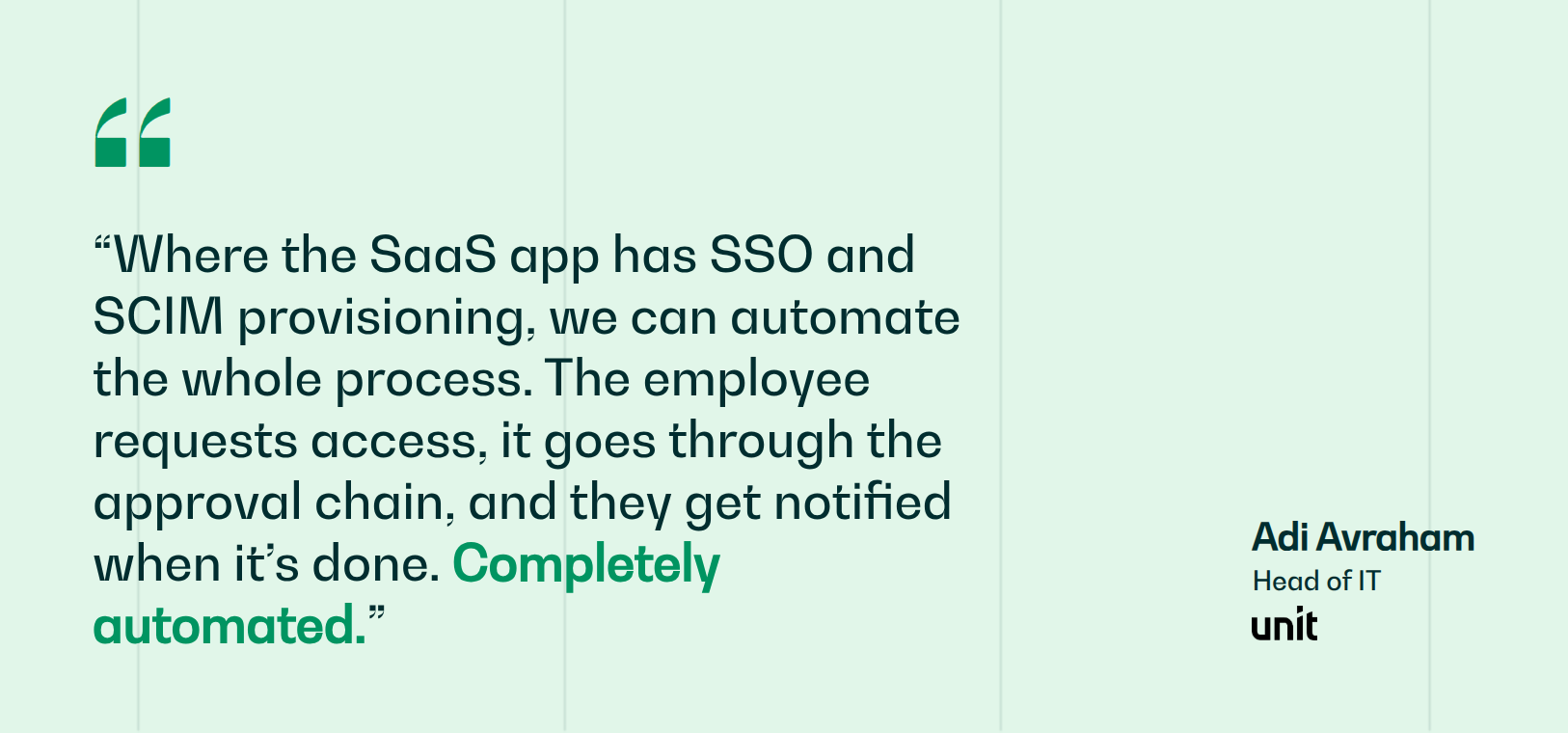
The coordination work that made ServiceDesk Plus painful does not disappear behind a better portal. Siit closes it with automated provisioning on the request types that stall longest. Siit captures requests in Slack and Microsoft Teams, executes documented Okta actions against the identity layer, and reads employee data from HRIS platforms across 500+ connectable apps, with approval routing and every agent decision logged for audit. At Unit, a two-person IT team supports 200+ employees across three countries with a 60% reduction in helpdesk labor and one to two additional hires avoided.
Book a demo to see Siit resolve access and approval requests inside Slack and Teams.
.png)


FAQ

ManageEngine has announced no phase-out, and both deployment paths remain available. Ask ManageEngine directly for its current roadmap, support dates, and upgrade policy. Treat a move to cloud as one option among several until a support date forces the question, and get the commitment in writing before it shapes your shortlist.
Usually, though the more useful question is what must stay searchable, reportable, and auditable afterward. Attachments, comments, timestamps, requester identities, and linked records all migrate at different levels of fidelity. Keep a read-only archive of the original system if the destination cannot preserve every relationship your audit process depends on.
It depends on ticket volume, workflow count, and how much of the existing configuration is still in use. The variable teams underestimate is workflow rebuilding, since automation rules almost never transfer cleanly between platforms. Inventory which of your current rules still fire before scoping the project, because a meaningful share are usually dormant or redundant.
Only if someone owns it by name. Formal ITSM assumes a named person maintains workflows, categories, SLAs, and integrations as the organization changes around them. A two-person desk without that capacity will get further with a tool it can keep current than with a deep platform nobody touches after week one.
IT owns the technical assessment, but the departments that submit or approve requests deserve a vote. Include one representative from each function touching your highest-volume workflows. Evaluations run entirely by IT tend to optimize for technician tooling and underweight the requester experience, which is what determines whether adoption holds.