ITSM Workflow Automations: Benefits and Best Practices
Every password reset, software access request, and onboarding checklist in your queue follows the same pattern: manual triage, routing, and follow-up. For a one-person IT team, that gets old fast.
At a 100-person company, even routine support work turns into side pings, approval chasing, and updates across other systems.
If you're drowning in repetitive work, AI ticket triage is one example of how teams start cutting that load where employees already work. This article covers where automation pays off across the ticket lifecycle, why workflows decay without governance, how to roll out in phases, and what to measure once you're live.
TL;DR:
- Manual request handling wastes IT time and slows employees down, especially when routine work spills into DMs and side threads.
- The fastest wins come from high-volume, low-judgment requests, but only after you've mapped the real workflow, not the ideal one.
- Workflow automation only stays useful if someone owns it and reviews it regularly.
- Start small, prove the workflow works, then expand into triage, approvals, and resolution in Slack or Teams.
Where Does ITSM Workflow Automation Pay Off Across the Ticket Lifecycle?
For small teams, the biggest wins show up early in the request lifecycle and again at the point of resolution. If you only automate routing, you save admin time, but if you automate fulfillment too, you start cutting queue growth itself. The three areas where this plays out most clearly are intake and triage, resolution, and knowledge capture, each one compounding the impact of the others when they work together.
Intake and Triage
Manual triage is slow and easy to get wrong, especially when requests arrive through DMs or half-complete chat messages. A miscategorized ticket gets misrouted, delaying resolution before any technical work begins, which is why triage is often the first place teams look for relief. This matters because you do not have dispatch layers to absorb mistakes, and you are usually the dispatcher, resolver, and follow-up person.
Tools built around intelligent triage can classify requests earlier and push them into the right path before they start bouncing between people. That alone can remove a surprising amount of daily admin work. It also gives you a cleaner starting point for approvals and fulfillment later in the workflow.
Resolution
Resolution is usually where automation delivers the biggest return. Password resets, standard access grants, and routine software installs follow well-defined paths, making them strong candidates for self-service or automated fulfillment. The point is not just to move these requests faster, but to complete them with less manual handling.
This is also where cross-department work becomes obvious. An app request may start in IT, but it can still depend on manager approval, role data from HR, and budget confirmation from Finance before fulfillment. That is why workflow automation matters more than ticket routing alone: it turns scattered handoffs into a single-tracked process rather than another thing for IT to chase.
Knowledge Capture
Knowledge capture pays off when it happens before and after the ticket, not only after it closes. Before submission, the system can surface likely answers and keep repeat issues out of the queue. After resolution, the same interaction can improve future deflection by turning useful answers into better searchable knowledge.
That matters because repeated questions are among the easiest ways to bury a lean team. If people can get the right article in the same place they ask the question, you avoid another manual response and preserve your time for exceptions. Good knowledge management and self-service support reinforce each other.
Why Do ITSM Workflow Automations Decay Without Governance?
Automated workflows decay when nobody owns them after launch. They do not announce when they are misrouting tickets, pulling outdated knowledge, or sending approvals to people who changed roles months ago. For small teams, that quiet breakage is the problem: employees stop trusting the system before IT notices what drifted.
Common causes include:
- No owner at deployment, so nobody reviews or fixes the workflow later.
- Business process changes that quietly invalidate routing, approvals, or fulfillment steps.
- Missing feedback loops, which let stale automations keep running without visible warning.
Governance is what keeps automation useful after the first win. The durable way to think about it is a loop rather than a launch: capture the request, govern how it gets handled, resolve it, then measure the outcome and feed what you learn back in. Automation only holds up when review and improvement are ongoing responsibilities rather than a one-time setup task. A simple monthly review helps catch stale approvals, outdated articles, and request types that no longer fit the original workflow.
The practical version is simple: every automation needs an owner, a review cadence, and a short list of health signals. Watch re-open rates, missed approvals, resolution times, and whether employees bypass the workflow to DM you instead. If people start going around the system, the workflow usually tells you something has drifted.
What Are the Best Practices for Rolling Out ITSM Workflow Automation?
The best rollout starts small, proves value quickly, and avoids automating a broken process. Lean teams do best when they start with high-volume, low-judgment requests, then expand only after those first workflows are dependable. You are trying to remove recurring work, not launch a giant platform project.
Audit Before You Build
Pull ticket data by category from your current system and look for request types with both high volume and short handle times. Those are usually the safest starting points because the process is already repetitive and the downside of mistakes is lower. Categories with repeat issues are especially useful because they point to work you are solving over and over.
This is also the moment to map the real workflow, not the ideal one. If a request still depends on side messages, missing approvals, or undocumented exceptions, fix that first or automate the reality you have. A useful test: walk through the last five tickets of that type and note every step that happened outside the system. If there are more than one or two, the process needs cleanup before it needs automation. Otherwise, you just speed up the same mess.
Sequence by Complexity
Tier your rollout into phases so you bank wins before adding exceptions and edge cases. Start simple, then expand when the first workflows are stable, and someone is actually reviewing them. That order matters because multi-team workflows are where coordination gets expensive.
- Tier 1: Password resets and software access requests.
- Tier 2: Ticket routing, SLA tracking, and approval reminders.
- Tier 3: Onboarding, offboarding, change workflows, and CMDB updates.
Once you have simple automations working, you can extend into employee onboarding, account provisioning, and access approvals without turning rollout into chaos.
The jump from Tier 1 to Tier 3 is also where ownership gets tested. Simple automations are forgiving when something drifts because the blast radius is small. Cross-department workflows are not: a stale approval step or a broken handoff between IT and HR can block an employee's first week. Before expanding into that territory, make sure someone has a recurring calendar reminder to review what you built in Tier 1. That habit is easier to build on simple workflows than to retrofit onto complex ones.
Set AI Guardrails Before Activation
AI rollouts fail when guardrails come after launch. Audit your knowledge base before activating AI suggestions, set confidence thresholds, and keep human review for anything above simple repetitive requests. The goal is not to make AI touch everything, but to let automation handle routine work while humans keep control of exceptions.
This is also where the ability to customize workflows helps small teams. If updating a workflow takes a specialist or a long backlog request, stale automations pile up fast. Teams using automated ticket routing can make smaller corrections as the business changes instead of waiting for a full rebuild.
How Should You Measure ITSM Workflow Automation Success?
Measure automation with a short list of metrics that tell you whether it is actually reducing manual work and holding up over time. For most lean teams, three metrics are enough to start: deflection rate, mean time to resolution, and cost per ticket. If those improve while reopen rates stay under control, the workflow is probably doing real work instead of just moving tickets around.
Deflection rate comes first because it shows how many issues get resolved without a human stepping in. That gets to the heart of the problem for a one-person IT team: fewer repetitive requests landing on you in the first place. If your knowledge base improves, your routing improves, and your workflows complete routine tasks automatically, deflection should keep pace.
Mean time to resolution belongs next because it exposes friction across the whole lifecycle. If approvals stall, tickets bounce, or knowledge suggestions are wrong, MTTR usually shows it fast. Cost per ticket rounds out the financial view and helps you see whether automation is actually changing the economics of your queue.
One more practical check matters for small teams: watch for work that disappears from the dashboard but shows up in DMs. If employees still bypass the workflow for routine requests, the automation has not really solved the problem. Success means the process works where people already work, with less chasing, fewer handoffs, and fewer interruptions landing on you personally.
Getting Started with ITSM Workflow Automation
Manual ITSM workflows cost small IT teams real time, but the bigger drag is the hidden productivity loss and coordination overhead behind every request. Automating IT requests pays off most when work resolves at capture, not just routing to a human faster. Governance decides whether those wins compound or fall out of sync.
Siit's AI Service Desk automates the most time-consuming work. Its Knowledge Agent surfaces answers before tickets reach you, and its IT Agent runs natural-language playbooks that trigger real actions. Teams using it see up to 60% ticket deflection and 52% faster resolution. Siit runs in Slack or Teams, connects to 50+ native integrations, and uses per-admin pricing with no charge for approvers or end users.
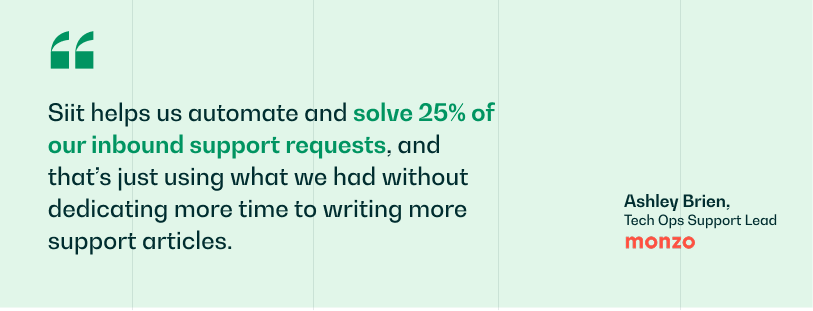
The way out of being a go-between for IT, HR, and Finance is to nail a single workflow first, then scale. Book a demo and see how Siit automates ITSM workflows for lean IT teams.
.png)


FAQ

Yes, if the process has clear routing and handoff points. The bigger challenge is making sure approvals do not stall when one step changes or one team goes quiet. Automation helps by keeping the request moving in one tracked flow instead of leaving IT to chase updates across side messages.
Think of deflection as stopping queue growth before it starts. Automation, by contrast, takes a request that already exists and moves the work forward without someone handling each step manually. One reduces inflow; the other reduces the effort required after intake.
Those changes usually break assumptions hidden inside the workflow. Ownership can move, approvals can need different people, and old knowledge links can stop being useful even if the automation still appears active. A regular review process matters because it gives someone a reason to check those dependencies before request quality drops.
Not always. Some teams add automation around the request paths that create the most repetitive work first, then decide later whether a bigger platform change is worth it. That approach keeps the project focused on immediate relief instead of turning it into a full replacement exercise.
Yes, if the first setup stays narrow. Pick something with a clear path, limited exceptions, and obvious payoff so you are not babysitting it all week after launch. The goal is to remove one recurring burden quickly, then expand once you trust the process.