What Is IT Support? Tiers, Functions, and How It Works
In a 200-person company, one or two IT staff often organize service requests through chat while covering every support level at once. Whoever resets a password at 9:05 may be validating a VPN certificate at 9:20 and chasing a laptop warranty by lunch. Ask what they cover, and the honest answer is all of it.
The function stretches from password resets to vendor escalations, and incoming requests compete with upkeep and harder investigations. Without a clear way to sort that load, the queue can crowd out work that prevents the next problem.
Traditional support pyramids assign a person to each level, a model built for large support floors. Small groups work differently while covering the same categories. What follows is the scope of the function, the complexity categories that sort incoming issues, and how a lean operation delivers and measures the service.
TL;DR:
IT support keeps employees productive on company technology, with tiers to sort the work, delivery models to decide who performs it, and an AI Service Desk such as Siit to absorb routine intake and approvals.
- The function covers workplace hardware, applications, connectivity, and staff accounts.
- Tiers keep routine fixes away from specialist queues.
- Delivery models trade institutional knowledge for round-the-clock coverage and skills you cannot hire alone.
- Useful metrics show how fast employees get back to work; closed-record counts show only activity.
- Automation and documentation are what keep routine requests from eating the hours reserved for hard diagnosis.
What Is IT Support?
IT support is the business function that resolves technical problems, maintains infrastructure and networks, and keeps people productive. Its scope covers hardware, software, connectivity, identity and permissions, and end-user equipment: the laptop that won't boot, the app throwing an error, the Wi-Fi that drops, the account that locked itself after three bad passwords. The function ends where specialist ownership begins. Support logs a phishing report, while containment and notification belong to security response, and engineering takes over when the only fix is a code change.
Most of the load is reactive: something breaks, someone asks, and support fixes it. Proactive work runs on a schedule through health monitoring, patching, backup checks, and removing causes before they create incidents. Reactive issues arrive on the user's clock while preventive tasks arrive on yours, and a team that doesn't protect time for the second pays for it in the first. HappySignals and ISG put average perceived lost time per IT incident at 3 hours 18 minutes in 2025, so every interruption costs more than the technician's time on it.
IT support sits inside IT service management, or ITSM, which supplies the practices used to plan and improve services. Within that, a help desk is the intake point and leans toward incidents, a service desk covers service delivery more broadly, and technical support describes depth of troubleshooting. The support function boundaries get narrower than that in practice.
What Does IT Support Do?
IT support resolves incidents, fulfills standard requests, provisions access, manages devices, keeps knowledge current, runs preventive maintenance, and owns vendor escalations. Each of those seven categories needs a named owner, because the cost of an unowned one only shows up later.
- Incident handling: Restoring service when something breaks; unowned, the same outage gets diagnosed three times in three direct messages.
- Standard fulfillment: Delivering what people are entitled to request, such as a laptop, a license, or a distribution list; without an owner, new hires start without the tools they need.
- Access provisioning and credential recovery: Granting, changing, and revoking permissions; if neglected, former employees may retain credentials after they leave.
- Device lifecycle: Procuring, imaging, patching, and retiring hardware; if skipped, unpatched devices can become an entry point for attackers.
- Knowledge management: Recording how problems were solved; without it, answers live in one person's head.
- Preventive maintenance and backup monitoring: Confirming patches applied and backups completed before anyone needs them; ignored, the first test of a backup happens on the day of a failure.
- Vendor coordination: Owning the relationship when a fix requires the manufacturer or provider; unowned, requests stall at the edge of what internal staff can reach.
For a lean team, that list matters more than an organizational chart nobody can staff.
The Tiers of IT Support, Tier 0 to Tier 4
IT support tiers filter common, repetitive issues toward automation and generalists so specialists only see the minority that require deeper access or judgment. In practice, these are labels on a shared queue, and only large support floors staff them as separate groups. The five bands below describe the work and the access it needs. None of them assumes five separate teams.
Two boundaries in that table carry most of the weight. Tier 2 is where an outside partner with a bench of specialists starts to make financial sense, so it usually marks the line between work kept in-house and work sent out. And Tier 4 is the only band an outside company performs, though internal staff still own the escalation: chasing updates, holding the diagnostic context, and telling the user where things stand.
Escalation Between Tiers
Each handoff in the Tier 0-to-Tier 4 flow should turn on a stated rule. Escalation happens when the current level lacks the access, expertise, authority, or product ownership required for the next action. These rules keep routine work with generalists while protecting specialist capacity for harder problems.
- Tier 0 to Tier 1: Self-service failed, or the issue needs a permission the user doesn't hold.
- Tier 1 to Tier 2: Standard troubleshooting hasn't found the cause, the fix needs privileges Tier 1 lacks, the service level agreement is at risk, or multiple users are affected.
- Tier 2 to Tier 3: Resolution requires an architectural change, patch, code fix, or infrastructure work.
- Tier 3 to Tier 4: The system is proprietary, the hardware is under warranty, or the bug needs the vendor's patch.
How Lean IT Teams Use Tiers
Lean teams should use tiers to describe categories of work. Under roughly 300 employees, job titles are a much shorter list than the work is: one person may carry Tier 0 through Tier 3, with self-help and automation covering part of Tier 0 and vendors taking Tier 4. The model still earns its place because it shows what to automate, what to document, and which responsibilities need uninterrupted time and judgment.
Where Tiering Fails
Tiering fails when the handoff becomes the process, and the route to the right expertise turns into a queue of its own. A request can bounce between Tier 1 and Tier 2 over missing notes while the user waits, and knowledge stays locked inside the specialist group that gathered it. As self-service absorbs the simpler issues, the remaining queue gets harder on average, so rigid routing can push escalations up.
The fix is not to scrap the labels. Teams can keep the complexity categories and still let technicians work a request together when it crosses boundaries. Shared work on a crossing request keeps ownership visible without creating a chain of queues, rejections, and repeated diagnosis.
How IT Support Gets Delivered
Support gets delivered in-house, through an outside provider, or as a mix of both, and separately as remote or on-site work. One or two people can't be available around the clock or hold every specialty, so the first choice comes down to coverage, expert availability, and knowledge of the environment. The practical cost is usually coordination, and it rarely shows up in the tooling budget.
In-House and Outsourced Support
In-house IT support provides control and institutional knowledge, including which executive's laptop is urgent and which vendor relationship is fragile. Outsourced support buys broader coverage and specialist skills on demand, but someone internal must supply the context an outside technician doesn't have. These outsourcing tradeoffs determine whether the extra coverage saves more time than the vendor handoffs consume. Most small teams split the difference. The internal group owns strategic work and environment-specific frontline issues, vendors cover overflow, after-hours demand, and specialties nobody internal has, and a shared queue with documented ownership is the price of nothing falling between the two.
Remote and On-Site Coverage
Remote IT support handles most troubleshooting through chat, remote access, or a screen share. Dead drives, network closets, and physical repairs require on-site coverage, as does a laptop that needs imaging before a start date. Most small operations need both forms of access even when the majority of their daily requests can be resolved remotely.
How Modern IT Support Teams Run It
Modern IT support meets employees in Slack or Microsoft Teams, because a portal only works for the people who remember it exists. Conversational intake works only when a message creates a tracked record with an owner and timestamp. As a company grows, informal requests become easier to lose in channel history, so chat-based support needs tracking underneath the conversation.
Self-Service and Chat-First Intake
Chat-first intake changes what Tier 0 is. Documented instructions let a virtual agent answer the Wi-Fi question in the channel, while workflow automation can update a credential or grant a standard license without a technician manually moving the request between systems. People don't need to understand the support taxonomy because they receive an answer in the thread where they asked. Behind that thread, structured fields still let the team prioritize the work and report on what happened.
Cross-Department IT Requests
Many requests labeled IT are multi-department handoffs, and new-hire laptop setup shows how quickly those dependencies stack up. HR's start date determines when the device is needed, the manager confirms the role, and Finance approves the order. App permission requests may also require a manager, a budget owner, and an available license before IT can provision anything.
Someone in IT becomes the connective tissue between those departments, and no tier in the model describes that job. Standardized intake and automated approval chains change the staffing balance between routing and resolving. When requests follow one format, and the approval sequence runs itself, the person who spent mornings forwarding messages can spend them on complex diagnosis and infrastructure.
One owner should be able to see which department holds the next action without reconstructing the handoff from chat history. Documented escalation rules keep delays visible, while institutional documentation gives people and automation a shared memory. Accurate, accessible information also prevents an automated answer from scaling an outdated process.
How to Measure IT Support
Five outcome measures cover IT support: first response time, mean time to resolve, first-contact resolution, deflection rate, and satisfaction. Each answers a different operational question, and between them they track what users actually feel, which is how long they wait for acknowledgment and how long they stay unable to work. Reporting detail on top of these five belongs in a support measurement practice, once the basics are reliable.
- First response time: How long someone waits to hear that a person or automation has accepted the issue.
- Mean time to resolve: How long people remain impacted from open to close.
- First-contact resolution: The share resolved during the initial interaction without a callback or escalation.
- Deflection rate: The share of questions self-service answered before a tracked support record was needed.
- Satisfaction: How the user rated the interaction and whether the other measures reflect a useful outcome.
Raw ticket volume is a poor target because every direction it moves is ambiguous. Fewer records can mean better self-service, or they can mean people gave up and started asking coworkers; more can mean a broken system, or a channel employees finally trust. Volume gives workload context and nothing else.
A team can also hit every internal target and still leave employees frustrated, which is why these five get read together and against your own prior periods. Deflection needs that treatment most, because no cross-industry benchmark applies to every support environment.
How Siit Supports Modern IT Teams
Tiers organize the workload, delivery models decide who performs it, and outcome measures show whether employees recover quickly. What separates a lean team that copes from one that drowns is protecting preventive and specialist time while the internal support basics keep moving, because routine requests are what disappear first.
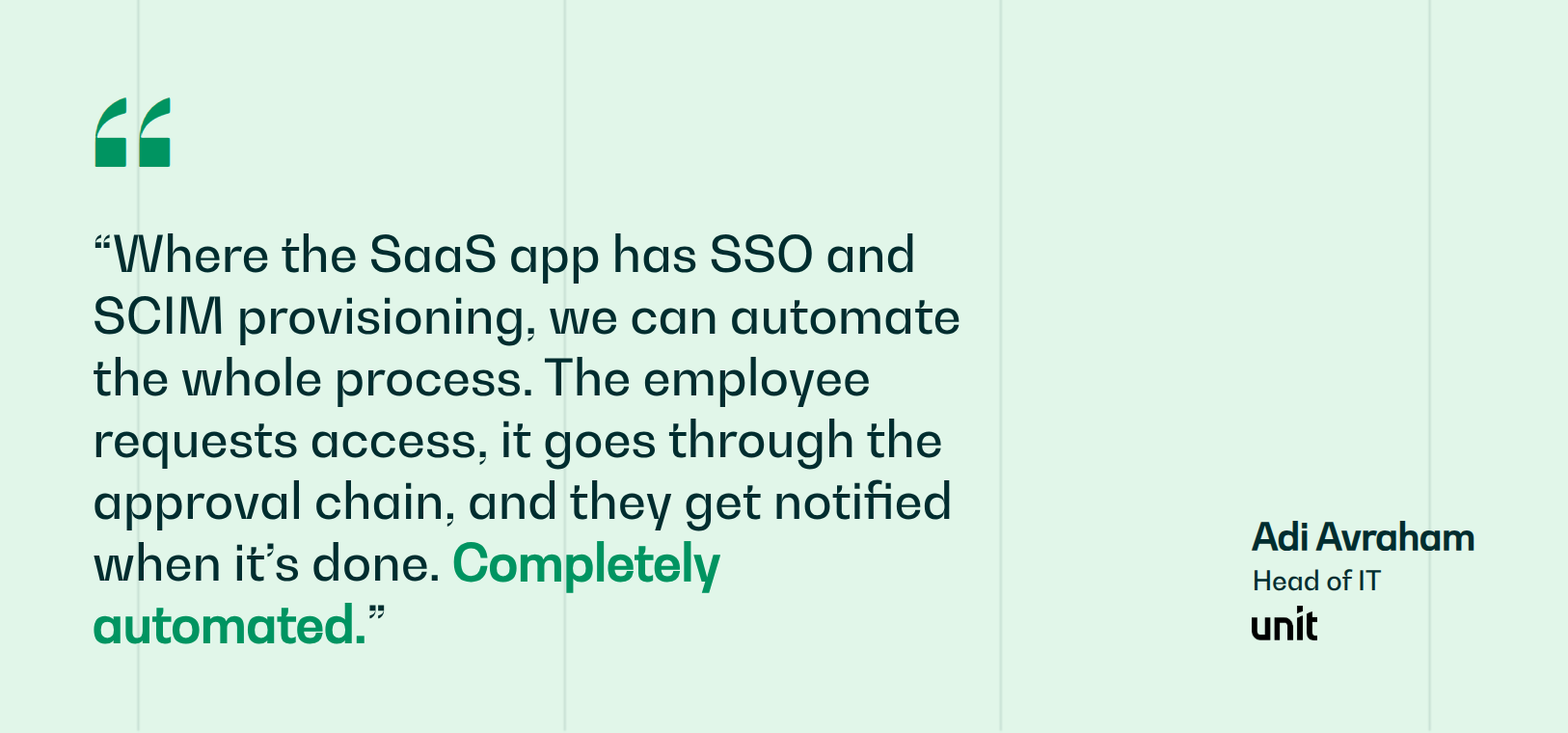
Siit is an AI Service Desk for intake, triage, approvals, and cross-department routing. It is not a monitoring or endpoint management platform, so Tier 3 infrastructure work stays with the specialists who own those systems. It works directly in Slack or Teams, coordinates supported identity actions through Okta and JumpCloud, and connects to 500+ connectable apps. Unit's two IT pros support 200 employees across three countries with a 60% reduction in helpdesk work, without adding headcount.
Book a demo and see how Siit works with modern IT support.
.png)


FAQ

Cost depends on the model more than the headcount. Managed providers usually bill per user or per device each month, break-fix work bills hourly, and in-house support costs a loaded salary plus tooling. What moves the number is coverage hours, how many devices each person carries, compliance requirements, and the age of the hardware, since older fleets fail more often. Ask any provider which of those is driving their quote.
IT support is the operational function that resolves issues and fulfills requests. IT services is the wider category that also includes project work, infrastructure design, cloud migration, and long-term planning. A provider selling managed IT services is offering both, bundled. The practical test is whether the work has a ticket behind it or a project plan.
Published ratios range widely and none of them transfer cleanly. What moves it is device diversity, compliance load, how much of Tier 0 is automated, and how many requests cross into HR or Finance. Measure your own first response and resolution times against demand for a quarter, then argue for a hire with that evidence. An industry average carries no weight in that conversation.
A tracked request system is the base, whether that is a ticketing platform or a chat-native queue. Around it sit remote access for troubleshooting, device management for imaging and patching, identity tooling for accounts and permissions, monitoring for infrastructure, and a knowledge base so the same answer gets written once. Small teams usually consolidate, since one tool per category means a bigger licensing bill and more places to look.
Use whichever channel your company treats as official, whether that is a portal, a ticketing address, or a request in Slack or Teams. A direct message to the person who helped last time skips the record, so nobody can prioritize it, escalate it, or find it again a week later. Include what you were doing, what happened, any error text, and when you need it resolved.