IT and HR Service Desk: What One Desk Needs in 2026
A new hire asks in Slack whether her laptop will arrive before Monday. IT sees a hardware question and says no ticket came through, while HR assumes IT already owns it. The laptop shows up Wednesday because the request arrived in the wrong queue.
That is the failure an IT and HR service desk should prevent. Most teams merge the tool before deciding what the combined desk owes each department, so the merge fixes the interface and leaves where support breaks down untouched.
A workable desk needs shared intake, separate ownership, confidential HR handling, cross-team routing, and split reporting. Those rules matter more than whether both departments use the same interface.
TL;DR
Siit runs an IT and HR service desk from one workspace inside Slack or Teams, with separate inboxes, role scopes, and service targets behind a single front door for employees.
- Set decision rights and privacy boundaries before combining queues.
- Let employee lifecycle events create tracked work instead of starting email chains.
- Keep service targets separate even when the underlying records live together.
- Maintain two desks when consolidation adds risk without removing meaningful work.
What Changes When One Desk Serves Both Teams?
A combined desk gives employees one place to ask for help, whether the issue involves a laptop, payroll, benefits, software access, or onboarding. The shared surface includes intake channels, request status, common employee details, and routing logic. Employees should not need to understand the company org chart before asking a question.
Two things must stay separate: operational ownership and access to sensitive data. IT still owns credentials, devices, technical incidents, and security work, while HR owns personnel records, policy decisions, pay matters, leave, and employee relations. One general queue for both only adds ambiguity.
The practical model is one entry point with department-specific queues behind it. Each team controls its forms, categories, permissions, service targets, and completion rules. At 100 people that usually means one IT admin and one HR generalist sharing a tool, each needing their own queue inside it. Shared software should connect the work without erasing the differences between the two teams.
Shared Intake, Separate Ownership
Every request needs a named owner behind the shared front door. Employees should be able to start through Slack, Microsoft Teams, email, or a portal without choosing IT or HR first, and the desk can use request type, employee attributes, and request content to direct each item to the right queue. A payslip error goes to HR, while a login failure for the payroll application goes to IT.
That owner stays responsible for overall completion when another department contributes a task. Reassignment moves the work and leaves the accountability where it was, and dependent work stays visible until each team finishes its part. A combined desk separates three layers:
- Employee intake. One route in, with request status visible to the person who submitted it.
- Department ownership. Distinct IT and HR queues with their own accountable agents.
- Contributing work. Assigned tasks for another department without transferring the whole request.
That separation is what keeps a single front door from becoming a single open queue. If everyone can see and edit everything, ownership breaks quickly, because HR agents receive security incidents they cannot assess and IT agents gain access to pay or grievance details they do not need.
How Do You Protect Confidential HR Requests?
Restrict the records and fields first, then govern who can administer those restrictions. Leave, pay, grievance, disciplinary, and accommodation requests cannot sit in an ordinary queue available to every technical administrator, and ADA regulations require employee medical information to be kept in separate confidential files.
Restrict Sensitive Fields
A shared desk should reflect that separation through restricted queues, record-level controls, and field-level visibility. IT agents may need to know that an employee requires different equipment, but they do not need the medical reason behind it. HR may need confirmation that an account was disabled, but it does not need access to security investigation notes.
The same employee record can support both teams while showing each one only the information required for its work. Retention rules should follow the case type, since a grievance and a laptop ticket do not belong on the same schedule.
Audit Administrative Access
Permission rules must cover administrative actions as well as ordinary viewing. HR should decide who can open a restricted case, who can reassign it across the departmental boundary, and who can change its confidentiality level. A general platform administrator should not automatically gain access to every grievance or medical record.
The audit trail should record who viewed a sensitive request, what they changed, when the action occurred, and whether the item moved between teams. Those records make inappropriate access visible and help HR review permissions after role changes.
Routing Onboarding and Offboarding Across Teams
An HR lifecycle event should create assigned, ordered IT tasks while one owner tracks the request through completion. HR holds the employee record and lifecycle date, while IT controls accounts, access, and equipment. Coordinating those steps over email turns whoever sits in the middle into the human API between systems. A reliable new hire setup should follow an ordered process:
- HR confirms the start date, role, manager, location, and employment status in the HRIS.
- The desk creates assigned work for credentials, equipment, and role-based application access.
- Conditional rules add the right steps, such as GitHub for Engineering or CRM access for Sales.
- The overall owner waits for every required task before marking the onboarding request complete.
The same pattern applies to role changes and revoking access. A move from Sales to Finance may require adding finance systems while removing CRM privileges, and an exit requires account deactivation plus equipment recovery by the agreed date. At 200 people, that is a handful of moves a month, and today each one is a direct message between the IT admin and the people ops lead.
Offboarding delays are more than an administrative inconvenience. Cobb County's audit reviewed 334 terminated employee records and confirmed 214 accounts had been disabled, but 190 of those were disabled at least a day after the separation date, and 56 accounts were still active. A tracked workflow creates evidence that each access-removal step happened, which an email chain cannot produce.
Reporting on One Dataset, Split by Team
Use one dataset and two sets of targets, each approved before launch by the department that owns them. IT incidents may use clock-hour targets, while HR matters may use business days and pause while waiting for employee documents or a payroll cycle. The system also needs separate states for resolved, meaning the issue was addressed, and closed, meaning all administrative work is complete.
Keep common metric names so leaders can compare operating patterns, then report each department separately. First response time should measure the first substantive human response and exclude the automatic acknowledgment, and resolution time should run against the target for that request type. Deflection needs one agreed formula for requests closed through approved self-service or automation, while satisfaction and SLA breach rate are both split by department and request category.
Shared definitions stop arguments about the arithmetic, and separate dashboards stop misleading averages. A fast password reset should not hide a slow payroll correction, and a long-running grievance should not make IT incident performance look worse. All of it depends on keeping records accurate, because department, manager, and location drive both routing and every comparison drawn from the data. One named person on each side owns their own definitions, and a shared definition changes only when both of them agree.
What Goes Wrong When Both Teams Share One Desk?
Most failures after consolidation are predictable, and most of them are configuration problems. The most common is HR distrusting a queue that IT administers, which is solved by giving HR its own administrative permission set before migration and testing it on sample records so HR can see exactly what IT cannot open.
Early categories are the next problem, because they send requests to the wrong team. Launch with a short category list, review the reassignment rate weekly, and add categories once real volume shows where requests actually land. Employee confusion is the same problem from the other side, so write intake options around what the employee wants, and nobody has to know who owns payroll access.
The slower failures show up in ownership. HR starts treating the platform as an IT tool unless it owns its forms, service targets, and reports from the first day. The shared knowledge base goes stale unless every article has a named owner and a review date. Teams that start with small wins in one department build those habits before the harder cases arrive.
When Are Two Separate Desks Still the Right Call?
One platform is not automatically better. Separate desks can remain appropriate when regulated HR work requires administrative isolation that the shared platform cannot enforce, or when historical employee-relations cases should not be migrated into a system managed by IT. Both cases sit at the larger end of the range, where a formal HR compliance function already exists. The license savings are not worth weakening confidentiality.
Two desks may also make sense at 60 people, where a single IT admin handles a narrow technical queue and gains no meaningful work from HR integration. The same is true when HRIS-native workflows already complete an HR process without IT involvement. Consolidation should remove handoffs, not create a central system for work that was never connected. The trade-off looks like this across the six things that actually change:
The shared column only holds if the platform can enforce the confidentiality row, and that is the row to test before anything else. Where it cannot, the separate column is the same trade-off, read the safer way, and employees can still get a simple directory telling them where to ask. A split model works when the separation is intentional rather than the result of disconnected inboxes.
How Do You Evaluate a Platform for Both Teams?
Evaluate against the boundary cases. Most platforms handle a simple IT queue, and far fewer handle a restricted HR case that hands work to IT halfway through. Ask a vendor to demonstrate cross-department workflow automation with sequential and conditional steps, dynamic approvals, and one owner who keeps the request until every task closes.
Then check the controls and the data. Visibility should be administered by each team, with no single administrator holding both sets of keys. Employee data should arrive from the HRIS so nobody maintains it twice, and identity integration needs to execute provisioning, group changes, and access removal from the desk. Intake has to reach employees in chat and email, since portal-only rollouts stall on adoption.
Two commercial questions decide the rest. Ask whether approvers, occasional HR specialists, and employees submitting requests consume paid seats, and ask how long deployment takes without a dedicated administrator. From there, sequence the rollout: audit request volumes by category, map the onboarding, offboarding, and role-change workflows, configure queues and permissions, then pilot with one department before expanding.
How Siit Runs an IT and HR Service Desk
Siit runs both departments from one workspace inside Slack or Teams, and the separation happens in the configuration. It reads employee data from the HRIS without writing back to it, scopes what each admin role can see down to the field, and executes actions only in the identity and device systems it documents.
Keep HRIS Changes in the HRIS
Siit's HRIS integrations read and sync employee information, but they do not write payroll or personnel changes back to the HRIS. BambooHR, HiBob, Rippling, and Workday remain the systems where HR maintains those records. Relevant lifecycle fields can then trigger assigned onboarding, role-change, or offboarding steps in Siit.
No portal adoption is required, although email and the self-service portal remain available as intake. A request can start in a Slack thread and still land in the correct IT or HR inbox behind the scenes.
Separate Work by Department
Siit ships built-in HR Admin, IT Admin, Finance Admin, and Ops Admin roles, each scoped to its own services and inboxes with its own office hours and SLAs. A role's data scope covers which inboxes it can act on, whether it can see private requests for a given team, and which people and custom fields it can view or edit, so an IT admin working a device request does not see an HR case outside that scope. Sensitive requests can also run in private mode, which moves the conversation into a direct message with the Siit app so only the requester, added participants, and authorized agents can see it.
Workflows are no-code, with branching and approvals, and service visibility can be targeted by department, location, employment type, or any attribute synced from the identity provider. Siit's Triage Agent can suggest a category while routing rules keep sensitive HR services scoped to the right team.
Connect Identity, Device, and Knowledge Tools
Okta and JumpCloud can reset a password, and Okta, JumpCloud, and Google Workspace all handle group changes, with app assignment available through Okta. Microsoft Entra ID supports directory sync and group membership, not password resets. Jamf and Iru (formerly Kandji) sync device inventory and support lock, wipe, and open-in-console commands, and Intune syncs inventory and compliance state with the same three commands, though not power actions.
Notion and Confluence connect so the wiki pages a team already maintains power AI answers and the portal knowledge base. Requests escalate into Jira or Linear with statuses kept in sync, and playbooks run logged with human approval on sensitive actions. Teams can connect 500+ connectable apps without forcing employees to learn another interface.
Build an IT and HR Service Desk Around Clear Boundaries
A combined desk needs one entry point, separate ownership, restricted HR visibility, dependable routing, and reporting that preserves each department's rules. Consolidation is one of the calls that decides how much of the week goes to coordination and how much is left for planned project work.
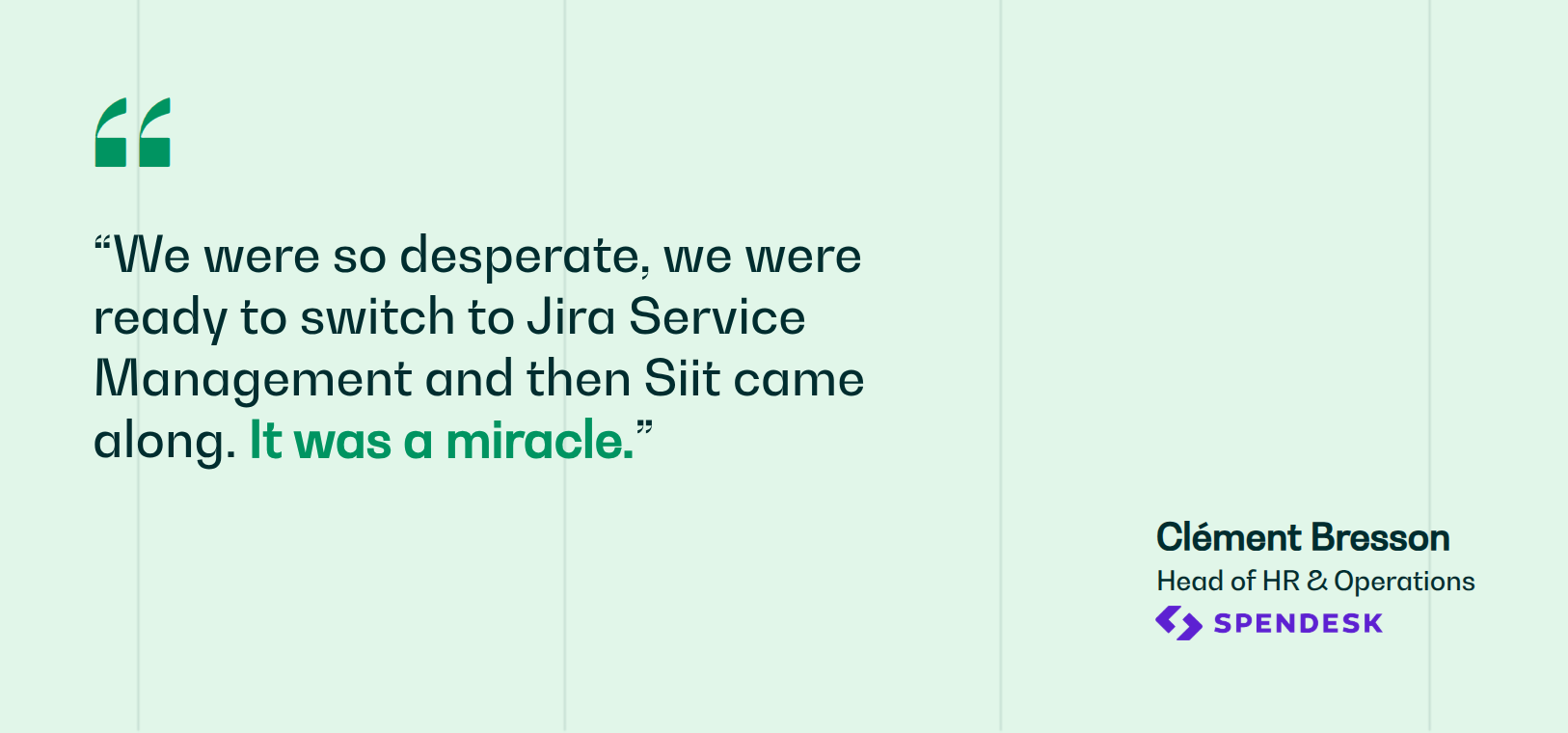
Siit connects those requirements through scoped roles, private request handling, and workflows that run inside Slack or Teams. Spendesk took first response time from over 24 hours to under 5 on Siit, and deflects 45% of payroll-related questions by suggesting articles to employees.
Book a demo and see how Siit works with combined IT and HR service desks.
.png)


FAQ

The best fit is whichever platform can restrict HR cases by role, route work across both teams on one request, and reach employees in the channel they already use. Siit is built for that case, running both departments from one workspace in Slack or Teams. Legacy ITSM suites can be configured to do it, though usually with a portal employees have to be pushed toward.
The gain shows up once the two teams share recurring work, which for most companies means somewhere past 100 employees and a few hires or exits a month. Below that, onboarding happens rarely enough that a shared checklist still holds. What decides it is the volume of requests that cross between the teams, not headcount on its own.
Yes. Start with low-risk categories such as policy questions, onboarding coordination, and general equipment requests while leaving grievances and medical matters in the existing restricted system. Expand only after HR has tested administrative permissions, reassignment rules, and audit logs.
The failed action should remain visible on the original request with a named person responsible for resolving it. Do not create a second employee record or let the workflow silently continue with stale data. Define which system remains authoritative and how agents confirm that the missing step was completed.
Compare cost against the people who operate the desk. Check whether approvers, occasional HR specialists, and employees submitting requests require paid seats. Also include the administrative effort needed to maintain permissions, workflows, and reports for both departments.