When your apps support SSO and SCIM, Siit takes that identity data and runs the full lifecycle on top of it: access requests flow through approval chains, accounts get provisioned automatically, and the requester gets notified when it is done. Power actions like MFA resets, group changes and account suspensions happen directly from Slack or Teams.
ITSM Integration 101: Connecting your IdP
Your IdP already knows who works at your company, what team they belong to, and which apps they should access. Your service desk knows none of this, so every access request, onboarding task, and offboarding checklist starts from scratch. That gap between identity truth and operational execution is where your week disappears into manual tickets and Slack DMs.
Most guides on the topic stop at SAML and OIDC mechanics, which only covers how someone logs in. The bigger question is what changes inside your service desk once identity data starts flowing in, and how that turns lifecycle events into automated work instead of more tickets to triage. For a solo IT manager supporting 50 to 200 employees, that shift is where the time actually comes back.
This guide covers what an IdP connection actually changes inside the service desk, which IdPs matter for mid-market teams, and a four-phase rollout plan to get there.
TL;DR:
- Connect your IdP to automate provisioning, access requests, MFA resets, and offboarding.
- Okta, Entra ID, Google Workspace, and JumpCloud differ in automation depth.
- Pull IdP context into tickets to remove approval and triage guesswork.
- Automate the departure process first: highest risk, biggest return.
- Roll out in four phases: sync, surface, write back, then trigger.
What Is an IdP Integration?
An IdP integration is a live, two-way connection between your identity provider and another system. Both sides stay in sync and can act on identity events as they happen, which turns a directory from a login gate into an operational system. Most guides stop at configuring SAML assertions or OIDC callback URLs, but that only covers login.
The operational story starts after authentication is solved. SCIM continuously syncs employee attributes like department, role, manager, and status between your HRIS, your IdP, and connected applications. Without a SCIM-based integration or equivalent provisioning connector, a new hire event often will not reach your IdP automatically, which means you may end up copying data between tabs again.
What Does an IdP Integration Actually Change Inside Your Service Desk?
Connecting your IdP to your service desk turns manual work into repeatable workflows. On the provisioning side, a new hire event in your HRIS triggers account creation, group assignment, and app provisioning through SCIM, while the remaining manual steps, like equipment assignment, land in a structured onboarding ticket instead of getting scattered across email and Slack. For a small IT team, that is the difference between one process and five disconnected reminders.
The reverse applies at offboarding and role changes. A termination event disables the IdP account, revokes access across SSO-connected applications, and generates a ticket for asset recovery, while department transfers update group memberships so old access does not quietly stick around. Access requests change shape too: instead of asking IT to look up a user manually, the service desk can check a requester's current group membership against an access policy before anyone touches the ticket. The same logic applies to new hire access on day one, where group membership decides what gets provisioned automatically.
MFA resets follow the same pattern. With workflow automation connected to your IdP, the service desk can trigger workflows for MFA or password resets directly from a request. Anyone who has reset an authenticator across three browser tabs knows why this matters.
Which IdP Integrations Matter Most for Mid-Market Ops Teams?
The four IdPs that matter most for 50 to 200-employee companies are Okta, Microsoft Entra ID, Google Workspace, and JumpCloud. They all cover the basics, but they differ in how much lifecycle automation they can support once you connect them to a Slack and Teams-native service desk. For a solo IT manager, that difference is the gap between seeing identity data in a ticket and actually acting on it without extra admin-console work.
1. Okta
Okta has a large pre-built app integration catalog. Its workflows and event hooks let external systems automate lifecycle events, which makes it a strong fit when your stack spans a lot of SaaS tools and you want role and group changes to ripple outward automatically. It is often a good fit when one directory needs to sit across a mixed environment instead of a single vendor ecosystem.
2. Microsoft Entra ID
Entra ID fits naturally in Microsoft-heavy environments. Its provisioning service handles SCIM across a large pre-integrated gallery, and its lifecycle and group capabilities make it useful for automated joiner, mover, and leaver flows. If your company already lives in Microsoft 365, it is usually the most natural place to start.
3. Google Workspace
Google Workspace is common in Slack-first companies, but teams using it as their primary IdP should expect more custom API work if they want deeper lifecycle automation. Adding a federation layer on top is the other path when you want more automation depth. That does not make it a bad choice, but it does change how much you can automate out of the box.
4. JumpCloud
JumpCloud stands out because it can push provisioning changes to apps and receive identity data from upstream systems. Its custom SCIM integration template also helps cover apps that are not yet in the pre-built catalog. That makes it a practical option for mid-market teams that want strong automation depth without adding more complexity than they need.
How Does IdP Context Turn Every Ticket into a Smarter Decision?
Pulling identity data into your service desk means tickets can arrive with the requester's department, role, manager, location, and current group memberships already attached. That removes the manual lookup step and cuts the back-and-forth that usually happens in Slack when someone asks for access, and IT has to go hunting for org context. In a small team, those tiny lookups are what quietly eat your day.
That context also improves routing and approvals. When manager relationships or department assignments change in the directory, approval chains can update with them instead of living in a hardcoded matrix that breaks every time the org chart shifts. Agents get more context in tickets, which is the difference between guessing and deciding.
Priority gets smarter too. A ticket from a user in a business-critical role can be elevated automatically, while a standard request can follow the normal path without manual triage. Better visibility is the smaller win. The bigger one is fewer decisions that require you to act like the human API between HR, IT, and every system you already own.
Why Should You Wire Up Offboarding as Your First IdP Integration Workflow?
Offboarding should come first because it has the most touchpoints, the highest security stakes, and the most room for manual error. A single missed deprovisioning step can leave a departed employee's account active in a SaaS app long after they should be locked out, creating orphaned permissions that compound across the application estate. If you are only going to automate one identity-driven workflow first, this is the one with the clearest return.
The sequence is simple: the HRIS records the termination, the IdP deactivates the user account, SCIM sends deprovisioning requests to each connected SaaS endpoint, and MDM actions fire in parallel. Data ownership transfers happen before deletion, and every action gets logged with timestamps and actor identity. Automated offboarding workflows help track those steps with audit trails, which makes access revocation easier to verify later.
This is also the workflow that exposes your real gaps fastest. Predictable failure points include HRIS-to-IdP sync delays, SaaS apps without SCIM endpoints, and sequencing problems where device-management commands fail if the directory account deactivates first. Wiring offboarding first gives you a clean map of what is automated, what still needs separate handling, and where your application estate is still outside the IdP.
What's the Right Sequence for Connecting Your IdP to Your Service Desk?
The integration builds in a strict dependency chain: you cannot automate what you cannot see, and you cannot act on what you have not connected. Four phases, each building on the last, keep the project from collapsing under its own complexity. That matters for a one-person IT team because the fastest way to create more work is to turn on automation before the identity data is stable.
1. Sync Your Directory
Connect your IdP's user directory to your service desk so user records, group memberships, roles, and department attributes flow in automatically and stay current. This is the read-only foundation every later phase depends on. If the sync is stale or incomplete, every later automation step inherits that problem.
2. Surface Identity Context in Tickets
Set up your service desk to display the requester's current groups, roles, active access, and department when a ticket arrives. This phase is still read-only, which is exactly why it is low risk and useful: agents can verify entitlements before any write-back happens. It is also where you start seeing fewer Slack pings asking who someone reports to or what team they are on.
3. Turn on Write-Back Actions
Wire your service desk to execute identity actions directly from a ticket: group membership changes, MFA resets, account suspensions, and provisioning changes. This can include actions in Slack or Teams without switching to an admin console. This is also the phase where standardized access workflows start saving real time, because the most common ticket types stop requiring a separate trip to the IdP.
4. Automate from Identity Events
Configure your IdP to trigger service desk workflows automatically when lifecycle events occur: new hire, role change, department transfer, and termination. Start with onboarding and offboarding once Phase 3 is tested. That way, you are automating a process you already trust instead of amplifying a messy one.
How IdP Integration Turns Your Service Desk into an Operations Engine
Your IdP connection closes the gap between identity truth and the work that actually needs to happen. Once directory data flows into the service desk, requests no longer start from zero, and lifecycle events can trigger real action instead of another manual checklist. That shift is what turns a ticket queue into an automated service desk, and why the integration matters operationally, not just technically.
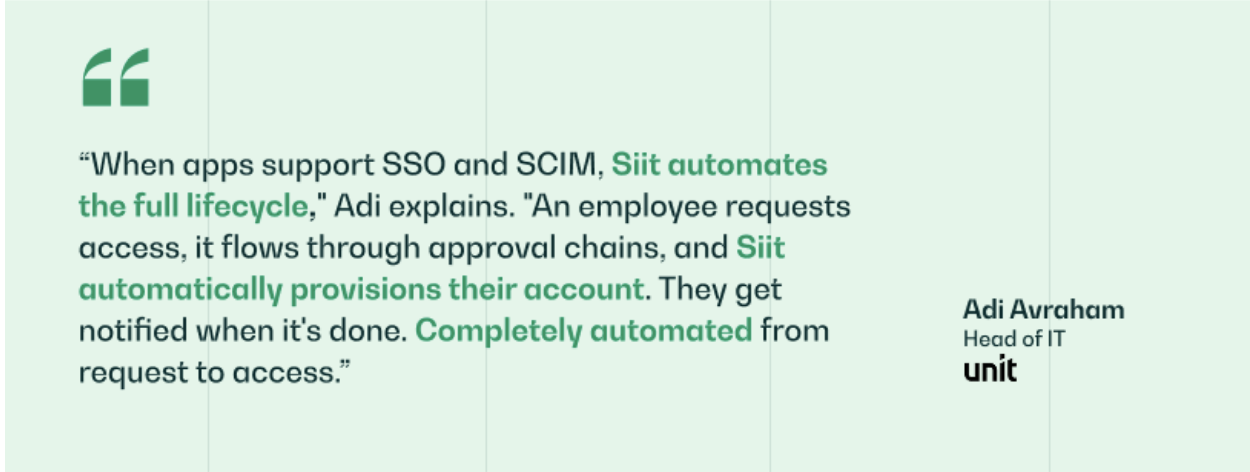
When apps support SSO and SCIM, Siit takes that identity data and runs the full lifecycle on top of it: access requests flow through approval chains, accounts get provisioned automatically, and the requester gets notified when it's done. Power actions like MFA resets, group changes, and account suspensions happen directly from Slack or Teams, which keeps the admin console out of the loop for the work that used to require it. Teams like Unit have built that on top of their IdP, with Adi Avraham, Head of IT, describing the result as completely automated from request to access.
.png)


FAQ

Yes. A service desk can bring user data from multiple directories into the same operating environment, though the exact setup depends on the integrations and identity architecture you use. The main question is less whether it is possible and more which directory acts as the source of truth for each field.
Non-SSO applications do not receive the automated provisioning or deprovisioning cascade. They require separate handling through vendor-specific APIs, manual steps, or browser automation. Your automation coverage maps directly to how completely your application estate is enrolled in the IdP.
Cloud-native IdPs like JumpCloud or Okta can establish a working sync, and the service desk side typically requires mapping IdP fields like department, role, and manager to ticket attributes. The exact timing depends on how clean your identity data already is and how many systems you want in the first rollout. Starting with sync first keeps the setup smaller and easier to validate.
Not necessarily. Some service desks support bidirectional IdP integration natively, while others only support read-only enrichment. If your current tool cannot execute identity actions from within a ticket, you are limited to the read-only phase of the implementation sequence regardless of how well your IdP is configured.
Track three metrics before and after: average resolution time for access request tickets, number of manual steps in your onboarding and offboarding checklists, and time spent per week in IdP admin consoles. The point is to measure whether identity data is removing coordination work, not just whether another integration was technically connected. If those numbers drop, the project is doing its job.
When apps support SSO and SCIM, Siit takes that identity data and runs the full lifecycle on top of it: access requests flow through approval chains, accounts get provisioned automatically, and the requester gets notified when it is done.