The Importance of Human in the Loop in ITSM
Your AI agent can reset a password in seconds. It can also grant admin access to a production database in seconds. The difference between those two actions is the whole reason human in the loop matters in ITSM.
Solo IT managers and small teams lean on AI to absorb rising ticket volume, but they still own the fallout from every access change, bad configuration, and missed control that the automation could produce. As requests climb, the same people are asked to move faster and carry more risk at once, and a single unreviewed action can undo the time the automation saved.
Getting this right means deciding where a human checkpoint belongs so support scales without losing control. This article breaks down where those checkpoints belong, what happens when you place too many or too few of them, and how to widen the role of AI in ITSM without becoming a permanent approval bottleneck.
TL;DR:
- Human oversight in ITSM should follow consequence: routine requests can run with minimal intervention, while sensitive changes need a person in the decision path.
- Strong service desks mix pre-approval and post-action supervision instead of forcing every request through the same level of review.
- The best candidates for review checkpoints are requests involving privileged access, regulated data, financial thresholds, or hard-to-reverse changes.
- Lean IT teams get the most value when they match each action to the right level of review and reserve attention for the moments where judgment matters most.
- A safe rollout starts with close supervision, then expands only where real-world results show the system is ready.
What Does Human in the Loop Mean in ITSM?
Human in the loop in ITSM means the AI prepares an action but cannot execute it without a human saying yes. The workflow pauses and waits: the AI stages the action, surfaces its recommendation, and holds until it gets explicit approval. Human on the loop is the other mode: the AI executes on its own, and humans watch the output with the ability to step in and override.
Most service desks use both modes at the same time, just on different ticket types. A password reset and a firewall rule change both arrive as tickets, but they carry very different consequences if the AI gets them wrong. The same agent can operate in HITL mode for access provisioning and HOTL mode for ticket categorization, with approvals landing in Slack or Teams where the reviewer already works.
The point is not choosing one model for the whole desk. It is deciding which actions should pause and which can move. That distinction matters because capability and autonomy are not the same thing: an agent may be capable of taking a high-impact action, but that does not mean it should be allowed to do it without review.
Why Does Human in the Loop Matter Most for Small IT Teams?
Small IT teams sit on both sides of this problem at once. A solo IT manager or a one- to three-person team can only review so much by hand, yet they still carry the consequences of access mistakes, bad changes, and weak controls. As the request volume rises, the same people are expected to move faster and carry more risk at the same time.
For a small team, the point is to slow down only the requests with larger downside and let repetitive, low-risk work move faster. HITL gives that team a way to scale routine work while keeping human sign-off on the actions that matter most, which is the foundation of smarter IT support on a lean team. On a lean team, the reviewer is close to the work, knows the organizational context, and has real authority to change outcomes, which makes the checkpoint more meaningful than a generic approval queue.
In a larger organization, approval queues can drift toward formality because the person reviewing the action may not own the result. On a one- to three-person team, the person approving access, a configuration change, or a security-sensitive exception usually lives with the consequences. That makes careful review more valuable, as long as volume stays under control.
Where Should Human Gates Exist in ITSM Workflows?
Human gates belong wherever the worst-case outcome of an incorrect AI action is irreversible, high-impact, or puts you on the wrong side of a regulation. Score each workflow by three variables: blast radius, reversibility, and regulatory exposure. Those three questions do more for safe automation than blanket rules ever will.
Tier 1, full automation (AI executes, logs everything):
- Password resets, account unlocks, and status updates
- Ticket categorization, routing, and SLA notifications
- FAQ responses and knowledge article delivery
Tier 2, conditional automation (AI prepares, policy gate decides):
- Access provisioning against pre-approved role templates
- Patch deployment within approved maintenance windows
Tier 3, human-gated (AI prepares, human approves before execution):
- Privileged or elevated access grants
- Firewall rule changes and production database changes
- Emergency change approvals and security incident response
This kind of tiering works because it follows consequence instead of the ticket label. Two tickets can look similar on the surface and still deserve different treatment based on what the action actually changes. Automated IT access provisioning can move under policy for a standard role-based request; a privileged access grant to the same system should stop and wait.
The same logic extends beyond classic IT tickets. HR onboarding can automate account creation from role templates but still stop when equipment costs exceed a threshold. Finance workflows can auto-notify on license renewals but require approval above a cost threshold. Legal and facilities requests follow the same pattern: automation handles execution of pre-defined policies, while humans keep the judgment calls that set those policies.
What Happens When Human in the Loop Is Miscalibrated in ITSM?
You can get this wrong in two directions, and both will burn you. Too many gates and humans become rubber stamps. Too few and you get unauthorized changes and compliance exposure. The real target is calibrated agency: enough control to catch dangerous actions, and enough autonomy to stop wasting human attention on routine work.
What Does Over-Gating Look Like?
When most items in an approval queue are routine and low-risk, reviewers start treating every approval as a formality. When a genuine risk item appears, the reviewer's attention has already dulled. On a small team, that means the control can turn into background noise instead of a real checkpoint.
For a small team, this failure mode is especially expensive because the same person usually owns both the queue and the higher-risk work being interrupted by that queue. If every software install, low-risk status change, and routine unlock needs a click, the approval step stops being a control and starts being background noise.
What Does Under-Gating Look Like?
IBM/Ponemon's 2025 Cost of a Data Breach report found that 97% of organizations experiencing an AI-related security incident lacked proper AI access controls. When access is granted, changed, or retained without the right guardrails, the problem is not just a technical error. It is weak governance around who can do what, under which rule, and with whose approval.
Under-gating also shows up before it shows up in an incident report. You see access decisions happening without clean ownership, approvals with no evidence trail, and exceptions handled in side messages instead of the workflow. Each one looks small in isolation, but together they erode trust in the desk and make audits harder than they need to be.
How Should You Design Human in the Loop ITSM for Trust and Compliance?
Governance and compliance are where HITL design pays for itself. Common compliance frameworks require approval records and audit trails for access and change activity. Build the evidence architecture once and it can serve access audits and multiple review needs at the same time.
That matters for small teams because compliance work expands faster than headcount. If every access grant, approval, and exception needs to be reconstructed later from Slack threads and memory, the audit burden lands on the same people already handling the tickets. A well-designed review flow cuts that future work by recording the decision when it happens.
What Do Auditors Need for Access Provisioning?
Compliant approval workflows capture authorization before access is provisioned, confirm that access matches the role, and prevent provisioning before approval exists. An AI agent that initiates and approves an access grant in one workflow breaks the point of the control.
GDPR Art. 22 points the same way: it gives people a right to human intervention in automated decisions, which in practice means the reviewer needs the authority and knowledge to override the AI, not just an approval button to click. A reviewer who routinely clears AI output without genuine influence on the result does not solve the oversight problem either. The practical takeaway is simple: an approval button by itself is not enough. The reviewer has to be the right person, and the workflow has to make that person's decision real.
What Builds Trust in the Review Flow?
Every AI-touched ticket should include the model's reasoning, confidence score, and recommended action in the review context. If the model falls below your defined threshold, the escalation should be graceful: the human reviewer receives the AI's output, the reason for escalation, and available actions from that screen.
Structured feedback using override reasons rather than free text closes the loop so the system can recalibrate. Trust also depends on keeping the review flow legible. A reviewer should be able to see what the AI is proposing, why it proposed it, and what policy or threshold pushed the ticket into review.
How Should You Roll Out Human in the Loop in ITSM?
Start fully gated, measure what actually happens, then loosen. Independence should grow from measured outcomes on your own data, not from a calendar deadline. Every AI suggestion gets logged with the outcome: accepted, rejected, or modified.
Phase 1: Full human gating. For every incoming ticket, the AI classifies the request, shows its classification with a certainty reading, and suggests next steps. Humans still carry out the actual actions.
Phase 2: Supervised autonomy. Here, the system can execute on narrow ticket types that proved reliable in Phase 1: password resets, standard software installs, FAQ responses, and ticket categorization. The discipline of approving IT changes still applies: configuration changes, security tickets, and compliance-related requests stay behind a review checkpoint even when the model seems certain.
Phase 3: Expanded autonomy. Auto-execution should widen to more categories only after enough Phase 2 history exists, usually four to eight weeks of clean supervised data per category, where the agent's recommendations consistently match the team's decisions and overrides stay near zero. Lower-volume categories need longer, because the real gate is enough trustworthy data, not the number of weeks on the calendar. Monthly recalibration and quarterly audits keep the system honest. Some categories warrant permanent HITL status regardless of performance: major incidents, compliance-related requests, and major changes with no precedent.
The discipline here is to treat rollout like an evidence-gathering process, not a promise to automate everything. If a category keeps generating overrides, keep it gated. If a low-risk category keeps matching human decisions cleanly, let it graduate and give that attention back to the work that actually needs it.
Calibrated Oversight Lets Small Teams Scale Without Losing Control
Human in the loop in ITSM is a design decision, not a switch you flip on. Match oversight to consequence: let routine work run, and keep a person in the path for actions that are hard to reverse, high-impact, or compliance-sensitive. Place too many gates and reviewers become rubber stamps; place too few and changes ship that no one approved. For lean teams scaling IT without headcount, getting that balance right decides whether AI helps or becomes a liability.
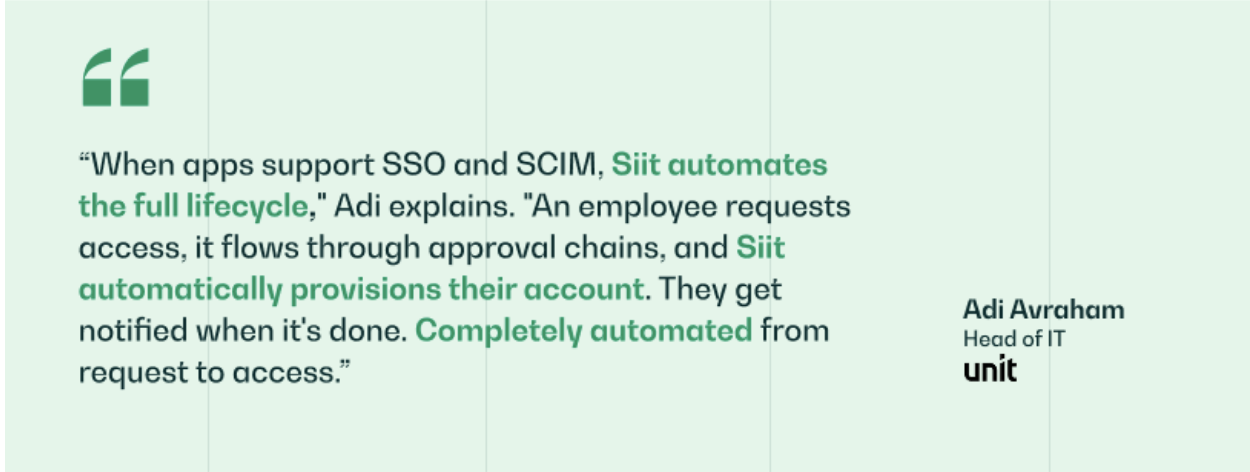
As an AI Service Desk, Siit runs this model inside Slack and Teams, where approvals already happen, and connects to identity and HR systems like Okta and BambooHR so a standard request can flow through its approval chain and provision automatically, while a privileged grant stops for review with the full decision record attached.
.png)


FAQ

Traditional approval chains usually follow the request type. With AI in the workflow, the control point also depends on consequence, reversibility, and the damage a bad action could cause. That means the same ticket category may not always get the same treatment if the surrounding risk is different.
Look for a stable pattern in your own logs: the system's recommendations line up with what your team would have chosen, and exceptions stay manageable. That judgment comes from observed outcomes, not from waiting a set number of weeks. Routine categories usually earn more freedom earlier than edge-case requests.
Yes. Requests tied to privileged access, production changes, security response, or compliance obligations are poor candidates for auto-execution because the downside is too large. In those categories, potential harm should outrank model certainty every time.
Check whether human reviewers are rejecting or modifying recommendations, not just clearing the queue. Track override rates, approval queue times, and exception rates by ticket flow to find checkpoints that have turned into routine pass-throughs. If a control point never changes the outcome, save that attention for workflows with more downside.
More people let you split review work by context instead of sending every exception to the same overloaded inbox. One reviewer can own security-sensitive requests while another handles routine access or software issues. The core rule stays the same: the person reviewing the action still needs enough context and authority to stop it.