Freshservice Alternatives for 2026: Top 5 Modern ITSM Platforms
Freshservice earns its reputation as the easy on-ramp into ITSM, with a service catalog, SLA tracking, and a knowledge base that a small team can configure without a specialist. What it does not solve is the moment a request needs Finance, HR, and IT to act in sequence, or the moment your queue outgrows what a single desk was built to formalize.
That gap shows up consistently across reviews. Reviewers describe recurring bugs, inflexible default fields, and reporting that resists customization, and the Slack and Teams path stops at ticket creation, so anything past intake sends the requester back to a portal. None of that makes Freshservice a bad platform. It makes it the wrong platform once your queue needs governance depth, cross-department orchestration, or chat-native execution it was not built to provide.
Five alternatives are covered here, each profiled on what it is built for, where it strains, and who it fits, using the same evaluation criteria throughout.
TL;DR:
- Advanced service-management capabilities and AI execution are unevenly available across Freshservice configurations, and Slack depth stops at ticket creation, which is why teams start looking elsewhere.
- Jira Service Management suits Atlassian-heavy DevOps work, ServiceNow supports governance-heavy enterprises, Zendesk handles blended employee and customer support, and ManageEngine ServiceDesk Plus provides on-premises control.
- AI execution is the dimension worth testing directly, since a named AI feature earns little on its own if it only summarizes and suggests rather than completing the action.
- Formal ITIL depth and administrative overhead trade against each other consistently across all five alternatives, so match the platform to the processes you actually operate today.
- Siit sits in front of whichever platform you keep, resolving supported requests in Slack and Teams and syncing with the systems of record your team already runs.
Why Do Teams Leave Freshservice?
Your queue usually starts looking elsewhere when triage, routine requests, and cross-team follow-ups keep requiring manual coordination, or when a workflow you need simply is not available at your configuration tier. The complaints driving that search are specific enough to test in a pilot:
- Capability availability. Service-catalog, SLA, problem, change, release, and AI capabilities are not available uniformly across Freshservice configurations, so what you evaluated in a demo may not be what you can afford to turn on.
- Customization limits. Reviewers on Gartner Peer Insights describe recurring bugs, inflexible default fields, and real limitations in customization and form editing.
- Reporting. Reviewers consistently ask for more reliable and flexible reporting and analytics than the native tooling provides.
- Automation and API limits. Advanced automation, including script execution and API coverage, is limited enough that complex cross-system work often falls back to manual steps.
- Chat depth. In the Slack path, the ServiceBot creates and updates tickets, but administration, reporting, and complex operations return agents to the web application, and larger request forms redirect the requester to the self-service portal.
These gaps matter most when you are already the coordination bottleneck between IT, HR, Finance, and managers. A replacement should reduce that repetitive follow-up without sacrificing the incident, SLA, knowledge, or governance capabilities your queue relies on.
How Did We Evaluate These Freshservice Alternatives?
We evaluated these five platforms the way you would from inside a small-team help desk, against what breaks in practice, well past a feature-grid checklist. The buyer in mind runs a small IT team and cannot afford a platform that needs its own platform team to run. The first two dimensions are pass-or-fail gates; the rest inform the comparison.
- Core service desk coverage (pass or fail): incident intake, routing, SLA tracking, and a knowledge base have to support your daily queue.
- Slack and Teams presence (pass or fail): the people submitting tickets already ask for help in chat, so a platform with no working Slack or Teams path fails outright.
- ITIL depth: we assessed problem, change, release, and CMDB coverage, and noted precisely where formal capability was unavailable.
- AI execution: a named AI feature earns little on its own, so we assessed whether it acts, such as provisioning access or chasing an approval, or only summarizes and suggests.
- Fit and overhead: deployment model, company-size fit, and how much dedicated administration each platform demands from a small IT team.
- Integration depth: we distinguished marketplace availability and ticket notifications from integrations that pass context, approvals, and supported actions across identity, MDM, HRIS, and collaboration tools.
- Migration and scalability: export scope, field mapping, implementation timing, and whether growth forces your team to add dedicated platform owners.
All five tools pass both gates, and the remaining dimensions decide the ranking and Best for calls below.
What Are the Best Freshservice Alternatives?
Formal ITIL depth and chat-native execution rarely come from the same platform, so read the AI capability and Slack/Teams columns together before the feature list, since that pairing is what actually separates these five.
The Best for, AI capability, and Ideal company size columns are our assessment based on vendor documentation. Starting prices are each vendor's lowest published rate as of August 2026, sourced from each vendor's own pricing page and dated in the relevant profile below. ServiceNow publishes no per-user rate, so it is marked quote only.
Only Siit and ManageEngine ServiceDesk Plus go past a ticket path in chat, and that single column decides more of this shortlist than the rest of the table combined. If your queue's real cost is coordination across departments rather than incident volume, weigh that column above ITIL depth.
1. Siit: Chat-Native Cross-Department Orchestration
Siit is an AI service desk that resolves supported requests in Slack, Microsoft Teams, email, and a web portal, so chat-based assistance is the default path, not a bolted-on connector. Available actions are documented in the connector docs.
The difference from a ticketing tool with a Slack app is what happens after intake. Siit's AI agents read context from connected systems, then complete the supported step directly, provisioning app access through Okta or updating device status through Jamf, without routing the request to a queue for a human to finish. Requests that cross IT, HR, and Finance stay in one thread rather than three tickets in three systems, which is the coordination work a small team otherwise absorbs by hand.
Key features:
- AI agents triage requests, gather context, chase approvals, and execute supported process automation.
- Unified HRIS, MDM, and IAM data adds employee, device, and access context.
- Slack, Teams, email, and portal requests share SLA, analytics, and knowledge tools.
Standout integrations:
- Okta supports password resets, user status changes, groups, and app assignment.
- Jamf and Microsoft Intune sync inventory and support lock, wipe, and open actions.
- BambooHR and Workday sync employee data without writing back to the HRIS.
Pros:
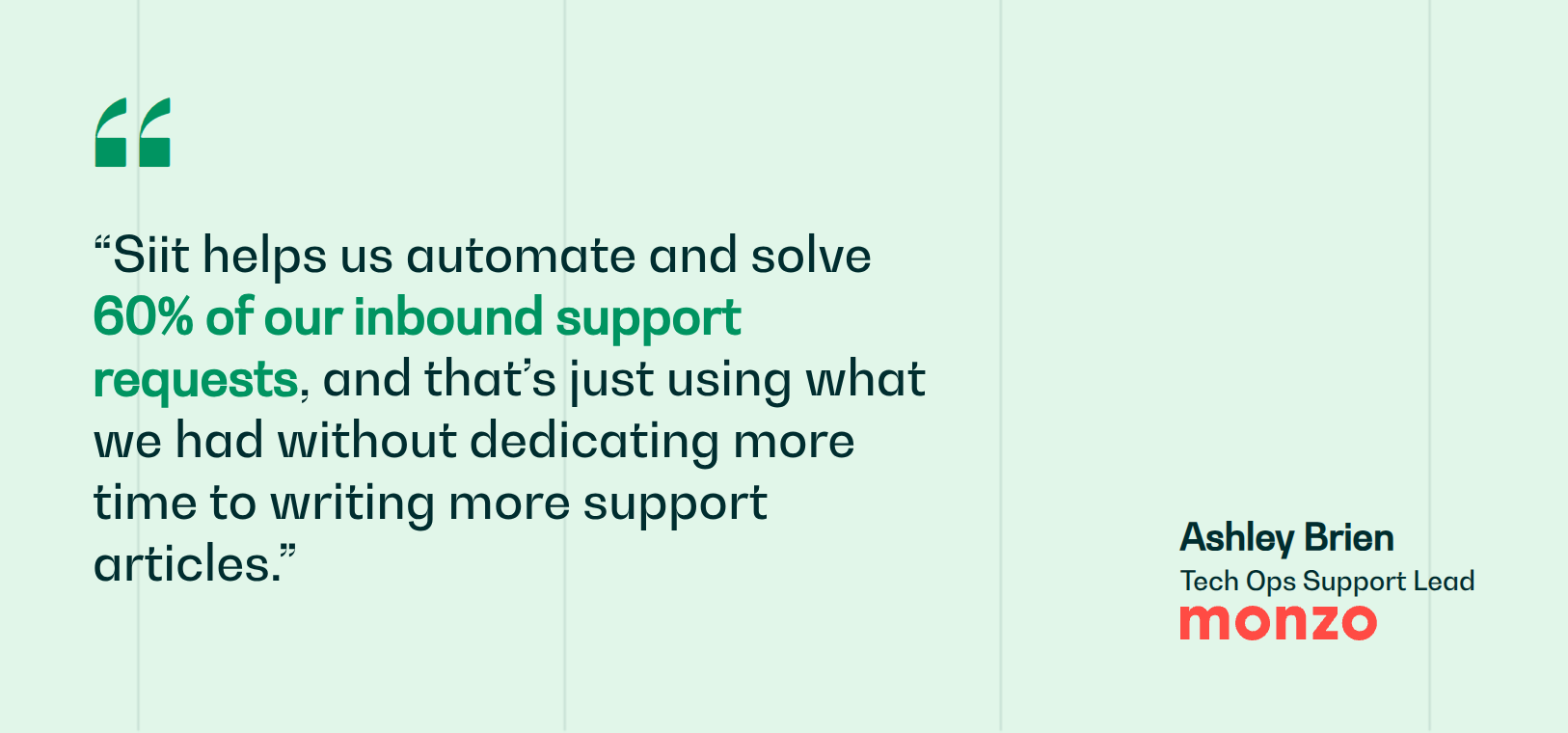
- Monzo automates and solves 60% of inbound support requests this way.
- Employees can request help without adopting a separate portal.
- Workflows can cross departments while preserving context and ownership.
Cons:
- It lacks the long ITSM record of established platforms.
- It lacks formal ITIL change and release modules.
- Heavily on-premises stacks may require more integration work.
Siit Pricing
- Essentials: $23/admin/month, billed annually. Conversational request management, Slack/Teams/email intake, approvals, service catalog.
- Standard: $45/admin/month, billed annually. Adds automated workflows, asset and SaaS management, HRIS/MDM/ticketing integrations.
- Pro: $89/admin/month, billed annually. Adds AI agents, AI triage, monitoring, and advanced support.
- Custom: Contact sales for enterprise-grade capabilities and custom integrations.
Pricing from Siit's pricing page. Verified August 2026.
Best for a lean IT team that needs supported requests resolved in chat. The tradeoff is less formal ITIL governance than Freshservice.
2. Jira Service Management: ITSM Beside the Backlog
Jira Service Management is Atlassian's ITSM platform. Rovo AI and a virtual service agent support assistance and deflection, while connected-system execution depends on Atlassian automation and integrations.
It earns its place on any Atlassian-heavy engineering org's shortlist because incident, problem, change, and request management sit on the same data model as Jira Software, so a production incident and the engineering ticket that caused it live in the same system, with no manual reconciliation between two separate tools. Assets and CMDB coverage supports change-risk assessment before a release, and dependency tracking flags what else a change might break. The tradeoff is administrative. The object model, permission scheme, and workflow configuration that make this powerful are also what a small team without a dedicated Jira administrator will struggle to maintain.
Key features:
- Incident, problem, change, request, catalog, and SLA workflows run together.
- Assets and CMDB support dependency tracking and change-risk assessment.
- Conversational self-service and bi-directional Slack sync provide a working chat path.
Standout integrations:
- Jira Software and Bitbucket connect deployments, incidents, and change risk.
- Confluence supplies knowledge for conversational and portal self-service.
- The Atlassian Marketplace extends engineering and business workflows.
Pros:
- IT and engineering can share incidents, deployments, and follow-up work.
- Atlassian-experienced teams can customize workflows extensively.
- Dashboards support operational and engineering visibility.
Cons:
- The interface has a steep learning curve outside Atlassian.
- Identity setup adds another administrative dependency.
- Rollout can take longer than Freshservice's simpler deployment.
Jira Service Management Pricing
- Free: $0, up to 3 agents.
- Standard: From $20/agent/month, billed annually.
- Premium: From $51.42/agent/month, billed annually. Adds change management, Rovo AI agents, and a 99.9% uptime SLA.
- Enterprise: Custom pricing, billed annually only.
Pricing from Atlassian's Service Collection pricing page. Verified August 2026.
Best for teams where DevOps already runs on Atlassian and engineering alignment matters more than rollout speed. Small teams outside that environment may find it administration-heavy.
3. ServiceNow: Enterprise ITIL and Governance
ServiceNow is an enterprise ITSM platform. Incident, request, catalog, SLA, knowledge, self-service, problem, and change capabilities can all run on the same platform once the corresponding modules and workflows are configured.
Its case for a large enterprise is breadth. Incident response, change approval, and asset dependency mapping all draw from the same CMDB instead of three systems each maintained by a different team, since ServiceNow was built to be the one place every operational function eventually lands. Now Assist adds summarization and configured agentic workflows on top of that data. None of that comes cheap in setup time, and a small IT desk evaluating ServiceNow against Freshservice should expect a multi-quarter implementation with specialist ownership.
Key features:
- CMDB discovery and dependency mapping support incident, problem, and change processes.
- Now Assist spans summarization, predictive analytics, and configured agentic workflows.
- Workflow orchestration extends into HR, customer service, security, and facilities.
Standout integrations:
- Its integration network connects enterprise resource, identity, and security tooling.
- Automated discovery feeds infrastructure and dependency data into the CMDB.
- ITSM, ITOM, HR delivery, customer service, and security can share a platform.
Pros:
- It supports complex organizations with extensive service dependencies.
- Deep customization serves demanding governance and audit workflows.
- Its service-management breadth exceeds the other platforms compared here.
Cons:
- Expect a lengthy implementation and specialist ownership.
- Training and change management are substantial.
- Smaller teams can struggle with the platform's complexity.
ServiceNow Pricing
- Foundation, Advanced, Prime: ServiceNow does not publish per-user pricing. All three ITSM tiers are quote-only, priced by module selection, fulfiller seat count, and implementation scope.
Pricing from ServiceNow's pricing page. Verified August 2026.
Best for enterprise governance and auditability that outweighs speed and simplicity. Freshservice remains easier to deploy for teams that do not need this depth.
4. Zendesk: Customer Service Tooling Turned Inward
Zendesk is support software, and internal requests use the same customer-support agent workspace built for external tickets.
That inheritance cuts both ways. Agents who already triage customer conversations in Zendesk pick up employee requests with no new interface to learn, since the workspace, the routing logic, and the reporting are the same tools they use for customers all day. What does not carry over is ITSM structure. There is no native CMDB, no formal change or problem management, and no built-in concept of a service catalog, so anything past incident intake gets bolted on through marketplace apps or a separate system a governance-heavy team ends up running anyway.
Key features:
- AI agents support multilingual email, messaging, and voice conversations.
- Omnichannel and skills-based routing direct requests to appropriate agents.
- Incident intake, SLA policies, and an AI-assisted help center are native.
Standout integrations:
- The Zendesk marketplace extends the platform with third-party apps.
- Chat-based ticketing brings messaging conversations into the agent workspace.
- Telephony and workforce engagement tools connect to support operations.
Pros:
- Its intuitive design reduces agent training time.
- It is strong for blended employee and customer support.
- Pre-trained support AI can require less setup than customized ITSM.
Cons:
- Zendesk lacks native change, problem, asset, and CMDB capabilities.
- Advanced routing and analytics require additional configuration.
- Governance-heavy teams may depend on marketplace apps or another system.
Zendesk Pricing
- Suite Team: From $55/agent/month, billed annually.
- Suite Growth: From roughly $89/agent/month, billed annually. Adds a self-service portal, SLAs, and multilingual support.
- Suite Professional: From $115/agent/month, billed annually. Adds skills-based routing and HIPAA-eligible compliance.
- Suite Enterprise: Custom pricing.
Pricing from Zendesk's pricing page. Verified August 2026.
Best for one desk handling internal and external support. It favors channel coverage and ease of use over Freshservice's broader native ITSM depth.
5. ManageEngine ServiceDesk Plus: ITIL Depth With Deployment Control
ManageEngine ServiceDesk Plus is an ITIL-aligned service desk available for cloud, on-premises, or hybrid operation. ManageEngine documentation describes ServiceDesk Plus actions from Slack and Teams, including creating or viewing requests, accessing knowledge base content, assigning or picking up tickets, and handling approvals.
On-premises deployment is the reason teams pick this over Freshservice in the first place, since data residency or air-gapped requirements rule out a cloud-only alternative before any feature comparison starts. That deployment flexibility carries through the rest of the product, and incident, problem, change, release, and project management all sit on one license, so a growing desk is not buying separate modules as its process needs mature. The cost is on the operations side. Self-hosting means your team owns patching and upgrades, and the interface shows its age against newer cloud-native competitors in places that do not affect what it can actually do.
Key features:
- Incident, problem, change, release, and project workflows share one desk.
- Automated discovery keeps hardware and software inventory current.
- Mobile apps serve technicians and end users in multiple languages.
Standout integrations:
- ManageEngine endpoint and identity tools connect with the service desk.
- Zia works in the portal and chat as an assistant.
- Multiple instances let departments operate distinct service desks.
Pros:
- Formal ITSM, CMDB, asset, change, and release processes are supported.
- Asset inventory is stronger than in support-first platforms.
- On-premises deployment supports data-residency requirements.
Cons:
- Initial configuration demands meaningful technical expertise.
- Some modules have dated interfaces compared with newer SaaS competitors.
- Freshservice offers a more polished day-one experience.
ManageEngine ServiceDesk Plus Pricing
- Standard: Free for up to 5 technicians on a single instance, or from $13/technician/month billed annually for cloud beyond that. Core ticketing only, no asset management.
- Professional: From $27/technician/month, billed annually. Adds IT asset management, purchase and contract management.
- Enterprise: From $67/technician/month, billed annually. Adds change management, project management, and the full ITIL suite.
Pricing from ManageEngine's ServiceDesk Plus pricing page. Verified August 2026.
Best for teams where deployment control, asset discovery, and ITIL depth are essential. Budget for more configuration work than Freshservice requires.
How Do You Choose a Freshservice Alternative?
Choose on chat depth first and ITIL fit second. Those two constraints eliminate most of this list before a feature comparison matters.
Test Chat as an Action Channel, Not a Notification Feed
A connector that only posts ticket updates into Slack saves little time over the portal it replaces. Run one real access request through each shortlisted tool and test intake, approval, status updates, and resolution inside the channel itself.
Separate what the AI names from what it does. A named AI feature earns nothing on its own if it only summarizes and suggests; the dimension worth testing is whether it provisions access or chases an approval without a human relaying every step by hand.
Match ITIL Depth to the Processes You Actually Run
If you operate formal change advisory boards and CMDB audits, require native change and configuration-management capability that ships today, not on a roadmap. If incidents and requests make up most of your queue, prioritize faster operation over process depth nobody will configure or maintain.
Count the administrative overhead against your own headcount, since the vendor's reference customer is rarely your size. A platform that needs a dedicated administrator is the wrong fit for a team that does not have one to spare, regardless of how deep its ITIL modules go.
Audit What Sits Outside the Product
Marketplace apps, identity add-ons, and premium automation tiers are where the real cost of "flexible" platforms hides. Ask every vendor what a comparable deployment needs beyond the base license, and get a reference willing to confirm the number.
Test the Migration You Are Inheriting
Ticket history and knowledge articles usually move cleanly; custom fields, SLA policies, and heavily configured workflows almost never do and get rebuilt from scratch. Export a representative sample before contract signature and confirm it stays usable in search, reporting, and active workflows, then run both systems in parallel until the replacement proves it can hold your SLA targets.
How Does Siit Fit Alongside These Tools?
Siit is an AI service desk that handles the request traffic a ticketing backend generates, and it does not have to replace whichever platform you shortlist here. It runs as a layer in front, so employees ask for help in Slack or Teams while routine requests resolve automatically and complex issues sync into the platform of record you keep.
That layered setup lets your queue shrink without an immediate rip-and-replace. Documented ticketing integrations include JSM two-way sync and Zendesk record sync. Monzo automates and solves 60% of inbound support requests this way, and with 500+ connectable apps across identity, MDM, HRIS, and ticketing, supported access and approval workflows carry context between the systems your team already runs.
Book a demo to see AI agents run your queue in Slack alongside whichever platform you pick.
.png)


FAQ

Partially. Jira Service Management and ManageEngine ServiceDesk Plus both support structured onboarding and offboarding workflows, though neither packages them as a named feature the way Freshservice does. Siit and Zendesk handle the individual requests inside a journey, such as equipment provisioning or account setup, without a single sequenced workflow tying every step together.
Not directly. None of the five reads Freshservice data natively, so a phased move means exporting tickets, knowledge articles, and asset records through Freshservice's own export tools and mapping fields into the new platform by hand. Running both systems in parallel during that window catches mapping errors before they reach production.
Siit and Zendesk both go live fastest, typically inside two to four weeks, since neither requires the workflow and CMDB configuration that Jira Service Management, ServiceNow, and ManageEngine ServiceDesk Plus need before formal ITIL processes are usable. ServiceNow is reliably the longest, often measured in quarters rather than weeks.
Yes, and for most teams that is the more realistic path than a hard cutover. Siit resolves supported requests in Slack or Teams while the underlying platform stays the system of record for tickets it does not touch, so the coordination burden drops before the migration decision is finalized.
What breaks first when a team outgrows Freshservice? Reporting and automation usually go first, since reviewers consistently flag inflexible default fields and script or API limits that leave complex cross-system work dependent on manual steps. Chat depth is the second failure point, because the moment more than ticket creation is needed in Slack, the requester gets sent back to the portal.