The best IT service desk software tools for 2026 are Siit, Zendesk and Jira Service Management. Siit operates directly inside Slack and Teams, where AI agents execute complete workflows across your identity provider, HRIS and device management platforms without manual handoffs, on admin-only pricing with unlimited employees.
The 15 Best IT Service Desk Software Tools for 2026
The best IT service desk software for 2026 should be clearing your ticket queue, not adding to your coordination work. If you are the person everyone pings for access, resets, and "quick questions," you already know how fast those interruptions pile up, especially when requests start in chat and end in three different admin consoles.
For many IT teams, the service desk is the single biggest factor in how employees rate corporate IT. If you are still manually routing requests between systems, your SLA dashboard stays red while the people submitting tickets to you lose trust.
This guide breaks down what matters when you are choosing a modern service desk: AI that executes workflows (not just routes tickets), chat-native request capture, integration depth, and pricing that does not punish you for company growth. If you want a concrete look at what workflow automation can take off your plate, start here: IT service desk automation.
TL;DR:
- The best IT service desk software for 2026 reduces your coordination load by executing common workflows inside your chat-based intake, not by forcing portal adoption.
- Choose tools with workflow-executing AI, strong native integrations across your identity, device, and HR systems, and admin-only pricing that stays predictable as headcount grows.
- The 2026 shift is agentic: AI is moving from routing and drafting to taking multi-step actions across your stack, which is what actually drops ticket volume.
- Ticket volume drops fastest when automation resolves repeat requests end-to-end and orchestrates multi-step approvals and provisioning.
What Should You Look for in the Best IT Service Desk Software?
IT service desk software is a system for capturing, tracking, and resolving internal IT requests, incidents, and service tasks with routing, SLAs, and reporting. For you, it is the control plane that turns chat pings and emails into auditable work, and increasingly, into automated workflows that complete common requests across your stack. When you are choosing one, look for a service desk that executes work across your systems, captures requests where people already message you, and prices by admins rather than every occasional approver. Once you have that foundation, you stop spending 40 minutes coordinating for every five-minute fix.
How we chose these tools: We reviewed public documentation, pricing pages, integration libraries, and user feedback, weighted for what matters when you are supporting roughly 50 to 500 people. We cross-referenced vendor documentation, published case studies, and community feedback from IT pros in similar environments. We did not run hands-on testing of every platform.
Here is what to prioritize:
- AI that executes, not just routes. This is the defining shift for 2026: the market is moving from bots that categorize tickets to agentic systems that take multi-step actions across your tools. You need agents that complete workflows end-to-end: resetting passwords in your identity provider, provisioning access in your directory, and updating user records in your HRIS, not just labeling a ticket and handing it back to you.
- Native integrations with your actual stack. If your service desk cannot talk directly to your identity system, MDM, and HRIS, you are still the middleware. Look for bidirectional connectors that sync status, context, and audit history without custom scripts.
- Chat-native, not portal-dependent. You get better adoption when the people submitting tickets to you can ask for help in the same place they already ask questions. Tools that work inside your chat platform capture requests as conversations and prevent "shadow queues" in DMs.
- Pricing that scales with admins, not headcount. Per-agent pricing means every manager who approves a couple of requests a month becomes a new line item. Admin-only models keep your budget predictable as request volume grows.
- Days to deploy, not months. If a vendor is pitching a months-long implementation for your mid-market environment, you are paying for complexity you do not need.
How Do the Best IT Service Desk Platforms Compare?
The 15 Best IT Service Desk Software Tools, Reviewed
These fifteen platforms represent the strongest options across different team sizes, technical environments, and budget ranges. Each review includes verified pricing, a one-line verdict weighted toward what matters for mid-market IT teams, and honest limitations so you can filter fast and shortlist the right two or three for your environment. If you want the underlying concepts first, our guide to service desks covers how they work and where they differ from a help desk.
1. Siit: Best for Chat-Native AI Automation
Best for mid-market IT teams (50-500 employees) that want AI executing workflows inside Slack or Teams, starting at $23/admin.
Siit operates directly inside Slack and Teams, where AI agents execute complete workflows across your identity provider, HRIS, and device management platforms without manual handoffs. Employees submit requests through natural conversation, and AI handles everything from triage to resolution.
Siit's AI autonomously resolves requests rather than just routing them. Password resets, access provisioning, and account management execute automatically across Active Directory, MDM, and HRIS platforms from a single conversation. AI adapts based on unified operational data (employee role, department, request history, system access) rather than rigid if/then rules. Managers approve requests with a single emoji reaction directly in Slack or Teams.
Native connections to 50+ platforms including identity providers (Okta, JumpCloud, Google Workspace), HRIS systems (BambooHR, Workday, Rippling), MDM tools (Jamf, Intune), and project management (Jira, Asana, Linear).
Drawbacks: Optimized for Slack and Teams. Email-based workflows will not benefit from the chat-native approach.
Pricing: $23-$89/admin/month. Admin-only pricing with unlimited employees.
2. Zendesk: Best for External Support Integration
Best for teams that already run Zendesk for customer support and want to extend it to internal IT, starting at $55/agent.
Zendesk extends your existing customer support infrastructure into internal IT service management, letting teams use familiar interfaces and workflows they already know. It is fundamentally a customer-support and CRM platform with a help desk module, so its strength for internal IT is consolidation: if you already run Zendesk for external support, you get one ticketing engine across both use cases rather than a second tool to learn. Its AI is pre-trained on support ticket data and the agent workspace unifies email, chat, and messaging channels, but the internal-IT fit is best when you are extending an existing investment rather than buying fresh for IT alone. The 1,300+ marketplace apps cover asset management, chat triggers, and HR approvals.
Drawbacks: Built for external support, so internal workflows feel bolted-on. AI requires paid add-ons. The interface can feel dated and configuration-heavy compared to chat-native alternatives.
Pricing: $55-$115/agent/month plus AI add-on costs.
3. Jira Service Management: Best for Development-Heavy Teams
Best for IT teams already embedded in the Atlassian ecosystem, where incidents link directly to Jira issues, starting at $0/agent.
Jira Service Management connects incidents, changes, and IT requests directly to the same development issues your engineering teams already track. Built on the Jira platform, it shines in environments where IT and software teams work closely together: incidents link to Jira Software issues, documentation lives in Confluence, and handoffs between support and engineering stay inside one ecosystem. It offers conversational ticketing, customizable queues and workflows, strong change management, and SLA automation, with a free tier for up to 3 agents that makes it easy to trial. The tradeoff is that it still feels like Jira, which can slow adoption for non-technical users and teams that do not already live in Atlassian tools.
Drawbacks: Configuration screens can overwhelm non-technical users. AI capabilities require manual setup. A Confluence subscription is needed for the knowledge base integration.
Pricing: Free for up to 3 agents; $22-$53/agent/month on paid plans.
4. Freshservice: Best for Visual Workflow Builders
Best for teams that want drag-and-drop automation and built-in asset management without heavy configuration, starting at $19/agent.
Freshservice delivers comprehensive asset management, workflow automation, and SLA tools through visual builders that non-technical admins can use to create automation without coding. It is one of the most widely recommended platforms for mid-size IT teams precisely because it balances ITIL depth with usability: incident, problem, change, and asset management in one cloud platform, deployed in weeks rather than the quarters a heavier suite demands. Its Freddy AI Copilot drafts responses, summarizes ticket threads, and generates knowledge base articles inside the agent view, and the reimagined asset management adds continuous discovery and dependency mapping. It fits teams that want structured ITSM without standing up a ServiceNow-scale implementation.
Drawbacks: AI costs extra on top of base plans. Reporting may feel thin compared to enterprise suites.
Pricing: $19-$99/agent/month (annual); $29-$99/agent/month (monthly).
5. ServiceNow: Best for Enterprise ITIL Compliance
Best for enterprises (500+ employees) requiring comprehensive ITIL frameworks with CMDB, change governance, and audit trails.
ServiceNow provides the full ITIL stack with CMDB, change governance, and audit trails designed for organizations requiring strict compliance and extensive documentation. It is the enterprise category leader, the platform large organizations standardize on when service management spans many teams, regions, and regulatory requirements, and its breadth extends well beyond IT into HR, security, and operations on the same engine. That power is also the catch: it assumes certified administrators, structured processes, and a multi-month rollout, which is why it tends to be overkill below roughly 500 employees. If your compliance requirements drive your tool decisions, this is the benchmark; if they do not, the weight rarely pays off for a lean team.
Drawbacks: Requires certified admins. Six-month implementations are common. Enterprise pricing typically requires CFO approval. Overkill for teams under 500 employees.
Pricing: Enterprise quoting only.
6. ManageEngine ServiceDesk Plus: Best for Budget-Conscious ITIL
Best for small to mid-size teams that need ITIL processes and asset tracking at a lower price point, starting at $13/technician.
ManageEngine ServiceDesk Plus combines help desk, asset management, CMDB, and service catalog features with cloud and on-premise deployment options, part of Zoho's IT management division and used by over 100,000 IT service desks worldwide. Its draw is ITIL coverage at a budget-friendly price: the three editions build on each other, Standard for ticketing, Professional adding asset management, and Enterprise unlocking the full ITIL suite with change and release management. A genuinely free Standard edition covers core incident management, SLAs, a self-service portal, and Active Directory integration with no cap on tickets or end users, which makes it a low-risk way for small teams to test structured workflows before paying. The deployment flexibility (cloud or self-hosted) suits teams with on-premise or data-residency requirements.
Drawbacks: The interface can feel dated. Advanced configuration requires technical knowledge. Add-ons for CMDB, change management, and live chat increase costs beyond base pricing. Limited chat-native capabilities.
Pricing: $13-$67/technician/month. Free Standard edition available with no ticket or end-user limits.
7. HaloITSM: Best for All-Inclusive ITIL Without Tiered Pricing
Best for mid-market teams that want full ITIL capabilities with AI included at the base price, starting at $49/agent.
HaloITSM uses a single per-agent rate with all core ITIL capabilities, automation, asset management, and integrations included, with no tiered plans or locked-away features. That all-inclusive model is the whole pitch: where competitors gate AI, change management, or asset tracking behind upgrade tiers, Halo bundles them into one price, so the per-agent figure you see is closer to what you actually pay. AI is baked into every license for ticket classification, assignment, and recommendations. It is a strong fit for mid-market teams that want full ITIL coverage and predictable budgeting without the feature-by-feature upsell common elsewhere.
Drawbacks: Newer in the North American market. The Teams integration exists but is not fully conversational. Setup costs are not included in the per-agent price, so implementation support is additional.
Pricing: $49-$70/agent/month. Volume discounts available for 100+ agents. 15% discount for nonprofits and education.
8. GoTo Resolve: Best for Remote Support With Built-In Ticketing
Best for small IT teams that need remote desktop access and endpoint management alongside ticketing, starting at $29/agent.
GoTo Resolve (rebranded as LogMeIn Resolve in January 2025, and formerly GoToAssist) combines remote support, endpoint management, helpdesk ticketing, and zero-trust security in one platform with Slack and Teams integrations. Its real strength is consolidation for small and mid-size IT teams: rather than running separate tools for remote access, device management, and ticketing, you get them in one console, with technicians joining remote sessions through a browser without pre-installed agents. The standout is a zero-trust execution model that requires multi-party approval before a technician runs privileged commands on a remote device, a genuine security differentiator. Conversational ticketing works inside Teams and Slack, though the ticketing itself is functional rather than a full ITSM replacement.
Drawbacks: Primarily a remote support and endpoint management tool, not a full ITSM platform. Lacks deeper ITIL processes like change management or CMDB. Mobile support and camera share cost extra. Repeated rebrands have made the product line confusing to evaluate.
Pricing: No permanent free tier; a free trial is available. Starter $29, Growth $55, Advanced $78, Complete $94 per month.
9. Hiver: Best for Gmail-Native Teams
Best for small teams that live in Gmail and want help desk functionality without adopting a separate portal, starting free.
Hiver turns shared Gmail and Outlook inboxes into a collaborative help desk with ticket assignment, SLA tracking, and automation rules, layered directly onto the email interface teams already use. For Google Workspace organizations, the appeal is near-zero migration friction: support, IT, finance, or HR can manage a shared address like helpdesk@ with assignments, internal notes, collision alerts, and collaboration without anyone learning a separate portal. Hiver has leaned into AI with compose, summarization, tagging, and sentiment features, plus an optional AI add-on, and now spans channels like chat, WhatsApp, and voice. The hard limit is that it is email-bound: it cannot serve Slack or Teams-native organizations, and it is not built for cross-departmental orchestration or multi-system provisioning.
Drawbacks: Gmail-only, so Teams and Slack-native organizations will not benefit. Limited to email-based workflows. AI features require a paid add-on ($20/seat/month). Not designed for cross-departmental orchestration or multi-system provisioning.
Pricing: Free plan available. Growth at $25/user/month, Pro at $49/user/month, Elite at $79/user/month.
10. Wrangle: Best for Cross-Departmental Slack Requests
Best for organizations managing requests across HR, Facilities, Legal, and IT from Slack, starting at $25/user.
Wrangle converts Slack conversations into trackable tickets across multiple departments using no-code workflow builders that any department can configure independently. It is built for the reality that requests, approvals, and questions land in Slack and then get lost in DMs and channels: Wrangle captures them as tickets, routes them, and automates approvals and multi-step processes without forcing anyone into a separate app. It connects to 1,500+ apps to trigger and update workflows, and teams praise how quickly it stands up without a sales-ops project. It works well as a lightweight, Slack-first request and approval layer across IT, HR, Facilities, and Legal, rather than as a deep ITSM tool.
Drawbacks: Light on ITIL modules. No comprehensive change or problem management. Smaller marketplace than enterprise alternatives.
Pricing: $25-$59/user/month.
11. SysAid: Best for Built-In Remote Support
Best for teams that want service desk ticketing, remote desktop control, and patch management in one platform.
SysAid combines service desk ticketing with built-in remote desktop control and patch management, eliminating the need for separate tools to diagnose and fix endpoint issues. The appeal is the all-in-one footprint: ticketing, asset discovery, remote control, and patching live in one platform, so a small IT team can triage a ticket and fix the machine behind it without switching tools. It has added an AI assistant for ticket handling, and email-to-ticket plus asset discovery work out of the box. It suits teams that value consolidated endpoint support and asset management over a sleek interface, since the UI is more functional than modern.
Drawbacks: The interface can feel dated. Multi-site reporting and advanced integrations may require complex customization. Pricing is not publicly available.
Pricing: Contact sales.
12. Moveworks: Best for Multilingual Global Support
Best for large enterprises with distributed global workforces needing AI support across 100+ languages.
Moveworks uses advanced natural language processing across 100+ languages to resolve employee requests automatically, learning continuously from every interaction without manual configuration. It is built for large, globally distributed enterprises where support volume and language diversity make human-first triage impractical: the AI handles common requests end to end across regions and continuously improves from usage. That capability assumes enterprise scale, clean data, SSO, and a multi-month implementation, with six-figure pricing to match. It is a serious option for global organizations with the data maturity and budget to support it, and impractical for mid-market teams.
Drawbacks: Long implementation requiring clean data and SSO setup. Six-figure pricing plus a quarter of ramp-up time. Not practical for mid-market budgets.
Pricing: Enterprise quoting only.
13. Atomicwork: Best for Voice and Vision AI
Best for organizations that want AI support through voice, vision, and chat channels with agentic automation.
Atomicwork delivers agentic AI through its Universal Agent, which handles support requests via voice, vision, and chat across browsers, Teams, Slack, and email, executing tasks across tools without human routing. It was built around AI from the ground up rather than bolting it onto legacy ticketing, so the agent resolves common requests end to end instead of just categorizing them, and the multi-channel reach (including voice and vision) is unusual in this category. That modern, AI-first design is the draw for organizations that want autonomous support across how employees actually reach out. The tradeoffs are a younger platform with a smaller community and non-transparent enterprise pricing.
Drawbacks: Newer platform with a smaller community compared to established tools. Enterprise pricing is not transparent.
Pricing: Contact sales.
14. Spiceworks: Best Free Option for Small Teams
Best for small IT teams (under 50 employees) with no budget who need basic ticketing and network monitoring, free.
Spiceworks offers a completely free cloud-based help desk and network monitoring designed for small to mid-sized IT teams, with unlimited users and tickets plus built-in network monitoring and inventory management. The model is the whole story: it is genuinely free because it is ad-supported, which makes it a real option for very small teams or solo admins with zero software budget who need basic ticketing and asset visibility. It also has a long-standing IT professional community attached, useful for troubleshooting and vendor research. The tradeoffs are exactly what you would expect from a free, ad-supported tool: limited customization, basic reporting, no AI, and a discontinued desktop version, so teams tend to outgrow it as needs mature.
Drawbacks: Ad-supported. Limited customization. Basic reporting. No AI capabilities. Desktop version discontinued.
Pricing: Free.
15. SolarWinds Service Desk: Best for Integrated Monitoring
Best for mid-sized teams that want ITIL-aligned ITSM with integrated asset management and CMDB, starting at $39/month.
SolarWinds Service Desk provides ITSM aligned to ITIL frameworks with integrated asset management, CMDB, and AI-powered automation, deployed through a drag-and-drop interface that stands up quickly. Its differentiator for mid-sized teams is breadth at the Essentials tier: CMDB, change management, and SLA management are included rather than gated, giving practical ITIL coverage without enterprise sprawl. The Premier tier layers in generative AI for ticket summarization and resolution, and the platform pairs naturally with SolarWinds' broader monitoring stack if you already run it. It fits teams that want structured, ITIL-aligned ITSM with asset and CMDB depth, though costs climb as you add modules and reach for the AI in higher tiers.
Drawbacks: Can become costly for smaller organizations needing additional modules. Advanced features in the Premier tier add a high cost. Native SolarWinds Orion integration is valuable only if you already run their monitoring stack.
Pricing: Essentials from $39/technician/month. Advanced and Premier tiers at higher price points.
Getting Started with Modern IT Service Desk Software
The right service desk eliminates coordination work rather than reorganizing it. What matters most is AI that executes workflows end to end, native integrations with your identity and HR systems, chat-native intake that captures requests where they already happen, and pricing that stays predictable as your company grows. If you are still narrowing your shortlist, consolidating onto one platform against your actual workflows is the fastest way to filter out the wrong fits.
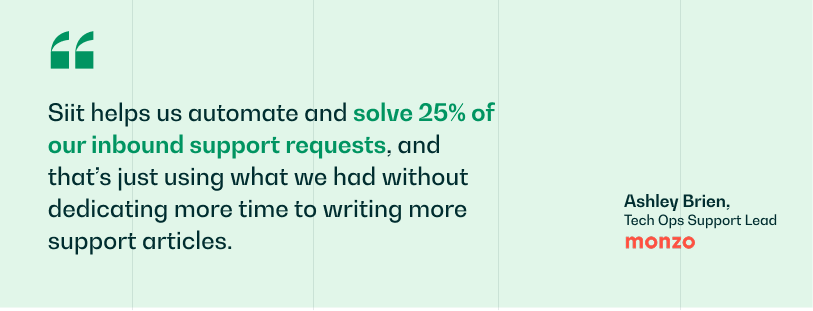
Siit brings these together in a platform that works inside Slack and Teams, where AI agents handle triage, pull requester context from your connected systems, and execute complete workflows without anyone leaving the conversation. Monzo's support team used Siit to automate and resolve a quarter of their inbound requests with the knowledge they already had, which is what a service desk built around execution rather than ticket logging makes possible. Admin-only pricing starts at $23/month with 50+ native integrations and no multi-month implementation.
Book a demo to see how Siit fits your current stack and removes the coordination work around your tickets.
.png)


FAQ

Admin-only pricing charges solely for the service desk administrators on your IT help desk who configure workflows and manage the platform, not every technician or approver who touches tickets. As you scale, this can save you significant money because approval chains grow with headcount while your core IT help desk stays relatively flat. In a 300-person company, you might have 30 managers approving requests but only 5 IT admins, which can make per-agent pricing far more expensive.
AI agents execute workflows through direct API connections to your systems using OAuth tokens or service accounts with controlled permissions. When triggered, they validate identity, then execute authenticated API calls in sequence, such as retrieving requester data from your HRIS, checking role-based policies, and calling identity provider APIs to reset credentials or change permissions. A unified control plane maintains state, handles errors, and triggers rollbacks if a step fails.
Start with a low-risk department as your pilot while you keep both systems active. Export your historical data and mirror SLA configurations for consistency, then train your IT help desk using real tickets processed through both platforms so you can document edge cases. Shift request volume department by department, keep a fallback procedure, and complete the transition only after department heads confirm service quality remains strong.
Chat-native systems capture requests as threaded Slack conversations, preserving full context and response history inside the workflow your requesters already use. Traditional portals force context switching, re-authentication, structured form filling, and manual checking for updates, which pushes people back into DMs. With chat-native flows, status changes, approval notifications, and resolution confirmations post into the same thread, reducing shadow queues and preserving an audit trail.
Track cost per ticket by dividing your total service desk spend by resolved tickets, plus labor hours saved through automated workflows and requester time recovered through faster resolution. Measure approval cycle time from submission to completion, how much capacity your IT help desk gets back for project work, and mean time to provision access. For cost avoidance, estimate the handling cost of tickets self-service prevents and track knowledge search-to-resolution rates.
The leading options are Siit, Zendesk and Jira Service Management. Siit operates directly inside Slack and Teams, where AI agents execute complete workflows across your identity provider, HRIS and device management platforms without manual handoffs.