14 AI Chatbot Use Cases in 2026: How Siit Supports Them
The most useful AI chatbot use cases start with the requests already burying your queue: password resets, access questions, and the same policy question asked four times a week. Those requests consume the hours that should go to infrastructure and security work.
Whether a request needs an answer or a verified action decides which type of bot you deploy. Mirakl automated the second kind and went from over 120 manual IT actions a month to zero, live one week after the decision.
This guide maps 14 use cases across internal operations and customer-facing support, with the escalation rule and the key performance indicator (KPI) that belongs to each one. Start with repetitive requests that have stable rules, where the measured queue relief shows up fastest.
TL;DR:
- AI chatbots absorb the highest-volume internal requests, from password resets and access requests to paid time off (PTO) and benefits questions.
- The strongest deployments pair a clean knowledge base with clear human-escalation rules and tracked deflection metrics.
- Deflection rate read on its own is misleading, because a bot that closes requests people reopen is deflecting on paper only.
- The market is shifting from answer-only chatbots to agentic AI that executes multistep work end to end.
- Siit covers the internal half of this list as an AI Service Desk, answering employees in Slack or Microsoft Teams and executing the approval and access steps behind a request.
What Are the Four Types of Chatbots?
A mismatch between the chatbot type and the intended job can stall a project. Rule-based bots follow a fixed script, AI bots add natural language processing (NLP) so they can interpret a badly phrased question, hybrid bots run scripted flows with an NLP fallback, and agentic AI goes further by completing the task. For your queue, the choice depends on whether the request needs only an answer or must end with a verified action.
Most internal deployments land in the hybrid column and grow toward agentic once escalation rules have proven themselves. Pick the type after you know which requests you are pointing it at.
What Are the Most Common AI Chatbot Use Cases?
Fourteen use cases account for most chatbot deployments, and they split into two groups that behave differently. The first five are internal, aimed at the queue you already manage, and they are where a small IT team recovers hours. The nine that follow are customer-facing, included because the patterns transfer even when the audience does not. Read the table for the shape of each one, then the entries below for the escalation rule and the metric that proves it works.
The five internal entries come first because they sit closest to the queue you already manage. Each one below names the boundary where a person has to take over, which is the part that decides whether the deployment holds.
1. IT Service Desk: Password Resets and Access Requests
A chatbot in Slack or Teams intercepts routine issues before they become tickets you triage by hand, while anything unresolved still becomes a tracked ticket with an owner and a status. Password resets are the pattern to start with: the bot verifies identity, then triggers a supported workflow through JumpCloud, Okta, or Google Workspace. Locked accounts, software installs, and VPN troubleshooting follow the same controlled intake. Actions differ by provider, so confirm what your own integration documents before assuming every tool accepts the same commands.
Access requests are the harder case, because one ticket usually hides a whole business process. Handled manually, one request pulls in IT, the requester's manager, Finance, and HR, and most of the elapsed time is spent waiting on the next handoff instead of doing the work. For everything the bot cannot resolve, it can still sort incoming work, collect the missing context, and route it to the right owner.
2. HR: Benefits, PTO, and Onboarding Questions
HR demand arrives in predictable cycles: benefits at open enrollment, payroll at month-end, policy questions whenever guidance changes. Open enrollment is the stress test, when plan comparisons, provider networks, and prescription-coverage questions all spike at once. A bot reading synced Workday data answers from current employee context, so the reply reflects this year's plan.
Life events like a marriage or a relocation trigger checklists with deadlines and required documents already attached. Onboarding is where HR, IT, and Finance collide and where you usually end up as the human API between them, so giving new hires one place to ask about paperwork, equipment, and first-week logistics removes most of that traffic. Grievances and anything involving personal circumstances route to authorized HR staff, which is the line that keeps the automation trustworthy.
3. Internal Knowledge: Policy and Runbook Lookups
Your IT runbooks live in Confluence, HR policies live in Notion, and the answer to any given question lives wherever someone last pasted it. A source-grounded retrieval layer turns that sprawl into one query: employees ask in plain language, and the bot returns the current document.
Retrieval quality decides whether knowledge answers hold up, well before model choice enters the conversation. Three things govern it: every answer should cite a specific document so you can trace a wrong one back to stale material, two documents that disagree both look valid to retrieval so the bot picks one, and a low-relevance match is what produces a confident but unsupported answer.
Deduplication and review dates belong in the launch checklist, each with a named owner. When no reliable document exists, the bot should say so and route the question.
4. Finance: Expense Policy and Reimbursement Status
Expense questions land in your queue because employees ask whoever answers fastest, and in Slack that is often you. A chatbot fields policy questions and reimbursement-status checks from the current policy document, then routes anything needing sign-off to the right approver in the same thread. A bot reading synced HRIS data can also route corporate travel expense approvals, preserving the approval chain and audit history Finance requires. Exceptions above your threshold escalate to a person, so the automation never quietly approves something Finance would have questioned.
A bot collects the justification, posts the request to the approver, and logs each decision as it happens, which gives Finance a record without anyone maintaining a spreadsheet. Watch first response time here, because a stalled reimbursement generates follow-up messages that cost you more than the original request.
5. Security: Access Recertification and Permission Checks
Access recertification is the review nobody volunteers for, and chasing confirmations by DM burns time every cycle. A chatbot in Slack or Teams asks each manager to confirm or revoke their team's access, records the answer, and reminds anyone who has not replied. Every decision lands in a log, so the audit trail builds as the review progresses and nobody has to reconstruct it later.
Permission questions follow the same route as any other access request. The bot can show what an employee has today, execute supported identity provider actions when policy allows, and hand anything suggesting a compromised account straight to a human. Completion rate tells you whether the review actually finished, which is a different number from how many reminders went out.
6. Customer Support: FAQs and Order Status
Customer support is the deployment your employees already know from the consumer side, and that familiarity lowers resistance when you introduce the same pattern internally. Large deployments show how a maintained knowledge base, live system integrations, and tight escalation rules absorb routine conversations.
Deflection only builds trust when the exit is obvious, so route to a human on negative sentiment, on two failed answers to the same question, on refunds above a set threshold, and on any explicit request for a person. Two misses on one question usually means the knowledge base is at fault. Never make a customer argue for a human. Design the handoff to carry full conversation context so the customer never repeats themselves and the agent can act without reconstructing the exchange.
7. Sales: Pricing Questions and Demo Requests
AI chatbots engage website visitors, qualify leads against your criteria, and book meetings without making every prospect wait for a representative. A visitor asking about pricing at eleven at night can be qualified and dropped onto a rep's calendar before morning, which is where most of the value sits, because the lead never cools.
Qualification criteria need a named owner, since a bot that overstates product fit creates a worse first call than no call at all. Contract questions are the escalation line, and so is anything touching custom terms. Score this on qualified-lead rate; raw conversation volume tells you nothing, because a bot that books unqualified meetings costs your sales team more time than it saves.
8. E-Commerce: Order Tracking and Returns
If your company sells online, order-status questions are likely your largest inbound category. Chatbots answer "where is my order," recommend products from browsing behavior, and initiate returns without an agent touching every interaction.
The requirement is live data. The bot has to read current inventory, order, and refund records before it responds, or it will confidently quote a delivery date that already slipped. Returns initiated in chat and tracked to completion close the loop, provided the request stays inside policy, while disputed charges and unusual refund amounts move to a person. Containment rate exposes the truth quickly, because a bot handing off half its conversations has not reduced anyone's workload.
9. Healthcare: Appointments and Medication Reminders
Patients can book appointments, receive medication reminders, and complete administrative intake through chatbots without waiting in phone queues. Administrative logistics are where this stays, and the boundary has to be explicit: scheduling, rescheduling, and reminders stay with the bot, while any symptom or clinical question routes to staff immediately.
Permissions need the same rigor as your identity stack, with patient data restricted to authorized personnel and every action logged. Those controls apply whether the interaction arrives by chat or by voice, since the channel changes nothing about the sensitivity of the record. Booking completion earns its place as the headline measure, because an abandoned flow sends the patient back to the phone queue you were trying to empty.
10. Banking: Balance Queries and Payment Setup
Banking chatbots operate under the tightest compliance constraints on this list. Everyday work covers balance queries, spending guidance, automatic payment setup, and fraud alerts, all of which depend on the bot reading account data in real time.
Escalation carries the weight here. A bot can flag a suspicious transaction and freeze a card, but a human confirms fraud and a human handles complex products like mortgages and investment accounts. Every interaction needs an audit record, because a regulator asking what the customer was told is asking for a transcript. Read resolution rate alongside complaint volume, since a bot that closes conversations without solving anything shows up in complaints before it shows up in metrics.
11. Travel: Bookings and Itinerary Changes
AI chatbots handle real-time bookings, itinerary changes, and status inquiries across travel. Travelers check flight status, modify hotel reservations, or get local recommendations in one conversation, which works because each of those actions touches a single system.
A disrupted multi-leg trip does not, and it belongs with a human agent: the dependencies multiply, the costs are real, and automated resolution becomes unpredictable. For corporate travel, a bot reading synced HRIS data answers policy questions without adding administrative work, since the employee's grade and cost center are already in the record. Handle time will look excellent right up until the first weather event, which is the scenario worth testing before launch.
12. Media: Account Access, Billing, and Subscriptions
Streaming services, gaming platforms, and publishers field high volumes of account access, billing, and subscription requests, most of which are the same handful of questions at enormous scale. A chatbot handles plan upgrades, account recovery, and payment queries without a human touching every conversation, with content recommendations as a secondary benefit.
Content and rights disputes go to a person, because neither the policy interpretation nor the liability fits a routine automated response. The operational challenge is volume spikes. A launch or an outage can multiply inbound overnight, so the escalation path needs headroom it never uses on a normal day. Containment rate tells you whether that headroom is being consumed faster than expected.
13. Education: Enrollment and Course Logistics
Universities and training providers field the same enrollment and course-logistics questions every semester, on a calendar as predictable as your onboarding waves. Chatbots answer enrollment and course questions, point students to study resources, register them for events, and offer basic tutoring support.
Academic advising and exceptions still require staff, because those decisions depend on individual context and institutional rules no bot should interpret. The predictability is the advantage: if you know when demand spikes, you can update knowledge, test the common questions, and confirm escalation staffing before the peak. Audit answer accuracy at the start of each term, since course codes, deadlines, and fee structures all change while the articles stay where they were.
14. Real Estate: Listing Filters and Showing Schedules
Real-estate bots qualify buyers and renters, filter listings against stated criteria, schedule showings, and walk prospects through financing basics. The filtering is the useful part, because the alternative is an agent manually matching a hundred listings against a budget and a commute.
Agents step in when a qualified lead is ready to negotiate, or when a financing question needs professional judgment beyond a general explanation. That division keeps the bot on structured intake, where the worst mistake costs a rescheduled showing. Weigh lead conversion against showing attendance, since a bot that books viewings nobody attends is generating activity without generating pipeline.
How Do You Deploy a Chatbot Against These Use Cases?
Iteration beats a big-bang launch, because it lets you inspect answers, actions, and escalation behavior before more employees depend on the system. Expand one department at a time, since each phase inherits the intake, routing, and audit trail from the one before it. Adding HR before IT is stable just moves the coordination problem somewhere less visible.
- Pick the workflows. Rank request types by frequency from recent ticket data. Password resets, access requests, and PTO questions usually top the list.
- Choose the technology. Evaluate language quality, multilingual support, and integration depth with your identity provider, HRIS, and knowledge base.
- Name the owners. One per department, responsible for maintaining that team's knowledge content and reviewing escalations.
- Clean the knowledge base first. Deduplicate and archive contradictory documents before the bot answers anything, because knowledge quality drives deflection more than model choice does.
- Build the IT foundation. Start with app access, equipment requests, and password resets, the repeatable processes with clear security controls. Audit responses weekly, add explicit answers for the top misses, and hold scope until accuracy is stable.
- Extend department by department. HR next for onboarding, policy questions, and the workforce data routing depends on. Then Finance for budget checks and purchase approvals, then facilities, vendors, and compliance once the earlier phases have stable ownership.
Most teams reach step five and stop, which is usually the right call. A chatbot that reliably handles one department is worth more than one that half-handles four, and the pressure to widen the scope tends to arrive before the first phase has earned it.
Which AI Chatbot Use Cases Are Emerging Next?
A Gartner forecast predicts agentic AI will autonomously resolve 80% of common customer service issues by 2029 while cutting operational costs 30%. The forecast raises the value of governance, because higher autonomy means each permission, integration, and escalation rule has more operational impact. Treat that forecast as a planning signal and set your own target.
Adoption can still race ahead of discipline. Logged decisions, explicit human-handoff rules, and a service desk that works when the model does not are the controls that separate a durable deployment from an experiment. For your IT team, use autonomous workflow guidance to expand autonomous execution only after the underlying workflow is stable and each supported action has a clear owner.
Multimodal and Voice Interfaces
For an internal desk, an employee can submit a screenshot of the error and let the bot extract context before it troubleshoots or routes the request. Image handling still needs the privacy and retention policies you apply to text.
Voice adds the same convenience to spoken and phone-based requests. An employee can describe an error aloud, or a customer can call a voice bot that transcribes the request, checks the caller's identity, and routes the conversation through the workflow used for text. Images and spoken requests need the same identity verification, escalation rules, and audit controls as chat, with the transcript and resulting actions logged for review.
Where Should You Start, and Where Does Siit Fit?
Fourteen use cases sit on this list, but only a handful belong in your first deployment. Pick the requests with the highest volume and the fewest exceptions, and write the escalation rule before you write the answer.
Siit is an AI Service Desk built for the five internal use cases here: the IT service desk, HR, internal knowledge, finance requests, and security reviews. Requests arrive in Slack or Microsoft Teams, pass through intake and triage where context from 500+ connectable apps classifies them against the requester's real role and access, and the AI agents take whichever path the request needs. A policy question gets answered from your connected knowledge sources with the source document attached; a software request becomes one approval chain across IT, HR, and Finance, replacing the three DMs you used to chase; an access review runs through identity provisioning and logs every decision as it happens. Two limits are worth knowing: workforce data is read from your HRIS and never written back, and identity actions run through your identity provider, not your device-management tool.
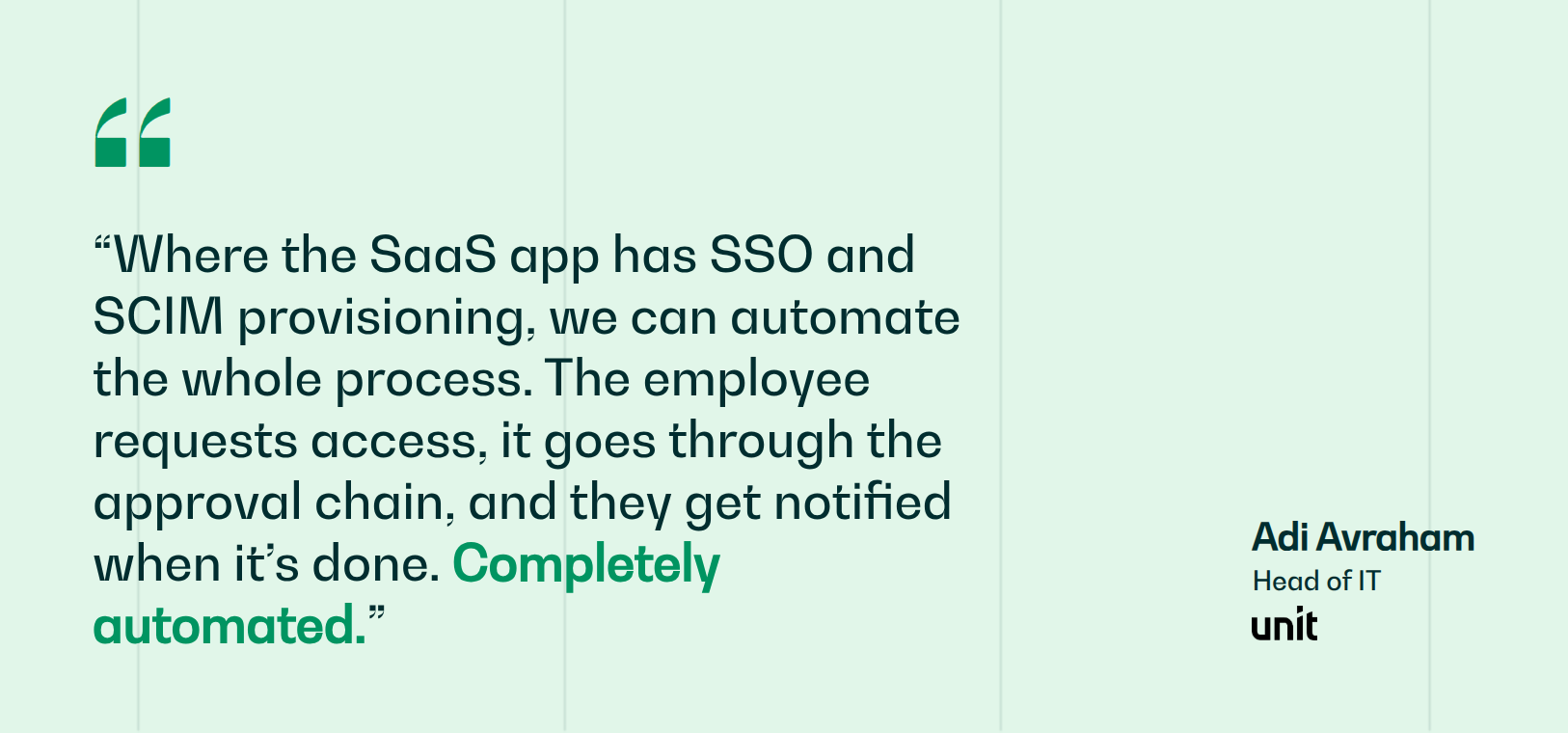
Unit's two-person IT team supports 200+ employees across three countries with a 60% reduction in helpdesk labor, avoiding one to two additional hires. For the narrower version of this picture, bots built for employees cover the internal pattern on their own.
Book a demo and see how much of your IT queue an AI Service Desk can take off your plate this quarter.
.png)


FAQ

A chatbot retrieves and presents information from your knowledge base. An agent executes actions, planning steps and calling tools to finish a workflow. Deploy chatbots first to absorb question volume on passwords, benefits, and policy. Add agents to high-volume actionable requests once your escalation rules hold.
No number will hold for your queue, because deflection tracks knowledge quality and request mix. Baseline before launch, audit responses weekly through the first month, and turn your top unanswered questions into articles. Watch reopen rate alongside deflection, or you will be counting closed tickets that came straight back.
Archive outdated versions and resolve contradictory documents before connecting anything, since conflicting articles force the bot to pick one at random. Deduplicate overlapping content, monitor retrieval relevance for the first two weeks, and require a citation on every answer so employees can verify it and you can trace errors to gaps.
Reopen rate catches prematurely closed tickets. CSAT shows whether deflected employees were satisfied or gave up. First-contact resolution confirms one exchange was enough. Escalation rate shows handoffs happening when they should, and answer accuracy audits reveal whether replies were correct or invented.
Payback depends on scope and volume more than on the platform you pick. Narrow deployments aimed at your three highest-volume request types return faster than broad rollouts, because the knowledge behind them is easier to keep accurate. Clean documentation and tight escalation rules shorten the period; complex edge cases lengthen it.